

The 12 Best Email Newsletter Platforms for Creators in 2026
Choosing from the best email newsletter platforms is more than a technical decision-it's a strategic one that directly impacts your growth, revenue, and connection with your audience. For digital creators, experts, and online businesses, a newsletter isn't just a marketing channel; it's the core of your community, the delivery vehicle for your value, and a direct line to your customers. The right platform serves as the engine for your entire operation, but the market is crowded with options, from simple tools to complex all-in-one ecosystems.
How do you find the one that fits your specific needs? This is especially critical when you're looking to sell courses, build a community, and manage a paid newsletter without juggling a dozen different apps and losing a percentage of every sale. Simply choosing a tool isn't enough; you also need to know how to build an effective email distribution list that actively converts subscribers into loyal customers.
This guide breaks down the top 12 platforms, analyzing them not just on features, but on their suitability for different types of creators. We'll explore the critical differences in monetization models, community integration, and creator control to help you make an informed choice that supports your business for the long haul. Each option includes screenshots and direct links, helping you compare everything from Zanfia's integrated, zero-fee model to the specific strengths of established players like Mailchimp and ConvertKit. We'll help you find the perfect fit, whether you're just starting out or scaling past six figures.
1. Zanfia
Zanfia is an AI team that runs a creator business, delivered as an all-in-one platform where courses, paid newsletters, communities, and digital products all live under your own domain. Instead of configuring a stack, you tell the assistant what to do, by chat or by voice, and it acts inside your workspace, performing anything available in the interface. That work lands on real surfaces creators sell on: a paid newsletter, a course, a community, a downloadable product. For anyone who sees a newsletter as the hub of a larger digital product ecosystem, this positions Zanfia as one of the best email newsletter platforms to build on.
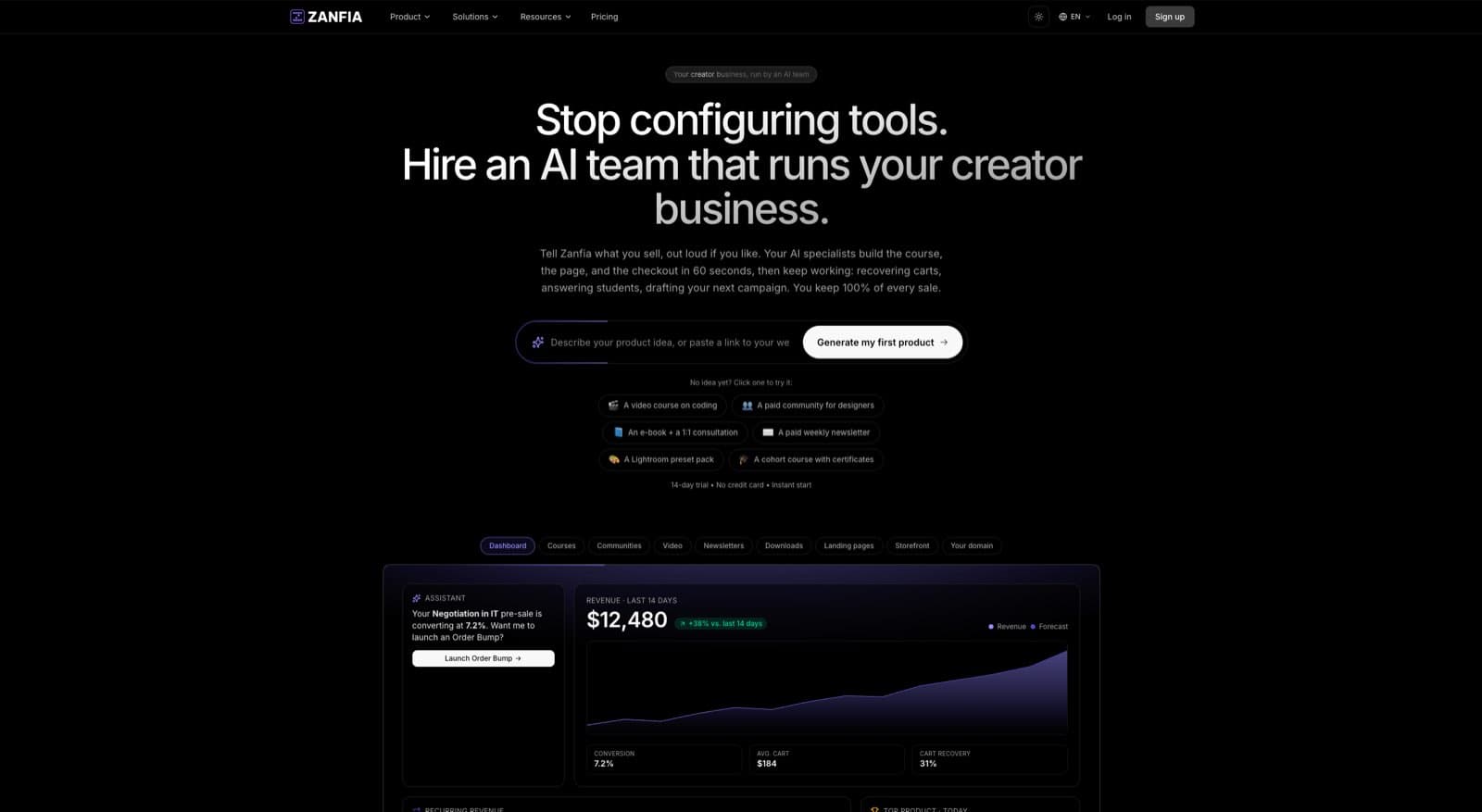
Zanfia’s current pricing model charges a 0% platform transaction fee on customer sales. You pay a monthly subscription and keep your revenue, minus only the standard payment processor fees (Stripe, roughly 2.9% + $0.30 in the US). Selling is built in: a checkout with order bumps, subscription upsells, and installments that let you split a $600 course into four payments, plus a test mode so you can buy your own product end to end before launch, and 12 product types (courses, newsletters, communities, memberships, downloads, bookings and more) living under one brand. Powerful automations, like granting course access after payment or triggering welcome sequences from your connected email tool, save hours of admin every month. Availability of advanced AI capabilities depends on the plan, so check the current Zanfia pricing to see what unlocks where.
Key Strengths & Use Cases
Zanfia is engineered for creators building a multifaceted digital brand.
- For Paid Newsletter Creators: Sell premium subscriptions and bundle your newsletter with courses or a private community. Trigger onboarding sequences and access changes automatically from purchases. You can learn more with their guide on email newsletter best practices .
- For Course Authors & Coaches: Host courses with native video (no separate Vimeo or Wistia subscription), and keep students engaged with integrated community channels and newsletters, all under your own brand and domain. Native quizzes, tests and completion certificates are built in.
- For Community Builders: Keep your audience in one place instead of pushing them out to external tools like Discord. Communities include topic channels, roles, a calendar, and an AI agent that writes from your own content, with everything it publishes clearly labeled as AI.
Pricing and Access
Zanfia uses a transparent SaaS subscription model with a 14-day free trial (no credit card required). Plans start at $39/month, or $31/month billed annually (Starter), scaling to Growth ($79/$63 billed annually), Pro ($149/$119 billed annually), and Scale ($249/$199 billed annually). Availability of features like custom domains, order bumps, the full AI Assistant and white-label AI depends on the plan (the MCP endpoint is on every plan), so check the current Zanfia pricing.
Pros & Cons
- Pros:
- True All-in-One Platform: Integrates community, courses, newsletters, and e-commerce with a single login.
- 0% Platform Commission: As of publication, creators keep 100% of their revenue beyond payment processor fees.
- AI-first, voice-ready workflow: Dictate work to an assistant that acts on your workspace, with an MCP endpoint so your own agents can plug in on every plan.
- Powerful Automations & Native Video: Saves hours on admin and eliminates the need for external video hosting like Vimeo.
- Cons:
- Headline AI features are plan-dependent: The full Assistant and white-label AI unlock at higher tiers (the MCP endpoint is on every plan), so check the current Zanfia pricing .
- Native email campaigns are rolling out: Broadcasts and launch sequences are built and shipping in stages, so check your workspace on the day you sign up.
2. Mailchimp
Mailchimp is a cornerstone in the email marketing world, often serving as the first platform for many creators and small businesses. Its longevity translates into a stable, reliable service with an extensive integration ecosystem, connecting seamlessly with tools like Shopify, WooCommerce, and thousands of other apps. This makes it one of the best email newsletter platforms for businesses that rely on a diverse tech stack.
What sets Mailchimp apart is its user-friendly interface combined with powerful, scalable features. The visual journey builder allows users to map out complex automation sequences, from simple welcome emails to intricate, behavior-based campaigns. For those focused on optimization, its A/B and multivariate testing capabilities are invaluable for refining content and improving engagement. Mastering these tools often starts with understanding the basics, and you can learn more about crafting compelling email subject lines to boost your open rates.
Key Features and Use Cases
- Best For : Ecommerce businesses and established creators needing a robust, all-around marketing tool with deep integrations and proven deliverability.
- Visual Customer Journeys : Design and automate multi-step email sequences based on user behavior, making it easy to visualize and manage complex funnels.
- Advanced Testing : Go beyond simple A/B tests with multivariate testing to simultaneously compare multiple variables like subject lines, sender names, and content.
- Robust Reporting : Gain clear insights into campaign performance, audience growth, and engagement metrics to make data-driven decisions.
Pricing and Limitations
Mailchimp's pricing structure is clear but can become costly as your list grows. The free plan is quite restrictive, offering only 250 contacts and 500 monthly sends (with a 250 daily cap), making it suitable only for absolute beginners. Paid plans offer higher limits, 24/7 support, and access to advanced features, starting with the Essentials plan. The main drawback is the cost, which scales quickly, potentially becoming a significant expense for creators with large but less monetized audiences.
- Pros :
- Excellent deliverability and industry reputation.
- Vast integration library connects to almost any tool.
- Intuitive interface for building campaigns and automations.
- Cons :
- The free plan is extremely limited.
- Pricing can be steep for users with large subscriber lists.
3. beehiiv
beehiiv is a growth-focused platform built specifically for creators who want to monetize their newsletters through subscriptions and sponsorships. Its core philosophy revolves around providing powerful, native tools for audience growth and revenue generation, making it one of the best email newsletter platforms for serious writers and media brands. The platform equips users with built-in features for running ad networks, paid recommendations, and referral programs, streamlining monetization from day one.
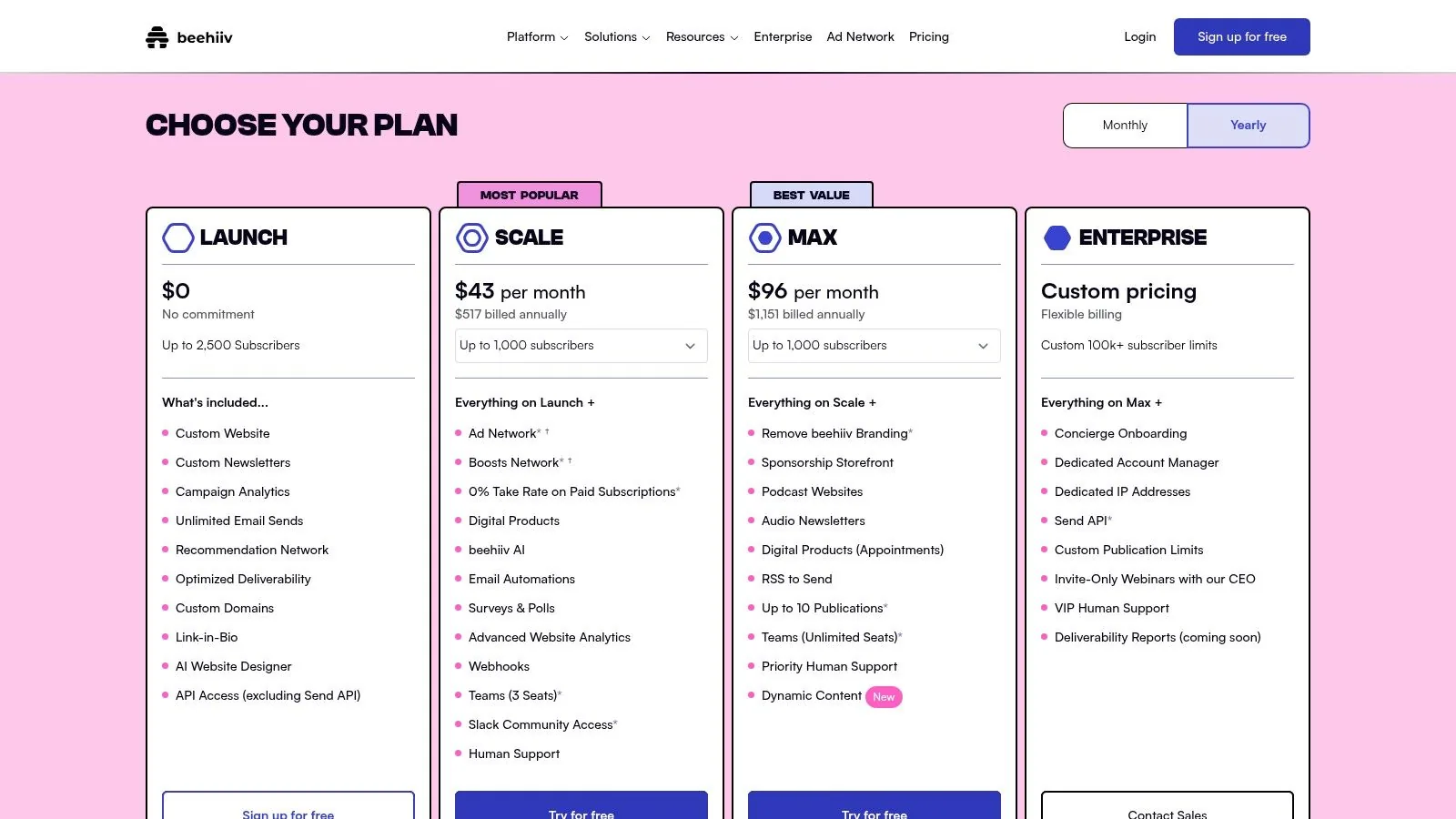
What truly sets beehiiv apart is its generous free plan and creator-friendly financial model. Unlike many competitors that take a percentage of subscription revenue, beehiiv charges a 0% fee on paid subscriptions, allowing creators to keep more of their earnings. This, combined with advanced features like automations, surveys, and in-depth analytics, provides a comprehensive toolkit for building a newsletter business without the technical overhead or prohibitive costs.
Key Features and Use Cases
- Best For : Creators, writers, and media brands focused on building and monetizing a newsletter-first business through paid subscriptions and advertising.
- Native Monetization Tools : Access a built-in ad network, manage sponsorships, and use the "Boosts" feature to earn revenue by recommending other newsletters.
- 0% Subscription Fees : Keep 100% of your paid subscription revenue; beehiiv never takes a cut, only standard payment processor fees apply.
- Advanced Growth Tools : Implement one-click surveys, create referral programs, and use detailed analytics to understand and grow your audience effectively.
Pricing and Limitations
beehiiv’s pricing is highly competitive, starting with a robust free tier that supports up to 2,500 subscribers with unlimited sends. This makes it an excellent starting point for new creators. Paid plans unlock more advanced capabilities like custom domains, A/B testing, and access to premium monetization features. The main limitation is that some of the most powerful tools, like the ad network and advanced analytics, are reserved for higher-tier plans. Additionally, certain monetization features may have regional availability restrictions.
- Pros :
- Excellent built-in monetization and audience growth tools.
- Generous free plan for up to 2,500 subscribers.
- 0% platform fee on paid subscriptions across all plans.
- Cons :
- Advanced features and branding removal require paid plans.
- Some monetization tools are not available in all regions.
4. Substack
Substack pioneered the creator-focused, all-in-one publishing model, combining a simple writing interface, email delivery, and paid subscriptions into a single, seamless workflow. It removes nearly all technical barriers to starting a newsletter, allowing writers to focus purely on their content. Its built-in network effects, where readers are recommended other Substack publications, provide a powerful, organic discovery engine that helps new creators find an audience. This makes it one of the best email newsletter platforms for individual writers and journalists prioritizing monetization from day one.
What truly sets Substack apart is its simplicity and direct-to-creator business model. It's free to use until you decide to charge for subscriptions, at which point Substack takes a percentage of the revenue. This alignment makes the platform a true partner in your growth. For a comprehensive overview of the platform itself, you can delve deeper into the features of the Substack platform to see how its ecosystem is designed for writers. The platform also integrates podcasting, allowing creators to bundle written and audio content under one subscription.
Key Features and Use Cases
- Best For : Journalists, writers, and thought leaders who want an effortless way to launch a paid newsletter with minimal technical setup.
- Integrated Publishing and Email : Write, publish to the web, and send to your email list from a single, unified editor, streamlining the content creation process.
- Built-in Paid Subscriptions : Easily create paywalls for your content and manage paid subscriptions with Stripe integration handled automatically.
- Network Effects and Discovery : Benefit from Substack’s ecosystem, which actively recommends your publication to readers of similar newsletters, aiding audience growth.
Pricing and Limitations
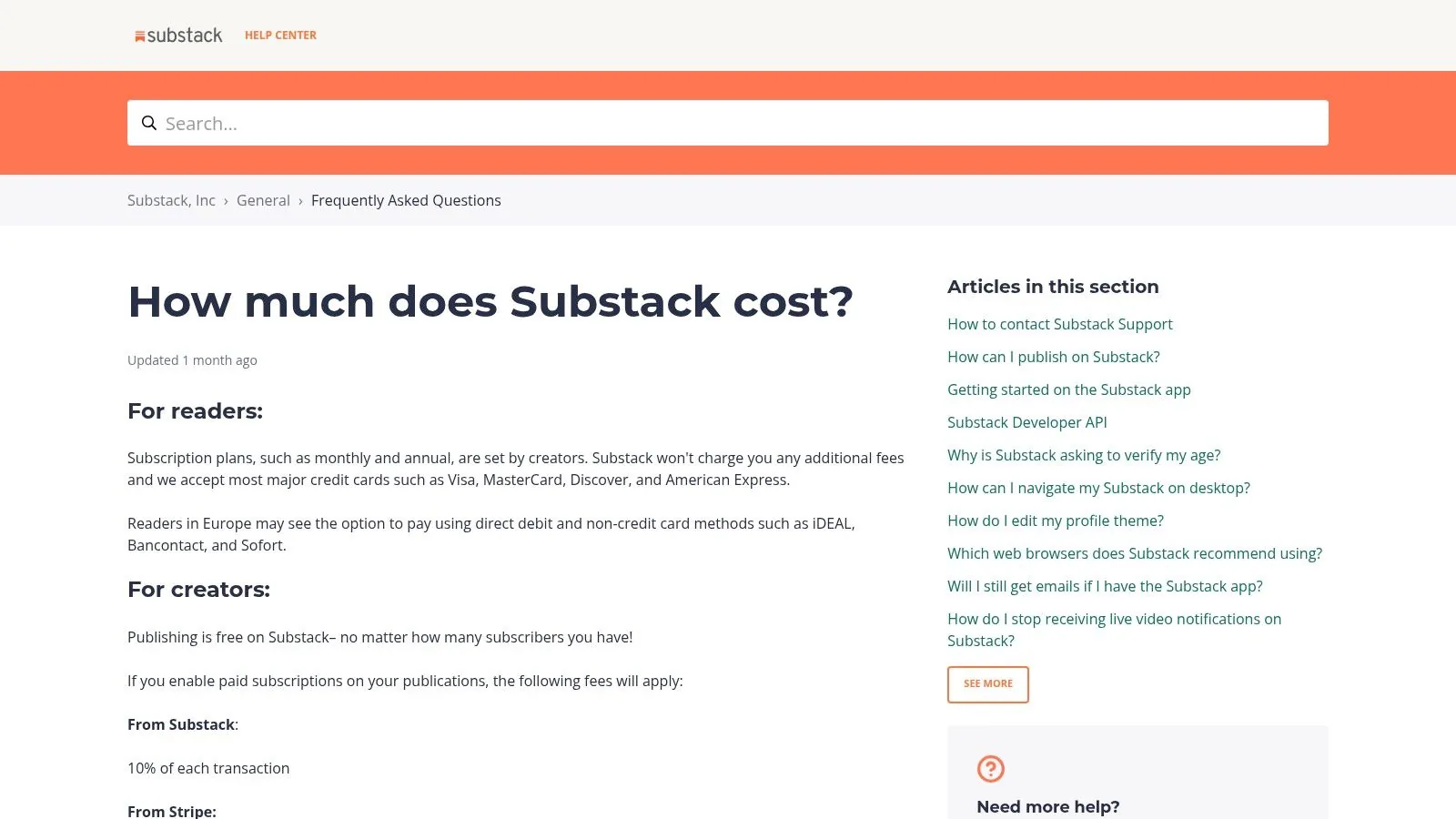
Substack is free to publish on, with no limits on subscribers or sends. The platform only makes money when you do, taking a 10% cut of revenue from paid subscriptions, in addition to Stripe’s standard processing fees. While this model is attractive for getting started, the 10% fee can become substantial as your revenue grows. The main limitation is the lack of customization and advanced marketing features; you have minimal control over design, and there are no complex automation or segmentation tools available.
- Pros :
- Extremely simple and fast to set up and start publishing.
- No upfront costs; you only pay when you earn.
- Built-in payment processing and reader management.
- Cons :
- The 10% platform fee on paid subscriptions can be costly at scale.
- Very limited design, branding, and customization options.
- Lacks advanced marketing automation and analytics features.
5. ConvertKit (now “Kit”)
ConvertKit, recently rebranded to Kit, is an email marketing platform built from the ground up with professional creators in mind. Its entire philosophy revolves around helping creators connect with their audience and monetize their work through powerful, targeted communication. Unlike more general-purpose platforms, Kit excels at managing complex subscriber journeys through an intuitive tagging and segmentation system, making it one of the best email newsletter platforms for creators who need precise audience control.
What truly sets ConvertKit apart is its seamless integration of commerce and email. Creators can sell digital products, paid newsletters, and subscriptions directly through the platform without needing a separate e-commerce tool. This creator-centric model is supported by visual automation builders that allow you to design sophisticated email sequences triggered by user actions like a purchase or a form submission. The platform also offers robust landing page and form builders designed for high conversion rates.
Key Features and Use Cases
- Best For : Professional bloggers, course creators, and authors who need powerful segmentation and integrated tools for selling digital products and paid newsletters.
- Visual Automations : Build powerful, automated funnels that guide subscribers based on their interests and actions, from simple welcome sequences to complex product launch campaigns.
- Creator Commerce : Sell digital products, subscriptions, and paid newsletters directly from the platform with built-in landing pages and checkout functionality.
- Advanced Tagging and Segmentation : Use a flexible tag-based system to organize subscribers, allowing for hyper-targeted broadcasts and personalized content delivery.
Pricing and Limitations
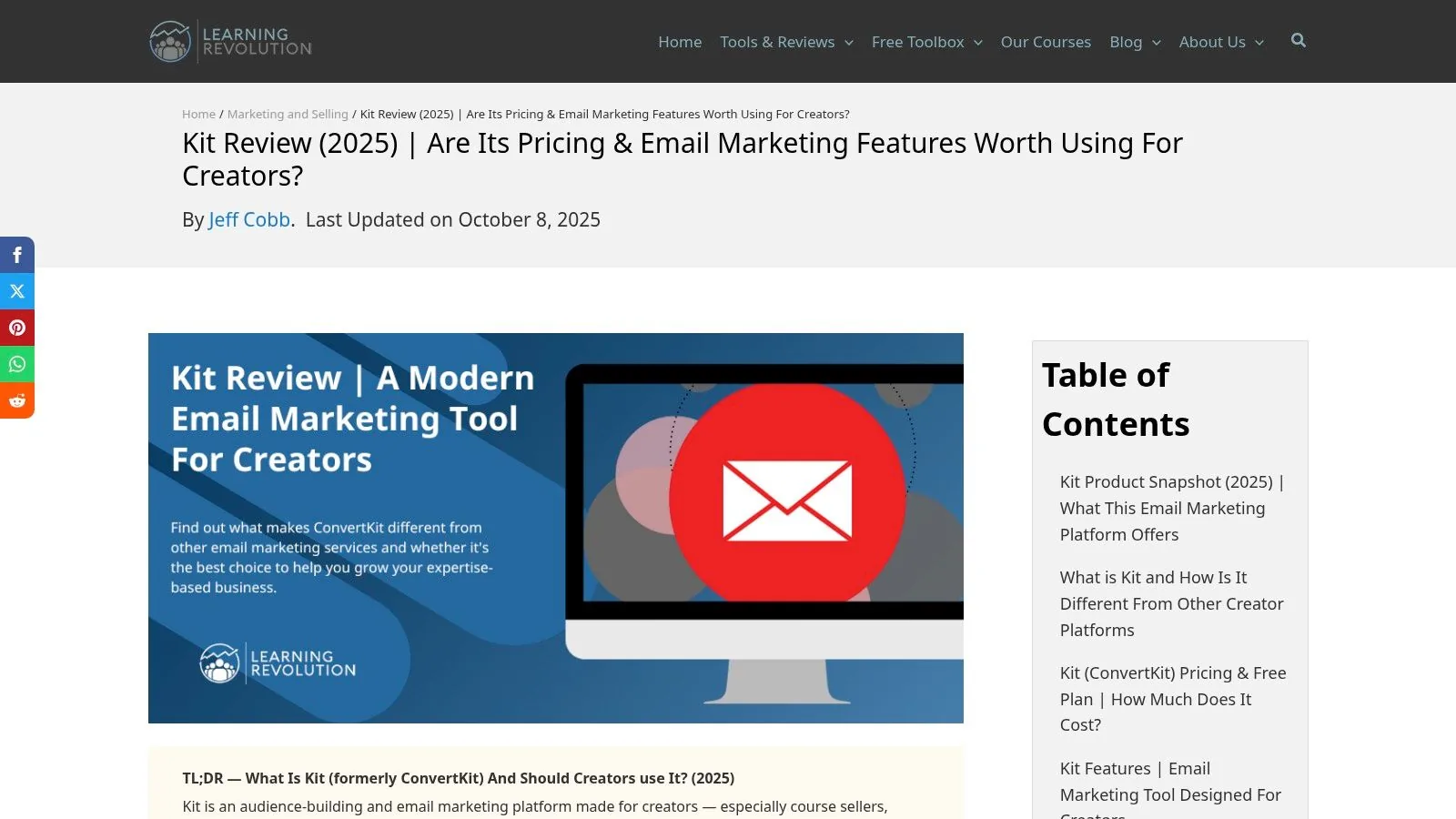
ConvertKit offers a free plan for up to 1,000 subscribers, which is generous but lacks access to automated sequences and free migration support. Paid plans unlock these crucial features and are priced based on subscriber count, starting with the Creator plan. While the platform is incredibly powerful, its pricing has increased, and some of the most advanced features, like a subscriber referral system and deeper analytics, are reserved for the top-tier Creator Pro plan. This can make it a more significant investment compared to other tools.
- Pros :
- Excellent segmentation and tagging for targeted campaigns.
- Built-in tools for selling digital products and subscriptions.
- Intuitive visual automation builder for creator workflows.
- Cons :
- Can be more expensive than competitors as your list grows.
- Some key features are locked behind the highest-priced plan.
6. MailerLite
MailerLite excels by offering a powerful, all-in-one marketing toolkit that is both affordable and incredibly easy to use. It's a go-to choice for creators and small businesses seeking more than just email, providing integrated tools for landing pages, websites, and even digital product sales. This positions it as one of the best email newsletter platforms for those who want to build and manage their entire marketing funnel from a single, intuitive dashboard without a hefty price tag.
What makes MailerLite stand out is its commitment to simplicity without sacrificing essential features. The drag-and-drop editor is clean and user-friendly, allowing anyone to create professional-looking newsletters and automations. It's a platform that grows with you, offering a generous free plan and transparent pricing that remains accessible as your audience expands. Effective use of its features, combined with a solid understanding of how to improve email deliverability, can lead to impressive campaign performance.
Key Features and Use Cases
- Best For : Bloggers, solo creators, and small businesses who need a cost-effective, multi-functional platform that includes landing pages and website-building tools.
- All-in-One Toolkit : Build and host landing pages and even simple websites directly within the platform, perfect for lead generation and product launches.
- Digital Product Sales : Create and sell digital products like e-books or templates with an integrated checkout, streamlining the monetization process.
- User-Friendly Automations : Set up automated email sequences for welcoming new subscribers, nurturing leads, or re-engaging inactive contacts with ease.
Pricing and Limitations
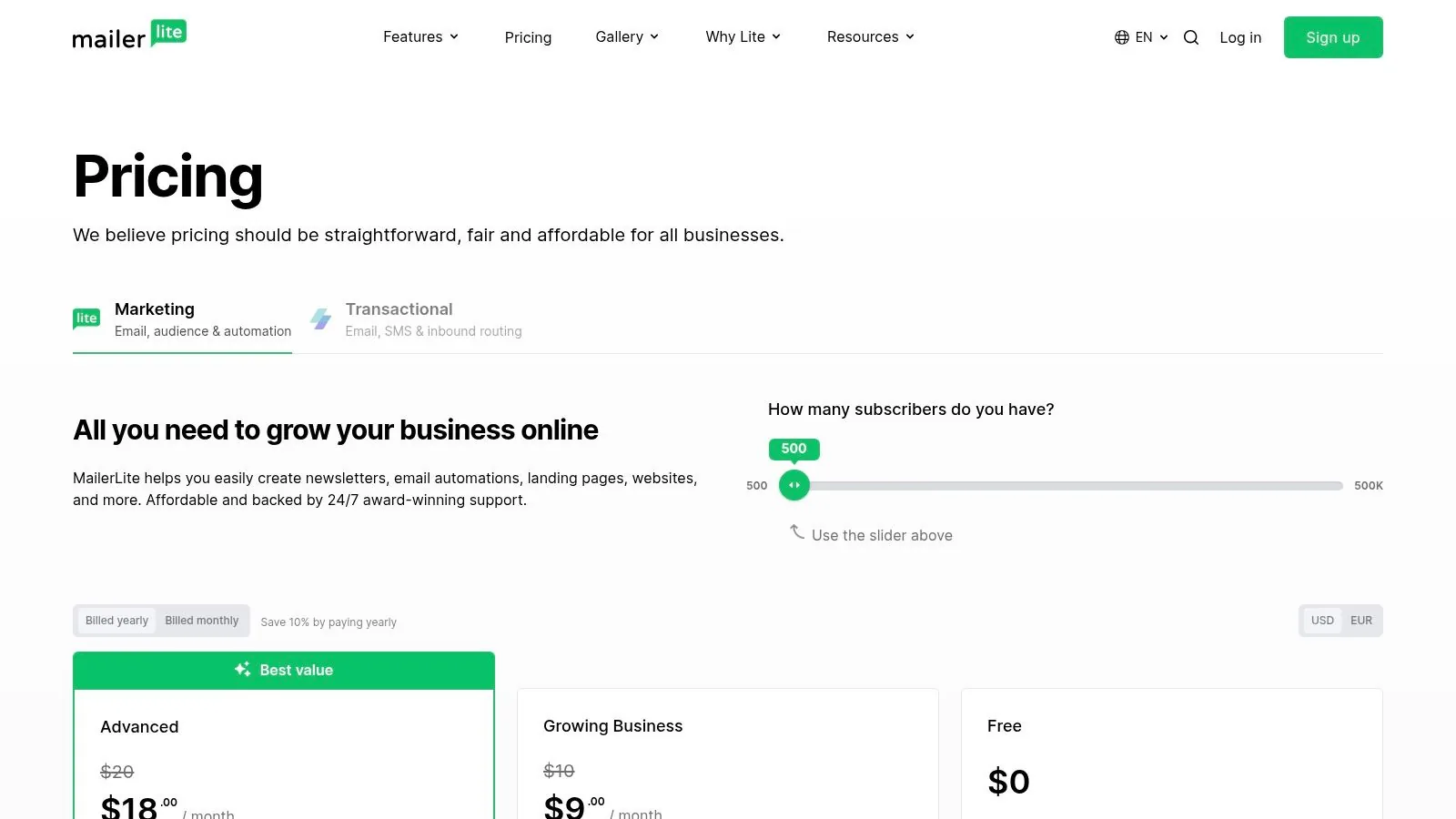
MailerLite's pricing is one of its most attractive aspects. The free plan is generous, allowing up to 1,000 subscribers and 12,000 monthly emails. Paid plans are very competitive and unlock 24/7 support and more advanced features. The primary limitation is that some sophisticated automation triggers and smart-sending capabilities are reserved for higher-tier plans. Additionally, with its primary data hosting in the EU, businesses outside the region may need to consider GDPR compliance implications.
- Pros :
- Excellent value with a generous free plan and affordable paid tiers.
- Includes landing page and website builders at no extra cost.
- Clean, intuitive interface that is easy for beginners to master.
- Cons :
- Most advanced automation features require a more expensive plan.
- EU data hosting might require extra compliance steps for some users.
7. Brevo (formerly Sendinblue)
Brevo, formerly known as Sendinblue, stands out as a comprehensive, all-in-one marketing suite that extends far beyond traditional email campaigns. It integrates email, SMS, WhatsApp, and marketing automation into a single platform, making it one of the best email newsletter platforms for businesses aiming for multi-channel customer engagement. This unified approach allows creators to manage diverse communication strategies without juggling multiple tools.
What makes Brevo particularly attractive is its flexible pricing model, which is based on send volume rather than contact list size. This can be incredibly cost-effective for users with large but less frequently contacted audiences, such as community builders or course creators who send periodic updates. The platform also supports both marketing newsletters and critical transactional emails (like password resets or purchase confirmations), consolidating essential functions into one dashboard.
Key Features and Use Cases
- Best For : Businesses and creators who need a multi-channel marketing hub (email, SMS, WhatsApp) and have large contact lists but a lower sending frequency.
- Multi-Channel Outreach : Engage your audience across their preferred platforms, including email, SMS marketing, and WhatsApp campaigns, all managed from a single interface.
- Transactional and Marketing Email : Handle all your email needs, from promotional newsletters to essential automated messages, ensuring brand consistency and reliability.
- Generous Free Plan : The free tier allows for unlimited contacts with a daily sending cap, providing an excellent starting point for new creators to build their list without initial investment.
Pricing and Limitations
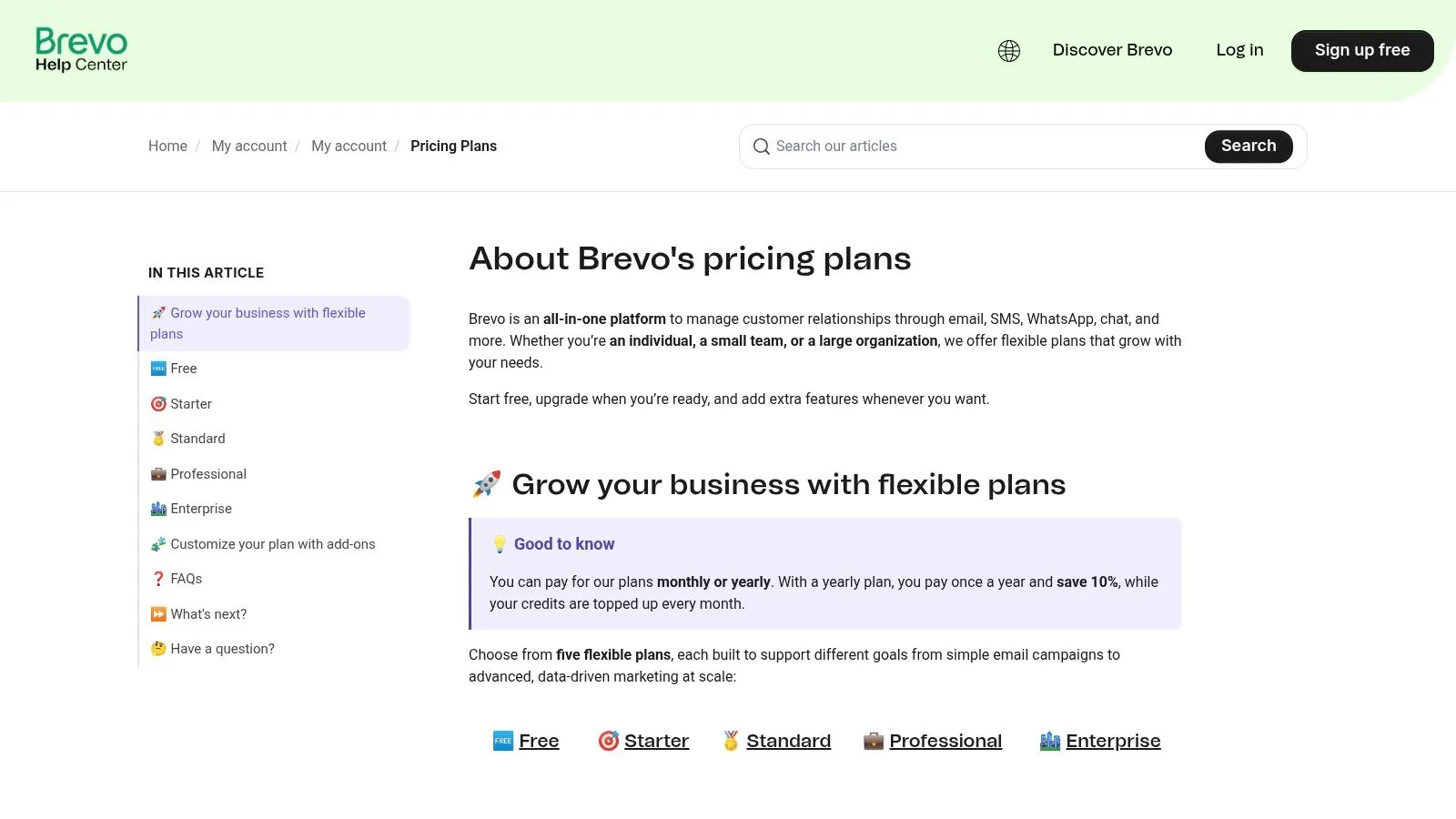
Brevo’s pricing is one of its key differentiators. The free plan is robust, offering up to 300 emails per day and unlimited contact storage. Paid plans are structured around the number of emails sent per month, which offers predictable costs and scalability. However, some advanced features are only available on higher-tier plans or as paid add-ons, and a dedicated IP address for improved deliverability comes at an additional cost. This means users must carefully evaluate which features are essential to their strategy to manage expenses effectively.
- Pros :
- Cost-effective, send-based pricing is great for large lists.
- All-in-one platform for email, SMS, and WhatsApp marketing.
- Strong free plan with unlimited contacts.
- Cons :
- Interface can be less intuitive than some competitors.
- Advanced features and dedicated IPs require plan upgrades or add-ons.
8. Ghost(Pro)
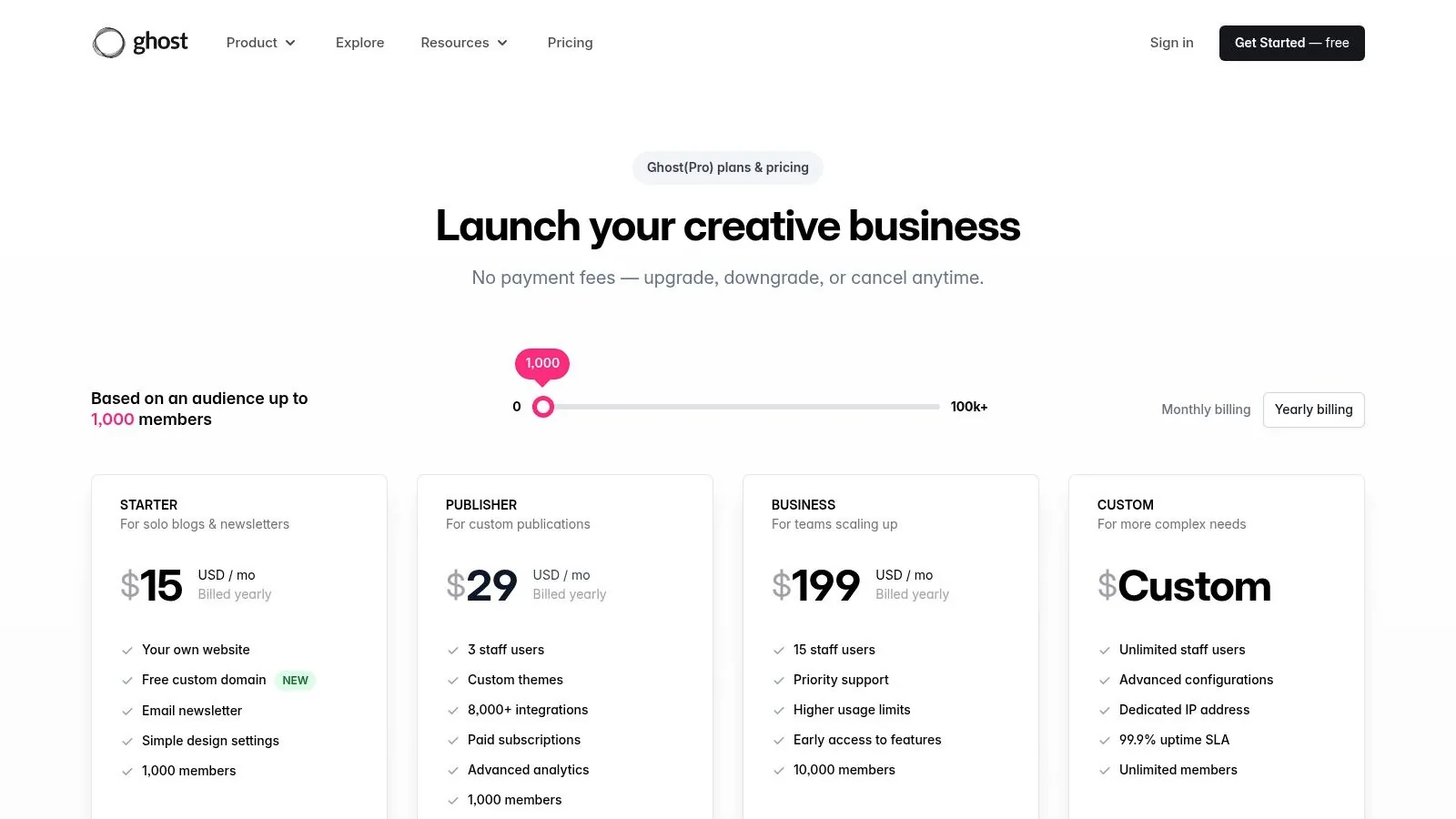
Ghost(Pro) presents a unique alternative in the email marketing landscape, positioning itself not just as a newsletter tool but as a complete, open-source publishing platform. It’s designed for professional creators, journalists, and publishers who want full ownership of their content, brand, and audience. This makes it one of the best email newsletter platforms for those who prioritize independence and want to integrate their writing, website, and email distribution into a single, seamless workflow.
What truly sets Ghost apart is its native integration of content management, paid memberships, and email newsletters. Instead of juggling a separate website builder, email service, and payment gateway, you can manage everything from one dashboard. This unified approach simplifies the creative process, allowing you to publish a blog post and send it as a newsletter to specific audience segments (like free or paying members) in a single click. It's an elegant solution for creators focused on building a direct-to-consumer media business.
Key Features and Use Cases
- Best For : Writers, journalists, and serious creators who want to build a fully-owned media brand with integrated paid memberships and a strong SEO foundation.
- Native Memberships & Subscriptions : Effortlessly create paid newsletters and premium content tiers with 0% platform fees on your revenue (standard Stripe fees still apply).
- Full Brand Control : Use custom themes and your own domain to build a website that reflects your brand, not the platform's.
- Integrated Publishing Workflow : Write, publish, and email your content from a single, streamlined interface designed for professional writers.
- Strong SEO Performance : Built with search engine optimization best practices at its core to help your content get discovered organically.
Pricing and Limitations
Ghost(Pro) offers managed hosting with tiered pricing based on audience size and staff users. Plans start with the "Creator" tier, which is ideal for individuals getting started. While the 0% transaction fee is a massive advantage for monetized newsletters, the platform requires more of a site-owner mindset compared to plug-and-play email marketing tools. Its core focus is on publishing and memberships, so it lacks some of the advanced marketing automation features, like complex visual funnels or A/B testing, found in traditional email service providers.
- Pros :
- 0% platform fee on subscription revenue.
- Complete control over branding and site ownership.
- Excellent, unified workflow for content and newsletters.
- Cons :
- Fewer advanced marketing features (e.g., complex automations).
- Requires more initial setup than a simple email platform.
9. Campaign Monitor
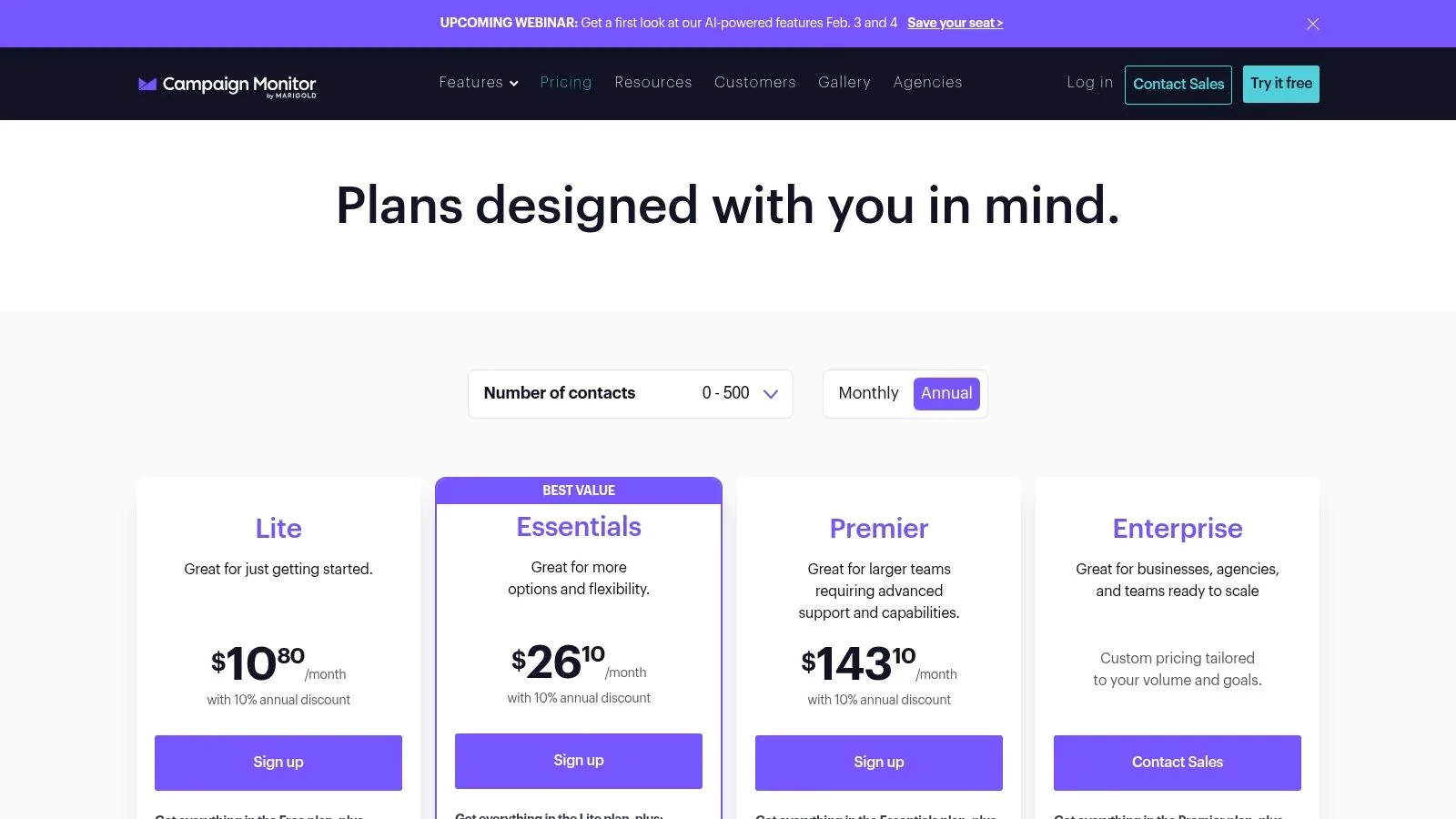
Campaign Monitor positions itself as a premium, design-forward email marketing platform ideal for businesses that prioritize brand aesthetics and polished communication. It’s known for its intuitive drag-and-drop builder and an extensive library of professional templates that make creating visually stunning, brand-consistent emails straightforward. This focus on design and simplicity makes it one of the best email newsletter platforms for teams without a dedicated designer.
What truly sets Campaign Monitor apart is its blend of powerful features and elegant simplicity. Beyond beautiful templates, it offers robust automation capabilities, allowing users to build sophisticated customer journeys. You can discover more about how these workflows operate by understanding what email automation is and how it can save you time. The platform also provides send-time optimization and time zone sending, ensuring your messages land in the inbox at the most impactful moment for each subscriber, no matter where they are.
Key Features and Use Cases
- Best For : Small to medium-sized businesses and nonprofits that need a reliable, easy-to-use platform with a strong emphasis on professional email design and branding.
- Branded Templates : Utilize a powerful drag-and-drop editor to create beautiful, on-brand emails quickly, ensuring a consistent look across all communications.
- Intelligent Sending : Features like time zone sending and send-time optimization help maximize open rates by delivering emails at the optimal time for each recipient.
- Flexible Sending Options : Unlike many rivals, it offers a pay-per-campaign model, perfect for infrequent senders who don't want to commit to a monthly subscription.
Pricing and Limitations
Campaign Monitor’s pricing is tiered based on contact list size, with core plans offering unlimited sends. While competitive, the cost can increase significantly as your list grows or if you need more advanced features, which are sometimes sold as add-ons. The pay-per-campaign option provides excellent flexibility for businesses with seasonal or occasional marketing needs. However, for creators on a tight budget, the entry-level plans might feel costly compared to platforms with more generous free tiers.
- Pros :
- High-quality, professional templates and a user-friendly editor.
- Flexible pay-per-campaign pricing option is great for occasional senders.
- Offers valuable discounts for nonprofit organizations.
- Cons :
- Can become expensive as your subscriber count and feature needs increase.
- Some advanced features are only available as paid add-ons.
10. GetResponse
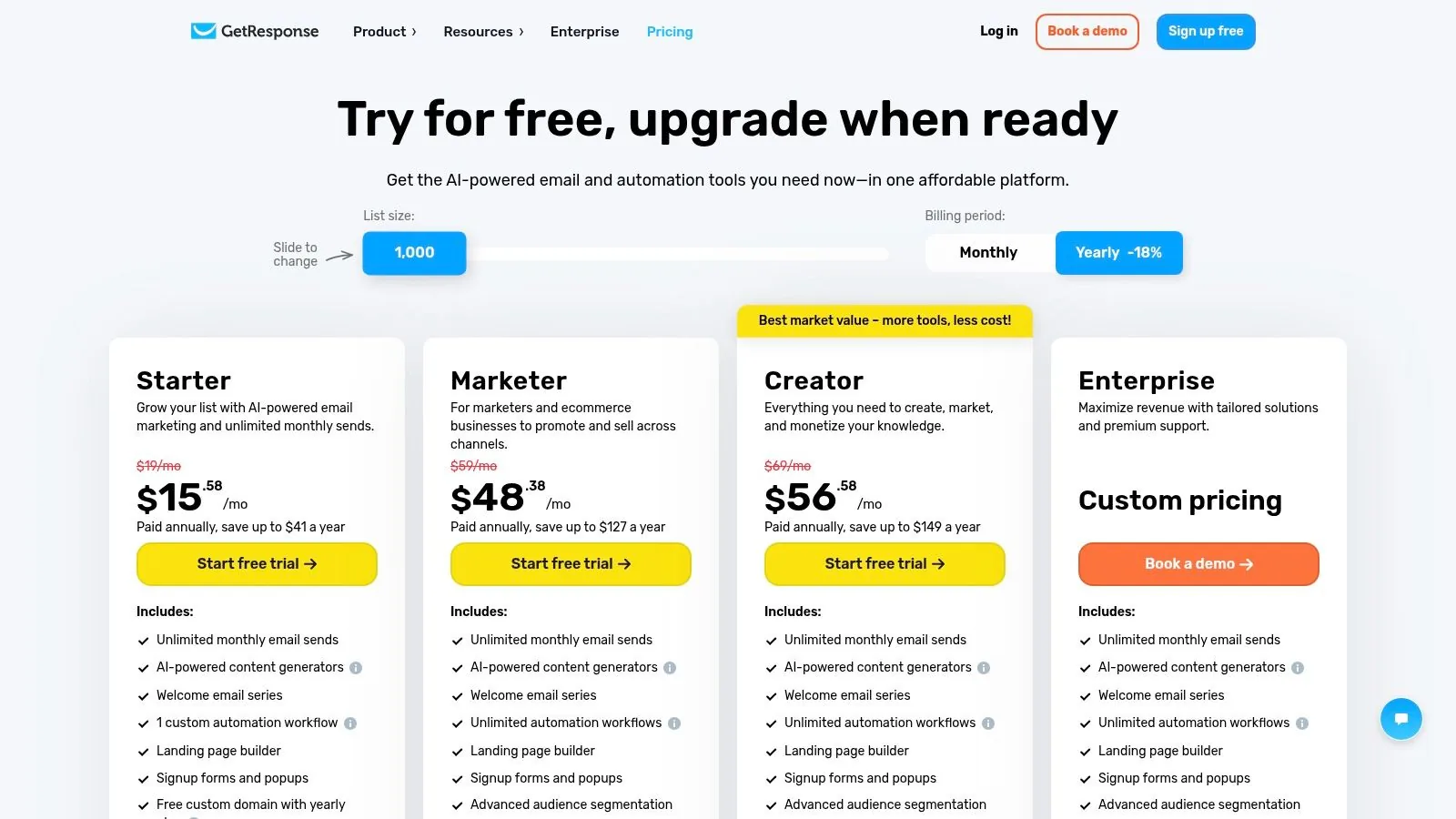
GetResponse positions itself as more than just an email marketing tool; it's a comprehensive online marketing suite designed for creators and businesses that want to consolidate their tech stack. This platform bundles email marketing, conversion funnels, landing pages, webinars, and ecommerce features, making it a powerful all-in-one solution. For creators selling digital products like courses or running live events, GetResponse offers a unified environment to manage campaigns from lead capture to final sale.
What makes GetResponse a unique contender among the best email newsletter platforms is its focus on the entire marketing funnel. It provides unlimited monthly email sends on its core plans, robust automation workflows, and even an AI content generator to speed up campaign creation. The built-in tools for creating conversion funnels, managing abandoned carts, and running webinars are particularly valuable for creators monetizing their knowledge without needing to subscribe to multiple separate services.
Key Features and Use Cases
- Best For : Online educators, coaches, and SMBs who need an integrated platform to run email campaigns, host webinars, and build sales funnels.
- All-in-One Funnel Builder : Create and manage complete marketing and sales funnels, from landing pages and lead magnets to payment processing and follow-up sequences.
- Integrated Webinar Platform : Host live and on-demand webinars directly within the platform, a feature rarely found in traditional email service providers.
- Ecommerce Tools : Includes features like abandoned cart recovery, promo codes, and product recommendations to help maximize sales from your digital products.
Pricing and Limitations
GetResponse offers a free-forever plan with up to 500 contacts and 2,500 monthly sends, making it a decent starting point. Paid plans are competitively priced and become more valuable when you leverage the full suite of tools. The primary limitation is that the interface can feel overwhelming due to the sheer number of features available. Additionally, some of the most powerful tools, like the course builder and advanced webinar features, are reserved for the higher-tier plans.
- Pros :
- Broad feature set that can replace several other marketing tools.
- Built-in webinar and sales funnel functionalities are great for digital product sellers.
- Offers generous email send limits and a solid free plan.
- Cons :
- The wide range of features can make the user interface complex for beginners.
- Access to the best features requires subscribing to more expensive plans.
11. AWeber
AWeber is a long-standing player in the email marketing industry, offering a reliable and mature platform for small businesses and creators. Its core strength lies in providing solid automation capabilities, a vast library of templates, and a strong emphasis on deliverability. This makes it one of the best email newsletter platforms for users who prioritize dependable performance and comprehensive support over cutting-edge features.
What distinguishes AWeber is its straightforward approach to email marketing, combining ease of use with powerful tools. The platform includes features like landing page builders, split testing, and integrations with popular ecommerce tools, allowing creators to manage multiple aspects of their marketing funnel from one place. For those just starting out, learning the ropes of subscriber engagement is crucial, and a solid platform helps when you're building an email list from scratch.
Key Features and Use Cases
- Best For : Small businesses and solopreneurs looking for a reliable, all-in-one email solution with predictable pricing and strong customer support.
- Automations and Split Testing : Create automated email sequences to nurture leads and use A/B testing to optimize subject lines, content, and send times for better results.
- Large Template Catalog : Access a wide variety of pre-designed templates for emails and landing pages, speeding up the campaign creation process.
- Ecommerce Integrations : Connect directly with platforms like Shopify and WooCommerce to segment customers based on purchase history and send targeted campaigns.
Pricing and Limitations
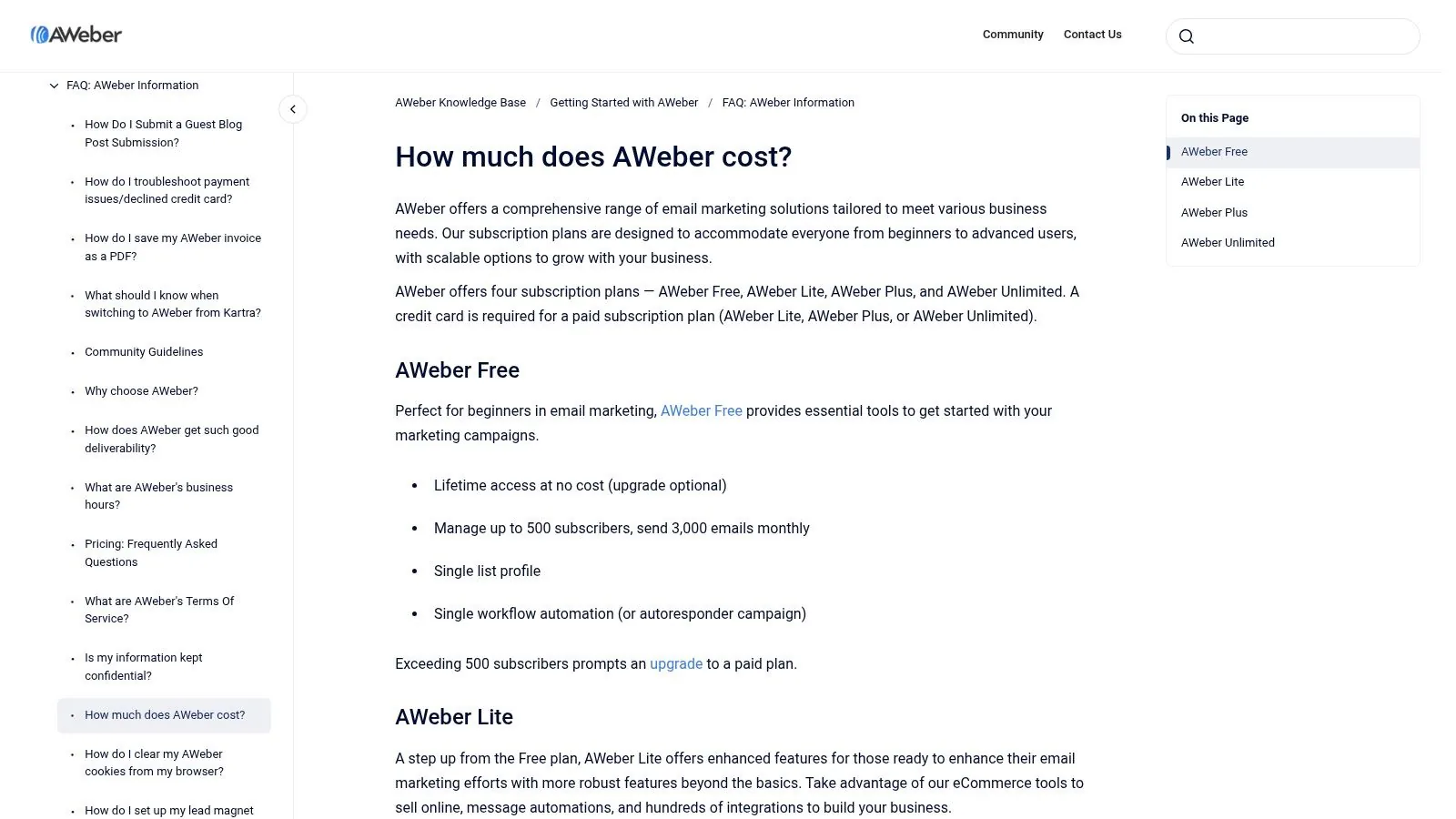
AWeber offers clear, tiered pricing based on subscriber count, with a free plan for up to 500 subscribers. Paid plans start with the Lite tier and scale up to Plus and Unlimited, unlocking advanced features like detailed analytics, split testing, and behavioral automation. The primary limitation is that its interface and feature set can feel more traditional compared to newer, creator-focused platforms. Advanced capabilities are also gated behind the higher-tier plans.
- Pros :
- Predictable, subscriber-based pricing structure.
- Longstanding reputation for excellent deliverability.
- Helpful onboarding resources and 24/7 customer support.
- Cons :
- The interface can feel less modern than some competitors.
- Key automation and testing features require higher-priced plans.
12. Constant Contact
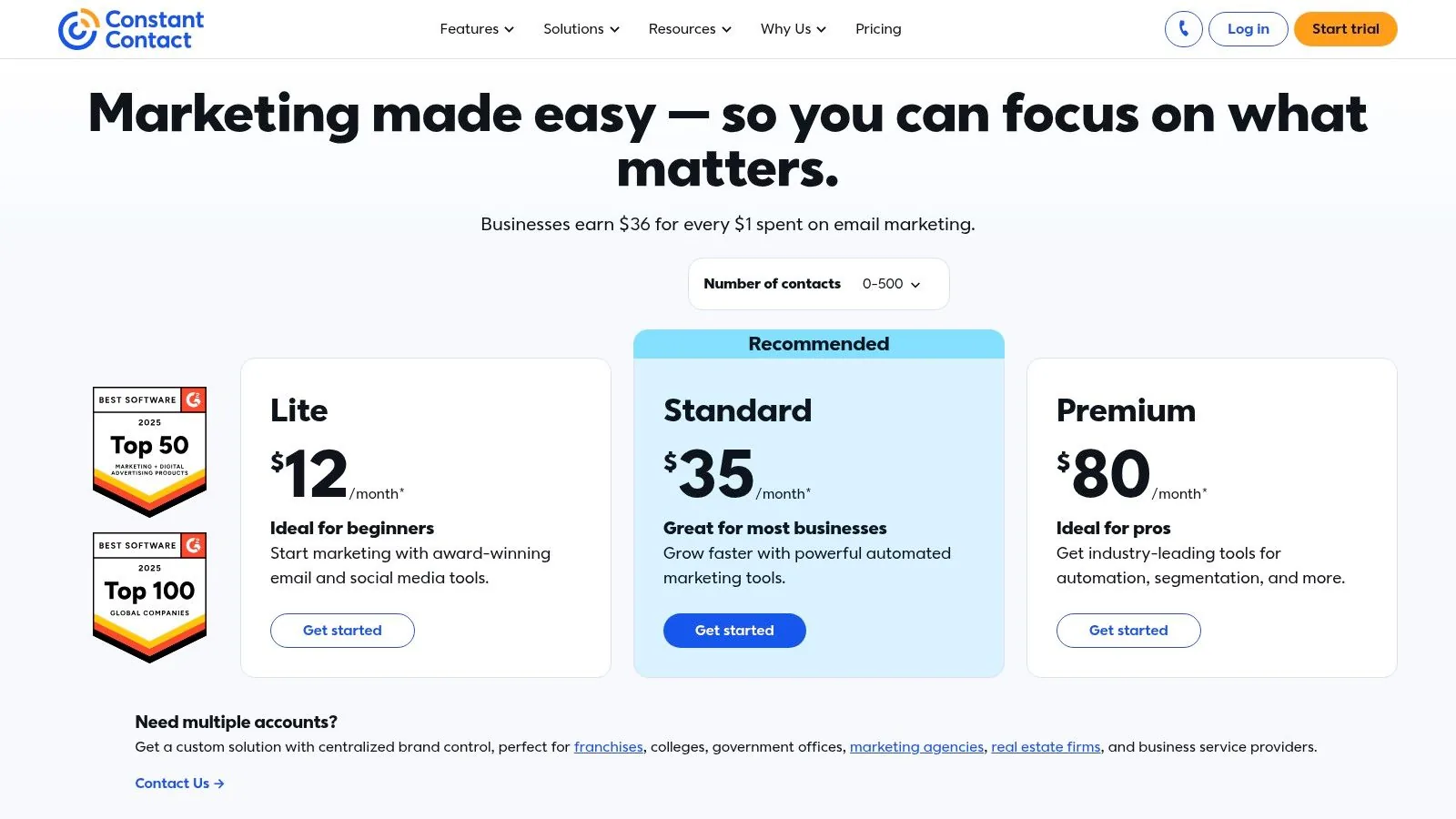
Constant Contact is a long-standing player in the email marketing space, building a reputation for user-friendliness and robust customer support. It caters primarily to small businesses, nonprofits, and those new to digital marketing who need a guided experience. The platform expands beyond email, integrating tools for event management, social media scheduling, and SMS marketing, making it one of the best email newsletter platforms for organizations wanting a simple, multi-channel marketing hub.
What makes Constant Contact stand out is its commitment to user onboarding and support. New users can access live 1:1 onboarding and advisory services, a significant benefit for those feeling overwhelmed by technology. Its drag-and-drop editor simplifies the process of creating professional-looking emails without any coding knowledge. This focus on accessibility and all-in-one basic features makes it a practical choice for businesses looking to manage their core digital outreach from a single, straightforward dashboard.
Key Features and Use Cases
- Best For : Small businesses, event organizers, and nonprofits that prioritize ease of use and strong customer support over complex automation.
- Event Management : Integrated tools to create event landing pages, manage registrations, and send event-related communications all from one platform.
- Guided Onboarding : Offers live, personalized support to help users set up their accounts, import contacts, and launch their first campaigns successfully.
- Multi-Channel Tools : Includes built-in social media scheduling and optional SMS marketing add-ons to coordinate outreach across different channels.
Pricing and Limitations
Constant Contact's pricing is based on the number of contacts, with tiers unlocking more advanced features. There is no free plan, but they do offer a 30-day money-back guarantee on paid plans, allowing users to test the service. While the platform is user-friendly, its automation capabilities are less sophisticated than those of more specialized competitors. The primary drawbacks are the lack of a free-forever option and the extra costs associated with advanced features like SMS marketing, which can increase the overall investment.
- Pros :
- Excellent customer support and guided onboarding.
- Integrated tools for email, events, and social media.
- User-friendly interface ideal for beginners.
- Cons :
- Pricing increases quickly as your contact list grows.
- Lacks the advanced automation and segmentation of other platforms.
Visit Constant Contact
Top 12 Email Newsletter Platforms — Feature Comparison
| Product | Core features | Quality (★) | Price/Value (💰) | Target (👥) | Unique (✨) |
|---|---|---|---|---|---|
| Zanfia 🏆 | All‑in‑one: communities, courses, paid newsletters, downloads, checkout, funnel analytics | ★★★★☆ | 💰 From $39/mo, or $31/mo billed annually; 0% platform fee | 👥 US creators & digital businesses | ✨ Voice-ready AI Assistant, MCP endpoint for your own agents on every plan, checkout with order bumps & installments (plan-dependent) |
| Mailchimp | Email automations, templates, ecommerce integrations, visual journeys | ★★★★☆ | 💰 Free limited; costs grow with list size | 👥 SMBs → enterprises | ✨ Multivariate testing, broad integration ecosystem |
| beehiiv | Newsletter publishing, native monetization, analytics, referrals | ★★★★☆ | 💰 Generous free tier (up to ~2.5k); 0% take on paid subs | 👥 Creators, media brands | ✨ Built‑in ad network, paid boosts & referral tools |
| Substack | Publishing + email workflow, paid subscriptions, discovery | ★★★☆☆ | 💰 Free to start; 10% platform fee on paid subs | 👥 Independent writers & podcasters | ✨ Network discovery, low‑friction payments |
| ConvertKit (Kit) | Visual automations, tagging/segmentation, commerce for digital products | ★★★★☆ | 💰 Free tier; pricing increased for Pro features | 👥 Creator entrepreneurs selling products/subs | ✨ Strong tagging/workflow + built‑in checkout |
| MailerLite | Drag‑drop email + landing pages, site builder, product checkout | ★★★★☆ | 💰 Generous free tier; affordable paid plans | 👥 Solopreneurs, small creators | ✨ Simple editor + website & checkout tools |
| Brevo (Sendinblue) | Email, transactional email, SMS/WhatsApp, marketing automation | ★★★☆☆ | 💰 Send‑based pricing; free plan with daily send limit | 👥 SMBs needing multichannel outreach | ✨ SMS/WhatsApp support + AI send‑time optimization |
| Ghost (Pro) | Managed Ghost hosting, native memberships & newsletters, SEO focus | ★★★★☆ | 💰 Paid managed hosting; 0% platform fee on subs | 👥 Publishers & site owners who want ownership | ✨ Full brand control, SEO & performance focus |
| Campaign Monitor | Designer templates, drag‑drop builder, pay‑per‑campaign option | ★★★★☆ | 💰 Tiered or pay‑per‑campaign; scales with contacts | 👥 Brand‑focused marketers | ✨ High‑quality templates & flexible sending |
| GetResponse | Email, funnels, webinars, ecommerce tools, automation | ★★★☆☆ | 💰 All‑in‑one value; advanced features on higher tiers | 👥 SMBs selling courses/webinars | ✨ Funnels + webinar integration + AI tools |
| AWeber | Automations, large template library, landing pages, ecommerce add‑ons | ★★★☆☆ | 💰 Clear tiered pricing; reliable deliverability | 👥 Small businesses & creators | ✨ Deliverability focus & strong onboarding |
| Constant Contact | Email builder, events, SMS add‑ons, social scheduling, onboarding | ★★★☆☆ | 💰 Guided onboarding; pricing rises with contacts | 👥 Small orgs, nonprofits & event organizers | ✨ Live 1:1 onboarding and event tools |
Choosing Your Platform: The All-in-One Advantage
Navigating the landscape of the best email newsletter platforms can feel overwhelming, with a specialized tool available for nearly every use case. We've explored a dozen options, from minimalist publishing engines to complex marketing automation powerhouses. Your journey to selecting the right platform begins with a clear understanding of your long-term business vision.
For many creators, the initial goal is simple: start a newsletter. Platforms like Substack and beehiiv excel here, offering a streamlined path to publishing and monetizing written content. As your needs evolve toward more sophisticated marketing funnels, tools like ConvertKit and Mailchimp provide the robust automation and segmentation required to manage a growing list and drive sales. These are excellent choices for specific, well-defined marketing objectives.
However, the most successful digital entrepreneurs today aren’t just sending emails; they are building cohesive, multi-faceted online businesses. The true challenge isn't finding a good newsletter tool, but rather avoiding the "patchwork problem" where your course platform, community forum, and e-commerce cart are all separate, disconnected systems. This fragmentation creates a disjointed customer experience and an administrative nightmare for you.
The Strategic Shift to an Integrated Ecosystem
This is where the paradigm of an all-in-one platform becomes not just a convenience, but a powerful strategic advantage. The core insight is that your paid newsletter, online courses, digital downloads, and private community are not isolated products. They are interconnected elements of a unified brand experience that work together to deepen engagement and maximize customer lifetime value.
When you house everything under one roof, the magic happens automatically. A new newsletter subscriber can be seamlessly upsold to a mini-course, and a course graduate can be automatically invited into a premium community channel. All of this occurs within a single, branded environment that you control, keeping your audience focused and engaged without sending them to third-party tools like Discord or Facebook.
Why Your Business Model Dictates Your Platform Choice
Your choice of platform should ultimately align with your business model. As your revenue grows, so does the impact of transaction fees. For creators pulling in five and six figures a month, a platform that takes 5-10% of every sale can siphon off a significant portion of hard-earned profits.
This is where a platform like Zanfia earns a hard look. As of publication, Zanfia charges a 0% platform transaction fee, so it grows with its creators rather than at their expense. You keep your revenue and pay only the standard, unavoidable fees from payment processors like Stripe and PayPal (roughly 2.9% + $0.30 in the US). Just as important, Zanfia is built around an AI team that acts on your workspace: you dictate the work by chat or by voice, the assistant performs anything available in the interface, and on every plan an MCP endpoint lets your own AI assistants plug in directly. See the current Zanfia pricing for the plans.
Beyond fees, the real leverage in a modern platform is what the software does for you. A checkout with order bumps, subscription upsells and installments (split a $600 course into four payments) makes selling easier, and a test mode lets you buy your own product end to end before launch so you catch problems before real customers do. Automations that grant course access after a purchase, sync tags and lists to your connected email tool, and route new members into the right community channel remove immense administrative friction. That can save you 5-10+ hours of manual work each month, freeing you to focus on what truly matters: creating exceptional content for your audience.
Ultimately, the best email newsletter platform for you is the one that supports your vision for tomorrow, not just your needs for today. If that vision includes a thriving, integrated business with multiple revenue streams, a loyal community, and maximum profitability, then an all-in-one solution is the most logical and scalable path forward.
FAQ
Does Zanfia charge a percentage of my paid newsletter revenue like Substack does?
No. Zanfia charges a monthly subscription with a 0% platform commission on customer sales, so beyond standard payment processor fees (Stripe, roughly 2.9% + $0.30 in the US) you keep your revenue. That contrasts with Substack's 10% cut of paid subscription revenue described in the article.
How does beehiiv's free plan actually compare to paid newsletter tools like ConvertKit/Kit or Mailchimp for a new creator?
Beehiiv's free tier supports up to 2,500 subscribers with unlimited sends and a 0% fee on paid subscriptions, which is unusually generous for a newsletter-first tool. Mailchimp's free plan, by contrast, caps you at 250 contacts and 500 monthly sends, and Kit is built around tagging and segmentation for professional creators rather than a large free allowance.
If I want to bundle a paid newsletter with a course or community, which platforms in this list can do that natively?
Zanfia is built for exactly this: paid newsletters, courses, communities and digital products all live under one domain, and access can be bundled or triggered automatically by a purchase. Substack bundles written content with podcasts under one subscription, but it does not host full courses or communities the way an all-in-one platform does.
Do any of these platforms let me sell a course with payment plans instead of one big charge?
Yes. Zanfia's built-in checkout supports installments that can split a $600 course into four payments, along with order bumps and subscription upsells. The other platforms in this section of the article are described primarily as email or publishing tools, not as checkouts with installment logic.
When platforms advertise "0% fees," what does that actually mean for what I pay?
It refers only to the platform's own cut, not to payment processing. On Zanfia and beehiiv, the platform takes 0% of paid subscription or product revenue, but Stripe (or a similar processor) still charges its standard fee, roughly 2.9% + $0.30 per transaction in the US. Substack, by comparison, layers a 10% platform fee on top of Stripe's processing fees.
Ready to stop juggling tools and build a unified, profitable digital business? Discover how Zanfia combines paid newsletters, online courses, and community into a single, powerful platform, with a voice-ready AI Assistant, an MCP endpoint for your own agents (on every plan, see the current Zanfia pricing), and a 0% platform transaction fee. See how you can build your entire brand ecosystem under one roof by visiting Zanfia today.