

7 Marketing Automation Workflow Examples to Boost Your Conversions
Imagine recovering lost sales while you sleep, welcoming every new community member personally without lifting a finger, and knowing exactly when a lead is ready to buy. This isn't a far-off dream; it's the reality of smart marketing automation. For many digital creators, experts, and brands, the idea of setting up automated systems can feel overwhelming, reserved only for large corporations with dedicated tech teams. But in reality, automation is the most practical secret to scaling your online business efficiently and reclaiming your most valuable asset: time.
This guide is designed to demystify the process by providing ten essential marketing automation workflow examples you can implement today. We’ll move beyond abstract theory and give you concrete, step-by-step templates tailored for the real-world challenges faced by creators building their business online. Each example includes the specific triggers, actions, and messages you need to build a system that works for you.
Our goal is to give you replicable strategies that can save you 5 to 10+ hours a month, just as creators using Zanfia do by letting an AI team run the repetitive work: granting course access after payment, adding buyers to the right community channels, and pushing the right message at the right moment, all dictated by chat or voice instead of clicked through settings. By implementing these workflows, you can stop getting bogged down in repetitive admin chores and focus on what truly matters: creating value-packed content, fostering deep community engagement, and growing your revenue with confidence. To maximize the impact of your workflows, it's crucial to understand the latest marketing automation best practices which will provide a solid foundation for the strategies we're about to explore. Let's dive into the workflows that can run your business for you.
1. Welcome Series / Onboarding Workflow
The welcome series, also known as an onboarding workflow, is your first automated conversation with a new subscriber. This sequence is triggered when someone joins your email list, creates an account, or makes their first purchase. It’s a critical marketing automation workflow example because it sets the tone for your entire relationship, establishes brand trust, and guides new contacts toward their first "win" with your product or content.
This workflow is your chance to make a stellar first impression. A well-crafted series can dramatically increase long-term engagement and customer lifetime value. For a deeper dive into this initial phase, you can learn more about crafting an effective customer onboarding experience on our blog.
Strategic Breakdown & Implementation
A successful welcome series does more than just say "hello." It systematically nurtures the lead, delivers value upfront, and clarifies what they can expect from you.
- Trigger: User subscribes to a newsletter, downloads a lead magnet, or creates a new account.
- Actions:
- Tag User: Immediately tag the contact with a descriptive label (e.g.,
source:lead-magnet-xyzorstatus:new-subscriber). - Wait (5 minutes): Add a short delay to ensure near-instant delivery without feeling robotic.
- Send Email #1 (Welcome & Expectation Setting): Welcome them, deliver the promised resource (if any), and clearly state the value you'll provide and how often you'll be in touch.
- Wait (1-2 Days): Give them time to digest the first email.
- Send Email #2 (Introduce Your Brand Story): Share your mission or a key insight that establishes your authority and helps them connect with your brand on a personal level.
- Wait (2 Days):
- Send Email #3 (Provide Value & Segment): Offer a valuable resource (blog post, tool, video) and ask a simple question to encourage a reply or include links that, when clicked, apply a new tag to segment their interests.
- Add to Main Newsletter: Once the sequence is complete, move the contact to your primary broadcast list.
- Tag User: Immediately tag the contact with a descriptive label (e.g.,
Zanfia-Specific Implementation Notes
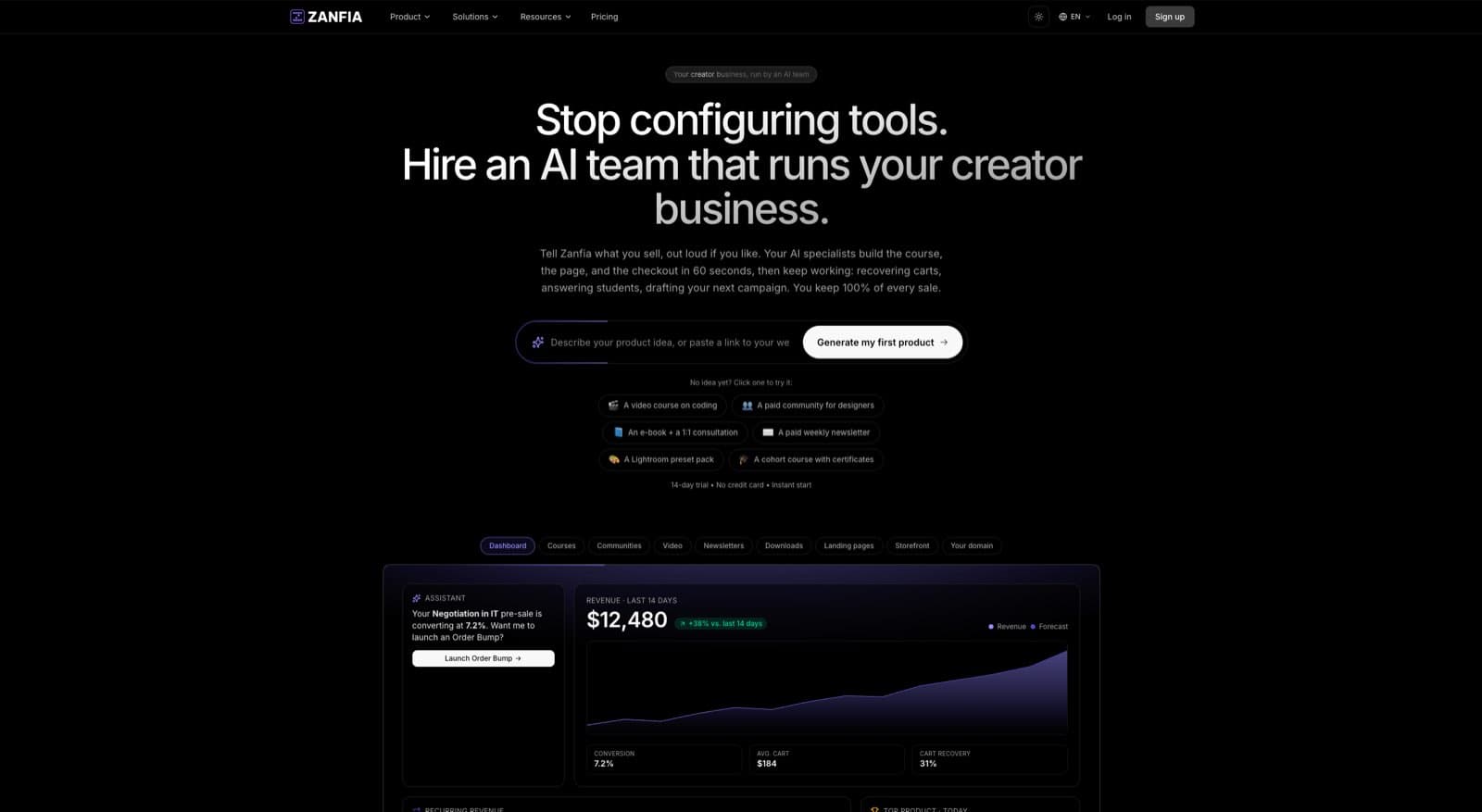
In Zanfia, this is where the AI-first approach shows up: instead of clicking through a builder, you can describe the welcome sequence out loud and the assistant sets up the tags, waits and messages inside the visual automation builder. Use the Automations feature with the trigger "User Subscribes to Form," then let the assistant assemble "Add Tag," "Wait" and "Send Email" steps, or drag them yourself. Every new community member or course registrant is routed automatically, and because Zanfia hosts the course, the community and the checkout under one brand, the welcome flows straight into whatever they bought. Note: native email campaign sending is rolling out to workspaces, so by the time you read this it may already be available on your account, otherwise the sequence syncs tags into ActiveCampaign, Mailchimp, Kit or MailerLite for delivery.
2. Lead Nurture / Drip Campaign Workflow
A lead nurture workflow, often called a drip campaign, is an automated, long-term sequence designed to guide prospects from initial awareness to purchase readiness. This workflow is triggered when a user shows interest, such as downloading a resource, but isn't yet ready to buy. It systematically delivers valuable, relevant content over time to build trust, address pain points, and keep your brand top-of-mind.
This process is fundamental for converting mid-funnel leads who require more education and relationship-building before they commit. To successfully implement this, it's helpful to understand the core principles of setting up effective email marketing automation. You can also explore our detailed guide on the finer points of drip campaign best practices on our blog.
Strategic Breakdown & Implementation
A powerful lead nurture campaign feels less like a sales pitch and more like a helpful mentorship, delivering the right information at the right time. It intelligently adapts to a user's engagement, making it a cornerstone among marketing automation workflow examples.
- Trigger: User downloads an advanced guide, watches a webinar, or is tagged as
status:MQL(Marketing Qualified Lead). - Actions:
- Tag User: Apply a specific tag like
nurture:webinar-attendeeto segment the contact. - Wait (1 Day): Allow some breathing room after the initial interaction.
- Send Email #1 (Educational Content): Share a related blog post or video that expands on the topic of their initial interest. Do not sell.
- Wait (3 Days):
- Send Email #2 (Case Study/Social Proof): Present a success story or testimonial that demonstrates how others have solved a similar problem using your approach or product.
- Wait (4 Days):
- Send Email #3 (Soft Offer): Introduce a low-commitment offer, such as a consultation call, a free trial, or an exclusive discount for the product related to their interest.
- Conditional Split: If the user clicks the offer link, tag them as
status:sales-readyand end the sequence. If not, continue to the next step. - Send Email #4 (Overcome Objections): Address a common concern or FAQ related to your solution.
- Add to Long-Term Nurture: If still unengaged, move the contact to a less frequent, long-term educational broadcast list.
- Tag User: Apply a specific tag like
Zanfia-Specific Implementation Notes
Within Zanfia, you can build this entire workflow inside the visual automation builder, either by dictating the sequence to the assistant or wiring it yourself. Start with a trigger like "User Tag Added" (e.g., when they get your lead magnet), then chain "Wait," "Send Email" and a conditional split to peel off sales-ready leads automatically. The soft offer usually points to a checkout with order bumps, installments and upsells baked in, so a $600 course can be split into four payments right there in the same platform, no separate cart tool. AI credits meter the assistant work: the entry plan includes 1,500 credits a month, higher plans include more, and availability of the full Assistant depends on the plan, see the current Zanfia pricing.
3. Abandoned Cart Recovery Workflow
The abandoned cart recovery workflow is an essential e-commerce automation for any business selling products or services online. This sequence is triggered when a known user adds items to their shopping cart but leaves your website without completing the purchase. It's one of the most profitable marketing automation workflow examples because it targets high-intent prospects who are just one step away from converting, allowing you to reclaim otherwise lost revenue.
This workflow directly addresses the billions of dollars lost to cart abandonment each year. By sending a timely, helpful, and persuasive series of reminders, you can overcome common purchase hesitations like distractions, price sensitivity, or technical issues. A well-executed strategy can significantly boost your bottom line, and for a deeper look at similar tactics, you can explore more about effective conversion rate optimization strategies on our blog.
Strategic Breakdown & Implementation
A powerful abandoned cart workflow does more than just remind customers what they left behind. It systematically re-engages them by addressing potential barriers and adding compelling incentives to complete the purchase.
- Trigger: User adds an item to their cart but does not complete the checkout process within a set time (e.g., 30-60 minutes).
- Actions:
- Tag User: Automatically tag the contact as
status:cart-abandonedand note the product ID or cart value for segmentation. - Wait (1 Hour): Send the first reminder while the purchase intent is still high.
- Send Email #1 (Gentle Reminder): Remind them of the items in their cart. Include product images, a clear call-to-action to "Return to Cart," and offer help if they had issues.
- Wait (24 Hours): Give the customer a day to reconsider.
- Send Email #2 (Incentive & Social Proof): Offer a small, time-sensitive incentive like a 10% discount or free shipping. Include a testimonial or positive review related to the product to build trust.
- Wait (2-3 Days):
- Send Email #3 (Urgency & Final Offer): Create urgency by mentioning limited stock or that their discount code is expiring soon. This is the final attempt to recover the sale.
- Remove Tag: If the user completes the purchase at any point, they should be immediately removed from this workflow and the
status:cart-abandonedtag should be updated.
- Tag User: Automatically tag the contact as
Zanfia-Specific Implementation Notes
Zanfia is built to sell, so the recovery loop is native rather than glued on: the checkout, the cart abandoned trigger, the discount codes and the follow-up sequence all live in the same product. Build the sequence in the Automations tab using the "Cart Abandoned" trigger, or describe it to the assistant by voice and let it wire the waits and emails. Before you turn it on, use test mode to open your own checkout, run the whole abandon-then-return path end to end, and confirm the emails and tracking fire the way you expect. Test orders are tagged TEST and can be hidden from the real order list, so nothing pollutes your revenue reports.
4. Re-engagement / Win-Back Workflow
It costs far more to acquire a new customer than to retain an existing one. A re-engagement or win-back workflow is a crucial marketing automation workflow example designed to reclaim the attention of inactive subscribers or lapsed customers. This sequence is triggered when a contact hasn't opened an email, logged in, or made a purchase in a predefined period (e.g., 60-90 days), preventing list decay and recovering potential revenue.
This workflow is your automated system for identifying and reviving "at-risk" relationships before they're lost for good. A thoughtful win-back campaign can reactivate a significant portion of your dormant audience, boosting engagement metrics and customer lifetime value. For a deeper look into retention strategies, you can explore our guide on how to reduce customer churn on our blog.
Strategic Breakdown & Implementation
A successful win-back workflow isn't just about sending a discount code. It's a strategic sequence that reminds contacts of the value you provide, seeks to understand why they became disengaged, and offers a compelling reason to return.
- Trigger: User has not opened an email in 90 days, or a customer has not made a purchase in 6 months.
- Actions:
- Tag User: Automatically tag the contact as
status:inactiveorrisk:churn. - Wait (24 Hours): Add a short delay before the first communication.
- Send Email #1 (Gentle Nudge): Start with a simple "We miss you" message. Remind them of the value they're missing or highlight new content, courses, or community discussions.
- Wait (7 Days): Give them a week to respond to the initial outreach.
- Send Email #2 (Incentive Offer): Present an exclusive, time-sensitive offer. This could be a discount on their next purchase, a free month of subscription, or access to a bonus resource.
- Wait (14 Days):
- Send Email #3 (Last Chance & Feedback): This is the final attempt. Inform them they will be removed from your active list unless they take action (e.g., click a link to stay subscribed). Use this opportunity to ask for feedback.
- Tag for Removal/Suppression: If there is no engagement after the final email, tag them as
status:unsubscribedto maintain list hygiene and protect your sender reputation.
- Tag User: Automatically tag the contact as
Zanfia-Specific Implementation Notes
In Zanfia, you can build a powerful re-engagement workflow inside the same visual automation builder. Trigger it on inactivity signals like access ending in 14/7/3/1 days, subscription ended or failed payment, and use "Add Tag," "Wait" and "Send Email" actions to sequence the outreach, either by hand or by dictating the flow to the assistant. Because the checkout supports order bumps, installments and subscription upsells, your last-chance email can offer a genuine reason to come back, for example splitting a $600 course into four payments, rather than a bare discount code. That keeps the win-back tied to something the buyer actually gets on the other side.
5. Event-Triggered Workflow
An event-triggered workflow is a highly responsive form of automation that launches in direct response to a specific user action. Unlike time-based sequences, these workflows are triggered by behaviors like visiting a key page, downloading a resource, or clicking a specific link. This makes them one of the most powerful marketing automation workflow examples for delivering timely, context-aware messages that capitalize on a user's demonstrated intent.
These workflows excel at personalization because the trigger itself provides crucial context. When a user views your pricing page, you know they are considering a purchase. When they download an advanced guide, you know their interest level is high. This allows you to tailor your follow-up with incredible precision, increasing relevance and conversion rates significantly.
Strategic Breakdown & Implementation
A successful event-triggered workflow feels less like marketing and more like a helpful, timely response. It acknowledges the user's action and guides them toward the logical next step in their journey.
- Trigger: User visits a specific URL (e.g., pricing page), clicks a tagged link in an email, watches a certain percentage of a course video, or downloads a specific piece of content.
- Actions:
- Tag User: Immediately apply a tag that reflects the action (e.g.,
interest:pricingoraction:downloaded-ebook-xyz). This is crucial for future segmentation. - Wait (15-30 minutes): A short delay makes the follow-up feel natural and less intrusive, while still being timely enough to capitalize on their immediate interest.
- Conditional Split (IF/THEN): Check if the user is already a paying customer. If yes, you might end the workflow or send a different message (e.g., an upsell offer).
- Send Email #1 (Contextual Follow-Up): If they are not a customer, send a targeted email. For a pricing page visit, this could be an offer to answer questions or a case study. For a content download, it could be a related resource.
- Wait (2-3 Days):
- Send Email #2 (Reinforce Value): Send a follow-up email that reinforces the value proposition related to their initial action, perhaps highlighting a specific feature or benefit.
- Add to Nurture Segment: If they don't convert, add them to a long-term nurture sequence tailored to their demonstrated interest.
- Tag User: Immediately apply a tag that reflects the action (e.g.,
Zanfia-Specific Implementation Notes
Within Zanfia, event triggers reach beyond opens and clicks into what the buyer actually does inside your product. Set a trigger for when a student completes a specific lesson, and the workflow can send a congratulatory email, unlock a bonus module, or add a tag like completed:lesson-5, all without manual work. Because the platform exposes an MCP endpoint, you can also let your own AI agents read from and act on the same events, so a purchase or lesson completion can drive work outside of the built-in builder too. MCP is on every plan, see the current Zanfia pricing.
6. Post-Purchase / Customer Journey Workflow
The post-purchase workflow is the automated sequence that begins the moment a customer completes a transaction. This crucial marketing automation workflow example turns a one-time buyer into a loyal, repeat customer by confirming their purchase, guiding product use, and fostering a long-term relationship. It's your opportunity to prove that you care about the customer's experience beyond just the sale.
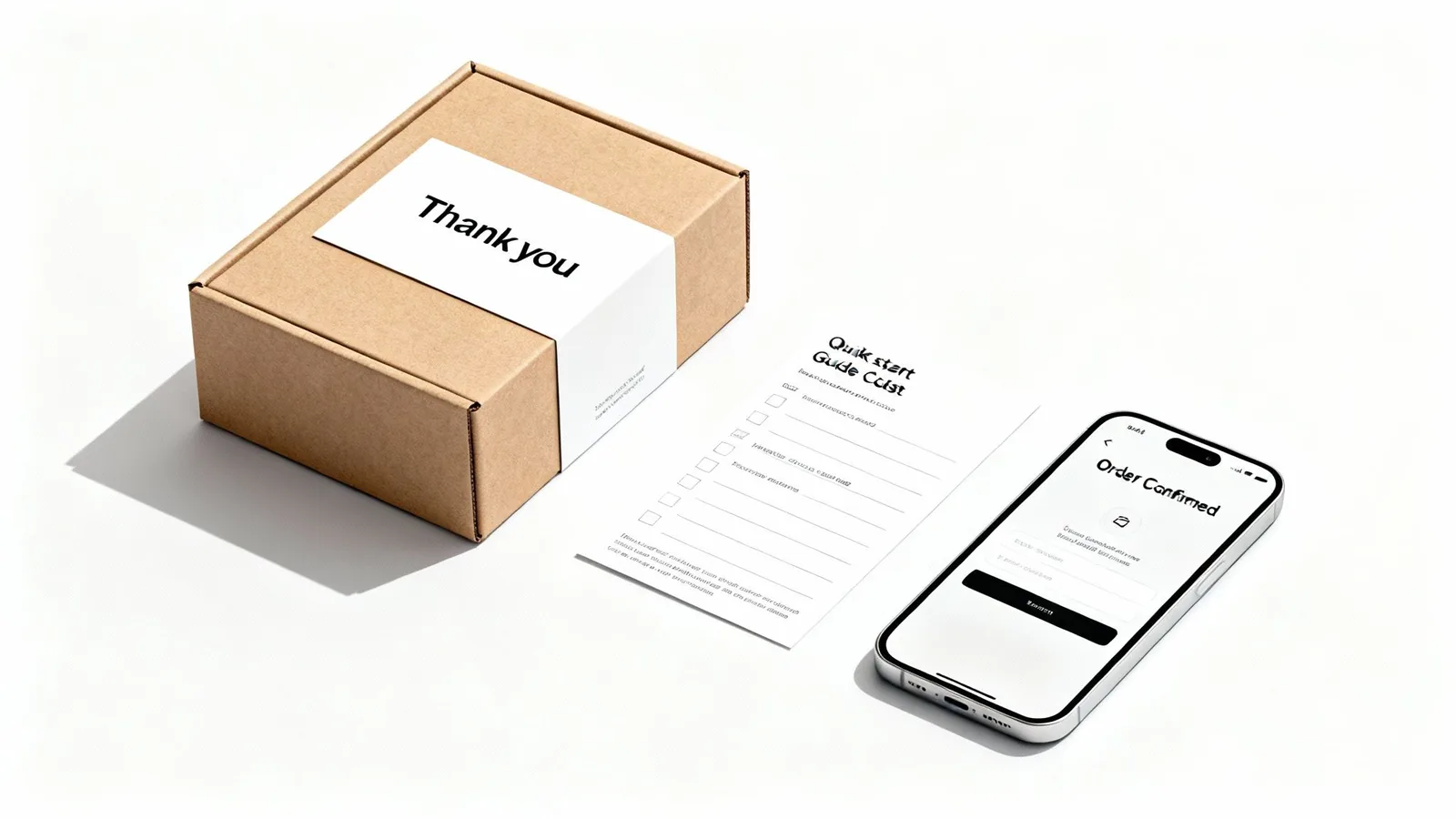
A well-executed post-purchase journey validates the customer's decision, reduces buyer's remorse, and increases customer lifetime value. By providing support, collecting feedback, and making relevant recommendations, you build brand advocacy and lay the groundwork for future sales. Companies like Amazon excel at this by driving reviews and suggesting related products based on a customer's purchase history.
Strategic Breakdown & Implementation
A strategic post-purchase sequence anticipates customer needs and proactively delivers value, ensuring a smooth and rewarding ownership experience. This builds trust and encourages customers to engage more deeply with your brand and products.
- Trigger: Customer completes a purchase of a specific product or service.
- Actions:
- Tag User: Immediately tag the contact with the purchased product (e.g.,
purchased:course-xyzorcustomer:ebook-abc). - Send Email #1 (Order Confirmation & Access): Within minutes, send an email confirming the order details and providing immediate access to the digital product or shipping information for physical goods.
- Wait (3-5 Days): Allow the customer time to receive and begin using the product.
- Send Email #2 (Check-in & Pro-Tip): Send a value-added email with a quick tip, a link to a "getting started" guide, or an invitation to a relevant community channel to enhance their experience.
- Wait (7-14 Days):
- Send Email #3 (Request Review/Feedback): Once they've had sufficient time with the product, automate a request for a review or a simple feedback survey.
- Wait (30 Days):
- Send Email #4 (Cross-sell/Upsell): Based on their purchase, send a targeted offer for a complementary product or an upgraded version.
- Tag User: Immediately tag the contact with the purchased product (e.g.,
Zanfia-Specific Implementation Notes
This is where Zanfia earns its keep for creators, because 12 product types live under one brand: courses, communities, newsletters, memberships, knowledge bases, downloads, digital content, services, events, consultations, bundles and custom products. Use the Automations feature with the trigger "User Purchases Product" to instantly grant course access, drop the buyer into an exclusive community channel, and kick off a tailored welcome sequence, either by wiring it yourself or by dictating the flow to the AI assistant. The cross-sell email in step 4 lands on a checkout built to sell, with order bumps, installments and subscription upsells already in the cart, so the follow-up ends in a real transaction instead of a link out to a separate store.
7. Birthday / Anniversary Workflow
A birthday or anniversary workflow is a highly personalized automated campaign triggered by a specific date significant to the customer, like their birthday or the anniversary of their first purchase. This type of workflow creates moments of genuine connection by acknowledging and celebrating your customers as individuals, not just as numbers on a list. It's a powerful marketing automation workflow example for fostering loyalty and driving repeat business.
These time-based automations excel at making customers feel seen and appreciated. A simple, timely message with a genuine offer, like Starbucks' famous birthday reward, can significantly boost engagement and drive both online and offline conversions. The goal is to create a delightful experience that strengthens the customer's emotional bond with your brand.
Strategic Breakdown & Implementation
A successful birthday or anniversary workflow feels less like a marketing message and more like a thoughtful gift. The key is to be timely, personal, and generous.
- Trigger: The current date matches a custom date field on a contact's profile (e.g.,
birthday_dateorfirst_purchase_date). - Actions:
- Create Segment: First, ensure you have a dynamic segment of users whose birthday or anniversary falls within the next 7 days.
- Trigger 3-5 Days Before: Set the workflow to trigger a few days before the actual date to give them time to use their offer.
- Send Email/SMS #1 (Celebration & Offer): Send a personalized message like, "Happy Birthday, [First Name]! As a thank you for being part of our community, here's a special gift just for you." Present a valuable, exclusive offer.
- Wait until 1 Day Before Expiration:
- Send Email/SMS #2 (Reminder): Send a gentle reminder that their special offer is about to expire, creating a sense of urgency. For example, "Don't forget to claim your birthday gift!"
- Tag User: Apply a tag like
used-birthday-offer-2024if they redeem the offer, allowing you to track ROI and exclude them from future reminders for this campaign.
Zanfia-Specific Implementation Notes
In Zanfia, you can store a birthday in a custom field collected at sign-up or via a profile update. Build the automation in the visual builder with a date-based trigger that runs annually, and use "Wait" and "Send Email" actions to schedule the message and reminder, or describe the flow to the assistant by chat or voice. The gift itself lands on a checkout built to sell: a discount can be paired with an order bump or an installment option, so the birthday email ends in a real sale instead of a coupon nobody uses.
8. Lead Scoring and Sales Handoff Workflow
A lead scoring and sales handoff workflow is an automated system that bridges the gap between your marketing efforts and your sales team. It tracks user behavior, engagement levels, and demographic data to assign a numerical score to each lead. When a lead's score crosses a predefined threshold, the system automatically flags them as "sales-ready" and notifies the appropriate sales representative for immediate follow-up. This process ensures that sales focuses on the hottest, most engaged prospects, increasing efficiency and conversion rates.
This is one of the most powerful marketing automation workflow examples for businesses with a dedicated sales team. It transforms a subjective process into a data-driven one, ensuring timely intervention and preventing qualified leads from slipping through the cracks. By automating this handoff, you create a seamless pipeline from initial interest to sales conversation.
Strategic Breakdown & Implementation
A successful lead scoring system aligns marketing and sales on the definition of a qualified lead. The goal is to identify behaviors that strongly correlate with a purchase, assigning points accordingly while also penalizing actions that indicate a poor fit.
- Trigger: A user's lead score crosses a predefined threshold (e.g., reaches 100 points).
- Actions:
- Tag User: Update the contact's tag from
status:marketing-qualifiedtostatus:sales-qualified. - Assign Lead Owner: Automatically assign the contact to a sales representative, often based on territory, industry, or a round-robin system.
- Create Task in CRM: Generate a new task or deal in your CRM for the assigned sales rep, linking directly to the contact's profile.
- Internal Notification: Send an automated email or Slack message to the sales rep with the lead's key details, recent activities, and score.
- Change Marketing Communications: Move the contact out of general marketing nurture sequences and into a sales-focused communication track, if applicable.
- Wait (1 Day):
- Conditional Check: Check if the lead status has been updated by the sales rep (e.g.,
status:contacted). If not, send a reminder notification.
- Tag User: Update the contact's tag from
Zanfia-Specific Implementation Notes
Zanfia is designed for creators who sell directly, but you can adapt this pattern for high-ticket coaching or consulting offers. Use Automations with triggers like "User Completes Course" or "User Clicks Link in Email," then tag highly engaged users (e.g., tag:highly-engaged) and fire an internal notification when the right combination of tags stacks up. For a fully custom scoring model, connect your own AI agents through the MCP endpoint (available on every plan, see the current Zanfia pricing) or use the public REST API, CLI and webhooks to push scores in and out of your CRM. That way the platform handles delivery of the product and the handoff signal, without forcing you into a full sales-team stack.
9. Webinar Registration and Attendance Workflow
A webinar workflow is a comprehensive automation that manages the entire lifecycle of a live online event. It automates everything from registration and pre-webinar reminders to post-event follow-up, ensuring a seamless experience for registrants and maximizing your return on investment. This is a powerful marketing automation workflow example for generating high-quality leads, educating your audience, and converting attendees into customers.
This automation transforms a one-off event into a continuous lead nurturing engine. By segmenting attendees from no-shows and tailoring the follow-up, you can significantly increase conversions and build a more engaged audience. Companies like HubSpot often attribute a significant portion of their qualified pipeline to well-executed webinar funnels.
Strategic Breakdown & Implementation
An effective webinar workflow keeps your audience engaged before, during, and after the event. It systematically builds anticipation, maximizes attendance, and capitalizes on the post-event momentum to drive business goals.
- Trigger: User submits a webinar registration form.
- Actions:
- Tag User: Immediately tag the contact as a webinar registrant (e.g.,
event:webinar-xyz-registrant). - Send Email #1 (Confirmation): Send an immediate confirmation email containing the event details, a unique join link, and a calendar invite file (.ics) to help them block their schedule.
- Wait (Until 24 hours before webinar): Pause the workflow until one day before the event.
- Send Email #2 (24-Hour Reminder): Send a reminder email highlighting a key benefit or "teaser" of the content to build excitement.
- Wait (Until 1 hour before webinar): Pause until just before the webinar starts.
- Send Email #3 (1-Hour Reminder): Send a final, brief reminder with the direct join link to maximize live attendance.
- Wait (1 Day): Allow time for webinar attendance data to sync.
- If/Else Condition: Check if the contact attended the webinar.
- If YES (Attended): Tag them as
event:webinar-xyz-attended. Send a "thank you" email with the recording, slides, and a targeted call to action (e.g., book a demo, purchase a related product). - If NO (Did not attend): Tag them as
event:webinar-xyz-no-show. Send a "sorry we missed you" email with the recording, key takeaways, and a nurturing call to action.
- Tag User: Immediately tag the contact as a webinar registrant (e.g.,
Zanfia-Specific Implementation Notes
Zanfia does not host live webinars itself, so pair it with Zoom, Demio or WebinarJam and let Zanfia run the surrounding sequence. Start with a form submission trigger on your webinar landing page, then use "Add Tag," "Wait" and "Send Email" actions to build the pre-event reminders. After the event, update tags for attendees and no-shows to fork the follow-up, or dictate that change to the assistant. The post-webinar CTA lands on a Zanfia checkout with order bumps and installment options built in, so a $600 course pitched on the webinar can be split into four payments in the same flow.
10. Segmentation and Personalization Workflow
A segmentation and personalization workflow is an advanced automation that dynamically sorts your contacts into distinct groups based on their behavior, preferences, and engagement. This process moves beyond one-size-fits-all messaging, allowing you to deliver highly relevant content that speaks directly to each user's needs and interests. It's one of the most powerful marketing automation workflow examples for boosting conversions and building customer loyalty.
By tailoring your communication, you show your audience that you understand them, which significantly increases the effectiveness of your campaigns. Companies like Netflix and Amazon excel at this by using viewing and browsing history to power their recommendations. To build a strong foundation for this strategy, you can explore our detailed guide on effective audience segmentation strategies.
Strategic Breakdown & Implementation
This workflow is an ongoing process, not a one-time setup. It continuously refines audience groups to ensure messaging stays relevant as customer behaviors and interests evolve.
- Trigger: User performs a specific action (e.g., clicks a link in an email, visits a pricing page, completes a course module, makes a purchase).
- Actions:
- Tag User: Immediately apply a tag that reflects the action or interest (e.g.,
interest:advanced-features,status:completed-module-1,category:ebook-buyer). - Add to Segment: Use rules to automatically add contacts with specific tags to a dynamic segment (e.g., "Engaged Prospects" or "Repeat Customers").
- Deliver Personalized Content: Trigger targeted email campaigns, show personalized content blocks on your website, or offer specific promotions relevant to that segment.
- Branch Logic: Use "If/Then" conditions to send different messages based on whether a user belongs to a specific segment. For example, if a user is tagged as
interest:beginner, send them introductory content. If taggedinterest:expert, send advanced material. - Review and Refine: Periodically analyze segment performance and update your tagging rules to keep your groups accurate and effective.
- Tag User: Immediately apply a tag that reflects the action or interest (e.g.,
Zanfia-Specific Implementation Notes
In Zanfia, segmentation is built into the platform's DNA. Use the Automations feature to apply tags on almost any user action, from course enrollment to community engagement, and either build the rules yourself or dictate them to the AI assistant. Triggers like "User Purchases Product" or "User Completes Lesson" pair with "Add Tag" actions to filter your audience for targeted broadcasts, community channel access, and per-product offers on the checkout. Communities also ship with an AI agent that writes from your own content, and everything it publishes is clearly labeled as AI, so personalization inside the community never gets confused with hand-written creator posts.
Comparison of 10 Marketing Automation Workflow Examples
| Workflow | 🔄 Implementation complexity | ⚡ Resource requirements | ⭐ Expected effectiveness | 📊 Expected outcomes | 💡 Ideal use cases |
|---|---|---|---|---|---|
| Welcome Series / Onboarding Workflow | Medium — sequential rules, personalization | Low–Medium — copy, templates, basic analytics | High — strong early engagement and trust | Higher open/activation rates; improved retention | New subscribers, SaaS/user activation |
| Lead Nurture / Drip Campaign Workflow | High — branching, conditional logic, CRM sync | Medium–High — sustained content and alignment | Medium–High — improves conversions over time | Longer funnel engagement; higher lead-to-opportunity rates | B2B, long sales cycles, content-led funnels |
| Abandoned Cart Recovery Workflow | Low–Medium — cart integration and timing rules | Low — templates, product feeds, basic automation | High — directly recovers revenue (10–30%) | Recovered sales, high ROI on reminders | E‑commerce stores, transactional sites |
| Re-engagement / Win-Back Workflow | Low–Medium — inactivity triggers and sequencing | Low — offers, surveys, list management | Low–Medium — modest recovery (5–15%) | Cleans lists; recovers some inactive users; insight into churn | Lapsed customers, stale subscriber lists |
| Event-Triggered Workflow | High — real‑time tracking and complex triggers | High — tracking infrastructure and dev resources | High — very relevant, timely messaging (50%+ lift) | Immediate conversions; clear cause-effect metrics | Behavior-driven personalization; high-intent actions |
| Post-Purchase / Customer Journey Workflow | Medium–High — multi-step, cross-team coordination | Medium — product content, CRM, support integration | High — boosts retention, AOV, reviews | Better retention, upsells, reduced support issues | Retail, subscriptions, onboarding for new purchasers |
| Birthday / Anniversary Workflow | Low — simple date-based triggers | Low — offer codes, personalization tokens | High — elevated engagement (40–60% lift) | Short-term engagement spikes; loyalty reinforcement | B2C loyalty programs, retail, hospitality |
| Lead Scoring & Sales Handoff Workflow | High — scoring models, SLA and routing logic | High — data, CRM integration, ongoing tuning | High — improves response time and close rates | Better-qualified leads; increased sales productivity | B2B sales teams, enterprise pipelines |
| Webinar Registration & Attendance Workflow | Medium — registration, reminders, follow-up paths | Medium — webinar platform, content creation | Medium–High — reminders boost attendance (30–50%) | Engaged leads, replay views, follow-up conversions | Product demos, thought leadership, lead capture |
| Segmentation & Personalization Workflow | High — dynamic rules, data hygiene, testing | High — data infrastructure, personalization assets | High — significant engagement lift (20–50%) | Higher conversions, lower churn, improved relevance | Any business seeking one-to-one messaging at scale |
From Manual Tasks to Automated Growth: Your Next Steps
We’ve journeyed through ten powerful marketing automation workflow examples, from the crucial first touch of a Welcome Series to the strategic finesse of a Re-engagement Campaign. Each example serves as more than just a template; it's a blueprint for transforming how you run your business. By replacing repetitive, manual tasks with intelligent, automated sequences, you unlock a new level of efficiency and scalability.
The core lesson is that automation isn't about being impersonal. On the contrary, it’s about creating consistent, timely, and highly relevant experiences for your audience at scale. Whether you're nurturing a new lead, recovering a potentially lost sale, or celebrating a customer milestone, these workflows ensure no one slips through the cracks. They empower you to build stronger, more meaningful relationships with every single person who interacts with your brand.
Key Takeaways and Strategic Imperatives
The true power of these workflows emerges when they are seamlessly integrated into your core business activities. A welcome email is far more effective when it's triggered the instant someone buys your course. An abandoned cart sequence works best when it knows exactly which digital product a customer left behind. This highlights the critical advantage of a platform where your courses, community, and checkout are truly unified, and where an AI team can act on those events, by chat or by voice, instead of you clicking through five separate tools.
Consider the strategic implications:
- Efficiency Unlocks Creativity: Automating tasks like granting course access or sending post-purchase follow-ups frees up your most valuable resource: your time. Instead of managing administrative busywork, you can focus on creating exceptional content, engaging with your community, and innovating new products. This is where real business growth happens.
- Consistency Builds Trust: Automated workflows deliver a predictable and professional experience for every customer, every time. This consistency builds trust and reinforces the value of your brand, making customers feel seen and supported throughout their entire journey with you.
- Data Drives Decisions: Each workflow is a source of valuable data. By tracking open rates, click-through rates, and conversion metrics, you gain deep visibility into what resonates with your audience. This allows you to move from guesswork to data-driven optimization, continuously refining your marketing and sales funnels for better results.
Your Actionable Path Forward
Feeling overwhelmed by the possibilities is normal. The secret is to start small and build momentum. Don't try to implement all ten workflows at once. Instead, identify your single biggest bottleneck right now.
- Identify the Pain Point: Is it a low conversion rate on your sales page? (Start with the Abandoned Cart Workflow). Do new community members seem disengaged? (Focus on a robust Onboarding Workflow). Are you struggling to convert webinar attendees into customers? (Implement the Webinar Follow-up Workflow).
- Choose One Workflow: Select the single workflow that will have the most immediate impact on your business.
- Map It Out and Implement: Use the examples in this article as your guide. Define your triggers, actions, and delays. Write your email copy.
- Measure and Refine: Set your KPIs and monitor the performance. Make small adjustments based on the data to improve its effectiveness over time.
By mastering just one of these marketing automation workflow examples, you will build the confidence and see the tangible results needed to tackle the next. This iterative process is the key to building a sophisticated, automated engine that works for your business 24/7, turning manual effort into sustainable, automated growth. The journey from a creator bogged down by tasks to an entrepreneur overseeing a scalable system begins with this single, focused step.
FAQ
How long should I wait before sending the first abandoned cart email?
Send the first reminder about 1 hour after abandonment, while purchase intent is still high. Follow up 24 hours later with an incentive like a small discount or free shipping plus social proof, and 2-3 days after that with an urgency-driven final offer.
What triggers a re-engagement workflow versus a lead nurture workflow?
A re-engagement workflow fires on inactivity, such as no email opens in 90 days or no purchase in 6 months, and aims to reclaim lapsed contacts. A lead nurture workflow fires on a fresh signal of interest like a guide download or webinar attendance, and moves a prospect toward their first purchase.
How many emails should a welcome series contain, and how should they be spaced?
Three emails works well: welcome and expectation-setting immediately, brand story after 1-2 days, and a value-plus-segmentation email 2 days later. Add a short 5-minute delay before the first send so delivery feels prompt without being robotic.
When should I stop a nurture sequence and treat a lead as sales-ready?
Use a conditional split after the soft-offer email: if the contact clicks the offer link, tag them as sales-ready and exit the sequence. If they do not engage, send an objection-handling email and then move them to a lower-frequency long-term list rather than removing them entirely.
What is the safest way to launch an abandoned cart workflow without breaking my reporting?
Use a test-mode checkout to run the full abandon-then-return path end to end before going live, confirming that emails and tracking fire correctly. Test orders are tagged TEST and can be hidden from the real order list, so your revenue reports stay clean.
Ready to stop juggling tools and start building a business where an AI team does the repetitive work? Zanfia is an AI-first, agent-first platform for creators: dictate the workflow by chat or by voice, sell across 12 product types under one brand, and run everything on a checkout built to sell, with order bumps, installments and upsells baked in. Try it free for 14 days, no credit card required, and see the current Zanfia pricing for what unlocks on each plan.