

10 Best Practices for Online Teaching to Scale Your Business in 2025
The world of online education is no longer a niche; it's a global phenomenon. For creators, experts, and brands, the opportunity to share knowledge and build a sustainable business has never been greater. But simply recording a video and uploading it is not enough. True success lies in mastering the art and science of digital pedagogy, and applying the best practices for online teaching to create experiences that resonate with modern learners. Generic advice falls short when your goal is to build a thriving business around your expertise. Success requires a strategic approach grounded in proven educational principles.
This guide moves beyond surface-level tips to provide an authoritative, actionable roundup of evidence-based strategies. We will explore the top 10 best practices that drive engagement, boost course completion rates, and foster loyal, paying communities. You will learn how to design compelling asynchronous learning, create interactive multimedia content, build vibrant peer communities, and use data to continuously optimize your offerings. Each point is designed to be immediately applicable, helping you transform your digital products from simple content repositories into dynamic learning ecosystems. To truly transform your expertise into a thriving online business, explore key best practices for online courses and engaging learning to build a solid foundation.
For Polish creators, platforms like Zanfia are revolutionizing this space by providing a comprehensive all-in-one system designed to implement these strategies seamlessly. It eliminates the need for expensive foreign alternatives or clunky WordPress setups by offering an integrated ecosystem where creators can launch courses, communities, and sell digital products under their own domain. With features like native video hosting, advanced community tools, and a revolutionary 0% platform fee model, Zanfia empowers you to focus on creating value without wrestling with technology or sacrificing your margins. Let's dive into the strategies that will set your digital products apart and help you scale your online education business with confidence and control.
Table of Contents
1. Asynchronous Learning Design
Asynchronous learning is one of the most powerful best practices for online teaching, allowing students to access course content, complete assignments, and engage in discussions on their own schedule. This flexibility is crucial for reaching a global audience across different time zones and accommodating learners with varied personal and professional commitments. Content is delivered through pre-recorded videos, downloadable resources, self-paced modules, and discussion boards, creating a learning environment that students can access anytime.

This model allows creators to build a comprehensive knowledge library that generates revenue around the clock. For Polish creators using an all-in-one platform like Zanfia, this model is particularly effective. You can build a premium, self-paced student experience with its advanced course module, which includes native video hosting—eliminating the need for costly external services like Vimeo or Wistia. Zanfia’s smart video player even saves student progress automatically. This approach also allows you to organize your teaching materials effectively, a core principle you can explore further by reading about the best practices for knowledge management.
How to Implement Asynchronous Learning
To make your asynchronous course a success, structure is key. Without the accountability of live sessions, you must provide a clear, intuitive path for learners to follow.
- Create a Detailed Course Calendar: Provide a clear schedule with module release dates and assignment deadlines. This helps learners manage their time effectively and stay on track.
- Break Content into Micro-Lessons: Instead of hour-long lectures, create short, digestible video or text lessons (5-15 minutes each). This respects learner attention spans and makes the content easier to revisit.
- Use Multiple Formats: Offer content in various formats like video, audio-only downloads, and written transcripts to cater to different learning preferences and enhance accessibility.
- Set Clear Expectations: In your course introduction, define your response times for questions and feedback. This manages student expectations and prevents frustration.
- Automate Check-ins: Use automated emails to remind students of deadlines, check on their progress if they fall behind, or encourage them to start the next module. Platforms like Zanfia offer powerful automation features that handle these tasks, saving you 5-10+ hours a month.
2. Interactive Multimedia Content
Interactive multimedia moves beyond passive viewing by combining video, audio, images, animations, and interactive elements like quizzes, simulations, or branching scenarios. This approach is one of the most effective best practices for online teaching because it transforms learners from observers into active participants. By engaging multiple senses and requiring direct input, interactive content significantly boosts knowledge retention and makes the learning process more enjoyable and memorable.

Platforms like Duolingo with its gamified lessons and Khan Academy with its instant-feedback practice problems showcase the power of this model. For creators on an all-in-one platform like Zanfia, integrating interactive elements is seamless. You can embed quizzes directly into your course lessons, use discussion prompts to spark conversation after a video, or link to interactive simulations. This keeps your audience engaged within your branded ecosystem, preventing the disjointed experience of sending them to external tools like Discord. To elevate your media, explore the fundamentals of effective training video creation to ensure your core content is polished and professional.
How to Implement Interactive Multimedia Content
The goal of interactivity is to deepen understanding, not just to add novelty. Every interactive element should serve a clear learning purpose, guiding students toward mastering a concept or skill.
- Embed In-Video Quizzes: Use native course features or tools like H5P to insert questions directly into your video lectures. This checks for understanding in real-time and re-engages learners who might be losing focus.
- Design Branching Scenarios: Create "choose your own adventure" style lessons where student decisions lead to different outcomes. This is highly effective for teaching complex decision-making processes or soft skills.
- Use Interactive Checklists or Worksheets: Provide downloadable or embedded checklists that students can actively use as they progress through a module, helping them apply concepts immediately.
- Prioritize Mobile Responsiveness: Ensure all interactive content works flawlessly on smartphones and tablets, as many learners will access your course on the go.
- Start with a Clear Learning Objective: Before building an interaction, ask: "What should the learner be able to do after completing this?" This ensures every element is purposeful and not just a gimmick.
3. Clear Learning Objectives and Outcomes
Establishing explicit, measurable learning objectives is a cornerstone of effective online teaching. These objectives act as a roadmap for your students, clearly defining what they will be able to know, do, or feel by the end of a lesson, module, or the entire course. This structured approach ensures that all content, activities, and assessments are purposefully aligned with specific goals, helping learners understand the relevance of each component and stay motivated throughout their journey.

This best practice is visible in university online courses with detailed syllabi and professional certifications that map to competency frameworks. For creators, clear outcomes are not just good pedagogy; they are a powerful marketing tool. When you explicitly state that a student will "be able to build a functional e-commerce website" or "confidently negotiate a salary increase," you sell a tangible transformation, not just information. This clarity is crucial for course landing pages and helps align your curriculum with student expectations from the start. Building a course with this level of precision requires thoughtful planning, and you can explore this process in more detail by learning how to create a curriculum that delivers real results.
How to Implement Clear Learning Objectives
A well-defined objective is specific, measurable, and action-oriented. It gives learners a clear benchmark for success and helps you design more effective and targeted course content.
- Use Action Verbs: Frame objectives using verbs from Bloom's Taxonomy, such as identify, apply, analyze, or create. These words describe observable actions, making progress easy to measure.
- Make Objectives Visible: Don't hide your learning outcomes in a syllabus. Feature them on your course sales page, at the beginning of each module, and before major assignments to reinforce the purpose of the learning.
- Break Down Major Goals: A course-level objective like "Master digital marketing" is too broad. Break it down into smaller, module-level outcomes, such as "Analyze a competitor's SEO strategy" or "Create a high-converting Facebook ad campaign."
- Align Assessments to Objectives: Ensure every quiz, project, or exam directly measures the skills and knowledge outlined in your objectives. Share rubrics and success criteria beforehand so students know exactly how they will be evaluated.
- Reference Objectives Regularly: When introducing a new topic or activity, connect it back to the stated learning objectives. This simple practice constantly reminds students of the "why" behind their work.
4. Regular Feedback and Assessment
One of the most critical best practices for online teaching is creating a continuous loop of feedback and assessment. Unlike a one-off final exam, this approach integrates regular, meaningful check-ins throughout the course. This helps learners gauge their understanding, identify knowledge gaps, and adjust their study habits in real-time. It transforms assessment from a final judgment into an ongoing, supportive dialogue that builds confidence and improves learning outcomes.
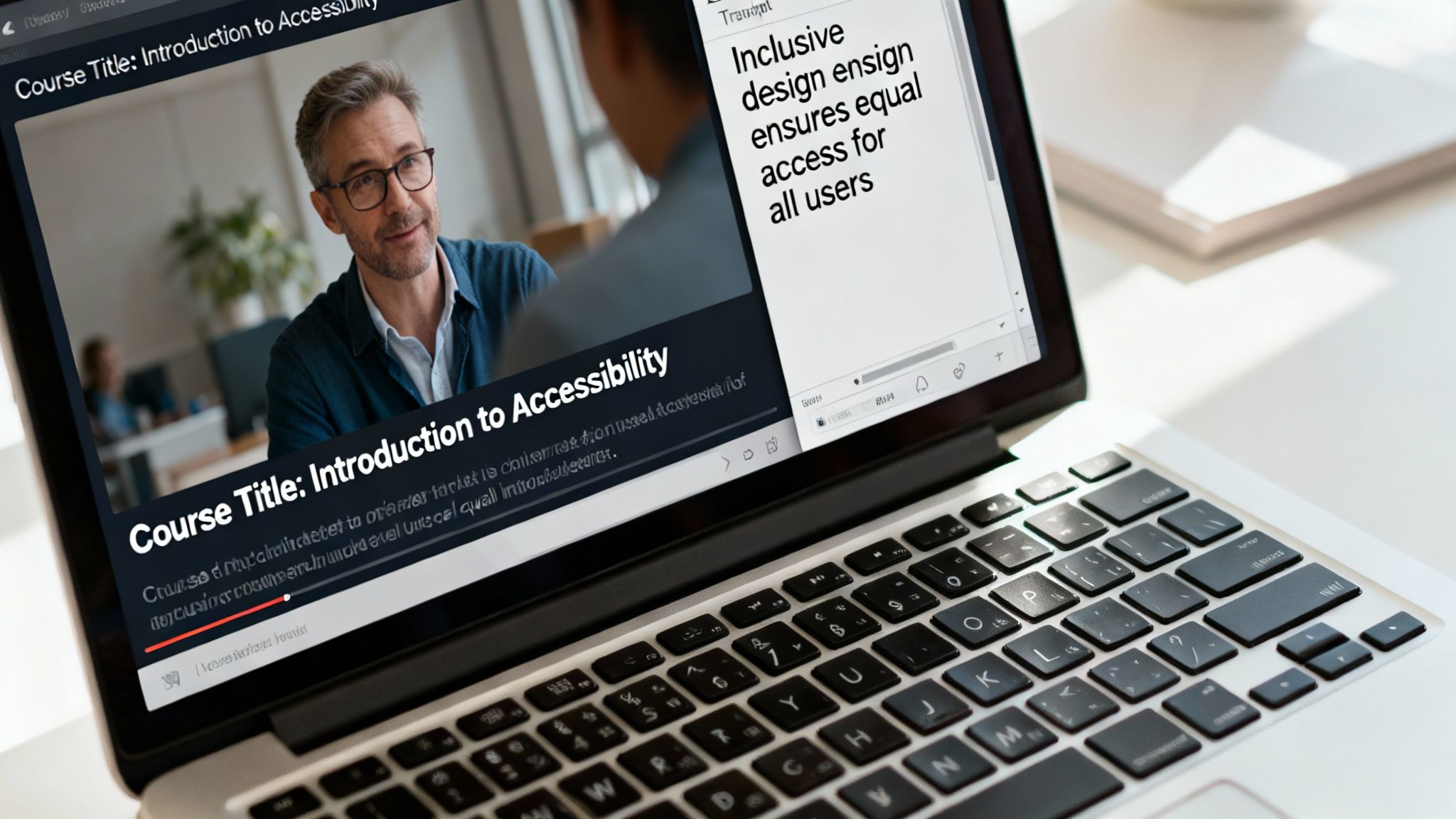
This method combines formative (low-stakes, ongoing) and summative (high-stakes, final) evaluations to create a balanced learning journey. This is a core strength of all-in-one platforms like Zanfia, where you can build this feedback loop directly into your course design using native quizzes, progress-tracking, and integrated community spaces for peer review. This allows you to monitor student performance directly within your branded ecosystem, identifying who might need extra support without sending them to another tool.
How to Implement Regular Feedback and Assessment
Effective feedback is specific, timely, and encouraging. It should feel like a supportive guide, not just a grade. Here’s how to integrate it into your online course.
- Mix Automated and Personal Feedback: Use automated quizzes for instant feedback on core concepts, freeing up your time for personalized, in-depth comments on more complex assignments like projects or case studies.
- Create Clear Rubrics: Develop and share detailed grading rubrics before an assignment is due. This clarifies expectations and empowers students to self-assess their work against a clear standard.
- Use Low-Stakes Quizzes: Implement short, simple quizzes at the end of early modules. This builds student confidence and helps them get comfortable with your assessment style from the start.
- Encourage Peer Feedback: Create structured opportunities for students to review each other's work in a community setting. Zanfia's integrated community tools are perfect for this, allowing you to create dedicated channels for peer review sessions.
- Provide Timely Responses: Aim to provide feedback on assignments within 48-72 hours. Prompt feedback is far more effective as the material is still fresh in the learner’s mind.
5. Community Building and Peer Interaction
One of the most impactful best practices for online teaching is fostering a strong sense of community. Creating dedicated spaces for learners to connect with each other reduces the isolation often felt in digital learning environments and unlocks the power of peer-to-peer support. When students can ask questions, share insights, and collaborate, they become more invested in the material and motivated to succeed, leading to higher engagement and completion rates.
Platforms that integrate community directly with course content are particularly effective. For instance, Zanfia is designed around this principle, allowing Polish creators to build exclusive, branded communities directly alongside their courses with topical discussion channels, announcement channels, and group-based organization. Unlike platforms that push audiences to external tools like Discord or Facebook groups, this unified approach keeps everything under the creator’s brand—dramatically boosting engagement, lifetime value, and member retention. As Wojciech Pisarski, CEO of wMinutę, confirms, “Without Zanfia, developing a paid newsletter and community in Poland would be much harder—it’s the best tool in the market”.
How to Implement Community Building
A thriving online community doesn't happen by accident; it requires intentional design and consistent facilitation. Your goal is to create a safe, supportive, and active space for social learning.
- Establish Clear Guidelines: From the start, post a clear code of conduct that outlines expectations for respectful interaction, constructive feedback, and appropriate content. This sets a positive tone and makes moderation easier.
- Facilitate Icebreakers: Begin the course with structured introduction prompts. Ask learners to share their goals, backgrounds, or what they hope to gain from the course to spark initial connections.
- Use Structured Discussion Prompts: Instead of open-ended forums, create specific, thought-provoking prompts related to course content. Ask learners to apply concepts, share personal experiences, or debate a topic.
- Recognize and Reward Participation: Publicly acknowledge insightful contributions and helpful members. This encourages others to participate and shows that you value community engagement.
- Assign Community Moderators: If your community is large, assign moderators or "community ambassadors" to help facilitate discussions, answer questions, and enforce guidelines, ensuring the space remains active and supportive.
6. Mobile-First and Responsive Design
A mobile-first approach is one of the most critical best practices for online teaching in today's digital landscape. This strategy involves designing your course experience for the smallest screen first (a smartphone) and then scaling it up for tablets and desktops. With a significant number of learners accessing educational content on the go, ensuring your course is seamless and intuitive on mobile is no longer an option, it's a necessity for engagement and accessibility.
This design philosophy ensures that your content is usable and effective for every student, regardless of their device. Language learning apps like Duolingo have perfected this model, building their entire user experience around bite-sized, mobile-friendly lessons. Similarly, platforms like Skillshare and LinkedIn Learning offer optimized mobile apps that allow users to learn anytime, anywhere. An all-in-one platform like Zanfia is built with this principle at its core, ensuring that every course page, community discussion, and checkout process is fully responsive and delivers a premium experience on any screen size.
How to Implement Mobile-First and Responsive Design
To effectively adopt a mobile-first mindset, you must prioritize simplicity, readability, and ease of navigation for touch-based interfaces. This ensures your content remains powerful and accessible, even when viewed on a smaller screen.
- Test on Actual Devices: Go beyond browser emulators and test your course on a variety of real iOS and Android smartphones and tablets. This will reveal real-world usability issues.
- Optimize Media for Mobile: Compress video files and use responsive images that scale appropriately to ensure fast loading times on cellular networks without sacrificing quality.
- Prioritize Readability: Choose clean, readable fonts and use ample white space. Ensure text isn't too small and that paragraphs are short and easy to scan.
- Design for Touch: Make sure all buttons, links, and clickable elements are large enough to be easily tapped with a thumb. Avoid placing interactive elements too close together.
- Simplify Navigation: Use clear, concise menus, such as a hamburger menu, to keep the interface uncluttered. The goal is to help learners find what they need with minimal taps.
7. Personalization and Adaptive Learning Paths
Personalization is a powerful best practice for online teaching that moves away from a one-size-fits-all approach. By tailoring the learning experience to individual needs, preferences, and performance, you create customized journeys that resonate more deeply with each student. Adaptive learning systems take this a step further, using data to automatically adjust content, difficulty, and pacing to match a learner's unique profile, which significantly boosts engagement and improves learning outcomes.
This is the same principle that powers Netflix's content recommendations or Duolingo's adaptive difficulty levels. In an online course setting, it means guiding a beginner to foundational modules while allowing an advanced student to jump ahead to more complex topics. Platforms like Zanfia enable this by providing detailed analytics that reveal how learners interact with your content, allowing you to identify patterns and segment your audience for more targeted communication and content recommendations.
How to Implement Personalization and Adaptive Learning
Effective personalization makes learners feel seen and supported, transforming a generic course into a personal mentorship experience. It requires a thoughtful approach to data and content design.
- Start with Simple Personalization: You don't need complex algorithms to begin. Start by offering recommended next steps or courses based on a student's completion history or quiz results.
- Collect Preference Data: Use simple surveys at the start of your course to ask learners about their goals, experience level, and preferred learning styles. Use this data to suggest a specific learning path.
- Segment Your Audience: Use course analytics to identify different learner groups. For example, you might have a "fast-track" group that finishes modules quickly and a "deep-dive" group that spends more time on specific lessons. Create targeted content or bonus materials for each segment.
- Offer Optional Pathways: Structure your course with a core curriculum but include optional modules, resources, or advanced tracks. Give learners control by letting them choose the path that best fits their objectives.
- Be Transparent About Data: Always inform your students how you are using their data to personalize their experience. This builds trust and respects their privacy.
8. Accessible and Inclusive Design
Accessible and inclusive design is a foundational best practice for online teaching that ensures your educational content is usable by everyone, regardless of their abilities, disabilities, or backgrounds. This approach involves proactively creating materials that address visual, auditory, motor, and cognitive needs, which not only opens doors for learners with disabilities but also enhances the experience for all students. By designing for inclusivity, you create a more equitable and effective learning environment.
Institutions like MIT OpenCourseWare have set a high standard by making their course materials widely accessible, while platforms like Coursera integrate features such as automatic video captioning. For creators using an all-in-one platform, it is crucial to leverage built-in features and adhere to established standards. To truly embrace accessible and inclusive design, it's vital to focus on mastering website accessibility requirements, ensuring all learners can access your content. Platforms like Zanfia are built with modern standards in mind, providing a solid foundation for creators to build compliant and user-friendly courses.
How to Implement Accessible and Inclusive Design
Making your online course accessible requires a deliberate and thoughtful approach to content creation and platform setup. Following established guidelines is the most effective way to ensure a high-quality experience for every learner.
- Follow WCAG 2.1 AA Standards: Use the Web Content Accessibility Guidelines as your baseline. This includes ensuring a minimum color contrast ratio of 4.5:1 for text, which makes content readable for people with visual impairments.
- Provide Video Alternatives: Add accurate, synchronized captions to all videos and provide full transcripts. This benefits learners who are deaf or hard of hearing, as well as those who prefer to read or are in noisy environments.
- Describe Visuals with Alt Text: Write descriptive alternative text for all images, charts, and graphs. This allows screen reader users to understand the context and information conveyed by visual elements.
- Ensure Keyboard Navigation: Design your course so that all content and interactive elements can be accessed and operated using only a keyboard. This is essential for users with motor disabilities who cannot use a mouse.
- Use Semantic HTML: Structure your content with proper headings (H1, H2, H3), lists, and other semantic elements. This creates a logical and predictable layout for screen readers and other assistive technologies.
9. Microlearning and Chunked Content
In an age of endless distractions, one of the most effective best practices for online teaching is to deliver content in small, focused doses. Microlearning involves breaking down complex topics into short, digestible learning units that students can complete in a single sitting, typically between 5-15 minutes. This "chunked" approach respects modern attention spans and makes learning more manageable, less intimidating, and easier to fit into a busy schedule.
This strategy is built on the principle that focused, bite-sized lessons lead to better knowledge retention. Instead of overwhelming students with hour-long lectures, you deliver targeted insights that address a single learning objective. Platforms like Duolingo have mastered this with their 5-minute daily lessons, and LinkedIn Learning uses it to deliver professional skills in short video clips. For course creators, this method transforms a daunting curriculum into a series of achievable wins, keeping learners motivated and engaged.
How to Implement Microlearning
Successfully implementing microlearning requires a shift from long-form lectures to a modular, objective-focused structure. It's about delivering precision and value in every short segment.
- Focus on a Single Learning Objective: Design each micro-lesson to teach one specific skill, concept, or idea. Start the module by clearly stating what the learner will be able to do by the end.
- Keep Videos Short and Focused: Aim for video lessons that are between 5 and 15 minutes long. This is the sweet spot for maintaining a learner's full attention and delivering a potent piece of information.
- Build a Clear Learning Path: While lessons are short, they must connect logically. Use a platform like Zanfia to organize your chunked content into a clear course structure, guiding students from one module to the next seamlessly.
- Include Quick Knowledge Checks: End each module with a simple quiz, a reflective question, or a quick practical task. This reinforces the key takeaway and helps learners confirm their understanding before moving on.
- Design for "In-Between" Moments: Create content that can be consumed on a coffee break, during a commute, or in a spare 10 minutes. This flexibility is a core advantage of the microlearning model.
10. Data-Driven Optimization and Analytics
One of the most powerful best practices for online teaching is leveraging data to understand and enhance the learning experience. Data-driven optimization involves using analytics to track learner behavior, identify patterns, and make informed decisions to improve your course content, engagement strategies, and overall platform performance. This approach transforms teaching from a guessing game into a precise, evidence-based process.
Platforms with built-in analytics, like Zanfia, are invaluable for this. They provide deep visibility at every stage of the funnel, helping you understand everything from student progress and video completion rates to community engagement. By analyzing this data, you can pinpoint exactly where learners are succeeding or struggling, allowing you to refine page layouts, optimize content, and maximize retention and revenue.
How to Implement Data-Driven Optimization
To effectively use analytics, you must move from simply collecting data to actively interpreting it and taking action. This means setting clear goals and regularly reviewing your metrics to guide your strategy.
- Establish Key Performance Indicators (KPIs): Before launching, define what success looks like. Key metrics could include course completion rates, quiz scores, video watch time, and community engagement levels.
- Monitor Learner Progress: Use your platform’s dashboard to track how students move through your content. If you notice a significant drop-off at a specific lesson, it may indicate the material is too difficult or unengaging and needs revision.
- Analyze Assessment Performance: Regularly review quiz and assignment results. Consistently low scores on a particular question can highlight a concept that needs to be explained more clearly in your teaching materials.
- Track Engagement and Interaction: Monitor how learners interact with your content and community. Zanfia’s integrated analytics can show which community channels are most active or which video lessons get the most replays, giving you clear signals about what resonates most with your audience.
- Optimize Your Funnel: Use analytics to track how users navigate your sales pages and checkout process. This data is critical for improving your sales funnel, as explained in these conversion rate optimization strategies.
Top 10 Online Teaching Best Practices — Comparison
| Item | Implementation Complexity 🔄 | Resources & Speed ⚡ | Expected Outcomes ⭐📊 | Ideal Use Cases 💡 | Key Advantages ⭐ |
|---|---|---|---|---|---|
| Asynchronous Learning Design | Medium 🔄🔄 | Moderate upfront, low ongoing ⚡⚡ | ⭐⭐⭐ 📊 Scalable reach; flexible progress | Self-paced courses, global audiences | Flexible access; reusable content |
| Interactive Multimedia Content | High 🔄🔄🔄 | High production cost/time; slower to build ⚡ | ⭐⭐⭐⭐ 📊 Strong engagement & retention | Courses needing simulations, gamification | Interactive feedback; better comprehension |
| Clear Learning Objectives and Outcomes | Medium 🔄🔄 | Low ongoing; planning-intensive upfront ⚡⚡ | ⭐⭐⭐⭐ 📊 Clear alignment; measurable mastery | Accredited programs, certification courses | Clarity; fairer assessment; credibility |
| Regular Feedback and Assessment | High 🔄🔄🔄 | High instructor time; automation helps ⚡⚡ | ⭐⭐⭐⭐ 📊 Early intervention; improved mastery | Skill development, high-stakes training | Actionable improvement; accountability |
| Community Building and Peer Interaction | Medium 🔄🔄 | Ongoing moderation and engagement effort ⚡⚡ | ⭐⭐⭐ 📊 Higher engagement, completion, loyalty | Memberships, cohort-based learning | Peer support; UGC; network effects |
| Mobile-First and Responsive Design | Medium-High 🔄🔄🔄 | Development + testing across devices ⚡⚡ | ⭐⭐⭐ 📊 Better access & completion on mobile | Mobile-heavy audiences; microlearning | Improved UX; broader reach |
| Personalization and Adaptive Learning Paths | High 🔄🔄🔄 | High data/tech investment; complex ops ⚡ | ⭐⭐⭐⭐ 📊 Faster competency; higher satisfaction | Individualized programs; scalable training | Tailored journeys; improved outcomes |
| Accessible and Inclusive Design | Medium 🔄🔄 | Moderate effort; ongoing testing required ⚡⚡ | ⭐⭐⭐ 📊 Expanded reach; legal compliance | Public courses; diverse learner populations | Inclusive access; reduced liability |
| Microlearning and Chunked Content | Low-Medium 🔄🔄 | Moderate production; fast consumption ⚡⚡⚡ | ⭐⭐⭐ 📊 Better retention; higher completion | Busy professionals; mobile learners | Bite-sized; easy updates; mobile-friendly |
| Data-Driven Optimization and Analytics | Medium-High 🔄🔄🔄 | Tools + analysis expertise; ongoing investment ⚡⚡ | ⭐⭐⭐⭐ 📊 Actionable insights; improved ROI | Scaling platforms; continuous improvement | Evidence-based decisions; personalization enabler |
Your Blueprint for a Scalable, Profitable Online Teaching Business
The journey from subject-matter expert to successful online educator is paved with intentional design, strategic engagement, and a relentless focus on student outcomes. We’ve navigated ten of the most critical best practices for online teaching, moving beyond generic advice to provide a concrete blueprint for building an educational experience that not only imparts knowledge but also fosters loyalty and drives sustainable growth. This isn't just a checklist; it's a new operational mindset.
Mastering these principles means you are no longer just creating content. You are engineering transformative learning journeys. By embracing asynchronous design, you give your students the flexibility they crave. By integrating interactive multimedia and chunking content into microlearning modules, you cater to modern attention spans and boost knowledge retention. Clear learning objectives set the stage for success, while regular, constructive feedback ensures your students feel seen, supported, and motivated to continue.
From Content Creator to Community Architect
Perhaps the most significant shift in modern online education is the move from one-way information delivery to vibrant, peer-to-peer interaction. Building a thriving community isn't a "nice-to-have" feature; it is the very engine of student retention and long-term value. When learners can connect, collaborate, and support each other, your course transforms from a static product into a living ecosystem. This is where your business gains its competitive edge and true scalability.
Simultaneously, the technical foundation of your business must be rock-solid and frictionless. An accessible, mobile-first design is non-negotiable in today’s world. Leveraging data and analytics allows you to stop guessing and start making informed decisions to optimize every facet of your students' experience, from initial enrollment to final assessment. By implementing these best practices for online teaching, you’re not just improving a course; you’re building a professional, high-impact brand that commands respect and delivers real-world results.
The Technology That Powers Your Vision
Implementing this comprehensive strategy can feel overwhelming, especially when you're forced to stitch together a dozen different tools, plugins, and platforms. This is where so many talented creators, the "Potential Explorers," get stuck in pre-launch paralysis, and where seasoned "Business Architects" hit a ceiling, their growth stifled by technical debt and spiraling commission fees. True growth requires an integrated, all-in-one infrastructure designed to support, not complicate, these best practices.
A platform like Zanfia is built precisely for this purpose. It provides the unified ecosystem Polish creators need to implement everything we've discussed without the technical headaches. Imagine launching a course with native video hosting, automatically enrolling students into a dedicated community channel, and tracking their progress with built-in analytics, all under your own custom domain. Zanfia handles complex automations, like granting access after payment and sending invoices via inFakt or Fakturownia, saving you 5-10+ hours of administrative work each month. Most importantly, with its revolutionary 0% platform fee model, you keep 100% of your revenue. As tech investor Artur Kurasiński notes, Zanfia is “the most convenient and simplest solution for paid newsletters, courses and community on the Polish market”. You can finally stop wrestling with tech and focus on what you do best: creating exceptional learning experiences.
Ready to implement these best practices on a platform built for your growth? Zanfia provides the all-in-one infrastructure to build, market, and scale your online courses and community, all with 0% platform fees. Start building your profitable online teaching business with Zanfia today.

One comment
Comments are closed.



[…] To really tap into the power of online education, it’s crucial to understand the proven best practices for online teaching. By focusing on engagement, you create an experience that students not only finish but also rave […]