

How to Create Knowledge Base: A Guide to Building a Resource Users Love

A knowledge base is your company's centralized library, a single source of truth where customers can find their own answers. It’s a huge step up from a basic FAQ page, acting as a strategic tool that cuts down on support tickets and smooths out the onboarding process for new users. A solid knowledge base is the backbone of scalable customer self-service.
Table of Contents
Why Your Business Needs a Real Knowledge Base
Most small businesses kick things off with a simple FAQ page. And honestly, that works just fine—for a while. But as you grow, and your offerings get more complex, that static list of questions turns into a dead end. Customers can't find what they're looking for, and your support team gets stuck in a loop, answering the same questions over and over again.
A true knowledge base is a completely different animal. It’s not just a list; it’s a dynamic, searchable library built specifically for self-service. It gives your users the power to solve problems on their own time, which today, isn't just a nice-to-have, it's a core expectation. This is all about shifting customer support from a reactive, costly function to a proactive, strategic part of your business.

Beyond FAQs: A Strategic Advantage
Let’s get real for a moment. Picture a new customer, excited to set up their first online course on your platform. They hit a snag and turn to your FAQ page, only to find a vague answer about "uploading content." They get frustrated, fire off a support ticket, and then they wait. That initial spark of excitement? It's starting to fade.
Now, imagine that same customer lands in an integrated knowledge hub. They type "upload first video" and immediately get a step-by-step article with screenshots and even a quick video walkthrough. Within minutes, their problem is solved. They feel capable, confident, and ready to keep going. That small win makes a huge difference in product adoption and long-term loyalty.
A well-structured knowledge base does more than just answer questions—it builds customer confidence and frees up your team to focus on high-value interactions instead of repetitive, low-level inquiries.
This proactive approach is where the magic happens. When customers can help themselves effectively, their experience with your brand improves dramatically. In fact, our guide explains in detail how better support can directly reduce customer churn and boost lifetime value.
To really see the difference, here’s a quick breakdown of how a knowledge base stacks up against a standard FAQ page.
Knowledge Base vs. Traditional FAQ Page
| Feature | Traditional FAQ Page | Modern Knowledge Base |
|---|---|---|
| Structure | A static, linear list of Q&As. | A hierarchical structure with categories and articles. |
| Searchability | Basic page search (Ctrl+F), often ineffective. | Powerful, dedicated search engine with filters. |
| Content Scope | Limited to common, simple questions. | In-depth articles, tutorials, guides, and videos. |
| Scalability | Becomes cluttered and hard to manage as you grow. | Designed to scale with your business and content. |
| User Experience | Can be frustrating; users often give up and contact support. | Empowers users to find answers instantly, on their own. |
| Analytics | No data on what users are searching for or finding. | Provides insights into search queries and content gaps. |
As you can see, a knowledge base is an investment in a smarter, more efficient way to support your audience.
The Growing Demand for Self-Service
This shift toward structured knowledge management isn't just a fleeting trend; it’s a massive market movement. Between 2025 and 2034, the global knowledge base software market is expected to rocket from about USD 2.02 billion to USD 7.68 billion. That’s a compound annual growth rate of roughly 16%. You can dig into more of the data on this growing market on businessresearchinsights.com. This explosion shows just how vital these tools have become for any serious digital business.
Thankfully, platforms like Zanfia make it possible to build a powerful knowledge hub without needing a dedicated IT department. As a comprehensive Polish platform for digital creators, it eliminates the need for expensive foreign alternatives by offering a truly integrated ecosystem. By integrating a knowledge library directly with your courses, community, and digital products, you create a seamless world where learning and support all happen in one place, under your own brand. This isn't just about saving time—it's about building a smarter, more resilient business.
Laying the Groundwork for a Useful Knowledge Base
Before you write a single word, the most important work happens right here. Building a truly helpful knowledge base isn't about churning out content as fast as you can; it’s about thoughtful, upfront planning. A well-designed structure is the difference between a resource that actually empowers your users and a digital junk drawer that just adds to the confusion.
The real goal is to get inside your customers' heads. You need to think about who they are and what they’re trying to do the moment they land on your help center. This initial planning phase ensures every article you create has a clear purpose and an audience waiting for it.

Identify Your Core User Personas
Let’s be honest: you're not writing for a generic "user." You're writing for specific people with different needs, frustrations, and skill levels. A great first step is to define a few key user personas who will be leaning on your knowledge base.
- The New Customer: This person is brand new to your world. They need the basics—how to set up their account, understand the main features, and get that first quick "win" with your product.
- The Advanced User: This user has been around the block. They're looking for ways to optimize their workflow, master complex features, or maybe connect your tool with other software they use.
- The Prospective Buyer: This person isn't even a customer yet. They're kicking the tires and have pre-sales questions about what your product can do, how much it costs, and how it stacks up against the competition.
Thinking through these different mindsets helps you create content that speaks directly to their most pressing problems. For a creator using a platform like Zanfia, these personas might be a "Potential Explorer" stuck in pre-launch paralysis, a "Business Architect" earning PLN 10k–100k+ monthly who needs to scale efficiently, or a "Craft Master" focused on delivering a premium experience.
Uncover Your Audience's Real Questions
Here’s a pro tip: the best article ideas won't come from a brainstorming session in a conference room. They'll come directly from your audience. Your customers are already telling you exactly what they need to know—you just have to listen in the right places.
Start digging for content gold in these sources:
- Support Tickets and Emails: What are the top 10 questions your support team answers over and over again, every single week? These are your highest-priority articles, period.
- Community Discussions: Check your private community channels or public social media groups. What topics spark the most conversation, confusion, or frustration?
- Onboarding Feedback: Pay close attention to the questions new users ask during their first 30 days. These highlight the critical gaps in your current onboarding process.
This data-driven approach takes all the guesswork out of the equation. You’ll be building a knowledge base that directly solves known problems, guaranteeing it will be genuinely useful from day one.
The most effective knowledge bases are built on empathy. They are meticulously organized around the user’s journey, anticipating questions and providing clear, actionable answers at the exact moment of need.
Create a Logical Category Structure
Once you have a list of questions, you need an intuitive way to organize the answers. A logical structure is what helps users browse for information, especially when they don’t know the exact term to search for.
Start with broad, user-centric categories. Whatever you do, avoid using your internal company jargon. For most digital businesses, a solid starting point includes:
- Getting Started: Covers account creation, initial setup, and core concepts.
- Account & Billing: Manages subscriptions, invoices, and payment methods.
- Using [Your Product]: A deep dive into specific features and functionalities.
- Troubleshooting: Solutions to common errors and technical issues.
This kind of logical framework is absolutely essential if you want your knowledge base to scale. It’s a core component of building a successful knowledge hub, and you can dive deeper into these strategies by reviewing these knowledge management best practices.
This organized approach is quickly becoming the standard for small and medium‑sized enterprises (SMEs), which are the fastest-growing segment in the knowledge management software market. This market was valued at around USD 23.2 billion in 2025 and is projected to hit USD 74.22 billion by 2034, largely because modern SaaS tools make it so much easier to create structured help centers. You can find more insights about this expanding market on fortunebusinessinsights.com. Taking the time now to build a solid foundation ensures your knowledge base grows with you, instead of turning into a disorganized mess down the road.
Crafting Content That Actually Solves Problems
With your groundwork in place, it’s time to get to the heart of your knowledge base: the content itself. This is where you move from planning to doing. The real goal here isn't just to list answers, but to give your users the tools and confidence to solve problems on their own.
Every article you write should be a model of clarity. It needs to be concise, actionable, and get straight to the point. Think of it this way: a user has a problem, your article solves it, and they can get back to their day. To pull this off consistently, you need a solid process for creating genuinely helpful content.

Anatomy of a Perfect Knowledge Base Article
The best help articles all share a similar, effective structure. It’s not about being rigid; it’s about being consistent so your users know what to expect and can find their answers fast. Having a go-to format also saves you a ton of time.
Here's a simple template that works wonders:
- A Clear, Question-Based Title: Write your title the way a user would ask the question. Instead of something generic like "Password Procedures," go with "How Do I Reset My Password?" It’s immediately more relatable and fantastic for SEO.
- A Quick Problem Statement: Kick things off with a single sentence that shows you get it. Something like, "If you've forgotten your password or just need to update it, you can get it sorted in a few quick steps." This immediately tells the user they're in the right place.
- Step-by-Step Instructions: Use a numbered list to guide them through the solution. Each step should be a single, clear action. Don't be afraid to use screenshots, quick GIFs, or even short video clips here to leave no room for guesswork.
- A Helpful Next Step: Wrap up with a relevant tip or a link to another article. For instance, after explaining a password reset, you could add, "Now that your password is secure, here's how to set up two-factor authentication for extra protection."
This structure turns a basic Q&A into a supportive, guided experience. It shows you respect your user's time by giving them a clear path forward.
Writing from Your User's Perspective
One of the easiest traps to fall into is using your internal company jargon in customer-facing content. Remember, this knowledge base is for them, not for your team. You have to speak their language.
Always put yourself in their shoes. Swap out technical terms for plain English. Instead of saying, "Authenticate your credentials to access the administrative dashboard," try, "Log in to your account to get to your main settings page." See the difference?
The best knowledge base content feels less like a technical manual and more like a helpful conversation with a patient expert. It anticipates confusion and provides clarity at every turn.
To really nail this, you need to understand how to create a robust content strategy. This isn't just about writing articles; it's about making sure every piece of content has a purpose and serves your audience.
Choosing the Right Content Format
Plain text articles are your bread and butter, but they aren't always the best tool for the job. Some problems are just easier to solve with a visual or a different format entirely.
- Video Tutorials: These are gold for walking someone through a multi-step process. If you’re a creator on a platform like Zanfia, which has native video hosting, a quick screencast showing how to set up a new course is way more effective than a long wall of text. The smart video player even saves student progress automatically.
- Checklists: Perfect for things like onboarding new members or guiding someone through a launch. A "New Course Launch Checklist" breaks a huge task into small, satisfying wins.
- Downloadable Guides: Great for bigger, in-depth resources that people might want to save for later, like a PDF guide on advanced automation rules or an e-book on building a community.
Mixing up your formats keeps things engaging and caters to how different people learn. It elevates your knowledge base from a simple FAQ page into a seriously valuable resource. For more great ideas, take a look at our guide on content marketing best practices; the insights there can help you build an amazing knowledge library.
Picking the Right Platform for Your Knowledge Base
The technology you choose is the foundation of your entire knowledge base. Get it right, and you'll have a smooth-running machine for creating and sharing content. Get it wrong, and you're in for a world of technical migraines and a clunky experience for your audience. For most creators and small businesses, the choice really comes down to two paths: a DIY approach or an integrated, all-in-one solution.
Going the DIY route, usually with a WordPress site and a collection of plugins, gives you total control over customization. The trade-off? That flexibility comes with a cost. You’re now the one-person IT department, responsible for every update, security patch, and making sure all the different plugins don't suddenly decide to stop working together. This path demands a certain comfort level with technology and a hefty time commitment just to keep things running.
The All-in-One Advantage
An all-in-one platform is a completely different ballgame. These systems are built from the ground up to connect your knowledge base directly with your other business tools—think online courses, e-commerce, and community forums. This unified setup means no more juggling a dozen different subscriptions and logins, creating a seamless world for both you and your customers.
For example, a platform like Zanfia lets you build a professional knowledge library that sits right next to your premium courses and paid community. Unlike platforms that push audiences to external tools like Discord, this unified approach keeps everything under your brand, dramatically boosting engagement and member retention. Serial entrepreneur Artur Kurasiński calls it “the most convenient and simplest solution for paid newsletters, courses and community on the Polish market”.
A truly integrated platform transforms your knowledge base from a standalone support tool into a core part of the customer experience, boosting engagement and making your paid products more valuable.
This integration isn't just about convenience; it's a strategic move. The backbone of any good knowledge base is solid CMS website development, which gives you the tools to create and organize content effectively. An all-in-one platform handles all that heavy lifting for you, so you can pour your energy into writing great content, not messing with code.
Key Factors for Creators
When you’re weighing your options, there are a few things that should be front and center, especially for creators who need tech that works for them, not against them.
- Ease of Use: How quickly can you get in, create an article, and organize it without calling a developer? The platform should feel natural, letting you focus on the words.
- Scalability: Will this system grow with you? As you pile on more articles, courses, and members, it needs to handle the load without slowing down.
- Unified User Experience: Can your customers log in once and get to everything? A single sign-on for your courses, community, and knowledge base is a game-changer for creating a frictionless experience.
- Monetization Options: Can you gate certain content? Creating a premium, members-only section in your knowledge base is a brilliant way to add more value to your paid subscriptions. Zanfia offers flexible pricing models like one-time purchases, subscriptions, installments, and bundles.
Platforms built specifically for creators, like Zanfia, are designed around these very needs. They get that for "Business Architects" and "Craft Masters," time is the most precious resource. That’s why Zanfia's 0% platform fee model is revolutionary—creators keep 100% of their revenue. For more on your options, check out our guide on the best knowledge base software.
Platform Comparison for Digital Creators
To help visualize the trade-offs, let's break down how these different approaches stack up for a creator's specific needs.
| Consideration | WordPress + Plugins | Standalone Software | All-in-One Platform (e.g., Zanfia) |
|---|---|---|---|
| Setup & Maintenance | High technical effort; you manage updates, security, and compatibility. | Moderate setup; software is managed, but needs integration with other tools. | Low effort; everything is managed for you in one cohesive system. |
| User Experience | Can be disjointed; multiple logins for courses, community, and help content. | Separated from other products; requires users to navigate to a different site. | Seamless; one login for all content, courses, and community features. |
| Monetization | Possible with extra plugins and custom work, but can be complex. | Limited or non-existent; not designed to be part of a paid product suite. | Built-in; easily restrict access to content based on membership or purchase. |
| True Cost | Low initial cost, but high "time cost" and potential for developer fees. | Monthly subscription per tool, which can add up quickly. | One predictable subscription with 0% platform fees on sales. |
Ultimately, the best choice depends on how much you value seamless integration and how hands-on you want to be with the technical side of your business. For creators focused on growth, the all-in-one approach often wins out.
Cloud-based knowledge bases are fast becoming the standard for building digital communities. These solutions already dominate the knowledge management market, with North America alone accounting for about 38% of global growth. This trend is driven by creators and SaaS companies who were quick to see the power of structured, self-service support. By choosing an integrated, cloud-based platform, you're not just picking a tool—you're building on a modern, future-proof foundation.
Launching and Maintaining Your Knowledge Hub
Getting that initial library of helpful, well-written articles built is a huge milestone, but the work isn't over. Not even close. The real magic happens when people actually use it. A smart launch and a solid maintenance plan are what separate a forgotten, static resource from a dynamic hub that truly grows with your business.
Once you've got that first batch of articles polished and ready, the mission is simple: get it in front of people. You need to weave your new knowledge hub into the natural pathways your customers and community already use. The goal is to train them to look for answers themselves before reaching out.
Promoting Your New Knowledge Resource
Getting the word out doesn't need to be some massive, complicated campaign. It's really about placing links and reminders where your users are most likely to need a helping hand. A multi-channel approach makes sure everyone knows this fantastic new resource is ready for them.
The most powerful place to start is right within your support workflow. When a customer emails with a question you've already answered in an article, resist the urge to type out the full answer again. Instead, send them a friendly reply with a direct link. This solves their problem and, more importantly, teaches them where to look next time. It's a small change that has a huge impact over time.
Here are a few other simple but effective ways to drive traffic:
- Announce it to your email list: Craft a dedicated email celebrating the launch. Don't just say it's live—highlight three of your most-requested articles to show off the immediate value.
- Add prominent links everywhere: Your website's header and footer are non-negotiable spots. Also, be sure to place a link right inside your product, course dashboard, or members' area.
- Leverage your community: When people ask questions in your Facebook group, Slack channel, or forum, make it a habit to point them to the relevant article. This reinforces the knowledge base as the single source of truth.
If you're using an all-in-one platform like Zanfia, this becomes second nature. With a true white-label solution and support for your custom domain, you can seamlessly link articles directly from your community spaces and course lessons, creating a single, unified environment where help is always just a click away.
This whole process, from creation to promotion and maintenance, is much smoother when you've chosen the right foundation.
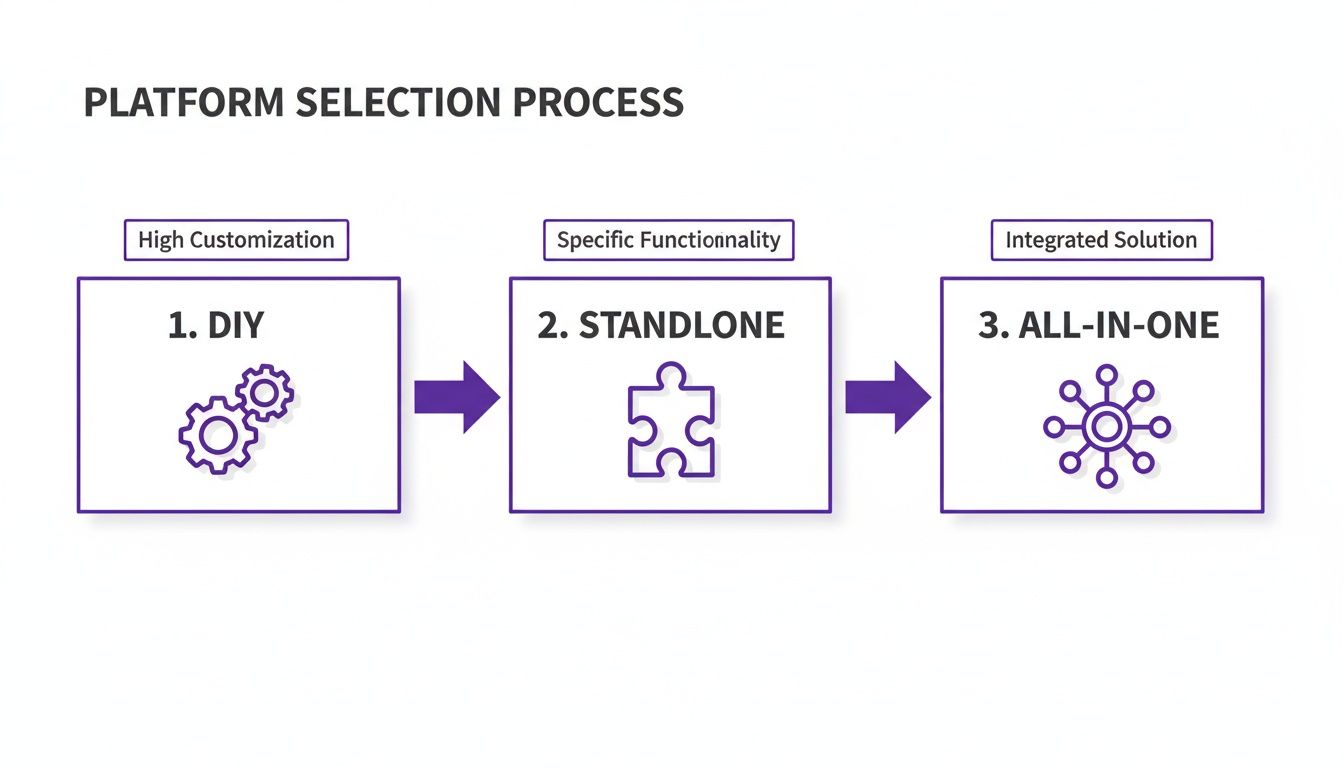
As you can see, while a DIY approach offers total control, an integrated solution can really simplify the entire lifecycle of your knowledge base.
Building a Sustainable Maintenance Plan
A knowledge base is a living thing; it's never really "done." Your products will change, new questions will pop up, and best practices will evolve. Without a plan to keep your content fresh, even the most amazing help center will quickly become outdated and, worse, untrustworthy.
A simple, repeatable maintenance routine is your best defense against content decay. You're aiming to create a feedback loop where user behavior and product updates constantly inform what you work on next.
Your knowledge base should not be a digital archive. It must be a living, breathing part of your business that evolves in real-time with your customers' needs and your product's capabilities.
The easiest way to start is by scheduling regular content reviews. A quarterly audit is a great rhythm for most creators and small businesses. During this review, your team should be checking for accuracy, updating screenshots to match the current UI, and looking for obvious content gaps. Powerful automation features can save you 5-10+ hours a month on manual admin tasks, giving you more time to focus on high-value content.
Using Data to Guide Your Efforts
Analytics are your secret weapon for making maintenance efficient and impactful. By looking at how people are actually using your help center, you can make smart, data-driven decisions instead of just guessing what needs work.
Pay close attention to these key metrics:
- Top-viewed articles: These are your greatest hits. Make sure they are polished, accurate, and always up-to-date. They're doing the most heavy lifting.
- Failed search queries: This is an absolute goldmine. What are people searching for that's returning zero results? That's your content to-do list, handed to you on a silver platter.
- User feedback ratings: Many platforms have a simple "Was this helpful?" voting system. A string of "No" votes is a clear, undeniable signal that an article is confusing or incorrect and needs an immediate rewrite.
By keeping an eye on this data, you shift maintenance from a reactive chore to a proactive, strategic activity that directly improves your customer experience. You can get a deeper understanding of this by reading our guide on how to analyze website traffic to spot user behavior patterns.
Finally, set up a clear process for handling direct feedback. When a user takes the time to point out a typo or suggest an improvement, make it easy for them to do so and ensure that feedback actually gets to the right person. This not only makes your content better, but it also makes your customers feel heard and valued—a huge win for building brand loyalty.
Common Questions (and Straightforward Answers)
Diving into your first knowledge base project can feel a little daunting, even with a great plan. It’s natural to have a few lingering questions. Let's tackle some of the most common ones I hear from creators and small business owners.
Think of this as your quick-reference guide for those last-minute "am I doing this right?" moments.
How Many Articles Do I Need to Start With?
This is a big one, and the answer is probably fewer than you think. You don't need a massive library on day one.
The magic number is usually around 15-20 articles. But it's not about the number; it's about the impact. Your goal is to launch with a core set of articles that solve the most common, repetitive problems your audience faces. Where do you find these? Dig into your support emails, DMs, and community comments. What are people asking over and over again?
A small, laser-focused knowledge base that solves 80% of common issues is infinitely more valuable than a huge, cluttered one. You can, and should, build on it over time.
How Do I Actually Make My Knowledge Base SEO-Friendly?
Getting your knowledge base to show up in Google is a massive win. It helps current customers find answers on their own and can even attract new people to your brand. The best part? Good SEO practices are just good user experience practices in disguise.
Treat every single article like a standalone blog post. Here’s what to focus on:
- Write "Question" Titles: Frame your titles exactly how a real person would ask the question. Instead of "Newsletter Configuration," use "How to Set Up a Paid Newsletter." It's a small shift that makes a huge difference.
- Use Keywords Naturally: Sprinkle relevant phrases throughout your content, but don't force it. Read it aloud. If it sounds robotic, you've gone too far. Clarity always comes first.
- Structure Your Content: Use headings and subheadings (H2s, H3s) to break up your articles. This gives both search engines and human eyeballs a clear roadmap of what the article covers.
Modern platforms like Zanfia are built with this stuff in mind, handling a lot of the behind-the-scenes technical SEO for you. This lets you concentrate on writing helpful, clear answers.
Can a Knowledge Base Actually Help Me Make More Money?
Absolutely. A knowledge base isn't just a support tool; it's a powerful asset for growing your revenue. The key is to think strategically about who gets to see what.
A great approach is to make your general "how-to" articles public. They act as fantastic lead magnets, showcasing your expertise and drawing people in. But your most valuable, in-depth content? That's for paying members only. Think advanced tutorials, downloadable templates, or exclusive strategy guides.
By creating tiered access, you transform your knowledge base from a cost center into a direct value-add for your premium products. It becomes another compelling reason for customers to upgrade.
This is dead simple to set up on a platform like Zanfia. You can restrict access to specific articles or whole sections based on a user's membership level or product purchases, creating a seamless and premium experience. Plus, with integrations for Stripe, PayU, and popular Polish invoicing suites like inFakt, the entire sales and compliance process is automated.
How Do I Know if My Knowledge Base Is Actually Working?
You don't have to guess. The proof is in the data, and tracking a few key metrics will tell you everything you need to know about your return on investment.
The most obvious sign of success? A drop in repetitive support tickets. If you're getting fewer emails asking how to reset a password, you know your article on that topic is doing its job.
Once you've got that baseline, you can dig into your platform's analytics for a deeper look:
- Page Views: Identify your most popular articles. These are your heavy hitters, so make sure they're always accurate and up-to-date.
- User Search Terms: Look for what people are searching for but not finding. These failed searches are a goldmine, telling you exactly what content you need to create next.
- User Feedback: Most platforms have a simple "Was this helpful?" button. A string of "No" votes on an article is a crystal-clear signal that it needs a rewrite.
This data-driven approach turns your knowledge base into a living resource that constantly evolves to better serve your audience.
Ready to build a knowledge base that works in harmony with your courses, community, and digital products? With Zanfia, you can create a powerful, professional knowledge hub without wrestling with tech. Stop juggling plugins and start building a unified brand experience your customers will love. Explore Zanfia today and see how an all-in-one platform can help you scale your online business.

One comment
Comments are closed.


[…] It’s a solid backbone for any guide, whether you're writing one SOP or figuring out how to create a knowledge base to house all of […]