

How to do webinars: A Practical Guide to Engaging Audiences
When you host a great webinar, you’re doing more than just presenting. You're connecting with your audience, solving their problems in real-time, and showing them the next step they can take with you. It really just boils down to a simple formula: valuable content + direct interaction = powerful growth.
This is your shot to turn passive followers into a real, active community.
Why Webinars Are a Creator's Ultimate Growth Tool
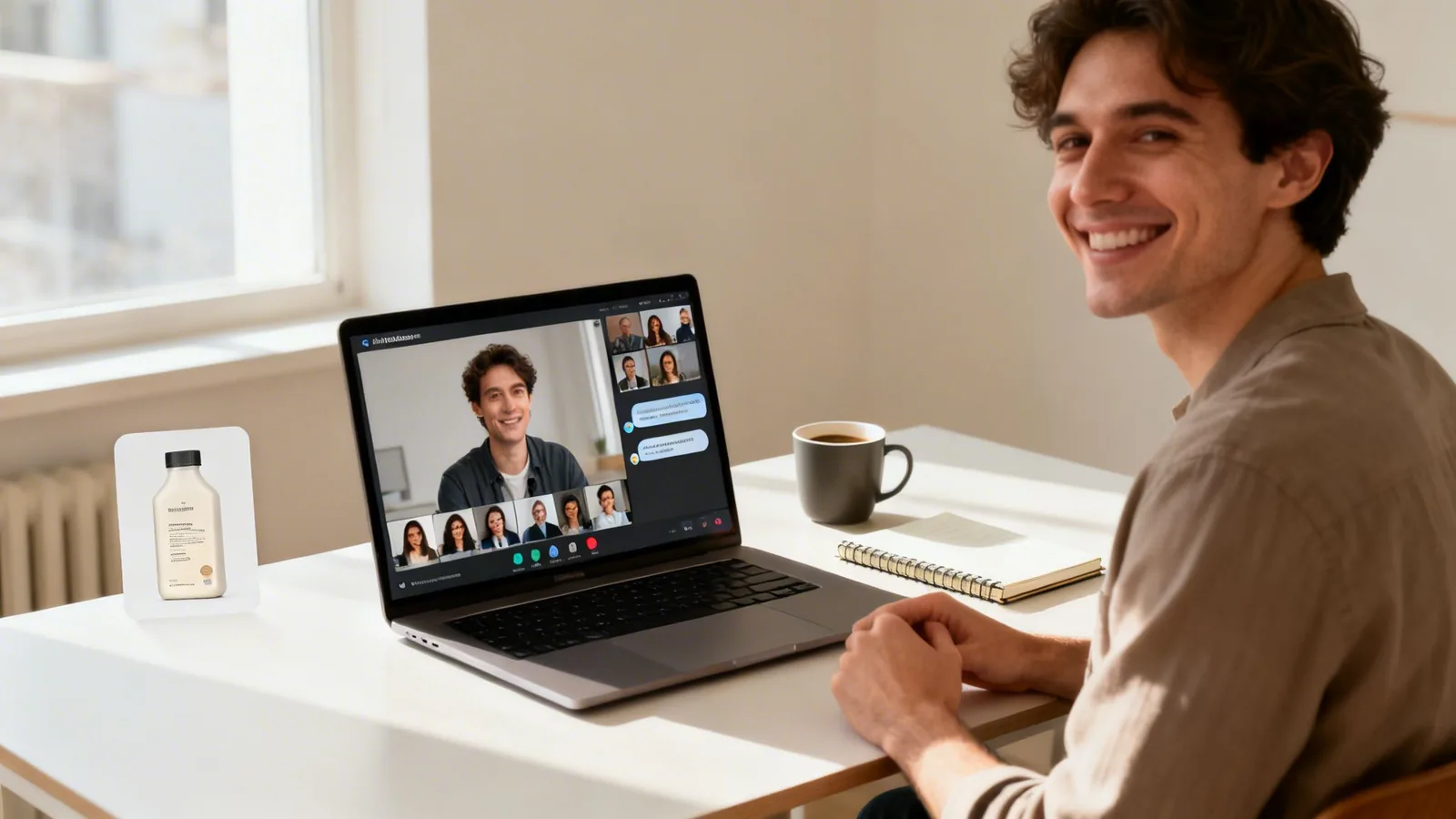
Let's get one thing straight: webinars aren't just for stuffy corporate boardrooms anymore. For independent creators, coaches, and small businesses, they are one of the single most effective tools for building a brand and actually making money. A single, well-run live event can do what months of scattered social media posts can't—forge a genuine, personal connection with hundreds of people at once.
That direct line to your audience is where the magic happens. You’re not just talking at them; you’re starting a conversation. It's this two-way interaction that builds the trust you need for someone to finally pull the trigger on your online course, join your paid community, or subscribe to your premium newsletter.
Beyond Engagement to Real Business Growth
The true power of a webinar is that it’s a multi-tool. It can tackle several of your biggest business goals all at the same time. It's a dynamic format you can bend and shape to fit whatever you need to accomplish, whether that’s getting new leads, launching a digital product, or just making your existing community feel more connected.
Think about it in real-world terms:
- Launching a New Course? Host a free webinar where you teach one core concept from your upcoming course. You deliver a ton of value, prove you know your stuff, and then pitch the full course as the logical next step for anyone who wants to go deeper.
- Building a Paid Community? Run a live Q&A or an "Ask Me Anything" session. This gives people a real taste of the supportive, valuable environment inside your community, making the decision to join feel like a no-brainer.
- Selling Digital Products? You could host a workshop-style webinar that solves one very specific problem your audience has. Along the way, you can introduce your e-book or template as a key resource they can use to implement the solution.
For creators trying to figure out how to make money as a content creator, webinars are a proven path to building more sustainable income streams.
The Numbers Tell the Story
This isn’t just a hunch; the data backs it up. The webinar market is exploding, with 85% of businesses now considering them a key piece of their marketing strategy. People are showing up, too. Average attendance hit 216 attendees per webinar in 2024. For creators, this is solid proof that webinars are a scalable and incredibly effective way to grow.
For a creator, a webinar isn't just a marketing event; it's a product launchpad, a community-builder, and an authority-amplifier all rolled into one. It’s one of the few channels where you can educate, engage, and convert your audience in a single, focused session.
This strategic approach is how you build real authority. When you consistently show up and deliver high-value insights, you become the go-to expert in your niche. We dive deeper into this idea in our guide to what is thought leadership.
Zanfia is built as an AI team that runs the business behind your webinar, not just a place to park the replay. You dictate what needs to happen, by chat or by voice, and the assistant works inside the same interface you do, so a live event can flow straight into a checkout built to sell, with order bumps, installments and 12 product types living under one brand. That is how a webinar stops being a one-off talk and starts being revenue.
Crafting a Webinar That Captivates and Converts
A powerful webinar isn't just a presentation; it's a meticulously engineered experience. The best live events I've ever hosted or attended were built on a simple, yet powerful foundation: they started by answering one critical question.
What specific, urgent problem are you solving for your audience right now?
Your answer is the entire reason the webinar exists. The topic can't just be interesting—it needs to feel essential. Dig into the questions you get in your DMs every week. Look for the recurring struggles you see popping up in your community forums. What's the biggest roadblock keeping your audience from where they want to go? That's your goldmine.
When you nail this, you don't have to convince people to register. You're just offering them the exact solution they were already looking for.
Choosing the Right Webinar Format
Once you know what you're going to teach, you need to decide how you're going to teach it. Your webinar's format sets the entire tone. It dictates the energy, how much your audience participates, and the overall vibe of the session.
There's no single "best" format. I've seen creators absolutely crush it with a direct-to-camera presentation, while others are far more engaging in a conversational interview style. The right choice is the one that fits your content, your personality, and what your audience needs from you in that moment.
Here are a few of the most effective formats I've seen work time and time again:
- The Expert Interview: Team up with a guest who has complementary expertise. This is a fantastic way to tap into another creator's audience and adds a dynamic, back-and-forth flow that keeps people hooked.
- The Interactive Workshop: This is a "roll up your sleeves" kind of session. You're not just talking; you're guiding attendees through a specific task, helping them achieve a small win by the end. It's brilliant for building their confidence and showing the real-world power of your methods.
- The Product Demo or Case Study: This is all about showing, not just telling. You can walk attendees through how your course or community solves a very specific problem, using a real-life case study to make the benefits tangible and hit home.
- The Q&A or "Ask Me Anything" (AMA): This format is pure interaction and puts your audience in the driver's seat. It's an incredible trust-builder because you're providing direct, unscripted answers to their most pressing questions.
To make the decision a little easier, let's look at how these different formats can play out, especially when you're using a platform like Zanfia to power your business.
Choosing the Right Webinar Format
A comparison of popular webinar formats to help you decide which best suits your content and audience engagement goals.
| Format Type | Best For | Engagement Level | Zanfia Use Case |
|---|---|---|---|
| Expert Interview | Building authority and cross-promoting with partners. | Medium-High | Host a joint webinar with another expert and bundle access with both of your introductory digital products. |
| Interactive Workshop | Teaching a practical skill and providing tangible results. | High | Sell paid tickets to an exclusive workshop, with attendees automatically added to a pop-up community channel for follow-up support. |
| Product Demo | Showcasing the value of a specific digital product. | Medium | Demonstrate key features of your online course, then offer a special discount bundle for live attendees at the end. |
| Live Q&A / AMA | Addressing audience pain points and building community. | Very High | Offer a free AMA as a lead magnet, then invite attendees to join your paid community for ongoing access and deeper conversations. |
Ultimately, the best format is the one that delivers maximum value and naturally leads to the next step you want your audience to take.
Structuring Your Content for Maximum Impact
With your topic and format locked in, it’s time to outline your actual presentation. A rookie mistake is to just dump a ton of information on people for an hour straight. That doesn't work.
Instead, think of your webinar as a story. It needs a clear beginning, middle, and end.
You need a strong hook right at the start to grab attention and reassure attendees they're in the right place. The middle of your webinar should be packed with those "aha" moments—the actionable tips and insights you promised. And most importantly, your content needs to flow naturally toward your call-to-action (CTA).
Your offer at the end shouldn't feel like an abrupt sales pitch. It should feel like the obvious, most helpful next step for everyone who just got value from your session. You can learn more about making your teaching stick by checking out our guide on student engagement.
Key Takeaway: Your goal isn't just to teach; it's to guide. Structure your webinar to solve one piece of a bigger puzzle. Then, you can present your paid product as the complete solution. This turns your CTA from a hard sell into an act of service.
The Tech and Tools for a Professional Presentation
You don’t need a Hollywood-level studio to run a polished, professional webinar. Honestly, most creators are shocked at how accessible a high-quality setup has become. The secret is focusing on the three things that really matter: clear audio, decent lighting, and a stable video feed.
Let's get one thing straight: investing in a good external microphone is non-negotiable. Your audience might forgive a slightly grainy camera, but they will absolutely bail if your audio is crackling, muffled, or cutting out. A simple USB microphone is a massive upgrade from your laptop’s built-in mic and instantly makes you sound more credible.
The same goes for lighting. You don't need an expensive camera to look good; you just need good light. A simple ring light or a couple of small LED panels can wipe out weird shadows and give you a clean, bright picture. The goal isn't cinematic perfection—it's clarity.
This is the foundational flow for planning your webinar. It all starts with the topic, then moves to the format, and finally, the call to action you want people to take.
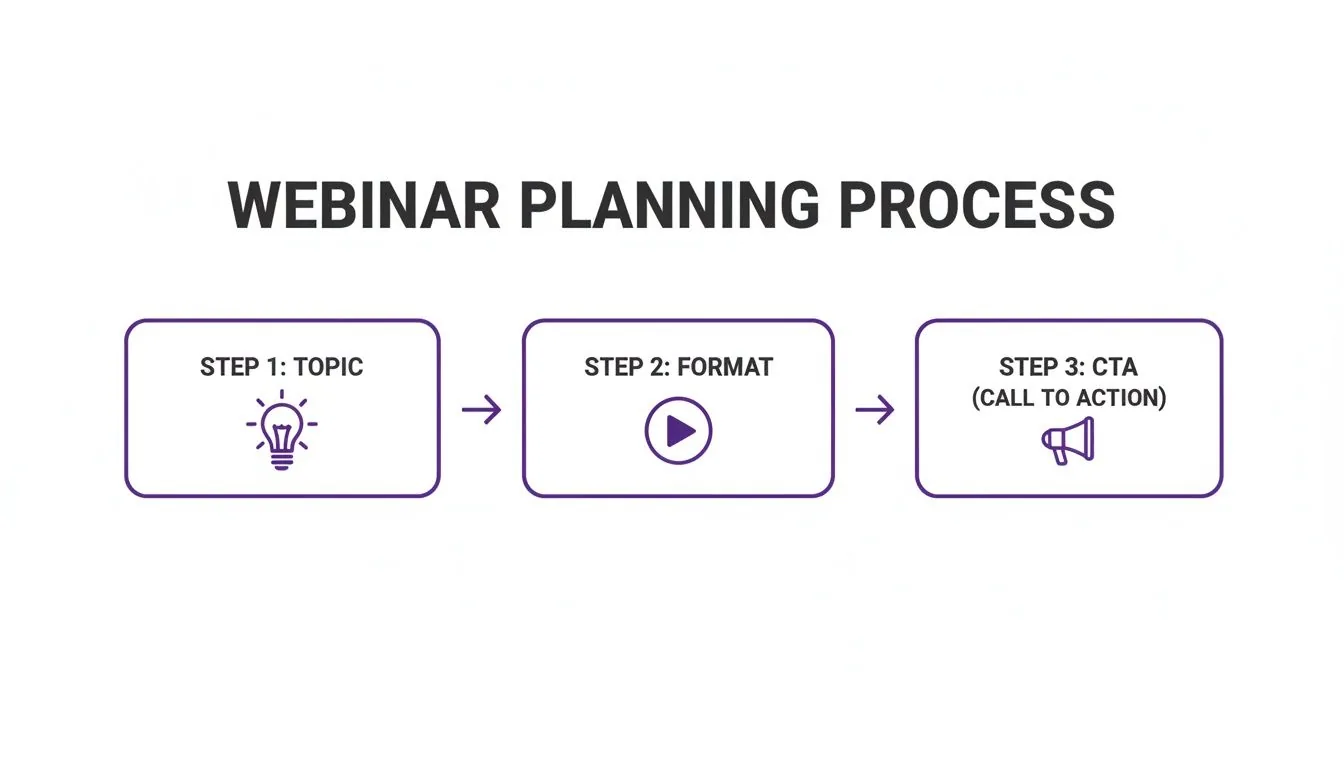
Each step here builds on the last, making sure your presentation isn't just a bunch of good information, but a strategic move for your business.
The Software That Powers Your Webinar
Once your physical gear is sorted, you need the software—the engine that actually runs the show. This covers your webinar platform, registration system, and any tools you use to communicate with attendees. This is where so many creators get bogged down, trying to duct-tape a bunch of different services together.
The old-school way of doing things is a frustrating patchwork quilt of tools:
- A landing page builder to get sign-ups.
- A separate payment processor if you're selling tickets.
- An email marketing service to handle reminders and follow-ups.
- The webinar software itself for the live event.
- A bunch of manual steps to give buyers access to replays or bonuses.
This juggling act isn't just a time-sink; it’s a recipe for disaster. One broken integration and suddenly registered attendees can't get in, or paying customers never get access to the course you promised. It's a nightmare.
Why You Should Unify Your Workflow with an All-in-One Platform
This is exactly why an integrated platform like Zanfia is a creator's secret weapon. Instead of wrestling with five different tools, you run the entire show from one dashboard, and you can dictate the setup out loud instead of clicking through menus. It completely eliminates the tech headaches and saves you hours of busywork, often 5-10+ hours a month.
A unified platform automates the entire attendee journey. From the moment someone buys a ticket, the system handles everything—sending confirmations, granting access to your community, and even enrolling them in a follow-up course. This lets you focus on what you do best: delivering an amazing presentation.
Picture this: you create one landing page in Zanfia to sell tickets. The instant someone buys, Zanfia’s automations kick in. The payment is processed through Stripe or PayPal (with a 0% platform fee, only the standard processor cut applies), a confirmation email is sent, and the customer is instantly added to a private channel in your community. Before you ever open the doors, you can run a test purchase on your own checkout to confirm the whole flow works end to end, with test orders hidden from the real order list.
After the webinar, another automation can grant them access to the replay, which you can host right on Zanfia with its native video hosting. This kind of seamless experience not only impresses your customers but also cuts out the soul-crushing manual work that leads to burnout. If you want to dive deeper into the creator software stack, you can explore some of the best tools for content creators in our detailed guide. This integrated approach isn’t a luxury; it’s essential for scaling without getting lost in the tech.
Promoting Your Webinar to Fill Every Virtual Seat
You’ve poured your expertise into designing a killer webinar. The content is tight, the slides are sharp, and you’re ready to deliver massive value. But here’s the hard truth: even the most brilliant presentation is a tree falling in an empty forest if no one shows up.
Getting people to register—and actually attend—is both an art and a science. Just dropping a few posts on social media and hoping for the best is a recipe for a lonely live stream. A real promotion strategy is about creating a steady drumbeat of excitement and meeting your ideal audience exactly where they hang out.
Your Promotional Playbook Starts With Your Email List
Your email list is, without a doubt, your single most powerful promotional tool. These are your people. They've already opted in and want to hear from you, making them the warmest possible audience for your event.
Don't just send a single announcement and call it a day. Plan a dedicated email sequence that builds anticipation.
- The Big Announcement: Kick things off by revealing the topic, the date, and the core problem you're going to solve for them.
- The Value Teaser: A few days later, share a surprising statistic or a key insight related to your topic. Prove why this webinar is a can't-miss event.
- The Final Countdown: Send a "last chance" reminder in the 24-48 hours before you go live to create a healthy dose of urgency.
Next, look beyond your own audience. Reach out to other creators in complementary niches and propose a friendly cross-promotion. You can offer to share one of their resources with your list if they’ll share your webinar registration link with theirs. It's a classic win-win that taps you into a brand new, highly relevant audience. If you need some ideas, our guide on how to create lead magnets that work is a great place to start.
A Promotion Timeline for Maximum Impact
Timing is everything. Start too early, and people will forget. Start too late, and you won’t have time to build momentum. For most creators, a two-week promotional window is the sweet spot.
Here’s a simple timeline you can adapt for your own launch:
- Two Weeks Out: Announce the webinar to your email list and post it on your main social channels.
- Ten Days Out: Give your audience a peek behind the curtain. Share a short video about who the webinar is for or a screenshot of your prep.
- One Week Out: Send another email, this time focusing on the 3-5 key takeaways attendees will walk away with. Make it tangible.
- Three Days Out: Share testimonials or social proof related to your expertise. Build confidence in your ability to deliver.
- 24 Hours Out: This is your big "last chance to register" push across all channels.
- Day Of: Send one last reminder email about an hour before you go live. You'd be surprised how many people sign up at the very last minute.
To really drive sign-ups, consider how video can play a bigger role. A well-crafted small business video marketing strategy isn't just for big campaigns; short, authentic clips can make your webinar promotion far more effective.
Here's something to keep in mind: the average live attendance rate for a webinar hovers around 49%. That means you have to plan for no-shows. The good news? Around 40% of views happen on-demand via the replay. With an estimated 86,400 webinar-related searches happening every single day, a solid promotion plan is what gets you in the game.
Ultimately, successful promotion isn't about being the loudest. It's about consistently and clearly communicating the value you're offering. When you make it painfully obvious how your webinar will solve a real problem for your audience, filling those virtual seats becomes a whole lot easier.
Monetizing Your Webinar and Driving Real Revenue
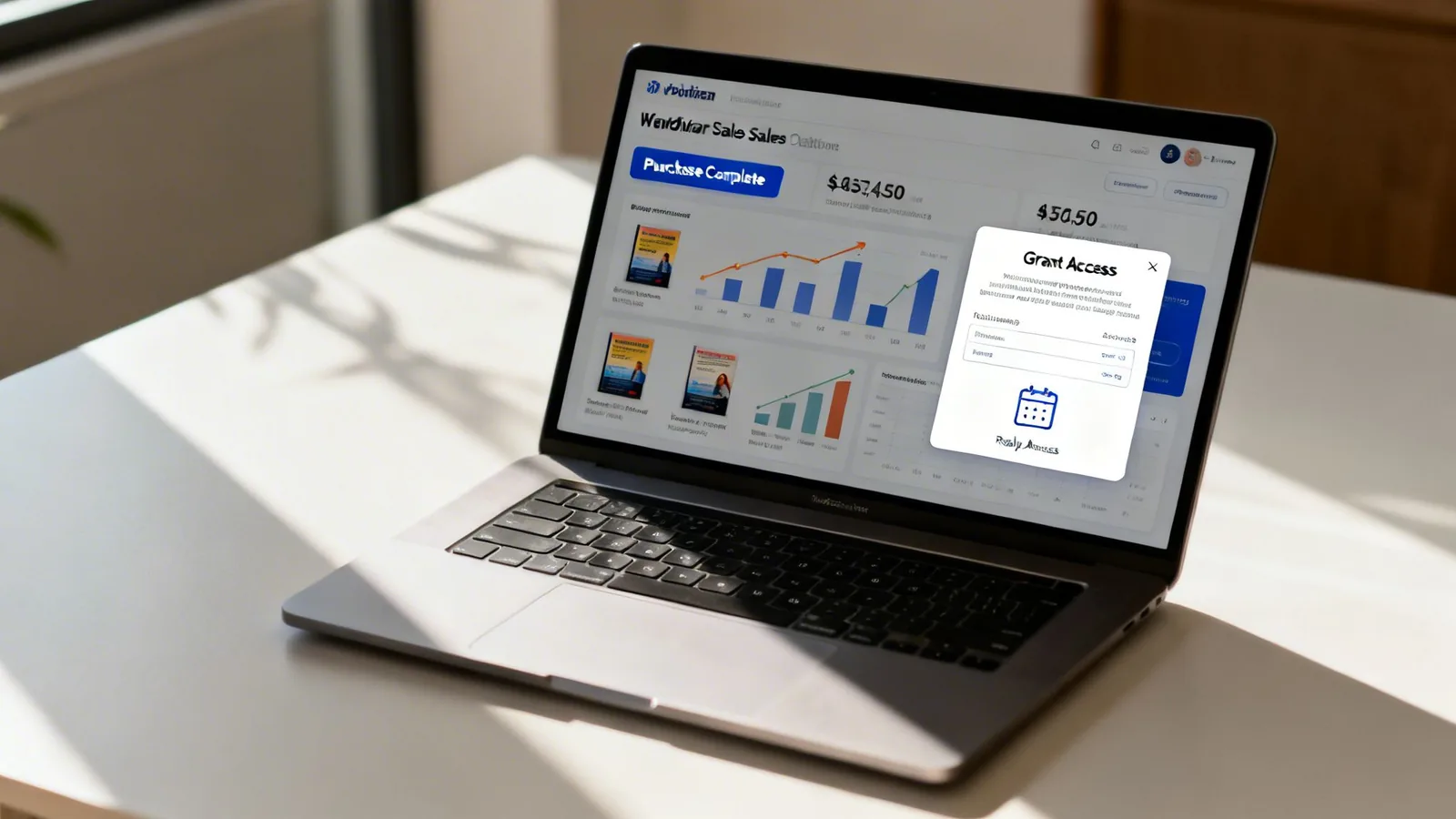
This is where the magic really happens. Your webinar isn't just an educational event; it's a powerful engine for your business. Smart monetization isn’t about tacking a clumsy sales pitch onto the end. It's about designing an offer so compelling and perfectly aligned with the value you just delivered that it feels like the most obvious next step for your audience.
The goal here is a seamless handoff from learning to action. After you've spent an hour solving a real problem for them, your audience is primed and ready to go deeper. This is your moment to guide them toward the solution that will truly accelerate their progress.
Beyond the Basic Pitch
A webinar creates a unique selling environment. You’ve already built trust and demonstrated your expertise live. Instead of pushing people to a generic sales page, you have a captive audience that has just experienced your value firsthand. This opens the door to some seriously effective monetization paths that go way beyond a simple product pitch.
Let's look at a few strategic approaches:
- Sell Paid Tickets for Exclusive Access: Don't be afraid to charge for your best stuff. For a high-demand topic or a deep-dive workshop, selling tickets instantly qualifies your audience and boosts the perceived value of the content.
- Bundle Webinar Access with a Product: Create a package deal, like a "webinar + e-book" or "workshop + template" bundle. This makes the purchase feel more substantial and gives attendees immediate, actionable resources to take away.
- Use the Webinar as a Membership Funnel: Position your free webinar as a preview of your premium community. Give them a taste of the value inside, then offer an exclusive joining bonus just for the folks who showed up live.
Layering your offers like this is a key part of turning your webinars into a source of real, sustainable income for your business.
Crafting an Irresistible Offer
Your offer is the bridge between the free content you shared and your paid product. To make it a "no-brainer," it needs to be built on three core pillars: value, urgency, and exclusivity. Your call-to-action shouldn't just present a product; it should solve the bigger problem your webinar introduced.
For example, if your webinar taught "Five Mistakes New Podcasters Make," your offer could be a "Podcast Launch Kit" complete with a full course, editing templates, and outreach scripts. It’s the direct solution to the exact challenges you just highlighted.
The most effective webinar offers don't feel like a sale at all. They feel like a solution. By presenting your product as the complete answer to the questions and problems raised during the session, you transform the pitch into an act of service.
The numbers back this up in a big way. Webinars deliver an impressive ROI, with typical conversion rates of 5-20% turning attendees into buyers. For educational events, that number jumps to an even better 15-25%. It's clear that when you get it right, webinars are an incredibly powerful sales funnel. You can find more webinar statistics and data on Growth Marketing Pro.
Streamlining Monetization with the Right Platform
Trying to execute these strategies can become a technical nightmare if you’re duct-taping together separate tools for landing pages, payments, and product access. This is where an integrated platform earns its keep. With Zanfia, the entire process is unified into one workflow that you can drive by chat or by voice, and any action available in the interface is also available to your AI assistants through the MCP endpoint on every plan (see the current Zanfia pricing).
You can sell complex bundles, split a $600 course into four installments, or manage subscriptions right from your dashboard, with order bumps and upsells stacked into the same checkout. The moment a customer makes a purchase, powerful automations kick in to instantly grant them access to the right online course or community channel. This completely eliminates manual work and guarantees a flawless customer experience.
Best of all, Zanfia's current model lets you keep what you earn. As of 2026, transactions carry a 0% platform fee, so you aren't penalized for your success and only the standard payment processor cut applies. That transparent approach is a strong fit for creators who need to protect their margins as they scale. If you're exploring different ways to earn from your knowledge, check out our guide on how to monetize your online content.
A Few Common Questions We Get About Webinars
As you start putting all the pieces together, a few questions inevitably pop up. We've all been there. Getting these sorted out ahead of time will give you the confidence to handle the little details that really make a difference on the big day.
Let’s run through some of the most common ones.
How Long Should My Webinar Be?
This is the classic creator dilemma: finding that perfect runtime. While some data suggests that 60-minute sessions pull in more registrants, the real answer is always: it depends. A longer runtime can signal a meatier, more in-depth topic, which can definitely boost sign-ups.
But here's the thing—a killer 45-minute session packed with value is always going to beat a 60-minute one that feels like it’s been padded out just to fill the time.
Here’s a quick guide to help you land on the right length:
- 30 Minutes: This is your quick-hitter. It’s perfect for a high-impact presentation with one clear, focused takeaway. It’s super respectful of your audience's time, but can feel a bit rushed if you have a lot to get through.
- 45 Minutes: Honestly, this is the sweet spot for most webinars. It gives you plenty of room for a solid intro, about 30 minutes of your core content, and a dedicated 10-15 minutes for Q&A and making your offer.
- 60 Minutes: Save this for the deep dives. It’s ideal for in-depth workshops, panel discussions with multiple experts, or complex topics that just need more breathing room. Just be absolutely sure you have enough gold to share without resorting to fluff.
What Is the Best Day and Time to Host?
If you look at the industry benchmarks, they'll almost always point to mid-week (Tuesday, Wednesday, and Thursday) in the late morning or early afternoon (like 11 AM or 2 PM ET). The logic is sound—you're avoiding the Monday morning chaos and the Friday afternoon checkout.
But treat this as a starting point, not a hard rule. The only thing that truly matters is your audience.
Are you serving clients across multiple time zones? Is your niche full of creative freelancers with weird hours or stay-at-home parents who are only free during school time? Those standard times might completely miss the mark. The only real way to know is to test it out. Run webinars at a few different times and see which ones get the best registration and attendance rates. Your analytics will tell you everything you need to know.
How Do I Handle Technical Issues During a Live Event?
First, take a deep breath. Glitches happen to everyone, even the most seasoned pros. The goal isn't to create a completely foolproof setup (because that's impossible), but to have a solid plan for when things go sideways. Staying calm is your number one job.
Before you ever click "Go Live," run through a simple checklist:
- Do a tech rehearsal. A day before, test everything: your internet, mic, camera, and the webinar software itself.
- Have a backup. What happens if your main internet cuts out? A mobile hotspot can be an absolute lifesaver.
- Close everything else. Shut down every app on your computer that isn't critical for the webinar. This frees up precious bandwidth and processing power.
If something goes wrong while you're live, just communicate. A simple, "Hey everyone, looks like we've hit a small technical snag. Just give me a moment to get it sorted," works wonders. It shows you're in control, and you’d be surprised how forgiving and understanding audiences are when you handle it with grace.
Should I Offer a Replay of My Webinar?
Yes. A thousand times, yes. Not offering a replay is one of the single biggest mistakes you can make. On average, only about half the people who register for a webinar will actually show up live. That means a replay is your key to reaching the other 40-50% of your audience who were interested but couldn't make it.
Think of the replay as more than just a recording—it's a powerful marketing asset. It extends the life of your content and gives you another shot at delivering value, connecting with prospects, and presenting your offer.
You can drop the replay into your follow-up email sequence to re-engage anyone who was a no-show and give attendees a chance to revisit the material. And when you host it on a platform like Zanfia which includes native video hosting, you can get really creative by bundling the replay with other digital products or adding it to your paid community as an exclusive perk, making it even more valuable.
Ready to turn your webinar strategy into a streamlined, profitable part of your business? With Zanfia, you can sell tickets, manage attendees, host your replays, and automatically grant access to your courses and communities—all from one place, with a 14-day free trial (no credit card required) and 0% platform fees. Starter starts at $39/month, or $31/month billed annually. Discover how Zanfia can simplify your workflow and help you build a thriving online business at https://zanfia.com.