

How to Enable YouTube Monetization in 2026 (Step by Step)
You've done the hard part already. You published consistently, learned what your audience responds to, and built enough momentum that monetization is finally on the table. This is the point where a lot of creators open YouTube Studio, click around for a few minutes, and realize the process is less obvious than they expected.
That confusion usually comes from two places. First, YouTube monetization isn't one single switch anymore. Second, getting approved and turning revenue on across your channel are two different jobs. If you only focus on the application, you'll miss the operational setup that affects what you can earn afterward.
Your Guide to Unlocking YouTube Earnings in 2026
Most creators asking how to enable youtube monetization aren't just asking where the button is. They're asking a bigger question: am I eligible now, what exactly can I access, and what do I need to do so this channel starts earning?
That's the right question.
A lot of advice online still treats monetization like the old all-or-nothing milestone. Reach the threshold, apply, get approved, ads start rolling. In practice, that's too simplistic. YouTube now has a staged model in many markets, and the gap between “eligible for some features” and “fully monetized for ads” matters a lot for strategy.
If your channel is long-form heavy, you need to think differently than a creator leaning on Shorts. If your audience is loyal but your watch hours are uneven, fan funding may arrive before ad revenue does. If you've hit the requirements but your channel has policy issues, the review can stall your plans fast.
There's also a business reality that creators learn quickly. Ad revenue is useful, but it's only one layer of content monetization strategies that build a more durable business. The channels that last usually combine platform revenue with direct offers, audience ownership, and systems that don't depend on one algorithm.
Practical rule: Treat YouTube monetization as an approval process first, then as a revenue operations setup second.
That mindset saves time. It keeps you from obsessing over one metric while ignoring review readiness, and it helps you activate the revenue tools you qualify for instead of waiting for some perfect future milestone.
Understanding the YouTube Monetization Thresholds
A channel can hit monetization eligibility and still leave money on the table.
That usually happens because creators treat YouTube monetization as one finish line. In practice, YouTube uses a two-tier system in many markets, and each tier gives you access to different tools. If you only watch the ad threshold, you can miss the point where fan funding or shopping becomes available earlier.
The two tiers that matter
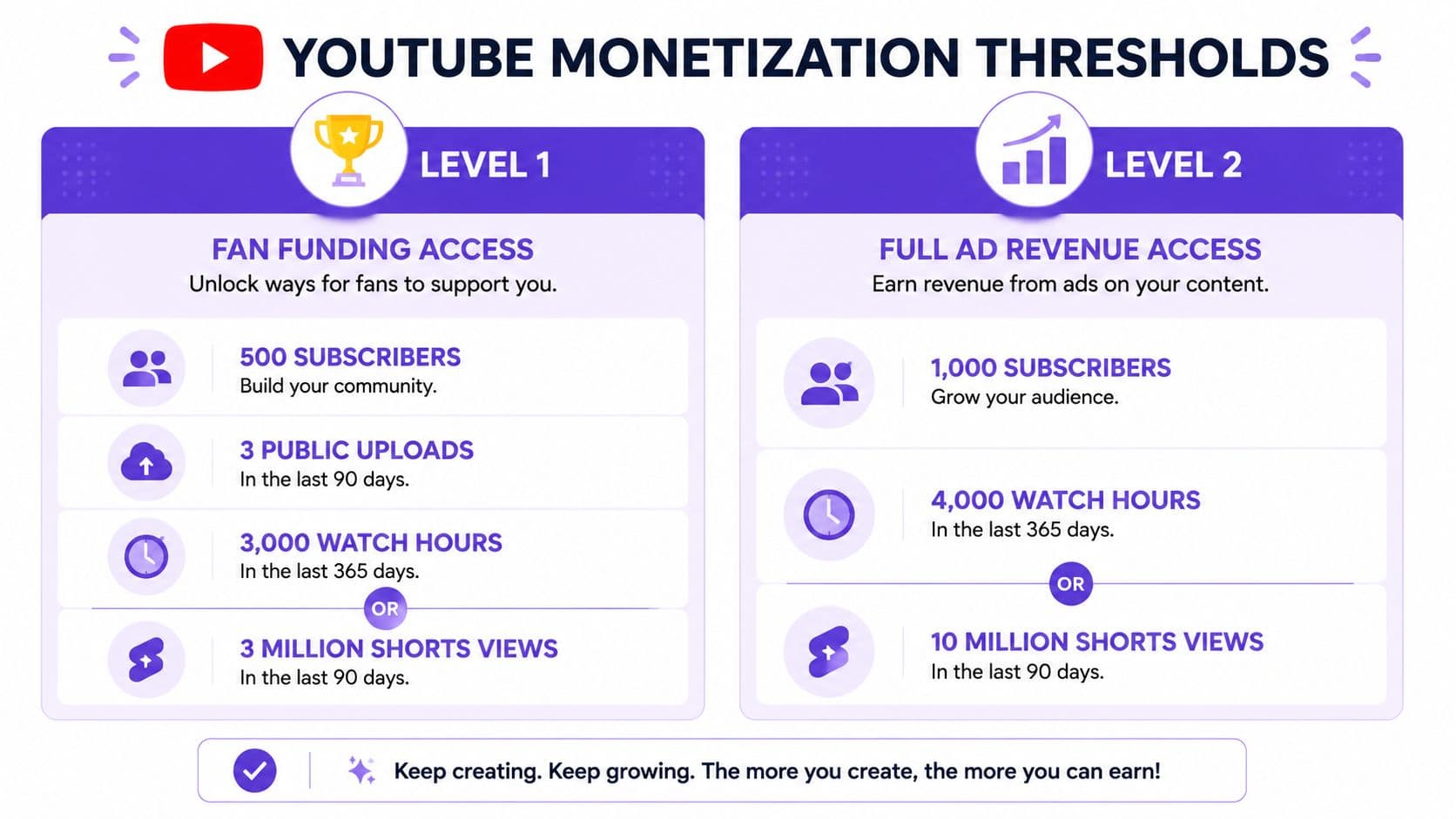
According to YouTube Partner Program eligibility details, the early-access tier in some markets requires 500 subscribers, 3 public uploads in the last 90 days, and either 3,000 valid public watch hours in the last 365 days or 3 million valid public Shorts views in the last 90 days.
The full YPP tier for ad revenue requires 1,000 subscribers plus either 4,000 valid public watch hours in the last 365 days or 10 million valid public Shorts views in the last 90 days.
The gap between those tiers matters operationally. Early access can let a qualified channel start using fan-funding features and some shopping tools before ads are on the table. Full YPP approval is what opens ad revenue and YouTube Premium revenue sharing.
YouTube Monetization Eligibility Tiers
| Requirement | Early Access Tier | Full YPP (Ad Revenue) |
|---|---|---|
| Subscribers | 500 | 1,000 |
| Recent activity | 3 public uploads in the last 90 days | Not listed as part of the full threshold in the cited requirement set |
| Long-form path | 3,000 valid public watch hours in the last 365 days | 4,000 valid public watch hours in the last 365 days |
| Shorts path | 3 million valid public Shorts views in the last 90 days | 10 million valid public Shorts views in the last 90 days |
| Features enabled | Fan-funding and select shopping features in some markets | Full ad and YouTube Premium revenue eligibility |
Where creators misread the thresholds
The first mistake is chasing both paths at once.
A tutorial, commentary, or education channel usually has a clearer route through watch hours. A Shorts-first channel may reach the early tier faster through views, but the jump from early access to full ad eligibility can still take longer than creators expect. Splitting your effort across long-form and Shorts without a defined role for each format often slows progress instead of speeding it up.
The second mistake is misunderstanding what counts as public and valid. Private, unlisted, deleted, or otherwise ineligible performance does not help you meet these thresholds. I have seen channels lose eligibility progress after cleaning up old uploads too aggressively. If a few videos are carrying most of your watch hours or Shorts views, changing their visibility has a direct cost.
If you are close to qualifying, audit before you archive. A cleanup can improve your brand, but it can also erase the performance that got you near the line.
Brand choices matter here too. Channels with inconsistent packaging often struggle to convert viewers into subscribers, even when the content is strong. A cleaner positioning pass, including better titles and a more focused identity, often helps more than publishing extra filler videos. If your channel still feels scattered, review these YouTube channel name ideas for clearer positioning.
Search also shapes which threshold is more realistic. Long-form creators usually benefit from compounding search traffic over time, while Shorts depend more on bursts of distribution. If discoverability is weak, fix that before you obsess over revenue tabs. This guide on mastering YouTube SEO in 2025 is a useful complement if you need to tighten search intent, metadata, and content structure.
Choose the threshold that fits your channel model
A sustainable path beats a fast one you cannot maintain.
Long-form usually builds stronger watch-hour depth and a better base for ads once approved. Shorts can get a channel in front of more people quickly, but the volume required for full ad eligibility is high, and many creators overestimate how repeatable that performance is. The right target depends on what your team, format, and publishing pace can support every month.
If you want to know how to enable YouTube monetization efficiently, start by identifying which tier you can realistically reach first, and which revenue features you can use once approval comes through. That is the difference between being eligible on paper and earning in practice.
Preparing Your Channel for a Successful Review
Hitting the threshold is only half the job. The review is where channels that looked ready on paper often get stuck.
I treat this stage like a pre-flight check. Before you apply, assume someone is going to look at your channel and ask a blunt question: does this creator run a channel that fits YouTube's rules, advertiser expectations, and copyright standards consistently enough to monetize?

Run a practical channel audit
Don't just skim your last few uploads. Review the channel the way a reviewer would.
Focus on these areas:
- Content ownership: Make sure your videos clearly add original value. If your channel leans heavily on clips, compilations, borrowed footage, or repetitive formats with minimal commentary, that's where problems usually surface.
- Metadata honesty: Check titles, thumbnails, and descriptions. If they overpromise, mislead, or create a bait-and-switch experience, that can work against you.
- Copyright exposure: Remove uncertainty before YouTube has to ask. Music, footage, graphics, and reused segments should all be material you have the right to publish.
- Channel consistency: A clean niche isn't required, but a chaotic mix of low-effort reposts, trend-chasing uploads, and unrelated experiments can make the channel look unstable.
A lot of creators focus only on whether videos got claims or strikes. That's too narrow. Reviewers also assess the overall pattern of the channel.
The four policy buckets to think about
You don't need to turn this into legal homework. You do need to be disciplined.
Use this checklist before you apply:
- Community Guidelines Review your catalog for anything that could conflict with platform safety rules. Older uploads count too.
- Copyright rules Don't assume “credit in the description” solves anything. If you didn't secure the right to use something, fix it before review.
- AdSense expectations Since monetization connects to AdSense, your setup has to align with that ecosystem as well. Sloppy account handling and inconsistent information can create avoidable friction.
- Monetization suitability Advertiser-friendly content is its own standard. Even if a video can stay live on YouTube, it won't always be ideal for monetization review.
Channel review advice: If a video makes you say, “I hope they don't look too closely at this one,” fix that video before you apply.
What usually helps and what usually hurts
What helps is straightforward. Original voice, clear editing intent, coherent branding, and searchable topics all make a channel easier to trust. If you're tightening your packaging before applying, this guide on mastering YouTube SEO in 2025 is useful because better SEO often improves clarity as much as discoverability.
What hurts is inconsistency. Low-value bulk uploads, recycled intros with barely changed content, or aggressive thumbnail tactics tend to create review friction fast. The same goes for channels that changed direction several times and never cleaned up the old backlog.
If your branding is still messy, even simple cleanup helps. Rename confusing playlists, rewrite your about section, standardize thumbnails, and make your channel page look intentional. If you're still working through positioning, these YouTube channel name ideas for different niches can help sharpen how the channel presents itself.
The Application and AdSense Setup Process
Once your channel is ready, the application itself is straightforward. The mistake is assuming “straightforward” means “instant.”
YouTube monetization does not turn on automatically just because you crossed the line. The workflow matters, and if you miss a step, you're not really in process yet.
The exact application flow
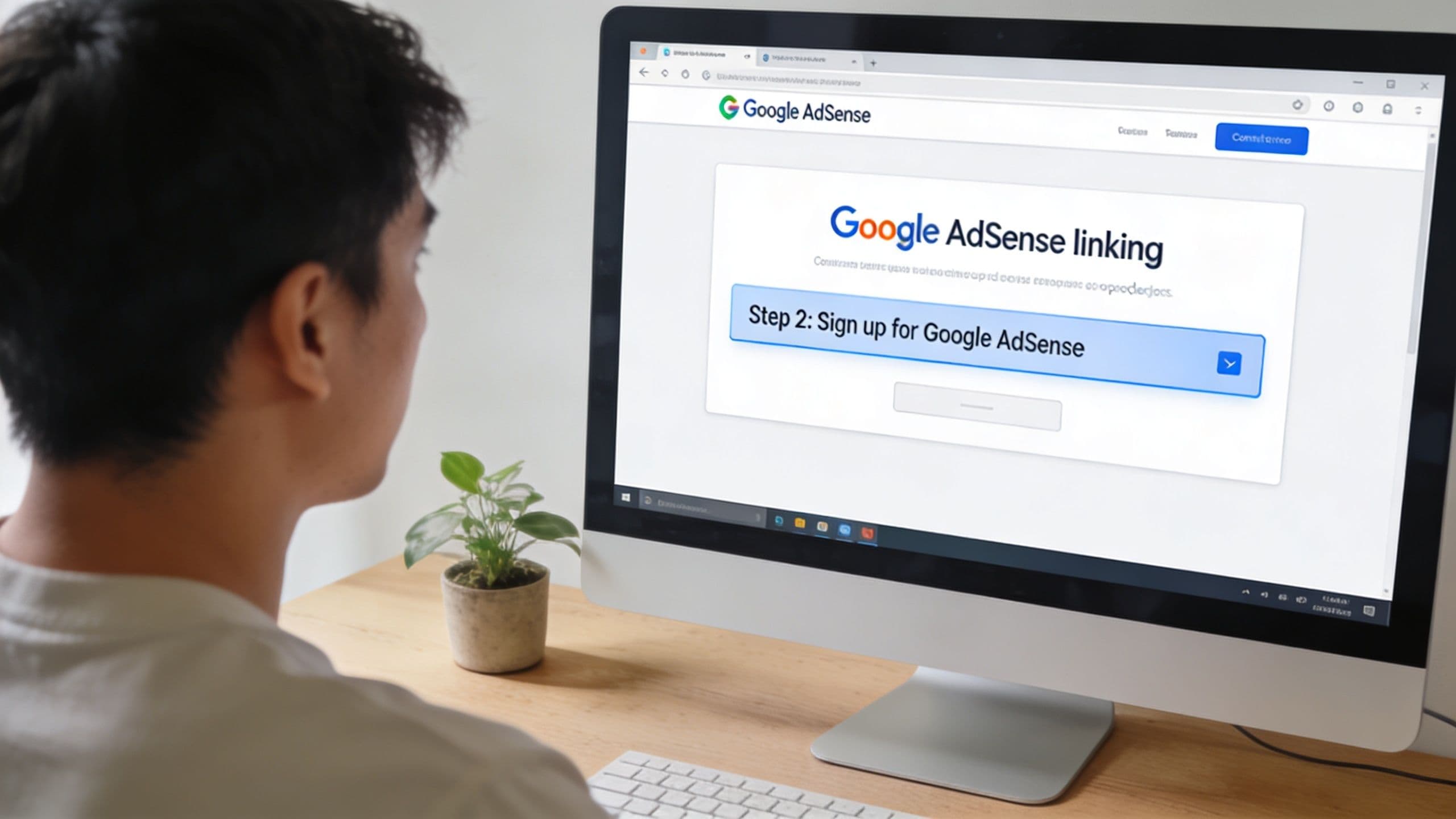
One published walkthrough states the process is: open YouTube Studio, click Earn, choose Apply Now, accept the YPP base terms, connect or create an AdSense account, and then wait while the review status shows In Progress, as explained in this YouTube monetization workflow guide.
That same source notes the review is a mixed automated-plus-human process and typically takes about a month, which is the part many creators underestimate in their planning.
Here's the clean version:
- Open YouTube Studio and go to Earn .
- Click Apply Now when the option is available.
- Accept the base terms for the YouTube Partner Program.
- Connect an AdSense account or create one if needed.
- Watch for In Progress status while the review runs.
AdSense is where small mistakes create big delays
The AdSense step is more important than most guides make it sound. This is your payment infrastructure, not a box to click through absentmindedly.
If you already have an AdSense account, use care before creating another one. Duplicate or mismatched account setups are one of the easiest ways to slow yourself down. Keep your account details consistent, use the correct business or personal identity, and don't treat this like disposable signup friction.
If you want a plain-language breakdown of payment setup decisions outside YouTube's ad system, this comparison of Stripe vs PayPal for creators and digital businesses helps clarify how payout infrastructure differs across platforms.
Approval readiness and payment readiness are different things. Creators often prepare for the first and ignore the second.
A short walkthrough can help if you want to see the process visually before you click through it yourself.
What In Progress actually means
This status matters because it changes expectations. In Progress does not mean something is broken. It means YouTube has your application and the review queue is active.
That waiting period can be frustrating, especially if you hit your milestone and expect revenue to start immediately. Don't plan launch cash flow around same-week approval. Keep publishing, keep the channel clean, and avoid making reckless changes just because the dashboard isn't moving fast enough.
If your review takes time, that's annoying but normal. The worst move is to panic-edit the entire channel while under review.
Activating and Managing Your Revenue Streams
A common post-approval mistake looks like this: the channel gets accepted into YPP, the creator uploads a new video expecting ads to run, and then finds half the revenue options are still inactive. Approval gives you access to monetization. It does not finish the setup for you.
Accept the right monetization modules
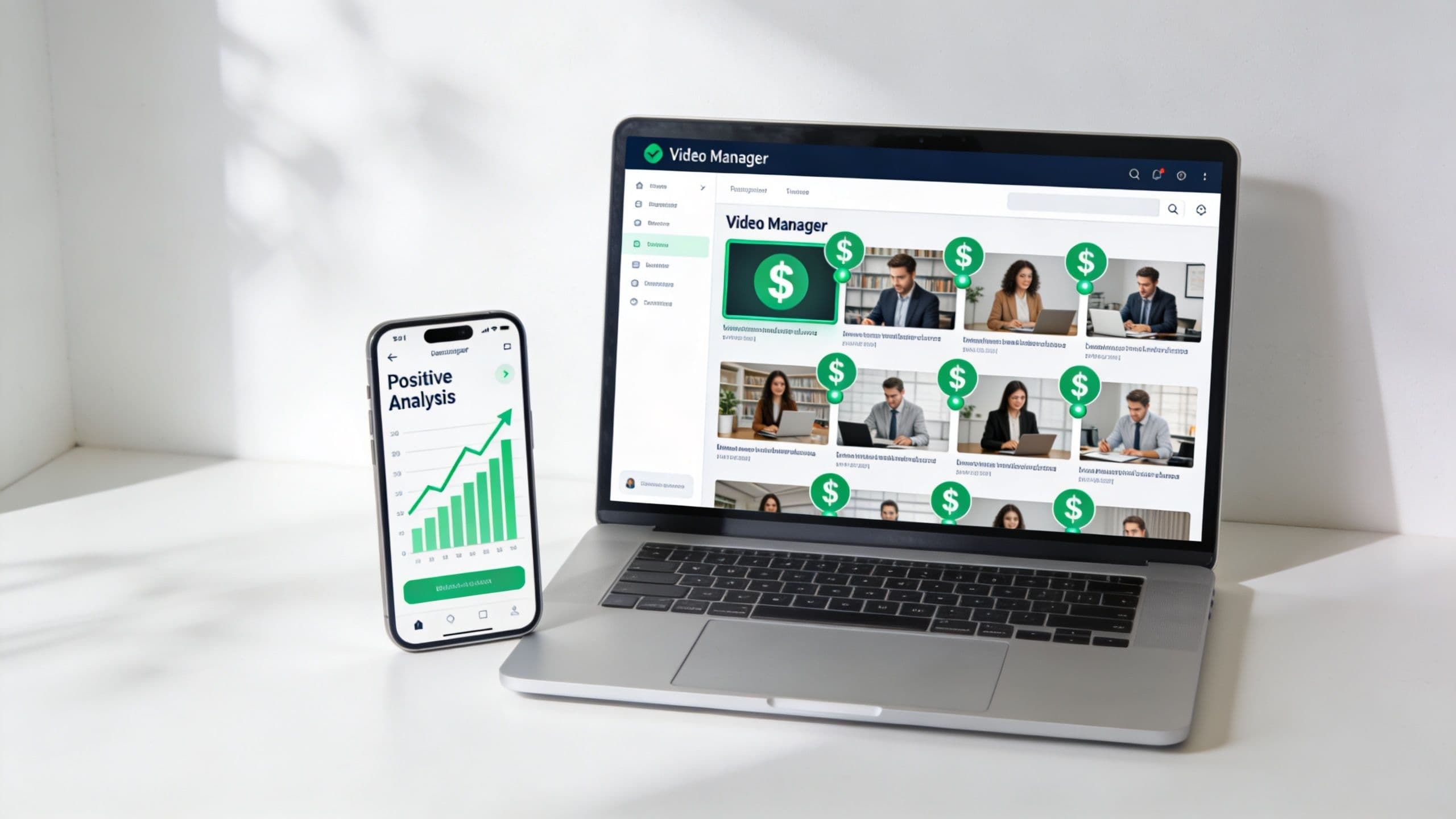
This is the part many articles skip. YouTube monetization has tiers in practice. First, you get into the Partner Program. Then you turn on the revenue products your channel can use.
YouTube explains in its monetization settings documentation that creators may need to accept specific modules before options such as Watch Page ads, Shorts Feed monetization, and YouTube Premium revenue appear inside Studio. If a feature is missing, do not assume the channel is broken. Check whether the module was offered and accepted.
I have seen this confuse experienced creators, especially on channels that added Shorts later or had multiple people handling uploads. They assume YPP approval applies one universal switch across every format. It does not. Long-form, Shorts, and Premium revenue can involve separate setup steps and separate checks inside Studio.
Manage monetization at the right level
Once approval is done, monetization becomes an operations job.
For single-channel creators, that usually means checking each upload before publish and auditing older videos that were posted before YPP approval. For MCN-managed channels, YouTube also notes channel-level controls in the same support documentation. The practical difference is simple. A solo creator needs a repeatable checklist. A team needs a process that prevents missed settings across a library.
Use a routine that catches the leaks:
- Audit your back catalog: Older videos often stay non-monetized because nobody went back after approval.
- Build monetization into your upload workflow: Before hitting publish, confirm ad suitability, ad settings, and whether the video is public in the right state.
- Treat Shorts as a separate system: Shorts revenue follows its own path. Do not assume your long-form defaults carry over.
- Confirm Premium participation is active: Premium revenue is passive once set up, but only after the needed module acceptance is complete.
One missed setting across a high-performing video can cost more than creators expect.
Turn revenue features into a working system
Ads are only one layer. Once the core settings are active, review the full list of revenue tools your channel qualifies for and decide which ones fit your audience instead of turning on everything blindly. Fan funding features, shopping tools, and sponsored integrations each carry different trade-offs. Some add revenue with little extra work. Others add moderation overhead, disclosure requirements, or a stronger need for audience trust.
That is where strategy starts to matter more than approval speed. Aicut's guide for fast monetization is useful if you are still thinking about eligibility and format choices. After approval, the better question is operational: which revenue streams are active, which are missing, and who is checking them regularly?
Sponsorships belong in that plan too. Channels that already have ads running are often in a strong position to pitch brands, especially if the audience is specific and engaged. If you want a practical next step, this guide on how to get sponsors on YouTube explains what brands look for beyond YPP status.
Beyond Ads Building an Independent Creator Business
Ad revenue is a useful milestone because it proves your channel has crossed into real business territory. It's also fragile by nature.
Your income still depends on platform rules, changing distribution, and monetization decisions you don't control. That's why experienced creators eventually stop asking only how to enable youtube monetization and start asking a better question: how do I convert audience attention into revenue I control directly?
Why direct revenue changes the game
Ads are passive. Direct offers are intentional.
When a viewer buys a course, joins a paid community, subscribes to a newsletter, or purchases a digital product, the relationship changes. You're no longer relying only on watch sessions. You're building a customer base around expertise, trust, and repeat value.
That also gives you more resilience. If one revenue stream dips, the business doesn't fall apart with it.
Some creators start with merch, and that can work well if the audience has a strong identity. If that's your route, this guide to creating on-brand YouTube apparel gives a practical overview of how merch fits into a creator business without turning it into a random side project.
Build on infrastructure you control
The bigger shift is moving your strongest audience relationship off-platform and into an environment you manage. That can mean an email list, a product hub, a member area, or a branded community tied to your own offers.
One option in that category is Zanfia, which is built as an AI team that runs a creator business rather than just a place to host content. The assistant knows the whole application and can perform anything available in the interface, by chat or by voice, so a creator can dictate work instead of configuring it. That work lands in courses, communities, paid newsletters and 12 product types under one brand and domain, with a checkout designed to sell: order bumps, installments that let you split a $600 course into four payments, upsells, and a test mode for buying your own product before launch. Zanfia charges 0% platform commission on customer sales, so only the payment processor (Stripe or PayPal, roughly 2.9% + $0.30 in the US) takes its standard cut. Advanced capabilities such as the full Assistant are available on higher plans, and the MCP endpoint that lets your own AI agents act on the workspace is on every plan, so check the current Zanfia pricing. Every plan starts with a 14-day free trial, no credit card required.
For creators moving in that direction, this breakdown of how to sell digital products online is a practical place to start.
The business model that lasts
The strongest creator businesses usually look something like this in practice:
- YouTube for discovery: searchable videos, Shorts, and audience growth
- Email for retention: direct communication that doesn't depend on algorithm reach
- Products for margin: courses, downloads, memberships, or newsletters
- Community for loyalty: a place where your audience interacts with you and with each other
That structure gives you room to grow without making every business decision depend on ad performance.
If your monetization plan begins and ends with YouTube ads, you'll always feel exposed. If ads become one layer in a broader system, the channel gets much easier to scale with confidence.
FAQ
Do I have to hit the full YouTube Partner Program threshold before I can earn anything?
Not necessarily. In some markets there is an early-access tier at 500 subscribers, 3 public uploads in the last 90 days, and either 3,000 valid public watch hours in the last 365 days or 3 million valid public Shorts views in the last 90 days. That tier can unlock fan-funding and select shopping features before you reach the full 1,000-subscriber ad-revenue threshold.
Should I focus on long-form watch hours or Shorts views to qualify faster?
Pick the path that fits your channel model instead of chasing both at once. Tutorial, commentary, and education channels usually have a clearer route through watch hours, while Shorts-first channels can reach the early tier faster through views. Splitting effort across formats without a defined role for each often slows progress rather than speeding it up.
Will cleaning up old videos hurt my eligibility?
It can. Private, unlisted, deleted, or otherwise ineligible uploads do not count toward the thresholds, so archiving videos that carry most of your watch hours or Shorts views has a direct cost. If you are close to qualifying, audit performance before you archive anything.
How long does the monetization review take after I apply?
The review is a mixed automated-plus-human process and typically takes about a month. "In Progress" status means YouTube has your application and the queue is active, not that something is broken, so avoid panic-editing the channel while it is under review.
Why don't ads appear on my videos right after I get approved?
Approval into YPP gives you access to monetization but does not finish the setup. You may need to accept specific modules inside Studio before options such as Watch Page ads, Shorts Feed monetization, and YouTube Premium revenue appear, so check the monetization settings if a feature is missing.
If you want to turn YouTube traffic into direct revenue, Zanfia gives you an AI team that runs the business under your own brand and domain: dictate the work by chat or voice, ship courses, communities, paid newsletters and up to 12 product types, and sell through a checkout built for it, with order bumps, installments and test mode. Platform commission is 0%, so only your payment processor takes its standard cut, and every plan starts with a 14-day free trial. Advanced AI capabilities such as the full Assistant scale with the plan (the MCP endpoint is on every plan), so check the current Zanfia pricing for what fits your stage.