How to Improve Email Deliverability for Higher Inbox Rates
For digital creators, email isn't just a communication tool—it's the engine of your business. It all boils down to three things: technical trust, sender reputation, and audience engagement. If you can get these right, your emails will consistently hit the inbox, protecting your revenue and building a stronger brand with every send.
Table of Contents
Why Your Emails Are Landing in Spam Instead of Inboxes
It’s a scenario every creator dreads. You pour hours into crafting the perfect newsletter or launch email, packed with value and a killer call-to-action, only to discover a huge chunk of your audience never even saw it. This isn't just a small technical hiccup; it's a direct blow to your business.
When your emails end up in spam, you're not just losing opens—you're losing sales, connection, and the opportunity to build a real community. For a creator, that means fewer course enrollments, lower membership renewals, and a brand that feels distant. The problem is that too many of us treat deliverability as an afterthought when it should be a core part of our business strategy.
The Real Cost of Poor Deliverability
Let's get real about the numbers. The global average for inbox placement hovers around 83.1%. That means almost 17% of legitimate, permission-based emails simply vanish into the digital ether. It's a staggering loss.
The good news? Creators who actively manage their deliverability can push their inbox placement rates above 95%. Think about what that means for a moment. If you have a list of 50,000 subscribers, that difference can easily translate into hundreds of extra sales every single month. It’s a massive, often untapped, revenue lever.
Think of it this way: every percentage point you gain in deliverability is like adding more people to your launch webinar without spending a single extra dollar on ads. It's pure profit.
To get there, you need a solid framework. Here's a breakdown of the three core components that determine whether your emails make it to the inbox or get lost along the way.
The Three Pillars of Email Deliverability
| Pillar | What It Means | Why It Matters for Creators |
|---|---|---|
| Technical Trust | Setting up email authentication (SPF, DKIM, DMARC) to prove to services like Gmail and Outlook that your emails are legitimately from you. | This is your non-negotiable foundation. Without it, you look suspicious to inbox providers, and they're more likely to filter your emails. |
| Sender Reputation | The "credit score" that inbox providers assign to your domain and IP address based on your sending history (bounce rates, spam complaints, etc.). | A strong reputation tells providers you're a trustworthy sender, giving your emails a VIP pass straight to the inbox. |
| Audience Engagement | How your subscribers interact with your emails—do they open, click, forward, or reply? Or do they ignore, delete, or mark as spam? | This is the ultimate signal. High engagement proves your content is wanted, which is the most powerful factor for inbox placement. |
Mastering these areas is crucial, and it starts with a healthy process for building your email list from day one and continues with consistent, smart sending habits. You can also explore these 8 email deliverability best practices for more strategies.
Throughout this guide, we'll dive deep into each pillar, giving you actionable steps to make sure your hard work actually gets seen.
Building a Technical Foundation of Trust
Before you even write that killer subject line for your next launch, there's a crucial, non-negotiable first step: proving you are who you say you are. Think of it like this—you wouldn't get into a high-security building without a verified ID. Your subscribers' inboxes work the same way.
Without this technical handshake, inbox providers like Gmail and Outlook are programmed to be suspicious. They’ll see you as an unverified stranger and are much more likely to route your emails straight to the spam folder, or worse, block them entirely.
For creators, especially those running paid newsletters or courses, getting this right is everything. It’s the difference between being seen as a legitimate publisher and being algorithmically lumped in with spammers. This isn't just a "nice-to-have"; it's the bedrock of your entire email strategy.
To get this right, you need to set up three key authentication protocols: SPF, DKIM, and DMARC.
SPF: Your Digital Guest List
First up is SPF (Sender Policy Framework). It’s the most straightforward piece of the puzzle. Imagine you're throwing a party and you give the bouncer a strict guest list. SPF is exactly that for your email. It's a simple record you add to your domain's settings that lists all the services (like your email marketing platform) authorized to send emails on your behalf.
When an email from your domain arrives, the recipient's server quickly checks your SPF record. If the sending server is on your "guest list," it passes the first check. If not, it raises a red flag. This one record is your first line of defense against phishing attacks where someone tries to impersonate your brand.
DKIM: The Unbroken Wax Seal
Next, you need DKIM (DomainKeys Identified Mail). If SPF is the guest list, DKIM is the tamper-proof wax seal on a medieval king's letter. DKIM attaches a unique, encrypted digital signature to every single email you send, a signature that’s tied directly to your domain.
When the email lands in an inbox, the receiving server uses a public key (which you publish in your domain's DNS records) to check that signature. If it matches, it proves two critical things:
- The email genuinely originated from your domain.
- The message content hasn't been messed with along the way.
DKIM provides that essential layer of authenticity and integrity, building more trust with inbox providers.
DMARC: The Security Instructions
Finally, there’s DMARC (Domain-based Message Authentication, Reporting, and Conformance). DMARC is the boss that pulls it all together. It tells the bouncer (the receiving email server) exactly what to do with anyone who fails the SPF or DKIM checks.
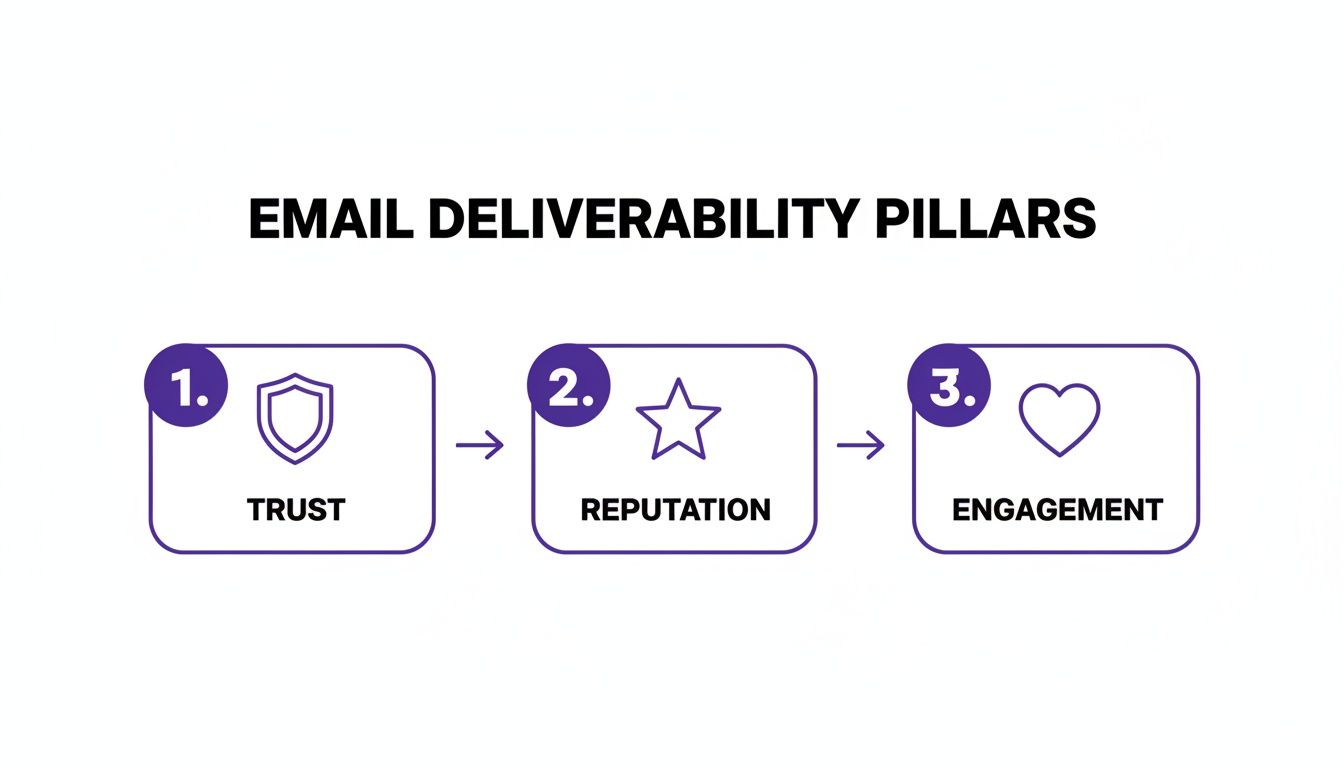
As you can see, this technical trust is the foundation for everything else. Without it, your sender reputation and subscriber engagement efforts will never reach their full potential.
A DMARC policy gives clear instructions to email providers on how to handle unauthenticated mail. You can tell them to:
- Monitor (
p=none): Just watch and report failures without taking action. This is the perfect starting point to gather data. - Quarantine (
p=quarantine): Send any emails that fail the checks to the spam folder. - Reject (
p=reject): Completely block the delivery of failing emails.
What’s incredibly powerful about DMARC is the reporting. It sends you reports on who is sending email from your domain, helping you spot unauthorized use almost immediately. It puts you in the driver's seat. Tying this technical setup into smart workflows is the next step, and our guide on what is email automation can show you how to connect these dots.
Key Takeaway: Implementing SPF, DKIM, and DMARC isn't about becoming a network engineer. It's about creating a verifiable digital passport for your brand. It's a one-time setup that pays dividends for years, ensuring the valuable content you create actually reaches the audience you've worked so hard to build.
Earning a Stellar Sender Reputation
Okay, you've got the technical alphabet soup (SPF, DKIM, DMARC) sorted. Now comes the real work: building your sender reputation. Think of it as your brand's credit score for email. Mailbox providers like Gmail and Outlook are always watching, judging every email you send and how people react to it. You can't buy a good reputation; you have to earn it with smart, consistent habits.
This reputation is actually split in two. You have an IP reputation, which is tied to the server sending your emails, and a domain reputation, which is linked directly to your brand. The domain one is what really matters in the long run. A great reputation is your VIP pass to the inbox. A bad one? You're headed straight for the spam folder, no matter how brilliant your email is.
The Critical Warm-Up Phase
Sending from a new domain or a new email platform is like walking into a party where you don't know anyone. You can't just jump on a table and start yelling. You've got to ease in, introduce yourself, and let people get to know you. In the email world, we call this "warming up," and it's non-negotiable for building a good reputation right from the start.
The whole point is to prove to the big email providers that you're sending emails people actually want to get. You do this by starting small, sending only to your most engaged subscribers first, and then slowly, methodically, increasing your volume. A huge, sudden blast of emails from a brand-new domain is one of the biggest red flags for spam filters.
A slow, methodical warm-up isn't a delay; it's an investment. By sending high-value content to your most loyal fans first, you generate a wave of positive engagement signals (opens and clicks) that mailbox providers use to build a foundation of trust for your domain.
Rushing this part of the process can inflict some serious, long-term damage on your deliverability that is a nightmare to fix later on.
Your Practical Domain Warm-Up Plan
To do this right, you need a schedule. The strategy is to start with the people who are practically guaranteed to open your emails—think recent sign-ups, new customers, or anyone who's clicked a link in the last 30 days. These are your superfans, and they're your key to success.
Here's a sample schedule you can adapt. The exact numbers will depend on your list size, but the principle of a gradual ramp-up is what's important.
| Week | Daily Sending Volume | Target Audience Segment |
|---|---|---|
| 1 | 50 – 100 emails/day | Your most engaged subscribers (recent opens/clicks) |
| 2 | 250 – 500 emails/day | Expand to include subscribers active in the last 60-90 days |
| 3 | 1,000+ emails/day | Continue doubling volume, broadening to slightly less active users |
| 4+ | Gradually scale | Slowly increase volume until you reach your full list size |
This steady, predictable growth shows inbox providers you're a responsible sender, which is exactly what they're looking for.
What to Send During Your Warm-Up
The content you send during this phase is just as critical as your sending schedule. This isn't the time to push a hard sale or a complicated offer. Your one and only goal is to get as many opens and clicks as you possibly can.
Focus on high-value, low-effort content that your subscribers will be genuinely happy to see. This creates the positive engagement that the algorithms are looking for.
- Welcome emails: Your welcome series is perfect for this. People expect it, open rates are usually sky-high, and it's a natural way to start the relationship. For some inspiration, check out these powerful onboarding email sequence examples.
- Ask a simple question: A short, personal-feeling email asking for a reply can work wonders. Something like, "What's the #1 thing you're struggling with right now related to [your topic]?" Replies are a gold-standard engagement signal for mailbox providers.
- Share your best stuff: Send a link to your most popular blog post, a useful freebie, or a helpful tool. Make the button or link something they can't resist clicking.
When you pair a gradual sending schedule with content that people love to engage with, you're building the foundation for a rock-solid sender reputation. That’s how you make sure your emails land in the inbox every single time.
Keeping Your Email List Healthy and Engaged
You can have the most technically perfect email setup in the world, but if you're sending to people who don't want to hear from you, your sender reputation will tank. Fast. This is where the often-overlooked art of list hygiene comes into play. It's less about the tech and more about the people on the other end.
It feels wrong to delete subscribers you worked so hard to get, I know. But carrying a bunch of inactive contacts is like trying to run a marathon with a backpack full of rocks. They just weigh you down and signal to inbox providers like Gmail and Outlook that your content isn't hitting the mark.

Here's the truth: a smaller, highly engaged list will always deliver better results than a massive, dormant one. High open and click-through rates are powerful positive signals that tell providers your emails are wanted, which directly improves your inbox placement.
Implementing a Sunset Policy for Inactive Subscribers
A "sunset policy" is just a formal way of saying you have a system to regularly clean out subscribers who've stopped engaging. It's one of the most effective things you can do for your long-term deliverability.
First, you need to define what "inactive" actually means for you. For most creators and small businesses, anyone who hasn't opened or clicked an email in the last 90-120 days is a pretty safe bet.
Once you’ve identified this group, don’t just hit delete. Give them one last chance to stick around with a re-engagement campaign.
Here’s a simple workflow you can set up:
- Create the Segment: Isolate everyone who hasn't engaged within your chosen timeframe (e.g., 90 days).
- Launch a Win-Back Campaign: Send this segment a short series of 2-3 emails. Think of subject lines like, "Is this goodbye?" or "Still want to hear from me?"
- Be Direct: In the email body, tell them you're cleaning house and only want to send valuable content to those who want it. Include a single, obvious button or link for them to click to stay subscribed.
- Say Goodbye: If someone doesn't open or click anything in this final campaign, you can remove them with confidence. Their silence is your answer.
This process ensures your list is full of people who have actively chosen to be there. For a deeper look at these workflows, check out our guide to effective email list management.
The Power of Smart Segmentation
Okay, so your list is clean. Now what? Stop sending the same message to everyone. Generic "batch and blast" emails are a relic of the past. The real key to high engagement is sending the right message to the right person. That’s segmentation.
Segmentation just means grouping your subscribers based on their interests, actions, or history. Instead of one big list, you now have several smaller, much more focused ones.
Think of segmentation as having a personal conversation instead of shouting into a crowded room. You tailor your message based on what you know about the person, leading to a much deeper connection and, ultimately, better results.
For example, a creator could create segments based on:
- Purchase History: Group people who bought "Course A" but not "Course B." Now you can send them a targeted offer for Course B that ties into what they already learned.
- Community Engagement: Isolate members who are super active in a specific community channel and send them exclusive updates related to that topic.
- Lead Magnet: Group subscribers by the specific e-book or cheatsheet they downloaded to join your list. This tells you exactly what they're interested in, making follow-up content a breeze.
- Engagement Level: Create a "VIP" or "superfan" segment of people who open and click nearly everything. Reward them with early access, exclusive Q&As, or special discounts.
The table below breaks down how you can think about segmenting by engagement.
Subscriber Engagement Levels and Recommended Actions
This table provides a simple framework for categorizing your subscribers and deciding what actions to take to keep your list healthy and your engagement rates high.
| Engagement Level | Subscriber Behavior | Recommended Action | Goal |
|---|---|---|---|
| Highly Engaged | Opens/clicks most emails, recent purchases. | Reward with exclusive content, early access, or personalized offers. | Nurture and retain your most valuable audience members. |
| Moderately Engaged | Opens/clicks occasionally, no recent purchases. | Send targeted content based on past interests to spark renewed interest. | Increase engagement frequency and encourage action. |
| At-Risk / Lapsing | Has not opened or clicked in 60-90 days. | Initiate a re-engagement or "win-back" campaign with a compelling offer. | Reactivate subscribers before they become fully inactive. |
| Inactive | Has not opened or clicked in over 90-120 days. | Add to a suppression list or remove after a final re-engagement attempt fails. | Clean the list to protect sender reputation and improve metrics. |
By using this kind of tiered approach, you can create a more dynamic and responsive email strategy.
When you send targeted, relevant messages, you radically increase the odds of getting opens and clicks. Those positive signals are exactly what mailbox providers are looking for, which reinforces your sender reputation and helps you land where you belong: the primary inbox.
Crafting Content That Mailbox Providers Love
Alright, you’ve sorted out the technical stuff and cleaned up your list. Now comes the fun part: the actual emails. Think of it this way: every time a subscriber opens, clicks, replies, or forwards your email, they're giving you a thumbs-up. Mailbox providers like Gmail and Outlook are watching these "engagement signals" like hawks to decide if you're a sender they can trust.
This means your content is your deliverability. It's not just about what you say, but how you create an experience that makes subscribers want to hear from you. That's the most powerful signal you can send.
Write Subject Lines That Spark Curiosity, Not Suspicion
Your subject line is your digital handshake. The goal is to be intriguing enough to earn that click without looking like you just crawled out of a 2005 spam folder. Inbox filters are smarter than ever and have seen all the old tricks.
Steer clear of classic spam-trigger words that scream hype or desperation.
- Words to avoid: "Free," "Limited time," "Act now," "Guaranteed," "Winner"
- Practices to avoid: USING ALL CAPS, piling on the exclamation points (!!!), or using fake "Re:" or "Fwd:" prefixes.
Instead, aim for clarity and relevance with a dash of your own personality. A course creator might use "A question about your launch strategy" instead of "💥 FINAL CHANCE to get 50% OFF! 💥". The first one starts a conversation; the second one just shouts.
Nail the Preview Text
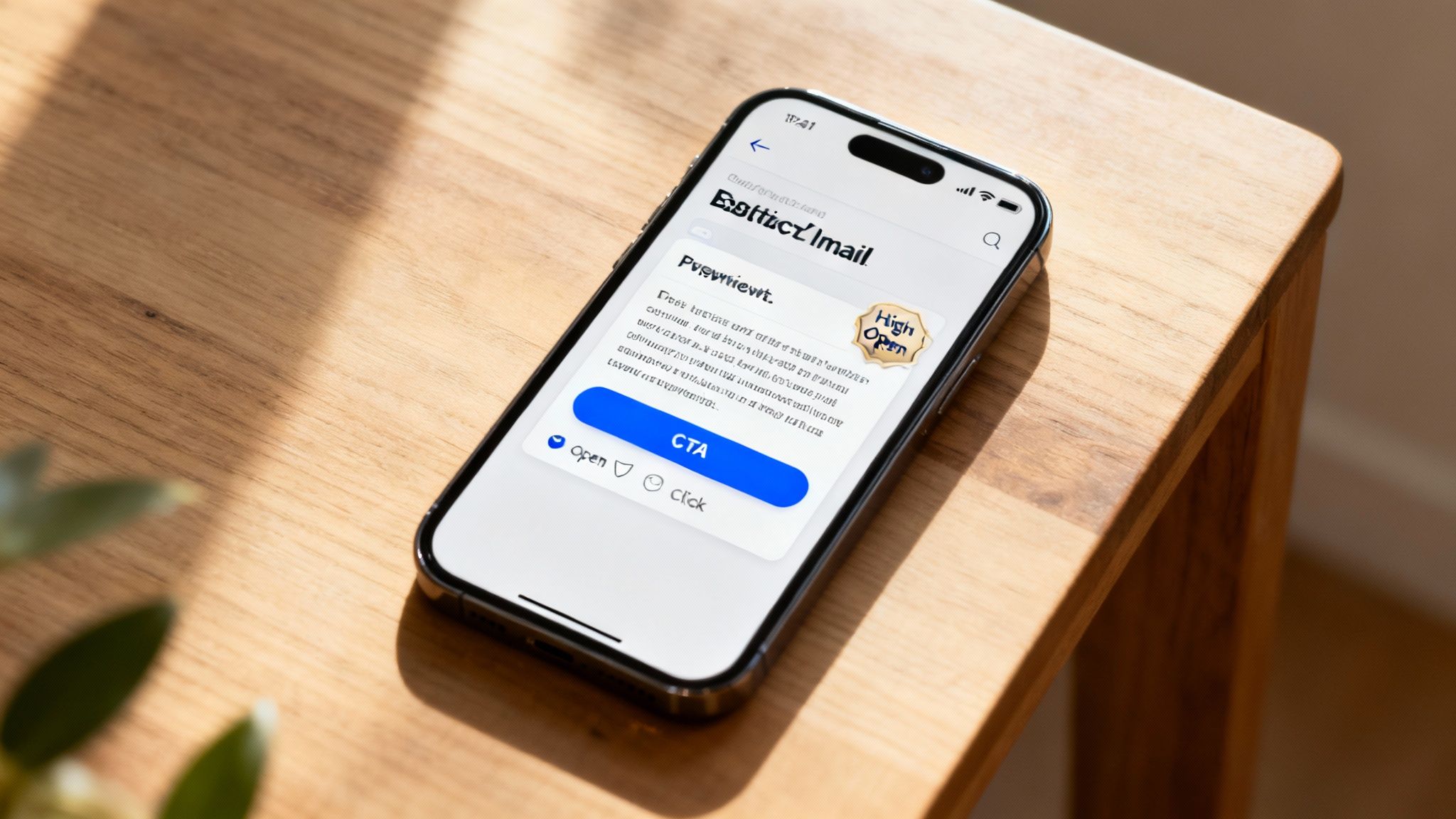
That little snippet of text next to your subject line? That's your preview text, and it's your subject line's best friend. It's prime real estate that you can't afford to waste.
Never let it default to something generic like, "View this email in your browser." Use that space to build on your subject line, ask a compelling question, or hint at the value inside. It's your second chance to make a great first impression.
Balance Text and Images
An email that's just one giant image is a massive red flag for spam filters. Spammers used this tactic for years to hide sketchy text from the filters, so it immediately raises suspicion. A healthy email needs a good mix of both text and images.
A solid guideline is the 80/20 rule: aim for at least 80% text and no more than 20% images. This ensures your message still makes sense if images are blocked and tells mailbox providers you're sharing real content. It goes beyond just deliverability; learning how to write effective business emails that people actually read is fundamental to getting engagement.
For creators, this is crucial. Instead of putting all your course details into one big graphic, write out the benefits in plain text. Use smaller, well-placed images to support your points. This not only helps with deliverability but also makes your email more accessible for everyone.
Focus on a Single, Clear Call to Action
When someone opens your email, what's the one thing you want them to do? Read a new blog post? Sign up for a webinar? Buy your new template?
Don't overwhelm your readers with a dozen different links and buttons. That just creates confusion and waters down your message. A single, clear, and compelling call-to-action (CTA) will always perform better. It focuses the reader, drives more clicks, and sends a fantastic engagement signal back to the inbox providers. If you're looking for more ideas on message structure, these email newsletter best practices are a great resource.
By keeping these principles in mind, you stop just sending emails and start building a real relationship with your subscribers—and with the mailbox providers who decide your fate.
How to Keep Your Emails Out of the Spam Folder
Email deliverability isn't something you can just set up once and then forget about. Think of it more like tending a garden; it needs consistent attention to flourish. By keeping a close eye on your performance and knowing what to do when things go sideways, you can stay proactive and keep your emails landing where they belong: the inbox.
Regularly checking a handful of key numbers gives you a clear snapshot of your sender health. This simple habit helps you spot small issues before they snowball into major reputation-damaging problems that can really hurt your business.
The Metrics That Actually Matter
Your email platform’s dashboard is full of data, but you don't need to get lost in the weeds. The trick is to focus on the metrics that directly influence your sender reputation and tell you exactly how inbox providers like Gmail and Outlook see you.
These are the vital signs of your email program's health:
- Bounce Rate: This is the percentage of your emails that failed to be delivered. A hard bounce is a permanent failure (think: fake email address) and is much more harmful than a soft bounce, which is a temporary hiccup (like a full inbox). You absolutely want to keep your hard bounce rate below 1%.
- Complaint Rate: This tracks how many people are hitting the "spam" button on your emails. This is the single most damaging metric to your reputation. If your complaint rate creeps above 0.1%, it’s a massive red flag for every major email provider.
- Open Rate: Apple's Mail Privacy Protection has made this metric less precise, but it's still a decent proxy for how well your subject lines are landing and whether people recognize your brand. A sudden, steep drop can often be the first sign of a delivery problem.
- Click-Through Rate (CTR): This shows how many subscribers clicked a link in your email. It's a powerful signal of genuine engagement, proving that your audience finds your content valuable and relevant.
Consistently high engagement is your best defense against the spam folder. When mailbox providers see that real people are opening, clicking, and even replying to your emails, they learn that your content is wanted. This positive feedback is the most powerful way to secure your spot in the primary inbox.
Your Go-To Troubleshooting Checklist
Even the most careful senders run into trouble sometimes. If you suddenly see your open rates plummet or your bounces spike, don't panic. Just work your way through this quick diagnostic checklist.
- Check Your Technicals: The first thing I always check is authentication. Use a free tool like Mail-Tester to run a quick test. Did your SPF, DKIM, or DMARC records get changed or break during a website update? It happens more often than you'd think and is usually a simple fix.
- Look at Recent List Growth: Did you just import a big batch of new contacts from a webinar or lead magnet? An old or poor-quality list can unleash a flood of invalid addresses, sending your bounce rate through the roof.
- Analyze Your Last Send: Did you experiment with a new, aggressive subject line that might have looked spammy? Maybe you added a bunch of new links or a huge image file? Try reverting to a tried-and-true email format on your next send to see if performance bounces back.
- Scan the Blocklists: Pop over to a tool like MXToolbox to see if your domain or sending IP has landed on a major blocklist. If it has, don't freak out. The site will give you instructions on how to request removal.
By keeping a regular watch on these core metrics and having a solid troubleshooting plan, you can maintain a stellar sender reputation. This ensures the valuable content you're creating for your newsletter and members actually reaches the people who signed up to get it.
Got Questions? We've Got Answers.
When you're trying to master email deliverability, a lot of questions pop up. Let's tackle some of the most common ones I hear from creators so you can get your emails where they belong: the primary inbox.
Is Double Opt-in Really Necessary for Good Deliverability?
Yes, one hundred percent. A double opt-in is where a new subscriber has to click a link in a confirmation email to officially join your list. Think of it as a quality control checkpoint for your audience.
It might seem like an extra hoop to jump through, but the benefits are huge:
- It weeds out typos and fake email addresses right from the start, which is a massive win for keeping your bounce rate low.
- You get explicit, undeniable proof that someone wants to hear from you. This is a powerful signal to inbox providers like Gmail and Outlook.
It’s one of the simplest and most effective ways to build a high-quality list from day one.
I Messed Up. Can I Actually Fix a Bad Sender Reputation?
It’s a tough spot to be in, but yes, you can definitely recover from a poor sender reputation. It just takes patience and a serious commitment to best practices.
First thing's first: stop all sending immediately and clean house. You need to do a deep scrub of your email list. Get rid of any hard bounces and segment out anyone who hasn't opened or clicked an email in the last 90-120 days.
Once your list is sparkling clean, you need to start a "re-warming" process. Don't just jump back into sending to everyone. Start by sending your absolute best content only to your most engaged subscribers—the people who’ve opened or clicked something recently. As you start getting positive signals back, you can slowly and carefully begin sending to slightly less active groups. This deliberate approach shows inbox providers you’re serious about sending mail people actually want.
A Quick Note on Promotions vs. Spam: Landing in the Promotions tab is not the same as landing in spam. It usually means your technical setup (SPF, DKIM, DMARC) is working, but Gmail's algorithm has flagged your email as commercial. To improve your odds of hitting the Primary tab, focus on making your emails more personal, use fewer links and images, and try to spark a real conversation by asking for replies.
Ready to build and scale your online business with a platform that puts your brand first? Zanfia is a Polish all-in-one platform built for digital creators who want to sell courses, build a community, and run paid newsletters under their own domain—all with 0% platform fees. Stop wrestling with tech and start focusing on what you do best. Learn more about Zanfia.