

How to License Your Digital Templates for Commercial Use

You built a Notion template that 2,000 people bought. Three months later, an agency lifts it, rebrands it, and sells it to their clients as a $5,000 deliverable. You made $39 from that customer. They made $5,000. The difference isn’t talent. It’s a license clause buried in your product description that they ignored, and you never enforced.
This is the quiet bleed of the digital template economy. Creators sell templates with vague language like “for personal use only” and then watch design studios, freelancers, and agencies extract 100x the revenue on the back end. The fix isn’t a lawsuit. It’s a licensing structure that turns those secondary users into paying customers at the price tier they actually deserve.
This guide breaks down how to license digital templates for commercial use, price each tier with real math, write legal language that holds up without a $400/hour attorney, and build an upgrade funnel that converts existing buyers into higher-revenue licenses. If you sell Notion templates, Figma kits, Canva designs, Airtable bases, spreadsheet systems, or any digital asset that gets reused, this is the playbook.
Why licensing is the missing revenue lever for template creators
Most template creators price one product, one way: a flat fee for unlimited personal use. The customer pays $29, downloads the file, and walks away. The creator celebrates the sale. The creator misses the actual market.
Here’s what gets ignored: roughly 30 to 40 percent of digital template buyers are not end-users. They’re freelancers buying for client work, agencies buying for internal deliverables, consultants buying to white-label inside their own offerings, or small business owners buying for team distribution. Each of those use cases has a fundamentally different willingness to pay. A solopreneur using your Notion CRM template values it at $29. A consulting agency embedding it into a $15,000 client engagement values it at $499. Same file. Different value. Different price.
Without a license structure, you’re forcing everyone into the lowest tier. That’s not customer-friendly. That’s leaving money on the table while encouraging misuse, because when the only license available is “personal,” the agency just ignores it.
The size of the opportunity
According to Harvard Business Review’s research on pricing strategy, tier-based pricing typically captures 20 to 40 percent more revenue than flat-rate models because it segments customers by their actual value extraction, not by what the product cost you to build. For template creators, this translates directly: if your current revenue is $10,000 per month at a flat $29 price point, introducing a $149 commercial tier and a $499 extended tier can realistically push you to $14,000 to $17,000 per month, without acquiring a single new customer.
The lever isn’t traffic. It’s structure.
What changes when you add licensing tiers
- Average order value (AOV) jumps. Even if only 8 to 12 percent of buyers select a higher tier, AOV climbs by 25 to 60 percent.
- Customer quality improves. Commercial buyers are repeat customers. They come back for the next template.
- You get a defensible moat. Templates without licensing are commodities. Templates with structured licensing are products.
- Enforcement becomes possible. You can’t enforce “personal use only” because every buyer claims personal intent. You can enforce “you bought the $29 tier, this is a $499 use case.”
Personal vs commercial vs extended license tiers
Before you can price licenses, you need a clean three-tier structure. Skip the temptation to invent a fourth or fifth tier. Buyers get confused, conversion drops, and you spend hours answering “which one do I need?” emails.
Tier 1: Personal license
This is your base offer. The buyer uses the template themselves, for their own life or their own single business. They cannot distribute, resell, or use it inside paid client deliverables.
Use cases covered:
- Solopreneur running their own business with your Notion CRM
- Individual using your budgeting spreadsheet for personal finances
- Creator using your content calendar for their own content
- Small business owner using your invoice template for their company
Use cases NOT covered:
- Freelancer building client deliverables
- Agency embedding in client projects
- Reselling, sublicensing, or distributing the template
- Using as part of a course, paid community, or training program
Tier 2: Commercial license
The buyer can use the template inside their own paid client work. They cannot resell the template itself, but they can deliver client projects that use it as a foundation.
Use cases covered:
- Freelance consultant setting up Notion workspaces for clients
- Bookkeeper customizing your spreadsheet for client accounts
- Web designer using your Figma kit inside client website builds
- Coach embedding the template into client onboarding
Pricing rule of thumb: 5x to 8x personal license price.
Tier 3: Extended (or developer/agency) license
The buyer can use the template across multiple clients, embed it inside their own product offerings, or distribute it to their team at scale. This tier covers high-leverage extraction.
Use cases covered:
- Agency using the template across unlimited client engagements
- SaaS company embedding the template inside their product
- Course creator including the template as a bonus inside a paid course
- Team of 25 employees using the template internally
Use cases STILL NOT covered:
- Reselling the template as your own product
- Making the template publicly available for free download
- Sublicensing to third parties as a standalone product
Pricing rule of thumb: 15x to 25x personal license price.
Pricing licenses: 3x rule and tier-based licensing math
The biggest mistake creators make is pricing licenses incrementally. They sell a $29 personal, then a $49 commercial, then a $79 extended. The math doesn’t reflect the value extraction, and worse, it signals to buyers that the tiers are interchangeable. Nobody buys the $79 tier when the $29 tier looks 90 percent as good.
Real licensing math uses multiplicative pricing, not additive pricing.
The 3x rule (entry version)
If your personal license is $X, your commercial license should be at least 3x to 5x that, and your extended should be at least 10x to 15x. The reason: each tier represents a fundamentally different economic activity, not a fundamentally different feature set.
Example math for a $39 Notion template:
- Personal: $39
- Commercial (3x to 5x): $129 to $199
- Extended (10x to 15x): $399 to $599
If you’re selling a Figma UI kit at $79:
- Personal: $79
- Commercial: $249 to $399
- Extended: $799 to $1,299
The value-extraction model (advanced)
For higher-end templates (think enterprise spreadsheet systems, complex Airtable databases, or branded design systems), use value-based pricing. Ask: “What is the buyer using this to produce, and what’s the dollar value of that output?”
A commercial Notion CRM template used by a consultant who charges $5,000 per engagement is worth a different number than a personal Notion CRM template used by a solopreneur. If the consultant uses your template across 10 engagements per year, they’re extracting $50,000 of supportive value. Pricing the commercial license at $499 captures 1 percent of that value, which most buyers consider fair.
Anchoring with the extended tier
Even if 90 percent of buyers pick the personal license, the extended tier still earns its place. It anchors the perceived value of commercial. When buyers see $39 / $199 / $599, the $199 commercial license suddenly looks reasonable. Without the $599 anchor, $199 looks expensive.
This is classic decoy pricing. According to Forbes coverage of behavioral pricing research, presenting three tiers (with the highest acting as an anchor) increases mid-tier conversion by 18 to 33 percent versus presenting only two tiers.
Legal language that holds up (copy-paste templates)
You do not need a $400/hour attorney to draft a workable license. You need clear, unambiguous language that names the buyer, names the use case, and names the prohibited actions. Below are copy-paste templates that hold up in 90 percent of disputes (the remaining 10 percent involve actors who would ignore any license, and those require enforcement, not better language).
Important disclaimer: The templates below are starting points, not legal advice. For high-value template businesses (over $250,000/year in licensing revenue) or international distribution, have an IP attorney review your final language.
Personal license template
Personal Use License
By purchasing this digital template (“the Product”), you (“the Licensee”) are granted a non-exclusive, non-transferable license to use the Product for personal or single-business use only.
You MAY: use the Product for your own personal projects, your own single business operations, or your own personal learning.
You MAY NOT: (a) resell, sublicense, redistribute, or share the Product or any derivative; (b) use the Product as part of paid client deliverables; (c) include the Product in any product, course, or service you sell; (d) claim ownership of the Product or its design.
This license is granted to one individual or one single business entity only. Team or multi-user access requires a Commercial or Extended License.
Commercial license template
Commercial Use License
By purchasing this Commercial License, you (“the Licensee”) are granted a non-exclusive, non-transferable license to use the Product (“the Product”) in client work and commercial activities, subject to the limitations below.
You MAY: (a) use the Product as part of paid client deliverables; (b) customize the Product for individual clients; (c) include the Product as a component of your professional services.
You MAY NOT: (a) resell, redistribute, or sublicense the Product as a standalone product; (b) include the Product in a course, training program, or productized offering distributed to more than 5 clients; (c) make the Product publicly available for download.
For unlimited client use, team distribution beyond 5 individuals, or inclusion in a paid course or product, an Extended License is required.
Extended license template
Extended (Developer/Agency) License
By purchasing this Extended License, you are granted a non-exclusive license to use the Product (“the Product”) in unlimited client work, team distribution, and as a component of products and offerings you create.
You MAY: (a) use the Product across unlimited client engagements; (b) distribute the Product to team members within your organization; (c) include the Product as a bonus or component of paid courses, training programs, or productized offerings.
You MAY NOT: (a) resell or distribute the Product as a standalone product; (b) make the Product publicly available for free download; (c) sublicense the Product as a derivative product.
What to include on every license
- Purchase date and order number. Identifies the buyer and the version they purchased.
- License holder name. Either individual or company name.
- License tier and effective date. Removes ambiguity about which tier applies.
- Governing jurisdiction. Usually your business’s home state (Delaware, California, etc.).
- Dispute resolution clause. Arbitration is faster and cheaper than litigation.
How to enforce licensing without expensive lawyers
Enforcement is where most creators give up. They write good licenses, then watch them get ignored, then assume legal action is the only path forward. It isn’t. The cheapest enforcement happens before the violation, not after.
Friction-based enforcement (pre-purchase)
Make the license selection visible and unavoidable at checkout. Don’t bury it. When a buyer is about to purchase, they should see the three tiers, see the use cases for each, and consciously select. If they pick personal but their use case is commercial, that’s still a violation, but it’s now a documented one with their conscious selection on record.
Best practices:
- Show all three tiers on the product page (not just the cheapest).
- Include a one-sentence “Which license do I need?” decision tree.
- Require checkbox acknowledgment of the license terms at checkout.
- Send the full license PDF in the delivery email and include the license summary inside the template file (in a hidden tab or footer).
Detection-based enforcement (post-purchase)
You don’t need to monitor the entire internet. You need to monitor obvious channels.
- Reverse image search. Use Google Lens or TinEye on your template’s hero image. Agencies that lift templates rarely change the visuals.
- Marketplace monitoring. Check Etsy, Gumroad, and Creative Market for variations of your template name once a month. Takes 10 minutes.
- Twitter/LinkedIn search. Search your template name. Agencies that white-label often post about the deliverable.
Resolution-based enforcement (when violations happen)
When you catch a violation, the goal is not a lawsuit. The goal is to convert the violator into a paying customer at the correct tier. The framework:
- First contact: polite invoice. Email the violator, attach evidence, and send an invoice for the correct license tier. Roughly 60 percent pay immediately to avoid hassle.
- Second contact: formal cease and desist. If unpaid after 14 days, send a formal C&D letter (templates available free from EFF and other IP organizations). Another 25 percent comply.
- DMCA takedown. For violations on marketplaces (Gumroad, Etsy, Creative Market), file a DMCA takedown. Marketplaces comply within 48 hours typically. The U.S. Copyright Office and USPTO digital licensing guidance both confirm that DMCA is the most effective tool for digital IP enforcement.
- Last resort: small claims court. For violations under $10,000, small claims is fast and lawyer-free. Filing fee is typically $30 to $75.
Most creators never need step 4. The first three handle 95 percent of cases.
Building a license upgrade funnel for existing customers
Your existing customer base is the highest-converting market for higher-tier licenses. They’ve already validated your product. They trust your brand. Many of them are misusing your personal license without realizing it, and once you give them a clean path to upgrade, they will.
The post-purchase upgrade sequence
Don’t bombard new buyers with upsells immediately after purchase. The window for soft upgrade outreach is 30 to 60 days after purchase, when they’ve actually used the template and started running into use-case questions.
Email 1 (Day 30): “How’s your [template name] working for you?” Include a section: “Using it for client work? You might need a Commercial License.”
Email 2 (Day 60): Case study of a customer who upgraded to commercial. Show them the math (“Sarah charges $2,500 per client setup. The commercial license paid for itself on her first engagement.”)
Email 3 (Day 90): Direct offer. “Upgrade to Commercial for 30 percent off this week.” Time-bound. Single CTA.
The audit-and-offer approach
For higher-value templates, run a monthly audit of your customer list. Identify buyers who match patterns of commercial use (business email domains, agency names, repeat buyers across multiple templates) and send a personalized upgrade offer. Conversion rates on personalized upgrade emails commonly run 8 to 15 percent, compared to 1 to 3 percent on broad email blasts.
Adding the license selector to your existing checkout
If you’ve been selling only a personal license for the past two years, here’s how to introduce tiers without breaking your existing funnel:
- Keep the personal license at its current price.
- Add the commercial license at 5x the personal price.
- Add the extended license at 15x the personal price.
- Default checkout to personal (highest-converting).
- Run a 14-day test to confirm overall AOV improves.
Most creators see AOV improvement of 22 to 38 percent within the first month.
How Zanfia delivers tiered access and license bundles
This is the operational layer most template creators get stuck on. You can design the perfect three-tier licensing structure, write the perfect legal language, and build the perfect upgrade funnel. But if your storefront only lets you sell one SKU at one price, none of it ships.
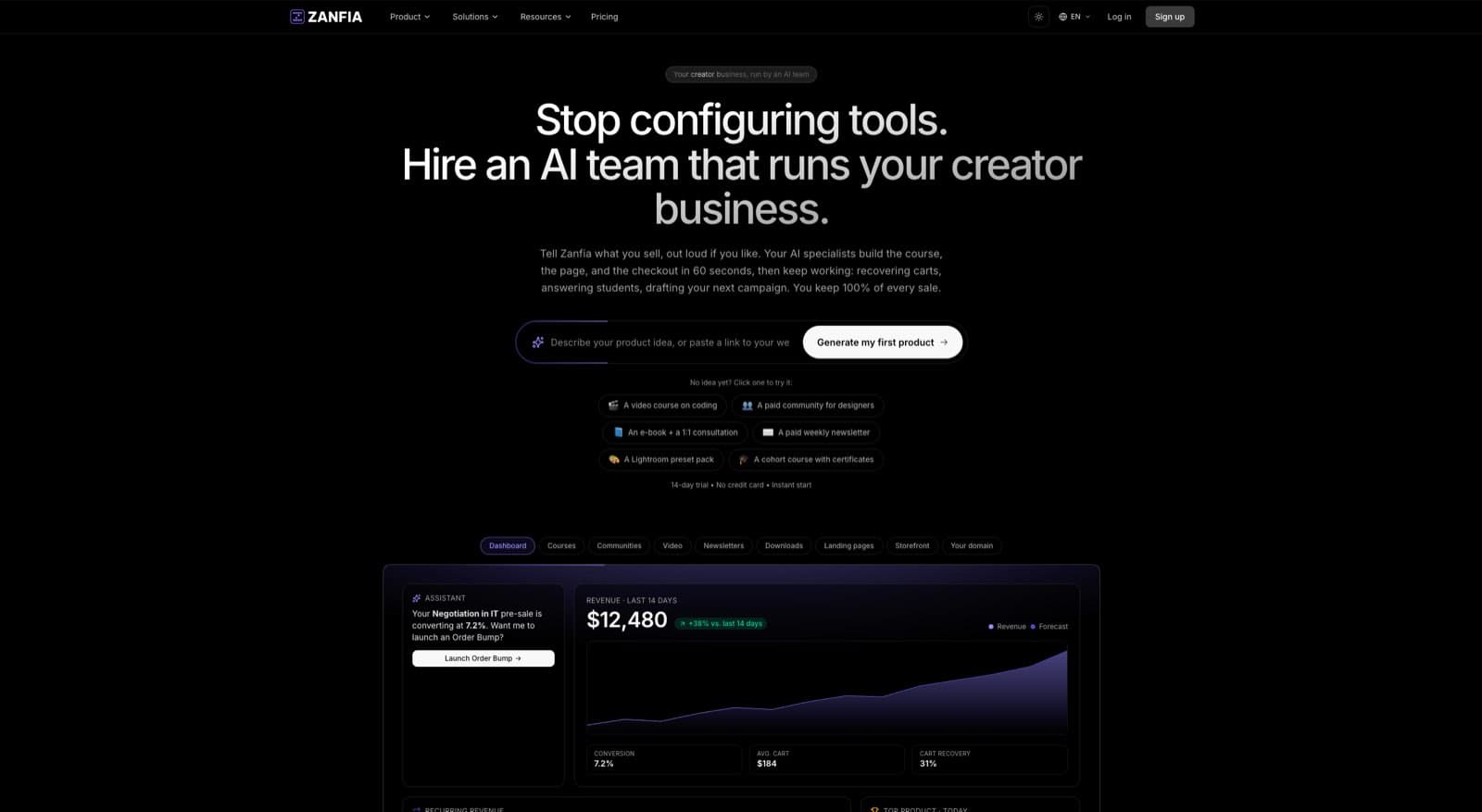
Zanfia is built around an AI team that runs the operational side of a creator business, with courses, templates, ebooks, communities, paid newsletters, and bundled access as the surfaces where that work lands. For template licensing, the practical consequence is that you describe the three-tier structure to the assistant, by chat or by voice, and it can spin up the products, price plans, and checkout copy for you instead of you clicking through settings. The assistant can perform any action available in the interface, and the whole workspace is reachable by AI agents through an MCP endpoint (availability depends on the plan, see the current Zanfia pricing). For template licensing specifically, three Zanfia features map directly to the licensing structure described above.
Multi-product checkout for license tiers
Zanfia’s Cart 2.0 supports one-time, subscription, installment, and trial pricing models for each individual product. You can configure your personal, commercial, and extended licenses as three separate products at $39, $199, and $599 (or whatever your math produces), present them side-by-side at checkout, and let buyers self-select. Stripe and PayPal handle the payments. Apple Pay and Google Pay are supported for mobile buyers, which matters because a meaningful share of commercial license purchases happen from phones during client conversations.
Order bumps for license upgrades
Zanfia’s order bump feature with separate invoicing per add-on is well suited to license upgrades. A buyer purchasing the personal license can be offered the commercial upgrade as an order bump at checkout (“Add commercial use rights for $129?”). Each bump invoices separately, which keeps your accounting clean and gives buyers a clear paper trail per license tier. Before you send that checkout out into the world, you can open it in test mode, run a test purchase with a shareable link that expires in an hour or a day, and confirm that tiers, bumps, and tracking all fire the way you expect, with test orders hidden from your real order list.
Tiered access via subscription tiers and one-time license fees
For creators bundling templates with recurring revenue, Zanfia supports both one-time license purchases and subscription tiers. You can sell a template bundle as a one-time extended license at $599 OR as a $49/month subscription with rolling commercial license access plus new templates added each month. The subscription tier gives you predictable monthly recurring revenue (MRR), while the one-time license captures buyers who don’t want ongoing commitment. Because Zanfia carries 12 product types under one brand, the same workspace can hold your templates, a paid community for licensees, a course teaching them how to sell what they build, and a paid newsletter with new releases, without spreading your buyers across four different tools.
White-label custom domain
For high-end template businesses (especially agencies selling internal templates to client agencies), Zanfia’s white-label custom domain means your storefront lives at your-brand.com, not platform-name.com/your-brand. This matters more for licensing businesses than other digital products, because commercial buyers evaluate seriousness by domain.
What about platform fees on license revenue?
As of publication, Zanfia charges 0% platform transaction fees on customer sales. Only payment processor fees (Stripe, PayPal) apply. For a creator selling a $599 extended license, this is meaningful: on Gumroad’s marketplace, that same sale would lose 30 percent ($180) to platform fees. On Zanfia, you keep the full sale minus Stripe’s standard ~3% processing fee. Across 50 extended license sales per year, that’s roughly $9,000 in retained revenue.
Zanfia plans start at $39/month, or $31/month billed annually, on Starter, with a 14-day free trial and no credit card required. For the current plan lineup and what each tier unlocks, see zanfia.com/pricing.
FAQ
Can I sell licenses for templates I built using someone else’s framework (like Notion or Figma)?
Yes. The intellectual property in a Notion template is your design, structure, and content, not Notion’s underlying app. The same applies to Figma kits, Airtable bases, Canva templates, and spreadsheet systems. You own the configuration; the platform owns the platform.
Do I need to register a copyright before licensing my templates?
In the U.S., copyright protection exists automatically the moment your template is created in a fixed form. Formal registration with the U.S. Copyright Office is not required to license, but it is required if you want to sue for statutory damages and attorney fees in federal court. For high-value templates, registration costs about $45 and is worth it.
What’s the difference between a license and a Terms of Service?
Your license governs the use of the template itself (the IP). Your Terms of Service govern the customer’s relationship with your business (refunds, account access, dispute resolution). Both are needed, and they should be separate documents.
How do I handle refund requests on commercial or extended licenses?
Best practice: offer a clear refund window (typically 7 to 14 days) but require that the buyer certify they have not used the template in client work or distributed it. If you suspect misuse, you can decline. Most disputes are avoided by clear refund language at checkout.
Can I retroactively upgrade old customers to commercial licenses without their permission?
No. You can OFFER an upgrade, but you cannot unilaterally change the terms of a license already granted. Existing buyers retain the license tier they originally purchased.
What if my template depends on a third-party API or service?
Make this clear in your license. Include a clause like “This license grants use of the template design and structure. Third-party services (APIs, integrations) are subject to their own terms and pricing.” This protects you when the third-party service changes.
Should I use Creative Commons licenses?
For paid commercial templates, no. Creative Commons licenses are designed for free/open distribution and don’t include the commercial restrictions you want. Use a custom proprietary license. For free lead-magnet templates, a Creative Commons BY-NC license (non-commercial use only with attribution) can be appropriate.
Licensing your digital templates for commercial use is the single highest-leverage move available to template creators today. It doesn’t require new traffic, new products, or new marketing channels. It requires structure: three tiers, real math, clear legal language, and an operational layer that can actually deliver tiered access at checkout. Build that once, and every future template you ship slots into the same system. The lever isn’t talent. It’s structure, and the creators who build it first capture the upside that everyone else leaves on the table.