

How to Bundle Digital Products to Increase Average Order Value
Single-product checkouts leave money on the table. When a creator sells one ebook, one course, or one template at a time, the customer who already pulled out their card walks away having spent the bare minimum. Meanwhile, the creator absorbs the same transaction fees, the same support burden, and the same acquisition cost as a customer who could have spent two or three times more with one extra click.
Bundling digital products fixes this. Done right, a bundle increases average order value (AOV) by 20% to 60% without increasing traffic, ad spend, or customer count. Done wrong, it tanks perceived value and trains buyers to wait for discounts. This guide walks through what actually works in 2026, including the three bundle archetypes that consistently convert, how to price them against the sum of their parts, and where order bumps beat full bundles on the conversion curve.
Why bundles outperform single-product checkouts
The economics of selling a single digital product are punishing. You pay to acquire a visitor through ads, content, or organic search. You convert a small percentage of those visitors into buyers. Then you collect a single transaction and start the cycle over. The fixed costs of each transaction (payment processor fees, support tickets, refund risk) don’t scale down when the order size is small. They scale up as a percentage of revenue.
Bundling rewrites that math. When a customer buys a three-product bundle instead of one, your transaction costs stay roughly the same (one payment processor charge, one onboarding email sequence, one support relationship) but revenue per transaction climbs. Baymard Institute checkout research has consistently shown that customers who already decided to buy are far more receptive to incremental offers at the moment of purchase than they are to follow-up emails or remarketing ads days later. The credit card is already on the table.
There’s a psychological layer too. A bundle reframes the purchase decision. Instead of asking “is this $97 course worth it?” the buyer asks “is this $197 bundle of three things worth it?” The comparison shifts from absolute price to relative value. When the perceived savings vs buying separately is visible (“$291 value for $197”), the buyer’s brain registers the bundle as a win even though they’re spending more in absolute dollars than they originally planned.
And there’s the retention angle. A customer who bought a bundle has 2x or 3x the surface area to engage with your work. They have more reasons to open your emails, more reasons to come back, more reasons to recommend you. Single-product buyers churn faster because they have one experience with your brand and then they’re done.
Three bundle archetypes that consistently convert
Not all bundles work. Throwing your back-catalog into a “mega pack” and slapping a 40% discount on it usually flops because it feels lazy. The bundles that move AOV reliably fall into three repeatable shapes.
The progression bundle
This bundle takes a customer from beginner to advanced through a structured journey. A copywriting creator might bundle “Headlines 101” + “Sales Page Framework” + “Email Sequence Templates” as one path. The promise is clear: buy this and you’ll go from where you are to where you want to be without piecing together your own curriculum.
Progression bundles work because they remove decision fatigue. Customers don’t have to figure out what to learn next or what to buy after. The path is laid out. Pricing typically lands at 30% to 40% off the sum of parts, because the value isn’t just the products, it’s the sequencing.
The complete toolkit bundle
This bundle gives a customer everything they need to execute on a specific outcome. A Notion template creator might bundle “CRM Template” + “Project Management Template” + “Personal Dashboard Template” as a “freelancer operating system.” The promise is comprehensive coverage of a workflow, not a learning journey.
Complete toolkit bundles convert because they kill the “do I need to buy something else later?” objection. Buyers feel done. Pricing typically lands at 25% to 35% off parts, since each product still has standalone value and the bundle’s job is to push reluctant customers past the “is this enough?” hesitation.
The themed seasonal bundle
This bundle is built around a moment in time: a launch, a Black Friday push, a New Year theme, an industry event. It pulls together products that might not naturally go together but share a temporary narrative. A health coach might bundle “30-Day Meal Plan” + “Strength Training Templates” + “Sleep Optimization Guide” as a “New Year Reset Bundle.”
Themed bundles work because urgency is built in. The bundle exists for two weeks and then it’s gone. This is the one place where a 50% or 60% discount works without long-term damage, because customers understand the bundle is temporary and won’t recalibrate their sense of your everyday pricing.
How to price a bundle vs the sum of its parts
The most common bundle pricing mistake is over-discounting. A creator with three $97 products thinks “I’ll bundle them for $149” and watches the bundle outsell every single product. Sounds great, until you calculate that the bundle revenue per buyer dropped from a potential $291 down to $149, and most of those buyers would have bought at least one product at full price anyway.
The right pricing depends on whether the bundle is adding new buyers or shifting existing buyers from single purchases to bundle purchases. If your existing customers are buying the bundle instead of single products, deep discounts cannibalize revenue. If the bundle is attracting buyers who wouldn’t have bought anything at all, deep discounts are fine because the alternative is zero.
A practical pricing framework: start with the sum of parts, then discount based on archetype.
- Progression bundle: 30% to 40% off sum of parts. The structured path adds value, but customers know they could buy individually.
- Complete toolkit bundle: 25% to 35% off sum of parts. The completeness is the value, and customers want to feel they got a deal for committing upfront.
- Themed seasonal bundle: 40% to 60% off sum of parts. Urgency and one-time framing protect against price recalibration.
Then test the bundle price against your highest-priced single product. If your bundle is $197 and your top product is $147 standalone, the bundle has to feel like a no-brainer over the standalone. If it doesn’t, either lower the bundle price or raise the standalone price. Don’t leave them in conflict.
For specific revenue impact, run the math both ways. Take 1,000 monthly buyers at an average of $97. That’s $97,000 in monthly revenue. Now imagine 700 of those buyers shift to a $197 bundle and 300 still buy single products at $97. That’s $137,900 + $29,100 = $167,000. Even with cannibalization, AOV moved from $97 to $167, and revenue jumped 72%. The math only works if the bundle pulls a meaningful percentage of buyers upward, which is why pricing matters so much.
Order bumps vs full bundles: the conversion data
Full bundles and order bumps solve the same problem (low AOV) but at different points in the buying journey and with different psychological mechanics. Knowing which to use where is the difference between a 20% AOV lift and a 5% AOV lift.
A full bundle is a pre-built offer the customer sees on the sales page. They decide “I want the bundle” before they hit checkout. The conversion rate of a bundle vs a single product on the same sales page is usually lower (10% to 30% lower) because the price is higher and the decision is bigger. But the customers who do convert spend significantly more.
An order bump is a small add-on offered inside the checkout itself, usually with a single checkbox. The bump might be a $27 template pack added to a $97 course purchase. Order bumps convert at much higher rates (typical industry benchmarks show 20% to 40% of checkout-stage buyers will take a relevant bump) because the buyer has already committed to the main purchase. They’re not deciding “do I want to spend money?” They’re deciding “do I want to spend $27 more for this thing that’s relevant to what I just bought?”
Shopify AOV benchmarks 2026 have shown that stores using checkout-page upsells consistently outperform stores relying only on sales-page bundles for AOV growth. The reason is friction. Every page transition between “intent to buy” and “purchase complete” loses customers. Bumps happen inside the checkout, after intent is locked in.
The practical takeaway: use both. Build a few well-designed full bundles for your sales pages to capture buyers who want a complete package upfront. Then add one or two relevant order bumps to every single-product checkout to capture incremental AOV from buyers who weren’t bundle-shopping but will say yes to a small relevant add-on.
Cross-sell timing: at checkout, post-purchase, or in email
Cross-sells are the third leg of the AOV stool, separate from bundles and bumps. A cross-sell offers a related product to a customer who has already bought something. The question isn’t whether to cross-sell, it’s when.
At checkout (pre-purchase)
This is the highest-converting moment but also the riskiest. The customer is in the buying mindset, credit card out, but any added friction can blow up the conversion of the primary product. The rule for checkout cross-sells: keep them to one offer, make them one-click to add, and never require them to leave the checkout flow.
Subscription upsells at checkout are a special case here. If your customer is buying a one-time product, offering a related subscription (“add the monthly Q&A community for $19/mo”) at the same moment converts well because it leverages the same trust spike.
Post-purchase (immediately after thank-you)
The thank-you page or first post-purchase email is the second-best moment. The customer just confirmed they trust you enough to buy. They’re emotionally peaked. A one-click upsell on the thank-you page that adds to their existing order without re-entering payment details can lift order value by another 10% to 20%.
Post-purchase upsells work best when they extend the value of what the customer just bought. If someone buys a course, offer the workbook. If someone buys a template, offer the implementation video. The offer should answer “now that you have this, what’s the obvious next thing?”
In email (days later)
Email cross-sells convert at much lower rates than checkout or thank-you page offers because the buying moment has passed. But they have one advantage: time. You can segment by behavior, wait for the right trigger, and pitch a higher-priced product without disrupting the original purchase experience.
The structure that works for email cross-sells: deliver the original product, wait until the customer has engaged with it (a few days or a week), then send a single relevant offer. Don’t blast every customer with every product. Match the offer to where the customer is in their journey based on what they bought.
Common bundle mistakes that destroy perceived value
Even well-intentioned bundles fail. The mistakes are predictable.
The “everything I’ve ever made” bundle. Throwing 18 products into one bundle for $97 feels like generosity but reads as desperation. Buyers don’t think “what a deal,” they think “these must not be worth much individually.” Limit bundles to three to five products, max, unless you’re running a clearly-framed seasonal megapack with explicit framing.
Bundling unrelated products. If your bundle contains a copywriting course, a Notion template, and a meditation guide, the buyer’s brain can’t form a coherent narrative for why these belong together. Bundles need a story. Every product in the bundle should serve the same outcome.
Anchoring the bundle to a fake “value” number. Writing “$2,500 value, yours for $197” when no human ever paid $2,500 for these products separately damages trust. Use real prices. The math “$291 value, yours for $197” is honest and still compelling.
Permanent deep discounts. Running a 50%-off bundle for six months trains your audience that 50% off is your real price. Reserve deep discounts for time-limited bundles (themed, seasonal). Evergreen bundles should sit at 25% to 35% off parts and stay there.
No clear comparison to single products. If your sales page shows the bundle in isolation without comparing to the single products, buyers can’t evaluate the deal. Always show the parts, the prices, and the bundle savings on the same page.
Adding products customers don’t want. If your two strongest products are the course and the templates, and you bundle them with a weak ebook nobody asked for, the bundle’s perceived value drops to “course + templates + filler.” Test which combinations actually convert. The strongest bundle is usually two or three of your best products, not a mix of strong and weak.
How Zanfia order bumps and upsells work at checkout
Most creator platforms force you to choose between simple checkout and revenue-optimizing add-ons. The simple platforms (Gumroad, basic course tools) have clean checkouts but no native order bumps or subscription upsells. The flexible platforms (custom Shopify setups, Kajabi) give you the features but require stitching together apps, paying transaction fees, and managing checkout complexity yourself.
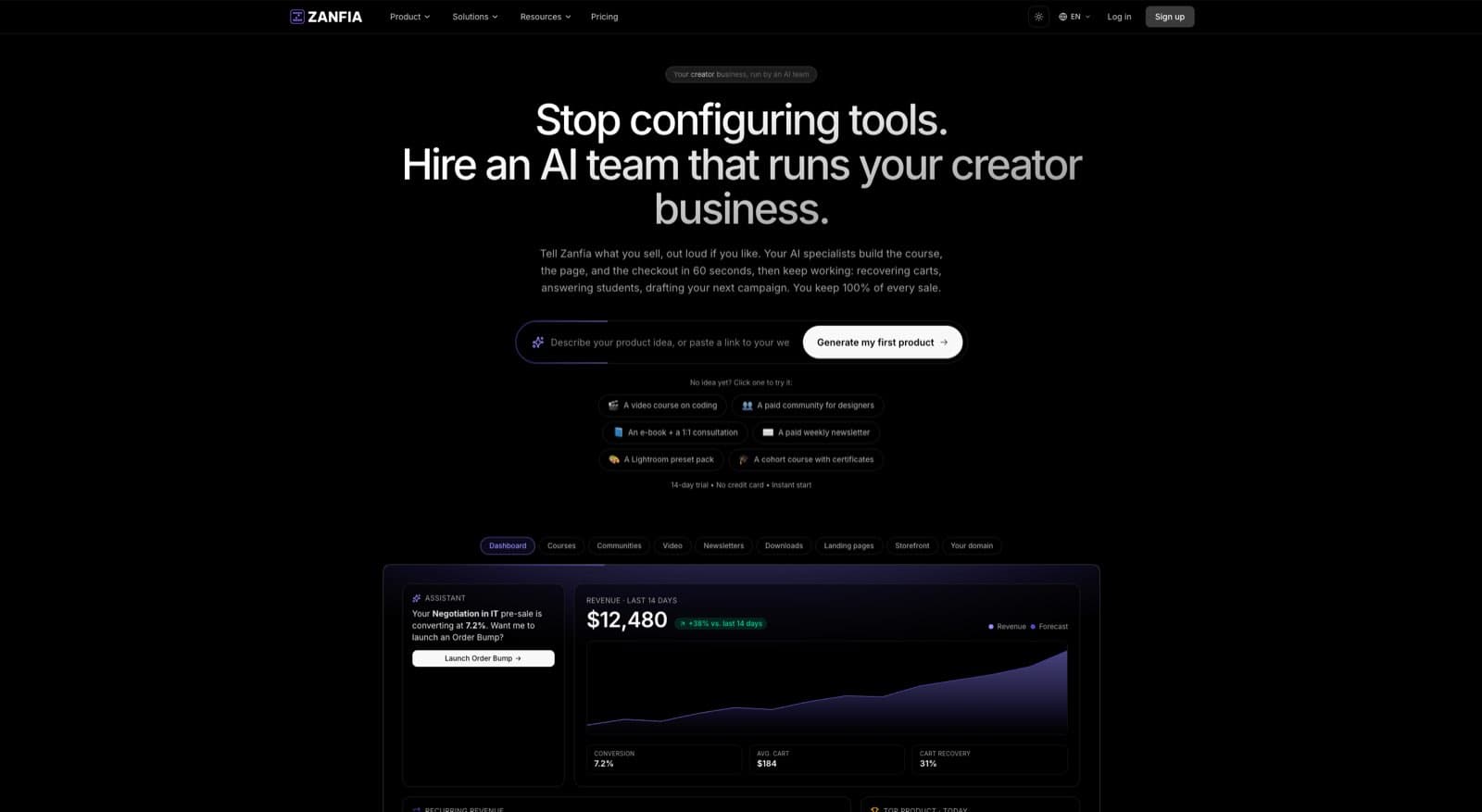
Zanfia takes a different angle on checkout: the platform is an AI team that runs the business, and the cart is where that work lands in a sale. You can dictate a bundle, a bump, or a whole checkout flow by chat or by voice instead of clicking through settings, and the same actions are available to your own AI agents through the MCP endpoint (available on higher plans, see the current Zanfia pricing). Cart 2.0 handles bundles, order bumps, and subscription upsells natively without forcing you onto a third-party app stack. Here’s how each piece works at checkout.
Order bumps with separate invoicing per add-on. When a customer buys a course on Zanfia, you can offer one or more order bumps inside the checkout. The bump appears as a simple checkbox with a short description and price. Each add-on generates its own invoice line item, which matters for customers who need clean accounting (consultants, B2B buyers, anyone running expenses through a business). Most platforms lump everything into one invoice and force creators to manually break it out later. Zanfia handles the invoicing automatically. Order bumps and upsells are available on higher plans, see the current Zanfia pricing.
Subscription upsells at checkout. If your bundle includes a one-time product, you can add a subscription as an upsell inside the same checkout. The customer sees “add the monthly community membership for $19/mo” alongside their one-time purchase, and a single payment flow handles both. Stripe and PayPal are both supported, with Apple Pay and Google Pay available for mobile and desktop wallet payments.
Multiple pricing models in one cart. Cart 2.0 supports one-time, subscription, installment, and free-trial pricing models inside a single checkout. This lets you build flexible bundles where the main product is a one-time purchase, the bump is a separate one-time add-on, and the upsell is a subscription, all in one transaction. Customers don’t have to leave the checkout to mix and match. Split a $600 course into four $150 installments and the whole flow, including the bump and the subscription upsell, still fits into the same cart.
Test mode before you launch. Every checkout can be opened in test mode from a shareable link that expires after 1 hour, 24 hours, or 7 days. Conversion events fire to the test surfaces of connected platforms (GA4 DebugView with no setup, Meta and TikTok with an optional test event code) and test orders are tagged and kept out of the real order list. You can buy your own bundle end to end, verify that the bump, the upsell, and the tracking all fire the way you expect, then hand the same URL to a launch partner before the first real sale.
Twelve product types under one brand. A bundle on Zanfia can pull together a course, a community membership, a downloadable template pack, a live consultation slot, and a paid newsletter, because all of those are first-class product types on the same platform. You’re not stitching a course tool to a community tool to a scheduler to a Notion vault; the bundle lives in one place and the buyer gets access to everything in one transaction.
Discount codes and multi-quantity offers. If you’re running a themed seasonal bundle, you can apply percentage or flat discount codes at checkout. For B2B-style buyers (agencies licensing for a team), multi-quantity offers let you sell five seats of a course in one transaction with appropriate per-seat pricing.
0% platform transaction fees on customer sales. As of August 2026, Zanfia doesn’t take a percentage of the sale. Only your payment processor (Stripe or PayPal) charges their standard transaction fee. This matters more on bundles than on single products, because higher AOV means the percentage-based fees that platforms like Gumroad charge (10% + $0.50 per transaction on direct sales) eat into bundle revenue significantly. A $197 bundle on Zanfia keeps roughly $191 after Stripe fees. The same bundle on Gumroad keeps roughly $172.
White-label checkout under your own domain. The full checkout, including bumps and upsells, runs on your own subdomain (slug.zanfia.co) or fully mapped custom domain (custom domain and removing Zanfia branding available on higher plans, see the current Zanfia pricing). Customers never see Zanfia branding. This matters for bundle conversion because every visible third-party logo in the checkout flow adds a small layer of doubt for buyers who are spending more than usual on a bundle.
FAQ
How much should I discount a bundle compared to buying the products separately?
It depends on the bundle type. Progression bundles work at 30% to 40% off sum of parts. Complete toolkit bundles work at 25% to 35% off. Themed seasonal bundles can go to 50% or 60% off without long-term damage because urgency and one-time framing protect your everyday pricing. Avoid permanent deep discounts on evergreen bundles. They train buyers that your real price is the discount price.
What’s the difference between an order bump and a bundle?
A bundle is a pre-built offer the customer sees on the sales page and decides to buy upfront. It usually has a higher conversion barrier (bigger decision, bigger price) but pulls AOV up significantly when it converts. An order bump is a smaller add-on offered inside the checkout itself, usually as a single checkbox. Bumps convert at 20% to 40% of checkout buyers because the buying decision is already made. Use both: bundles on sales pages, bumps in checkouts.
Should I cross-sell at checkout, on the thank-you page, or in email?
All three, but with different products. Checkout is the highest-converting moment but the riskiest because friction can blow up the primary conversion. Use checkout for one simple, relevant bump. Thank-you page is the second-best moment because the customer just confirmed trust. Use it for a one-click upsell that extends the original purchase. Email cross-sells convert lower but let you segment by behavior. Use email for higher-priced or less-obvious offers, sent days after the original purchase.
What products work best in a bundle?
Products that share a clear outcome and form a coherent story. The strongest bundles are usually two or three of your best products, not a mix of strong products and filler. Avoid bundling unrelated products just to inflate perceived value. If a buyer can’t articulate why the products belong together, the bundle won’t convert. Always show the bundle in comparison to the single products on the sales page so buyers can evaluate the deal.
Does Zanfia support order bumps and subscription upsells at checkout?
Yes. Zanfia’s Cart 2.0 includes order bumps with separate invoicing per add-on, subscription upsells alongside one-time products in the same checkout, multiple pricing models (one-time, subscription, installment, free trial) in one cart, discount codes, multi-quantity offers, and a test mode that lets you buy your own checkout end to end before launch. You can build and edit these flows by chat or by voice, and expose the same actions to your own AI agents through the MCP endpoint (availability depends on the plan). Payment processors include Stripe and PayPal, with Apple Pay and Google Pay supported. As of August 2026, Zanfia charges 0% platform transaction fees on customer sales (only payment processor fees apply). See how it works at zanfia.com or explore pricing for plan details.