

Senior Living Newsletters: A Guide to Profit & Engagement
Most advice about senior living newsletters is too small.
It treats the newsletter as a bulletin board. Add the event calendar, include a resident photo, mention next week’s lunch special, then hit send. That approach can keep people informed, but it rarely builds trust, deepens relationships, or creates a business asset.
The better approach is to treat senior living newsletters as a focused media product for a specific community. That means clear audience strategy, stronger editorial choices, accessible design, reliable operations, and a path to revenue if monetization fits your model. When you do that well, the newsletter stops being one more marketing chore and starts becoming the center of your digital relationship with residents, families, prospects, and niche audiences around aging.
Laying the Strategic Foundation for Your Newsletter
A senior living newsletter fails early when the owner never decides who it’s for.
That sounds obvious, but it’s the root problem behind most weak issues. The copy tries to speak to current residents, adult children, referral partners, and prospects all at once. The result is polite, bland content that nobody feels was made for them.
Start with the two real audiences
The first audience is older adults themselves. The second is their adult children, who often influence research, comparison, and next-step decisions. Email remains the right channel for both groups because 84.1% of seniors aged 65+ use email regularly, and 90.1% of adults aged 45 to 64 do too, according to Inertia Digital’s senior living email benchmarks.
Those two groups don’t want the same message.
Seniors usually respond to clarity, familiarity, practical relevance, and a sense of belonging. Adult children look for signs of competence, transparency, safety, responsiveness, and quality of life. If you combine both into one undifferentiated stream, your newsletter turns into background noise.
A simple way to avoid that is to define the primary lens for the publication:
| Newsletter type | Primary reader | What they care about most |
|---|---|---|
| Resident engagement | Current residents and families | Activities, staff trust, belonging, daily life |
| Lead generation | Prospective residents and adult children | Proof, credibility, next steps, reassurance |
| Expert brand | Seniors, caregivers, and niche followers | Insight, guidance, education, practical help |
Pick one core job
Every issue can do several things. The newsletter itself should have one main job.
That main job might be:
- Support resident retention: Reinforce community life, celebrate participation, and make families feel connected.
- Generate inquiries: Show what everyday life looks like and remove uncertainty for prospects.
- Build authority in a niche: Focus on topics like senior wellness, caregiving, chronic condition support, or healthy aging education.
If the main job isn’t clear, your metrics won’t be clear either. You’ll celebrate opens while missing the fact that nobody clicked, replied, registered, or bought.
Practical rule: If you can’t describe the newsletter’s primary outcome in one sentence, the strategy isn’t finished.
Choose a cadence you can actually sustain
A weak weekly newsletter is worse than a strong monthly one.
In practice, cadence should match your content supply, team capacity, and production process. Weekly can work when you have a steady flow of events, stories, and updates. Monthly is often stronger for smaller teams because it leaves room for better interviews, cleaner editing, and more thoughtful packaging.
The mistake isn’t sending less often. The mistake is overcommitting and then filling empty space with low-value copy.
A good planning document should answer:
- Who is this for first
- What action or feeling should each issue create
- How often can we publish without scrambling
- Who owns writing, approval, design, and sending
- What gets cut when the team is busy
For teams building a repeatable editorial process, this guide on how to create a content strategy is a useful framework for turning scattered ideas into an actual publishing system.
Define KPIs that match the business model
Different newsletter models need different success signals.
A resident-centered newsletter might judge success by replies from families, event interest, and signs that people feel more connected. A lead-focused newsletter should pay close attention to clicks into tours, contact forms, and consult requests. An expert-led publication should look at subscriber quality, content engagement, and progression into paid offers.
Use KPIs in layers:
- Delivery metrics: Did the issue reach the audience?
- Engagement metrics: Did people open, click, or read key sections?
- Business metrics: Did they attend, inquire, subscribe, renew, or buy?
That’s the strategic foundation. Without it, content becomes random. With it, every issue has a reason to exist.
Creating Content That Builds Community and Trust
The fastest way to flatten a newsletter is to fill it with announcements.
“Bingo on Tuesday.” “Soup on Friday.” “Reminder about office hours.” Useful, yes. Memorable, no. Strong senior living newsletters feel less like a notice board and more like a guided conversation with a community.
What most newsletters publish, and what’s missing
A lot of existing examples in the market lean on familiar formats. Community events, staff notes, resident activities, recipes, and light features dominate. That content has a place, but it also leaves clear editorial gaps.
One of the biggest gaps is coverage of intergenerational co-living and support for aging with chronic conditions. That matters because Riverwood’s newsletter analysis notes point to a significant content gap in those areas, and the same source states that intergenerational programs can boost senior wellbeing by 30%.
That’s the kind of topic that separates a skimmed newsletter from one that gets forwarded.
A stronger editorial mix
Think in content pillars, not isolated issues. A strong issue usually blends familiar community material with one or two pieces that give readers insight they wouldn’t get elsewhere.
A practical mix looks like this:
- Community proof: Resident spotlights, photo essays, staff Q&As, behind-the-scenes routines.
- Decision support: Short explainers for adult children, family communication tips, care navigation pieces.
- Useful living content: Wellness habits, routine planning, mobility-friendly activities, digital literacy help.
- Forward-looking topics: Intergenerational programs, chronic condition support, caregiver collaboration, social connection models.
Not every issue needs all four. But if your newsletter lives forever in the first category, it won’t grow beyond a bulletin.
An example of content that earns attention
Consider the difference between these two newsletter leads.
The weak version says: “Join us for our monthly family luncheon next Thursday.”
The stronger version says: “At last month’s family luncheon, one resident brought her grandson to share the music they’d been practicing together. That moment turned into a wider conversation about intergenerational activities, and this month we’re expanding the event to include a guided shared-story session for families.”
Same event. Different editorial lens.
One announces. The other creates meaning.
The best senior living newsletters don’t just tell readers what happened. They show why it mattered to the people involved.
Build recurring features readers recognize
Recurring features reduce production stress and train readers to expect value.
You don’t need a complicated editorial operation. You need recognizable formats that can run with discipline.
Try a structure like this:
| Recurring feature | Why it works | Best audience |
|---|---|---|
| Resident voice column | Builds belonging and authenticity | Residents, families |
| Staff question of the month | Creates trust and transparency | Adult children, prospects |
| Living well note | Offers practical advice without sounding clinical | Seniors, caregivers |
| Community spotlight | Shows values in action | Prospects, referral audiences |
A lightweight workflow matters here. If you’re collecting stories, preferences, and follow-ups across multiple contacts, even a simple lightweight CRM can help organize interviews, family contacts, and content approvals without making your process heavy.
Cover the topics others skip
Underserved topics are often where trust grows fastest.
Examples include:
- Intergenerational living models: Not as trend content, but as practical coverage of how mixed-age connection affects daily wellbeing.
- Aging with chronic conditions: Articles that respect complexity without sounding clinical or cold.
- Caregiver experience: Short pieces that help adult children manage guilt, uncertainty, and communication.
- Digital adaptation: How seniors can use online communities, classes, or support spaces in ways that feel manageable.
If you want a bigger bank of angles beyond event recaps and generic seasonal content, this list of newsletter content ideas is a useful prompt set.
What works and what doesn’t
Some content builds trust quickly. Some erodes it.
What works:
- Specific stories with real people
- Clear editorial judgment
- Warm but direct language
- Content that respects both seniors and family decision-makers
- Topics that answer emotional and practical questions
What doesn’t:
- Long blocks of generic praise
- Overproduced marketing copy
- Endless announcements with no context
- Patronizing tone
- Recycled health advice with no clear relevance
Readers stay when the publication feels useful and human. They tune out when it reads like a brochure.
Designing for Readability and Digital Accessibility
A strong editorial plan can still fail on the screen.
Senior living newsletters live or die by readability. If the type is cramped, the contrast is weak, and the layout forces effort, readers won’t fight through it. They’ll stop.
The non-negotiable visual rules
This isn’t the place for trendy design choices. Older audiences need legibility first.
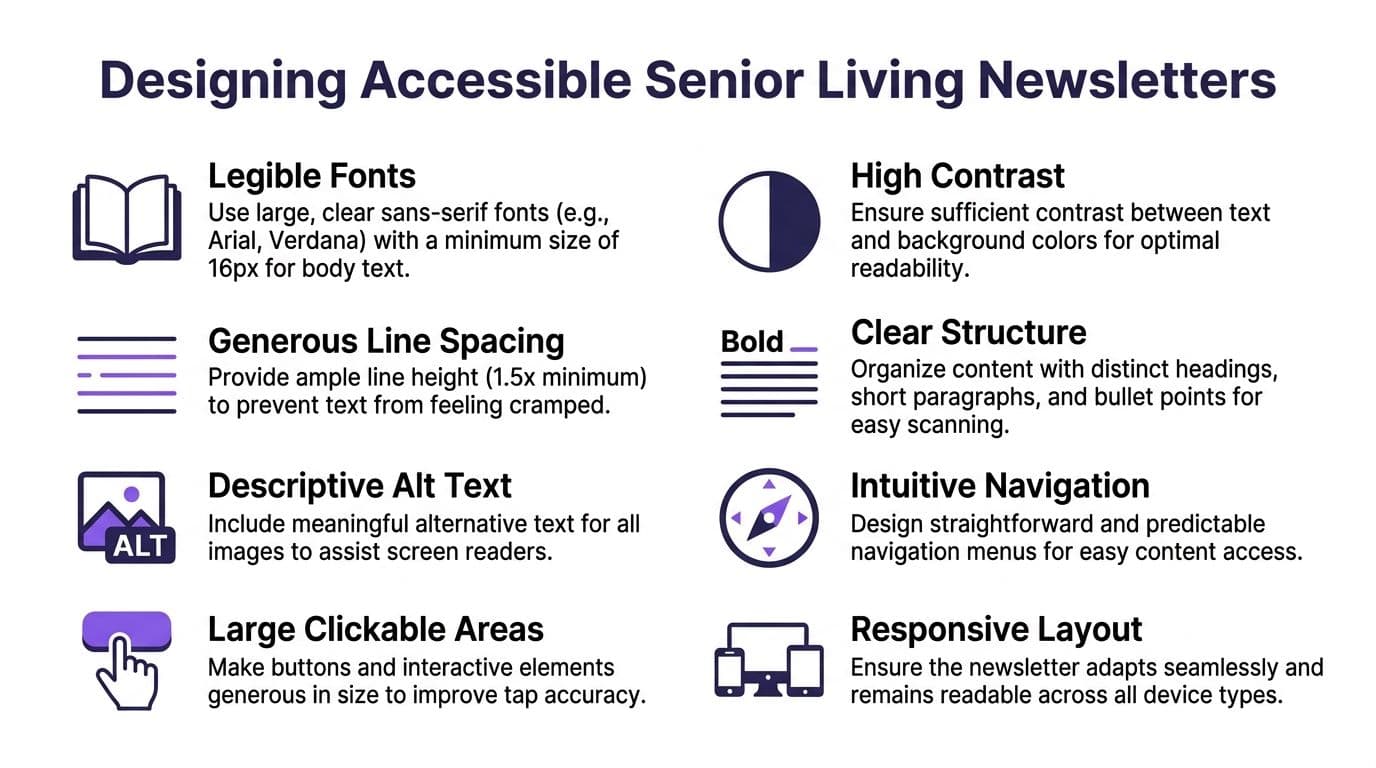
According to LPi Communities’ newsletter basics for senior centers, newsletters for aging eyes should use sans-serif fonts at a minimum of 14 to 16pt, maintain 1.5x line spacing, and include 20 to 30% white space. The same source notes that 70% of unoptimized newsletters see less than 10% readership.
Those numbers should end the debate about whether accessibility is a “nice to have.”
Use fonts such as Helvetica, Frutiger, Optima, or Futura. Keep headings visibly distinct. Break text into short sections. Give the eye places to rest.
A practical checklist for every issue
Before you send, check the issue against these basics:
- Font choice: Use a sans-serif face. Decorative fonts belong in logos, not body copy.
- Body size: Stay within the recommended readable range for older readers.
- Line spacing: Don’t compress text to fit more into the layout.
- White space: Leave room between blocks, images, and calls to action.
- Headings: Use clear hierarchy so readers can scan before committing.
- Contrast: Dark text on a light background is still the safest default.
- Image support: Add descriptive alt text and avoid images that carry essential information without text backup.
- Tap targets: Buttons and links should be easy to click on mobile devices and tablets.
For more on email layout and send-ready formatting, these email newsletter best practices are worth reviewing.
Dense design creates invisible friction
The common mistake isn’t always ugly design. Often it’s busy design.
Teams cram in too much because they want to make the issue “worth sending.” That usually backfires. One crowded issue can feel more exhausting than three short ones.
Here’s where many newsletters go wrong:
| Problem | What readers experience | Better fix |
|---|---|---|
| Long text walls | Fatigue and skipped sections | Short paragraphs and subheads |
| Tiny text | Immediate strain | Larger body type |
| Low contrast | Unclear reading path | High-contrast palette |
| Too many promos | Distrust and confusion | One clear primary action |
Accessibility rule: If the reader has to work to decode the layout, they won’t get to your message.
Print logic still helps digital newsletters
Even if your issue is digital-first, print thinking improves it.
Print editors have long understood pacing. One strong headline, one feature image, one primary story, then supporting sections. That rhythm works extremely well for senior living newsletters because it reduces decision fatigue.
Keep each issue easy to scan:
- Lead with the most relevant story
- Put practical updates in a predictable spot
- Limit the number of competing calls to action
- End with a simple next step or contact route
Accessible design isn’t plain. It’s considerate. And considerate design tends to outperform clever design in this category.
From Piecemeal Tools to a Unified Platform
The newsletter itself may look simple to readers. Behind the scenes, the setup often isn’t.
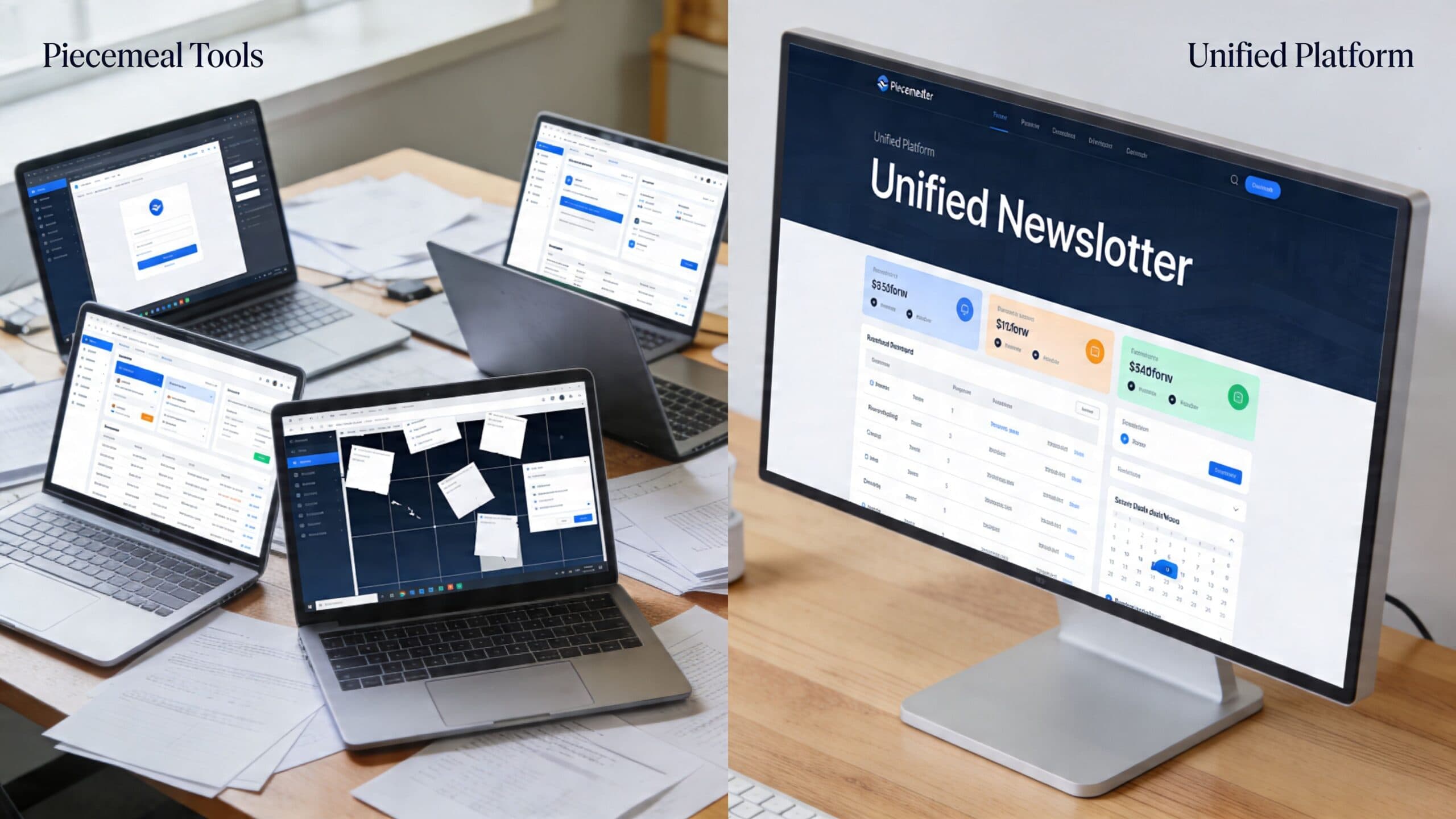
A lot of teams start with a piecemeal stack because that’s what’s available. One tool for email. Another for payments. A separate website. A plugin for forms. A spreadsheet for segmentation. A chat group somewhere else. It works at first, then the process starts leaking time.
The real cost of a fragmented stack
The problem isn’t only software expense. It’s operational drag.
When tools don’t live together, teams end up doing manual work that shouldn’t exist. Exporting lists. Moving buyers into private spaces by hand. Copying subscriber data across systems. Troubleshooting why one person paid but never got access. Chasing invoices. Reconciling who belongs where.
None of that improves the reader experience. It just consumes attention.
A fragmented system usually creates these trade-offs:
- More flexibility early on: You can pick individual tools quickly.
- More admin later: Every added layer creates another handoff.
- More failure points: Access, billing, tagging, and delivery can break in separate places.
- Less visibility: Performance data gets split across platforms.
Side-by-side decision criteria
For senior living newsletters that may expand into communities, premium content, or digital products, the tooling decision matters more than commonly perceived.
| Approach | Strength | Weakness |
|---|---|---|
| Piecemeal stack | Easy to assemble in stages | Manual operations and disconnected data |
| Unified platform | Centralized workflows and cleaner experience | Requires choosing a system that fits long-term goals |
Many creators and small operators make a costly mistake by choosing tools for the current newsletter, not the future business model.
If there’s any chance the publication will include paid archives, private discussions, member-only resources, online learning, or downloadable products, the foundation should support those moves without rebuilding everything later.
For a broader review of category options, this comparison of best email newsletter platforms is a useful starting point.
What a unified platform changes
A unified platform brings the audience, content, commerce, and member access into one environment. Zanfia is built around that shift for creators serving older adults: an AI team runs the operational work, courses, communities, paid newsletters and digital products live under one brand, and the whole workspace is reachable to AI assistants over an MCP endpoint so agents can act on it. You can dictate what happens next by chat or voice instead of clicking through settings, and the checkout is built to sell with order bumps, installments and upsells, plus a test mode that lets you buy your own product before launch to verify it end to end.
The practical advantages are straightforward:
- Buyers can receive access automatically after payment.
- Members can be added to the right spaces without manual sorting.
- Newsletter, community, courses, and digital products can sit under one branded experience.
- Analytics are easier to read because the funnel isn’t split across multiple dashboards.
That operational simplicity matters most when the publication becomes more than an informational asset. Once people pay, renew, download, comment, or join private channels, separate systems create friction fast.
The hidden scalability question
The key question isn’t “Can this tool send emails?”
Almost every tool can.
The better question is: Can this setup support the next layer of the business without adding operational debt?
That includes things like:
- gated content
- membership tiers
- private discussion channels
- digital downloads
- educational products
- automated onboarding
- branded subscriber experience
If your newsletter strategy includes community or commerce, your software choice is no longer a minor technical detail. It becomes a growth decision.
Teams that ignore that usually end up migrating later, under pressure, with live subscribers and paying members already in the system. That’s the most expensive time to rethink infrastructure.
Unlocking Revenue with Paid Subscriptions and Products
Most senior living newsletters are still treated as a cost center.
They inform. They maintain contact. They support brand presence. All of that matters. But many publishers stop there, even when the audience would clearly support paid depth, premium access, or specialized resources.

One reason this opportunity gets missed is habit. Teams copy the standard community-news format and never ask what else the publication could become. That leaves money, insight, and stronger relationships on the table.
The gap is especially important because Episcopal SeniorLife newsletter examples and related analysis highlight how current newsletters largely focus on free community updates while missing monetization opportunities, and the same source states that 70% of seniors now subscribe to digital newsletters for health and lifestyle info.
What people will actually pay for
Readers rarely pay for generic updates. They pay for outcomes, access, and clarity.
In this niche, monetization usually works best when the paid layer offers one of four things:
Deeper expertise
This works well for creators, educators, and specialists serving older adults or caregivers.
Examples include premium newsletters on:
- healthy aging routines
- caregiver communication
- chronic condition support
- digital literacy for seniors
- retirement transition guidance
- movement, nutrition, or wellness education
Structured learning
A newsletter can introduce the topic. A course or workshop can carry the deeper transformation.
That might look like a paid mini-course for adult children navigating senior living decisions, or a guided wellness program built for older adults who want practical routines and community support.
Community access
A private community can be more valuable than the newsletter itself.
Members may want discussion spaces, live Q&As, accountability, archives, curated resources, or direct access to the creator or care expert behind the publication. The newsletter becomes the front door. The community becomes the product.
Digital products
Not everything needs to be a recurring membership.
For many publishers, simple products are the cleanest next step:
- caregiving guides
- checklists
- printable planners
- resource libraries
- e-books
- recorded workshops
Choose the revenue model before you choose the offer
A lot of publishers reverse this. They build a product first, then scramble to price it.
A better sequence is to decide whether your audience is best suited for recurring access, one-time purchases, bundles, or a hybrid. If you need a grounded overview of the trade-offs, this guide to subscription pricing models is useful for thinking through recurring offers versus simpler paid access structures.
Here’s a practical perspective:
| Offer type | Best for | Common mistake |
|---|---|---|
| Paid newsletter | Ongoing insight and commentary | Locking basic value behind the paywall too early |
| Membership | Community and recurring support | Launching without enough recurring interaction |
| Course | A defined learning outcome | Making it too broad |
| Downloadable product | Fast implementation | Underselling the value with weak packaging |
The free-to-paid transition
The strongest model is often hybrid.
Keep the public newsletter useful. Don’t hollow it out to force upgrades. Use it to demonstrate consistency, point of view, and editorial quality. Then offer a paid layer that gives more depth, better access, or stronger implementation help.
Many creators often get nervous. They assume monetization will damage trust. Usually the opposite is true when the paid offer is aligned.
People resent bait. They don’t resent paying for a clear benefit.
A practical transition path often looks like this:
- Publish a solid free newsletter consistently
- Notice which topics drive replies and clicks
- Turn the strongest topic cluster into a premium offer
- Add a private member space or resource library
- Bundle related products for higher-value buyers
A platform that can support memberships, newsletters, digital products, communities, automations, and branded customer experience in one place makes that transition much easier. Zanfia was built for that pattern: the AI team handles the operational work of moving buyers into member spaces and following up, the checkout supports installments and order bumps so a $600 caregiver program can ship as four payments with an add-on resource library, and you can dictate a new offer, workflow or announcement by voice instead of clicking through configuration. Availability of the more advanced AI capabilities depends on the plan, so check the current Zanfia pricing before you commit.
There’s a useful product walkthrough below if you’re evaluating what a subscription and membership setup can look like in practice.
For readers exploring the mechanics of member offers, recurring access, and paid community structures, this guide to membership and subscription is a practical next read.
The business case for treating the newsletter seriously
If your senior living newsletter already earns attention, it can likely support more than awareness.
It can support products. It can support subscriptions. It can support a paid knowledge business around a niche audience that values consistency, trust, and practical guidance.
That’s the key shift. Stop asking whether the newsletter should stay free forever. Start asking what the audience would gladly pay to access, apply, or join.
Tracking Performance and Optimizing for Growth
The newsletter doesn’t improve because you sent another issue. It improves because you learned from the last one.
That learning starts with a small set of metrics that matter. According to Inertia Digital’s guidance on creating an email newsletter for independent living communities, strong performance tracking should focus on open rates with a target of 25 to 35%, click-through rates with a target of 5 to 10%, and conversions. The same source notes that A/B testing subject lines such as “Your July Events” can boost opens by 10 to 20%, and that event-related links can achieve 40% CTRs.
Read the metrics in order
Open rate matters, but only as the first signal.
If opens are weak, start with the subject line, sender recognition, and list quality. If opens are healthy but clicks are weak, the content package probably isn’t creating enough curiosity or the calls to action are buried. If clicks look good but conversions are poor, the landing experience or offer may be the problem.
A simple diagnostic view looks like this:
| Metric | What it tells you | What to check next |
|---|---|---|
| Open rate | Whether people chose the email | Subject line, sender name, timing |
| Click-through rate | Whether the content created action | CTA placement, relevance, structure |
| Conversion | Whether the next step paid off | Offer clarity, page flow, friction |
Test one thing at a time
Teams often ruin testing by changing five variables at once.
Change one element, then learn from it. Good candidates include:
- Subject line angle: utility versus curiosity
- Lead story format: resident story versus practical guide
- CTA wording: softer invitation versus direct action
- Issue structure: one main feature versus several short items
Small, disciplined tests beat big redesigns driven by guesswork.
Use content performance to shape the editorial calendar
Analytics should influence what you publish next.
If event-related links consistently outperform, that tells you readers want timely, action-oriented content. If family-focused pieces earn more clicks than resident updates, your audience mix may be shifting. If one niche topic repeatedly drives replies, that may be the seed for a premium offer, workshop, or private member track.
That’s where newsletter growth becomes compounding instead of repetitive. Each issue teaches you what the audience values, and the next issue gets sharper.
FAQ
How often should I send a senior living newsletter?
Match cadence to your content supply and team capacity, not to what looks impressive on paper. Weekly works when you have a steady flow of events, stories, and updates, but monthly is often stronger for smaller teams because it leaves room for better interviews, cleaner editing, and more thoughtful packaging. A weak weekly newsletter is worse than a strong monthly one.
Should I write one newsletter for both residents and their adult children?
No. Seniors respond to clarity, familiarity, practical relevance, and belonging, while adult children look for signs of competence, transparency, safety, and quality of life. Combining both into one undifferentiated stream turns the newsletter into background noise, so pick one primary reader and let the editorial lens follow that choice.
What font size and spacing should I use for readers with aging eyes?
Use sans-serif fonts such as Helvetica, Frutiger, Optima, or Futura at a minimum of 14 to 16pt, with 1.5x line spacing and 20 to 30% white space. According to the source cited in the article, 70% of unoptimized newsletters see less than 10% readership, so accessibility is not a nice-to-have. Keep dark text on a light background as the safe default.
Which content topics are underserved in most senior living newsletters?
Coverage of intergenerational co-living and support for aging with chronic conditions is a significant gap. The article notes that intergenerational programs can boost senior wellbeing by 30%, which makes them the kind of topic readers forward. Caregiver experience and digital adaptation for seniors are two other underserved angles worth building recurring features around.
What KPIs actually tell me the newsletter is working?
Use metrics in three layers: delivery (did the issue reach the audience), engagement (did people open, click, or read key sections), and business (did they attend, inquire, subscribe, renew, or buy). The right mix depends on the newsletter's job, so a resident-centered issue should track replies from families and event interest, while a lead-focused one should watch clicks into tours, contact forms, and consult requests.
If you want to turn a senior living newsletter into something bigger than a bulletin, Zanfia is a strong fit for creators serving older adults and caregivers. It runs as an AI team for your business: courses, communities, paid newsletters and digital products live under your own brand and domain, an AI assistant can perform anything available in the interface by chat or voice, and the whole workspace is reachable to outside AI agents over an MCP endpoint. The checkout is built to sell, with order bumps, installments, upsells and a test mode for buying your own product before launch, and Zanfia currently charges 0% platform fees on customer sales. Availability of the more advanced AI capabilities depends on the plan, so check the current Zanfia pricing for what your tier unlocks.