

7 Perfect Valentines Day Newsletters Tools and Ideas for 2026
Valentine's Day is no longer just a holiday for romantics; it's a major commercial event where creators and brands can build deep connections and drive significant revenue. A generic 'Happy Valentine's Day' email simply won't cut it. To stand out in a crowded inbox, you need newsletters that resonate with your audience, offer genuine value, and ultimately convert. This requires a thoughtful approach that goes far beyond heart emojis and discount codes.
This guide moves beyond clichéd advice, providing actionable strategies, specific content ideas, and a roundup of the best tools to craft compelling Valentines Day newsletters. We'll explore how to blend promotional content with heartfelt engagement, segment your audience for maximum impact, and use powerful platforms to monetize your expertise, all while saving precious time. To ensure your Valentine's Day newsletters effectively drive engagement and conversion, consider incorporating these essential content marketing best practices into your campaign planning.
You will find a detailed breakdown of tools and platforms that help solve the technical and creative challenges of email marketing. Each item in our list includes screenshots, direct links, and clear explanations of how it can elevate your campaigns. We'll cover everything from building beautiful templates with platforms like Beefree and Stripo to managing advanced automation with Klaviyo and MailerLite. For creators looking to sell digital products or manage a community, we'll also examine all-in-one solutions like Zanfia, an AI team that runs a creator business: an AI-first platform where you can dictate what to do by chat or voice, with a checkout built to sell that supports order bumps, installments and upsells across 12 product types under one brand. Whether you're promoting a course, selling a digital product, or nurturing your community, these insights will help you turn your Valentine's campaign into a standout success.
1. Zanfia
For creators seeking an integrated platform to build, manage, and monetize their entire digital business, Zanfia is best understood as an AI team that runs a creator business, not just another platform. The AI Assistant knows the entire application and performs any action available in the interface by chat or by voice, so the creator dictates instead of configuring. That work lands in professional communities, online courses, paid newsletters, and digital product sales, all under a single dashboard and one brand. This AI-first, voice-ready foundation is especially effective when crafting cohesive valentines day newsletters that can seamlessly direct subscribers to exclusive content, paid communities, or themed courses without ever leaving your branded environment.
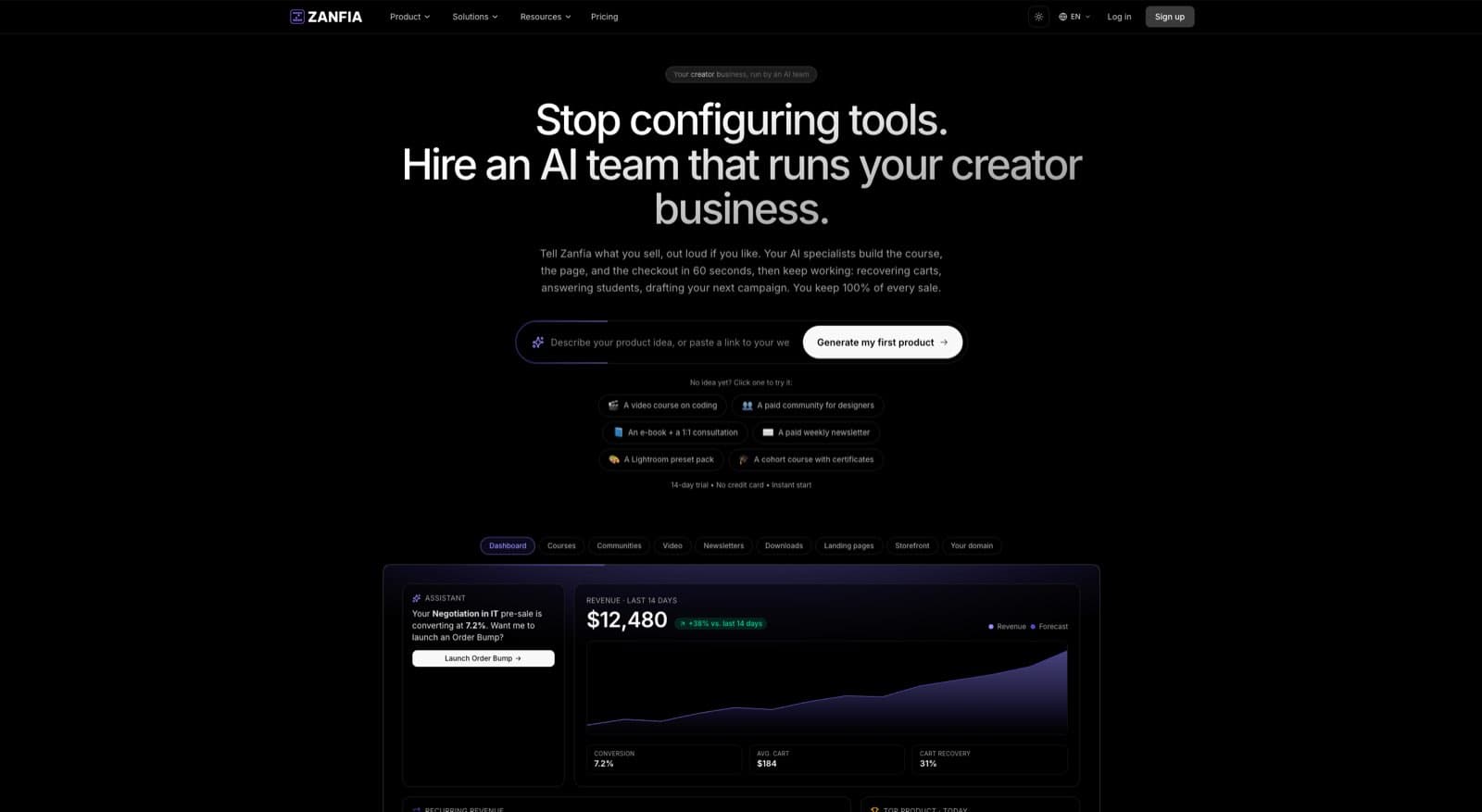
Unlike platforms that push audiences to external tools like Discord or Facebook, Zanfia keeps everything unified under the creator’s brand, and the checkout is built to sell: order bumps, installments and upsells sit next to a test mode that lets you buy your own product before launch, all across 12 product types living under one brand. A creator can send a Valentine's-themed newsletter and then link subscribers directly to a members-only discussion channel, a limited-time course bundle split into four payments, or a downloadable e-book with an order bump attached. This tight integration keeps your audience engaged within your own space, strengthens your brand, and increases customer lifetime value.
Key Strengths for Newsletter Creators
Zanfia's revenue advantage is its business model: as of publication, Zanfia charges 0% platform commission on customer sales. Creators keep 100% of what they earn from customers and pay only the standard fees from payment processors like Stripe or PayPal (roughly 2.9% + $0.30 per transaction in the US). This matters most for creators earning five and six figures a month who are tired of watching commissions eat into their margins.
The platform also automates time-consuming manual tasks through a visual automation builder, saving creators 5-10+ hours a month. You can set up workflows to instantly grant course access after payment, add buyers to the right community channels based on their purchases, or trigger welcome email sequences. The Assistant can perform these actions by chat or by voice, so setup itself can be dictated rather than clicked through. The platform's advanced course features include native video hosting, eliminating the need for costly external services.
Expert Insight: Wojciech Pisarski, CEO of wMinutę, notes, "Without Zanfia, developing a paid newsletter and community would be much harder — it’s the best tool in the market." This highlights Zanfia's effectiveness in providing the specific infrastructure needed for monetized content and engagement.
Practical Implementation for a Valentine's Campaign
Let's look at how you could use Zanfia to run a successful Valentine's Day campaign.
- Segment Your Audience: Use Zanfia’s built-in analytics to identify subscribers who have previously purchased relationship-focused products. Create a special segment for a targeted early bird offer.
- Create a Themed Content Hub: Build a mini-course or a protected knowledge library with Valentine's content, like "30 Days of Love Prompts" or a "Couples' Communication Workshop," and sell it with one-time, subscription, or installment payment plans (for example, splitting a $600 workshop into four payments at checkout).
- Test Before You Launch: Use test mode to buy your own Valentine's product end to end. Conversion events fire to your platforms' test surfaces and are tagged TEST in the events log, so you can verify checkout and tracking without polluting real data.
- Launch Your Newsletter: Send out your valentines day newsletters promoting the new content. Because Zanfia handles the checkout, payment (via Stripe or PayPal, with Apple Pay and Google Pay supported), and content access, the entire user journey is smooth and happens under your custom domain.
- Foster Community Discussion: In your newsletter, invite subscribers to a dedicated channel in your Zanfia community to discuss the theme. This creates a feedback loop and deepens the connection with your brand.
Pricing and Availability
Zanfia operates on a clean SaaS subscription model. This transparent, partnership approach means Zanfia grows with, not at the expense of, its users.
- Free Trial: Every plan includes a 14-day free trial with no credit card required, so you can explore the platform's core features before committing.
- Paid Tiers: Monthly plans start at $39/month, or $31/month billed annually, and scale with your business, offering higher limits on active clients, products, native video storage, and AI credits. Higher plans unlock more of the AI team, and availability of specific capabilities depends on the plan, so check the current Zanfia pricing .
Every plan includes full white-label features and custom domain support, which is vital for experts and premium brands unwilling to dilute their reputation on a platform that imposes generic branding.
Website: https://zanfia.com
2. Beefree
Beefree is a specialized email and landing page builder that excels at helping creators and marketing teams produce visually polished, responsive newsletters without touching a line of code. It's not an email service provider (ESP) itself, but rather a powerful design studio that integrates with your existing one. For creators who already have a sending platform like Mailchimp, ConvertKit, or even a system like Zanfia, Beefree fills the design gap, enabling you to build beautiful, on-brand Valentine's Day newsletters quickly.
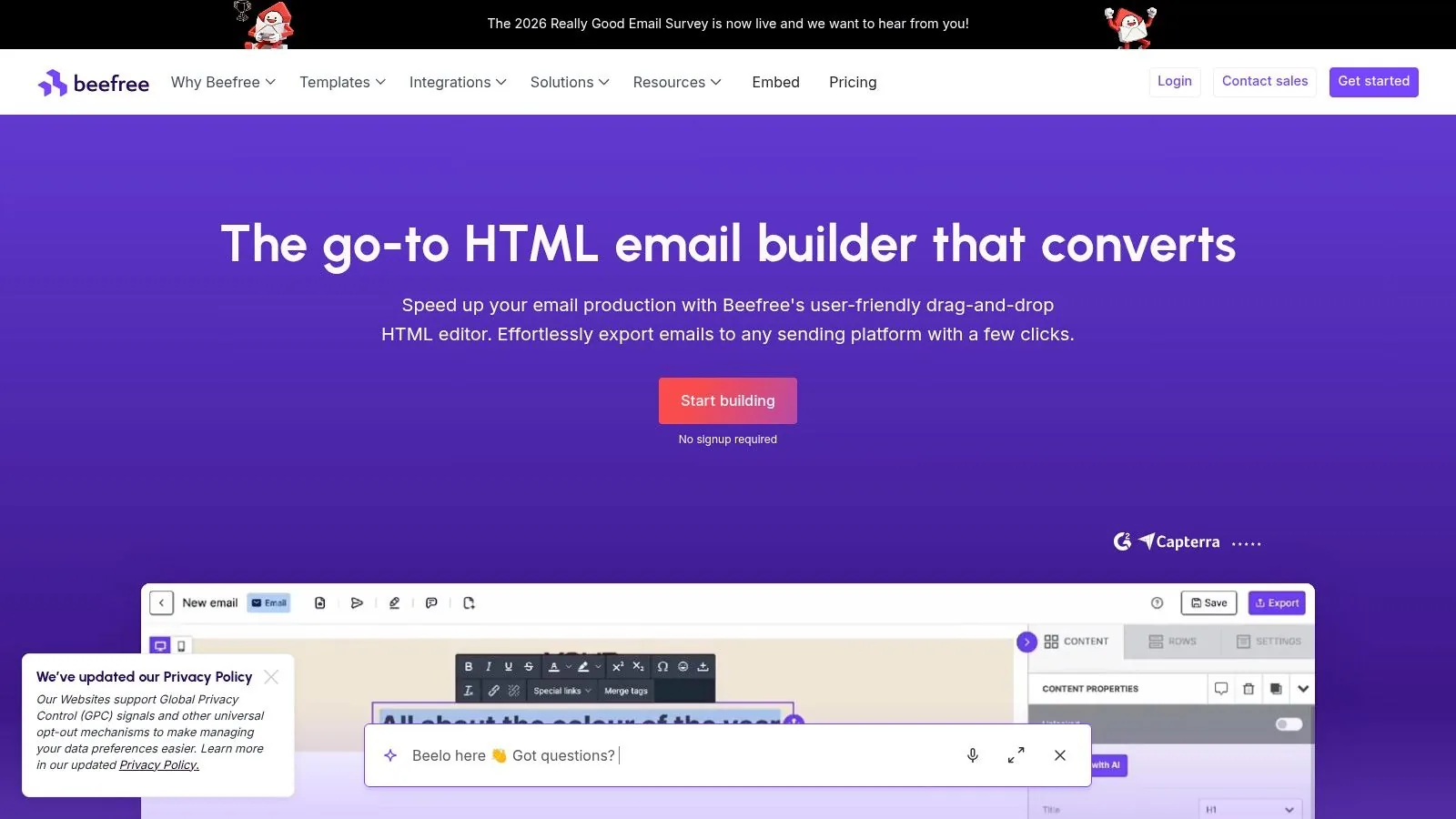
What makes Beefree stand out is its extensive template library, which includes a dedicated category just for Valentine's Day. This means you can bypass the blank-page struggle and start with a professional, theme-appropriate design. The drag-and-drop editor is intuitive, allowing you to customize every element, from fonts and colors to image placement and button styles, ensuring the final product perfectly matches your brand's aesthetic.
Key Features and Pricing
Beefree's feature set is focused on efficient, collaborative design. It's built for speed and quality control, making it a strong choice for seasonal campaigns that demand a quick turnaround.
- Template Library: Access over 1,500 professionally designed templates, with dozens specifically for Valentine's Day.
- Drag-and-Drop Builder: An easy-to-use, responsive editor ensures your emails look great on both desktop and mobile devices.
- Export Options: Seamlessly push your finished design to dozens of integrated ESPs or download the raw HTML/ZIP file for manual upload.
- Brand Kit: Paid plans allow you to save brand colors, fonts, and logos for consistent and rapid design.
- Reusable Blocks: Save custom sections (like headers, footers, or product showcases) to reuse across different campaigns, saving significant time.
Practical Tip: Create a custom Valentine's-themed footer block with your social media links and save it. You can then quickly drop this block into all your February campaigns for consistent branding and a festive touch without rebuilding it each time.
Pricing: Beefree operates on a freemium model. The free plan is quite generous for occasional use but limits the number of exports. Paid plans (starting with the Team tier) unlock unlimited exports, brand management features, and collaboration tools like commenting and user roles, which are useful for teams needing review and approval cycles.
How to Use Beefree for Your Valentine's Campaign
- Select a Template: Browse the Valentine's Day category and pick a template that aligns with your campaign's goal, whether it's a gift guide, a promotional offer, or a heartfelt message.
- Customize with the Editor: Drag your brand logo, swap placeholder images with your product photos, and adjust the copy to reflect your specific Valentine's Day angle.
- Export to Your ESP: Once your design is complete, use the one-click export to send it directly to your email service provider. From there, you will manage your subscriber lists, sending schedule, and performance analytics.
Beefree's main value is decoupling email design from email sending. This is perfect for creators on platforms like Zanfia, who manage their audience and monetization in one place but want more advanced creative control over their newsletter visuals than a basic editor might offer. By building in Beefree and exporting the HTML, you get the best of both worlds: top-tier design flexibility and the powerful backend of your primary business platform.
Website: https://beefree.io
3. Stripo
Stripo is a professional email template builder that bridges the gap between simple drag-and-drop editors and complex, code-heavy design. It offers a powerful environment for marketers and agencies who want both speed and deep customization. For creators who need to produce high-impact Valentine's Day newsletters, Stripo provides a rich toolkit that includes modular design, AMP for email elements, and direct code access, all while integrating with most major email service providers.
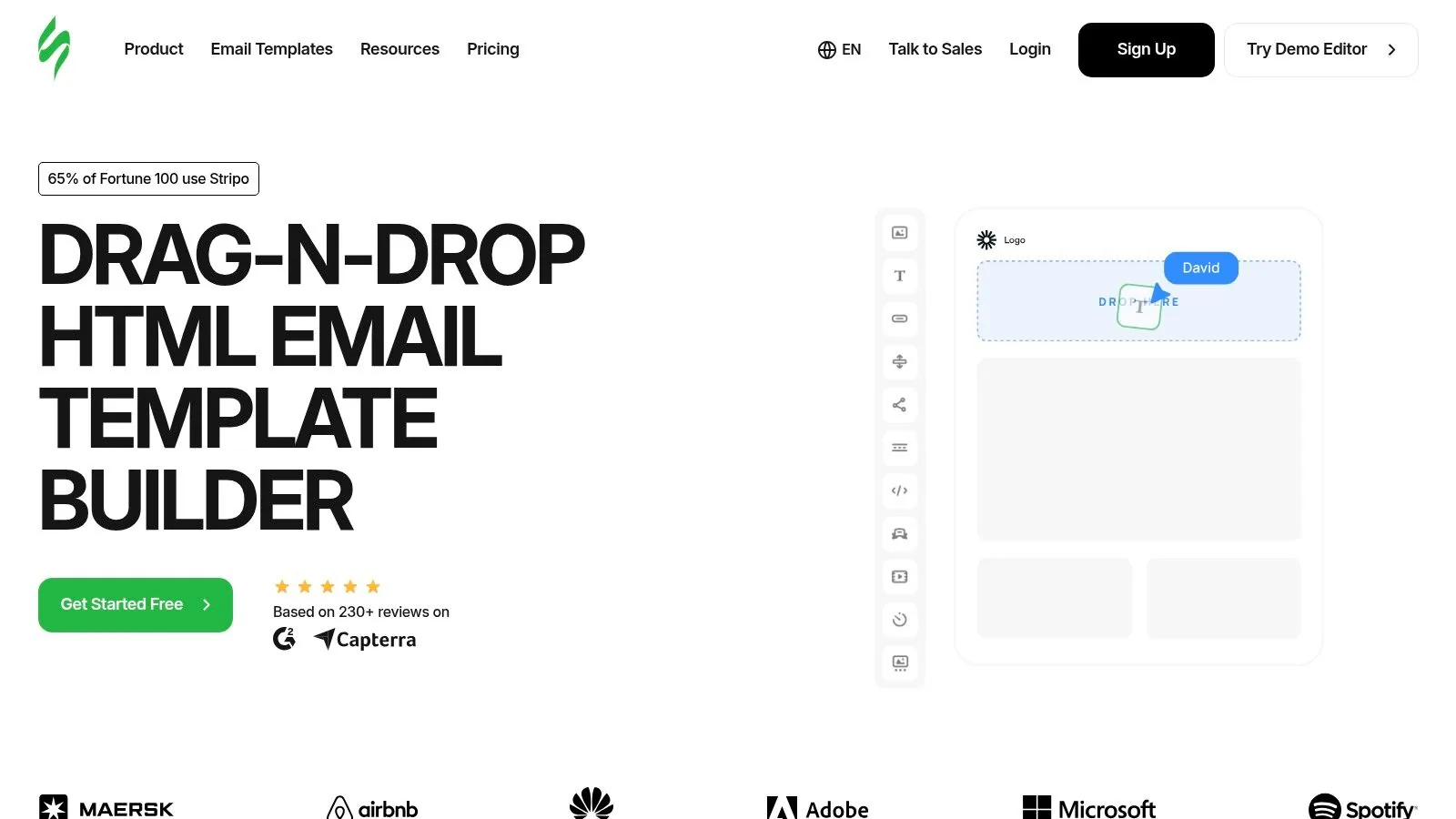
What makes Stripo a strong contender is its hybrid approach. You can work visually with its intuitive editor or switch to the HTML/CSS code editor for granular control. Its library of over 40 ready-to-use Valentine's Day templates serves as an excellent starting point, but the platform's real power is in its modular design system. This lets you build, save, and reuse content blocks across campaigns, ensuring brand consistency and dramatically speeding up your workflow for seasonal promotions.
Key Features and Pricing
Stripo's feature set is geared toward teams that value both visual editing and the ability to add custom code or advanced interactive elements. It's a solid choice for creators who want to push the boundaries of standard email design.
- Valentine’s Day Templates: A dedicated library with over 40 professionally designed HTML templates for the occasion.
- Combined Editor: Seamlessly switch between a drag-and-drop interface and a full-featured code editor.
- Modular Design: Create and save custom content modules (headers, product grids, footers) to your personal library for reuse.
- AMP & Gamification: Build interactive emails with AMP carousels, accordions, and forms, or add gamified elements to boost engagement.
- ESP Integrations: Export your final design with one click to over 70 email service providers and marketing platforms.
Practical Tip: Use Stripo's AMP-powered countdown timer block in your Valentine's Day sale announcement. This creates a real-time sense of urgency directly within the email, encouraging subscribers to act on limited-time offers for gifts or digital products.
Pricing: Stripo offers a free plan, which is useful for exploring the editor but is limited in its number of monthly exports and access to premium templates. Paid plans unlock unlimited exports, more storage for modules and images, and advanced features like team collaboration and version history. The premium features are best suited for serious marketers or businesses running frequent campaigns.
How to Use Stripo for Your Valentine's Campaign
- Choose a Valentine's Template: Start with a theme-appropriate template from the library or build from a blank canvas.
- Customize Content and Structure: Use the editor to add your branding, images, and promotional copy. Explore adding a unique interactive block, like a scratch card revealing a discount.
- Test and Export: Use the built-in testing tools to preview how the email will look on different devices. Once ready, export the HTML directly to your ESP (like Mailchimp or Klaviyo) or download the file to upload manually into a platform like Zanfia.
Stripo is an excellent tool for creators who have outgrown basic editors. If you're looking for fresh newsletter content ideas and want the technical capability to bring them to life with interactive elements, Stripo provides the advanced toolkit to make your Valentine's Day newsletters truly stand out.
Website: https://stripo.email
4. Klaviyo
Klaviyo is a marketing platform built with ecommerce at its core, making it a strong choice for creators and brands whose Valentine's Day newsletters are directly tied to product sales. It provides the tools for deep audience segmentation and automated messaging flows, allowing you to run highly targeted campaigns. With a library of over 160 free templates that can be filtered by holiday, including Valentine's Day, you can get a head start on your designs.
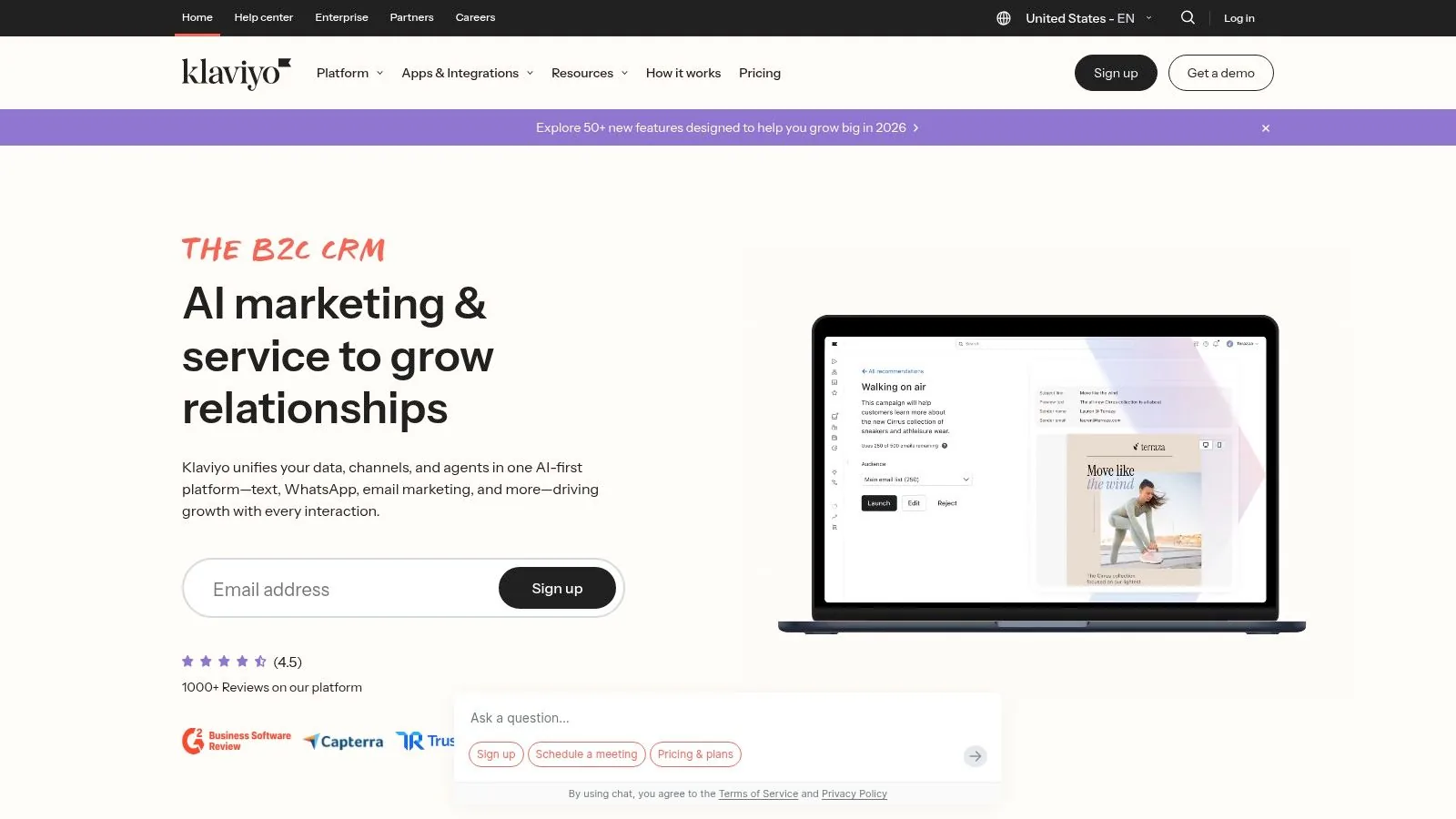
What makes Klaviyo stand out for seasonal events is its ability to combine email and SMS marketing within a single automated flow. You can create a Valentine's campaign that starts with a gift guide email, followed by a time-sensitive SMS reminder for last-minute shoppers. Its deep integrations pull in customer data, allowing you to build segments based on past purchase history, such as "customers who bought gifts last February" or "VIPs who spend over a certain amount," and send them exclusive offers.
Key Features and Pricing
Klaviyo’s features are geared toward driving revenue through personalized communication, making it ideal for data-driven Valentine's promotions.
- Holiday Template Library: Access a collection of professionally designed templates for Valentine’s Day, which are fully customizable in a drag-and-drop editor.
- Deep Ecommerce Integrations: Connects directly with major ecommerce platforms to pull in live data for dynamic product recommendations and targeted segments.
- Powerful Segmentation and Automation: Create precise customer groups and build multi-step, multi-channel (email and SMS) automated flows for things like gift-finder quizzes or abandoned cart reminders.
- AI-Powered Tools: Use AI features to generate subject line ideas and draft initial campaign copy, speeding up the content creation process.
Practical Tip: Use Klaviyo's segmentation to create a "Procrastinators" segment of subscribers who haven't opened your previous Valentine's emails. A few days before February 14th, send them a targeted campaign with a subject line like "Still Need a Gift? We've Got You Covered" and highlight your fastest digital delivery options.
Pricing: Klaviyo offers a free plan for up to 250 contacts and 500 email sends. Beyond that, pricing is based on the number of active profiles (contacts) and desired SMS credits. This model can become costly as your audience grows, but the focus is on generating a return on investment through its powerful marketing features.
How to Use Klaviyo for Your Valentine's Campaign
- Integrate Your Store: Connect your ecommerce platform to sync customer and product data, which is the foundation for effective segmentation.
- Build Your Segments: Create specific audiences for your campaign. For example, target new subscribers with a welcome discount or previous Valentine's shoppers with a special "thank you" offer.
- Design Your Campaign: Select a Valentine's template or build from scratch. Use Klaviyo's AI to help craft compelling subject lines, as this is a key factor in improving your email open rates. Read more on how to increase email open rates here .
- Launch and Automate: Schedule your emails and set up automated follow-ups. For instance, an abandoned cart flow that triggers 24 hours after a user adds a Valentine's item to their cart can recover significant revenue.
For creators on a platform like Zanfia, Klaviyo acts as a specialized marketing engine. While Zanfia manages your products, courses, and community, you can use a Klaviyo integration to handle sophisticated, revenue-focused email and SMS campaigns that leverage real-time customer behavior for maximum impact.
Website: https://www.klaviyo.com
5. MailerLite
MailerLite is a user-friendly email service provider (ESP) that strikes a great balance between simplicity and powerful features. It’s a complete solution for creators who want to manage their subscribers, design emails, and sell products all in one place. For those looking to launch Valentine's Day newsletters, MailerLite offers an approachable drag-and-drop editor and a collection of seasonal templates to get started quickly, without a steep learning curve.
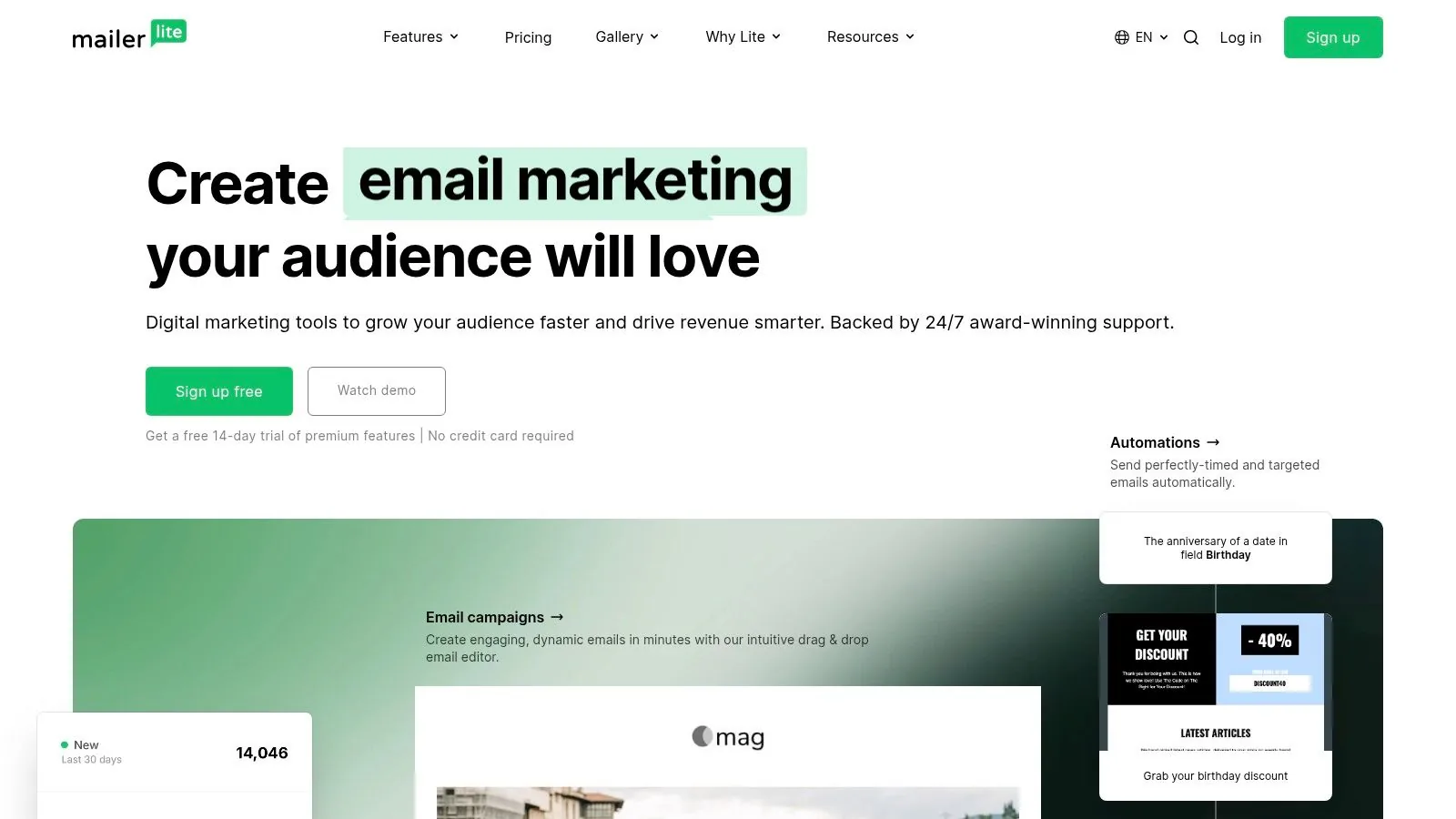
What makes MailerLite a strong contender is its all-in-one nature. Beyond just sending emails, it allows you to build landing pages for your Valentine's promotions, set up automated email sequences for new subscribers, and even sell digital products or paid newsletter subscriptions directly. This integrated approach is ideal for creators on platforms like Zanfia who may want to run a special Valentine's-themed digital download or a limited-time paid newsletter offer and need a tool that can handle both the marketing and the transaction.
Key Features and Pricing
MailerLite’s features are designed to support the entire creator lifecycle, from audience growth to monetization, making it a solid choice for a cohesive Valentine's campaign.
- Drag-and-Drop Editor: An intuitive editor with pre-built content blocks and seasonal templates, including options for Valentine's Day.
- Automation Workflows: Set up trigger-based email sequences. For example, you can automatically send a welcome series to new subscribers who sign up via your Valentine's landing page. Learn more about how email automation can save you time.
- Monetization Tools: Directly sell digital products (like e-books or presets), manage paid newsletter subscriptions, and create landing pages to promote them.
- A/B Testing: Test different subject lines or content variations on higher-tier plans to see what resonates most with your audience during the Valentine's season.
- AI Assistant: Paid plans include an AI assistant that can help generate subject lines and email copy, speeding up the content creation process for your campaigns.
Practical Tip: Use MailerLite’s landing page builder to create a dedicated sign-up page for a "Valentine's Day Gift Guide." Promote this page on social media to grow your email list with subscribers who are highly interested in your themed content, then send them your curated newsletter.
Pricing: MailerLite offers a free plan for users with up to 1,000 subscribers and 12,000 monthly emails, which is a great starting point. Paid plans unlock more advanced features like unlimited monthly sends, automation, and the ability to sell products. The pricing scales based on the size of your subscriber list.
How to Use MailerLite for Your Valentine's Campaign
- Choose a Template or Start Fresh: Pick a Valentine’s Day template from the gallery or use the drag-and-drop editor to build a custom design that matches your brand.
- Build Your Campaign: Add your product images, promotional copy, and a clear call-to-action. If you're selling a digital product, you can link directly to a MailerLite-hosted sales page.
- Set Up an Automation (Optional): Create a simple automated workflow that sends a follow-up email to anyone who clicks on a specific product link in your newsletter but doesn't purchase, perhaps offering a small discount to encourage conversion.
- Send and Analyze: Schedule your newsletter to send at the optimal time and use the built-in analytics to track open rates, click-through rates, and sales performance.
MailerLite is a robust, all-in-one platform for creators who want an easy-to-use tool that covers email marketing, automations, and digital sales. Its gentle learning curve and budget-friendly entry point make it a strong choice for launching a multi-faceted Valentine's Day newsletter campaign without needing multiple disconnected tools.
Website: https://www.mailerlite.com
6. Constant Contact
Constant Contact is a well-established email marketing platform particularly popular with local and small-to-medium-sized businesses in the US. It combines a user-friendly editor with tools for social media posting and event management, making it a practical choice for businesses like restaurants, florists, or local shops planning to promote Valentine's Day newsletters with specials, events, or gift card sales. Its straightforward approach helps business owners launch campaigns without a steep learning curve.
What makes Constant Contact a solid option for seasonal marketing is its focus on practical, business-oriented features. The platform offers a library of mobile-friendly templates, including newly released designs for Valentine's Day, allowing users to start with a professional layout. The editor is simple to navigate, and the platform even provides AI-powered assistance for writing copy, helping time-crunched owners craft compelling messages for their promotions.
Key Features and Pricing
Constant Contact’s feature set is designed for direct-to-consumer marketing, combining email with other channels to maximize reach for specific events and offers.
- Template Library: Access over 300 templates, with a dedicated selection of Valentine’s Day designs that are easy to customize.
- Drag-and-Drop Editor: A simple, intuitive builder with AI copy generation to speed up the content creation process.
- Integrated Marketing Tools: Built-in features for creating and managing coupons, event registrations, and social posts directly from the platform.
- SMS Marketing: An add-on for US customers allows you to send text message campaigns, which can be paired with your Valentine's emails for a multi-channel push.
- Seasonal Resources: Provides articles and guides with content ideas specifically for holidays like Valentine’s Day.
Practical Tip: If you're a local business like a restaurant or spa, use Constant Contact's event registration feature to sell tickets for a special Valentine's dinner or couples' package directly through your newsletter. You can track RSVPs and payments in one place, simplifying your event management.
Pricing: Constant Contact’s pricing is based on the number of contacts in your list and the plan tier you select (Lite, Standard, Premium). The entry-level plans are accessible, but more advanced features like complex automation sequences are reserved for higher tiers.
How to Use Constant Contact for Your Valentine's Campaign
- Choose a Valentine’s Template: Start by selecting a pre-made Valentine's Day template that suits your brand and offer.
- Add Your Content and Offer: Use the drag-and-drop editor to insert your images, text, and promotional details. If you're running a sale, use the coupon block to create a unique offer.
- Schedule Your Campaign: Plan your send times and consider setting up a follow-up email for non-openers to increase engagement. Reviewing email newsletter best practices can help you optimize your send strategy for better results.
For creators using a platform like Zanfia, Constant Contact serves as a traditional, list-based ESP that complements Zanfia’s integrated community and course tools. While Zanfia handles member communication and automation internally, a business might use Constant Contact for broader, top-of-funnel marketing to a general email list before subscribers become paying members in the Zanfia ecosystem.
Website: https://www.constantcontact.com
7. Unlayer
Unlayer is a powerful email and page builder that provides a dual-purpose solution for creators and businesses. It offers "Unlayer Studio," a free online editor perfect for quickly designing seasonal emails, and an embeddable, white-label editor for product teams who need to integrate design capabilities directly into their own applications. For creators using a platform like Zanfia, which handles the business backend, Unlayer Studio is an excellent tool for producing high-quality Valentine's Day newsletters without needing deep design skills.
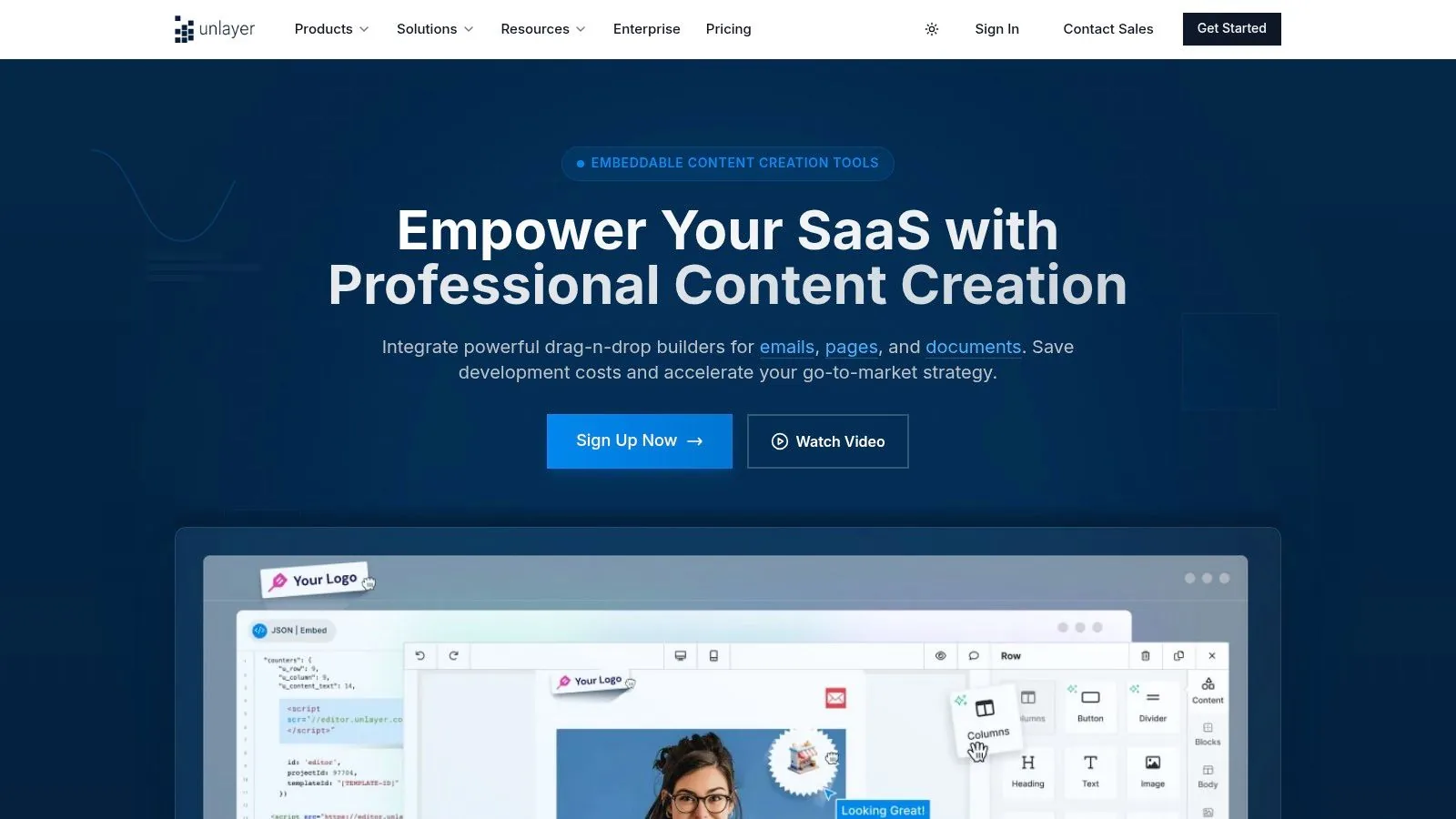
What makes Unlayer a strong contender is its focus on designer-quality templates and advanced customization. Its library is filled with ready-made Valentine's Day designs that serve as a fantastic starting point. The drag-and-drop editor is responsive and intuitive, but it also includes advanced controls like custom merge tags and even an AI-powered content assistant. This blend of simplicity and power allows you to create a polished, on-brand email and then easily export the HTML for use in your primary sending platform.
Key Features and Pricing
Unlayer's feature set is designed to scale with your needs, from a solo creator designing a one-off campaign to a large SaaS company embedding a full-featured editor.
- Valentine's Day Templates: A dedicated collection of professional, theme-specific templates that you can customize in minutes.
- Drag-and-Drop Editor: A user-friendly, responsive builder that ensures your emails look correct on any device.
- Export and Push Options: Download your finished email as an HTML file or push it directly to supported ESPs like Mailchimp or Campaign Monitor.
- Advanced Controls: Incorporate custom merge tags for personalization, use smart features like an AI writer, and save custom blocks for reuse.
- Embeddable SDK/White-Label: For businesses and platforms, Unlayer offers a robust solution to embed the editor directly into a product, providing a native design experience for users.
Practical Tip: Use Unlayer’s merge tag feature to add dynamic content. For example, create a placeholder like
{{customer_name}}in your design. When you upload the HTML to your ESP, it will replace the tag with the actual subscriber's name, adding a personal touch to your Valentine's message.
Pricing: Unlayer Studio is free for individual use, allowing you to design and export emails without a subscription. The paid plans are geared toward teams and businesses that need the embeddable editor (SDK) or white-label solutions. These tiers can be a significant investment, making them more suitable for established businesses rather than small teams just starting out.
How to Use Unlayer for Your Valentine's Campaign
- Choose a Valentine's Template: Start in Unlayer Studio by selecting a template that fits your campaign, whether it’s a gift guide, a special offer, or a simple greeting.
- Customize Your Design: Use the editor to add your branding, update the images with your products, and write compelling copy. Experiment with the AI assistant for subject line ideas.
- Export the HTML: Once the design is finalized, download the clean HTML file. This file contains everything needed to render your email perfectly.
- Import into Your Platform: In your primary system, like Zanfia, create a new email campaign and import the HTML code. This ensures your beautiful design is sent through your established system, which is crucial for maintaining good deliverability. For more guidance on this topic, you can find valuable information on how to improve email deliverability.
Unlayer is ideal for creators who want more design firepower than what their all-in-one platform might offer. It separates the design process from the sending and analytics, allowing you to use a specialized tool for visuals while retaining the powerful audience management and monetization features of your core platform.
Website: https://unlayer.com
Valentines Day Newsletter Tools — 7-Way Comparison
| Platform | Implementation 🔄 (complexity) | Resources ⚡ (cost & effort) | Expected outcomes ⭐📊 (quality & impact) | Ideal use cases 💡 | Key advantages |
|---|---|---|---|---|---|
| Zanfia | Low–Moderate 🔄 all‑in‑one setup; AI Assistant works by chat and voice | Paid SaaS from $39/mo (or $31/mo billed annually), 14‑day free trial | ⭐⭐⭐ Strong monetization, retention and member engagement | Creators, experts and brands selling courses, communities and paid newsletters under one brand | AI team runs the business; 0% platform commission; checkout with order bumps, installments and test mode; MCP endpoint (plan-dependent) |
| Beefree | Low 🔄 drag‑and‑drop design-only workflow | Free tier limited exports; subscription for unlimited exports | ⭐⭐ Fast campaign design; sending/analytics depend on ESP | Rapid seasonal campaigns and designer-led email builds | Large template library; collaboration and brand controls |
| Stripo | Low–Moderate 🔄 visual + code editor; supports advanced blocks | Free limited; paid for AMP/advanced templates; some dev time | ⭐⭐⭐ High customization and interactive emails (AMP/gamification) | Agencies and teams needing granular control and testing | Modular design, code access, strong testing & ESP exports |
| Klaviyo | Moderate–High 🔄 setup for ecommerce integrations and flows | Pricing scales with active profiles; can be costly at scale | ⭐⭐⭐ Strong revenue lift from segmentation, automation, SMS/email | Ecommerce stores running targeted Valentine’s promotions | Deep segmentation, ecommerce product personalization, AI tools |
| MailerLite | Low 🔄 easy onboarding and simple automations | Budget‑friendly; free tier for very small lists; scales with growth | ⭐⭐ Good deliverability and conversions for small teams | Creators and small businesses launching promos, paid newsletters | User‑friendly, landing pages, integrated product selling |
| Constant Contact | Low 🔄 straightforward editor; strong support available | Subscription pricing grows with contacts; US‑focused add‑ons | ⭐⭐ Reliable local reach; event/coupon conversion strengths | Local SMBs (restaurants, florists) promoting events/offers | Templates, event tools, phone/chat support and seasonal resources |
| Unlayer | Low–Moderate 🔄 Studio is easy; SDK/white‑label adds dev complexity | Free Studio; embedded/white‑label paid and higher cost | ⭐⭐⭐ Designer‑quality outputs; scalable when embedded in products | Teams needing embeddable editors or white‑label solutions | Embeddable SDK, white‑labeling, advanced controls and AI writing |
Choosing Your Perfect Match for Valentine's Day and Beyond
You've explored the essential ingredients for creating memorable valentines day newsletters, from heart-stopping subject lines and themed content blocks to strategic A/B tests and segmentation tactics. We have walked through an array of powerful tools, each offering distinct advantages. Dedicated email builders like Beefree and Stripo provide exceptional design flexibility for crafting visually stunning campaigns. Advanced email service providers such as Klaviyo and MailerLite offer deep automation and e-commerce integrations ideal for product-focused businesses.
However, crafting a single successful campaign is just one piece of a much larger puzzle. The real goal for many creators is not just to send a great email but to build a sustainable, profitable online business. This requires moving beyond fragmented tools and adopting a more unified approach. This is where the choice of your core platform becomes critically important for creators, experts, and small business owners.
From a Single Campaign to a Thriving Business
While specialized tools excel at specific tasks, they often create a disjointed experience for both you and your audience. Managing separate systems for your newsletter, online courses, community, and digital products leads to administrative headaches, data silos, and a fractured customer journey. Your audience is forced to navigate different logins and platforms, which can diminish engagement and loyalty.
This is the core challenge that a platform like Zanfia is built to solve. Zanfia is best understood as an AI team that runs a creator business: an AI-first, voice-ready platform where the Assistant can perform any action available in the interface by chat or by voice, and where the checkout is built to sell with order bumps, installments and upsells across 12 product types. In practice, that means your valentines day newsletters are not a standalone marketing effort but a gateway into your entire world. Imagine sending a heartfelt Valentine's email that links directly to a special offer on your online course (split into four monthly payments if you like), grants immediate access to a members-only community discussion channel, and automatically triggers a welcome sequence, all under your own brand and domain. This seamless experience fosters deep connections and significantly increases the lifetime value of each subscriber. For creators looking to generate and refine their campaign ideas, using an AI Newsletter Generator can provide a fantastic starting point for content, which can then be implemented within your chosen platform's editor.
Selecting the Right Tool for Your Stage of Growth
The right tool truly depends on your specific needs and long-term vision. Here’s a quick guide to help you choose a match:
- For pure design focus: If your primary goal is to create beautiful, one-off email templates without worrying about broader business integration, a standalone builder like Unlayer or Beefree is an excellent choice.
- For advanced email automation: If you run a traditional e-commerce store and need complex, trigger-based email flows tied to shopping behavior, a robust ESP like Klaviyo is a solid investment.
- For building an integrated creator business: If you are ready to launch your first digital product, scaling past five figures a month, or committed to a premium brand experience, an all-in-one platform is the most logical path. Zanfia is a strong fit here for creators who want their AI to do the work, dictate updates by voice, and keep the sale close to the content, offering:
- 0% platform commission on customer sales (as of publication), so you keep 100% of what your customers pay you.
- An integrated system for courses, communities, and digital sales under one login.
- Full white-label control and custom domain support to build your own brand identity.
- Powerful automations and an AI Assistant that can perform them by chat or by voice, saving 5-10+ hours per month on administrative tasks.
Ultimately, your Valentine's Day campaign can be a catalyst for something much greater. By choosing a platform that supports your long-term ambitions, you can turn seasonal engagement into year-round growth, loyal community, and predictable revenue.
FAQ
How can I add urgency to a Valentine's Day newsletter without sounding pushy?
Use tools with built-in interactive elements, like Stripo's AMP-powered countdown timer block, which creates a real-time sense of urgency directly inside the email. Pair the timer with a limited-time offer or a scratch-card-style reveal of a discount so the pressure comes from the mechanic rather than the copy. Keep the deadline honest so the tactic stays credible for future campaigns.
Should I design my Valentine's newsletter in the same tool I use to send it?
Not necessarily. Beefree and Stripo are design studios that decouple email design from sending, so you can build a polished, on-brand template and export the HTML or push it directly to your existing ESP. This is useful when your sending platform's editor is too basic for the visual quality a seasonal campaign like Valentine's Day needs.
What's the fastest way to launch a themed Valentine's Day newsletter without starting from a blank page?
Start from a Valentine's-specific template: Beefree offers a dedicated category inside its 1,500+ template library, and Stripo provides over 40 ready-made Valentine's Day HTML templates. From there, swap in your logo, product images and Valentine's angle, then export to your ESP. This bypasses the blank-page struggle and gets a professional, theme-appropriate design out the door quickly.
How do I keep branding consistent across multiple Valentine's Day emails without rebuilding every time?
Use reusable content blocks. Beefree lets you save custom sections, like a Valentine's-themed footer with social links, and drop them into every February campaign, while Stripo's modular design system lets you save headers, product grids and footers to a personal library. Paid Brand Kit features also lock in your colors, fonts and logos so every send stays on-brand.
Can I segment subscribers for a Valentine's campaign based on what they've bought before?
Yes, on a platform like Zanfia you can use built-in analytics to identify subscribers who previously purchased relationship-focused products and create a dedicated segment for a targeted early bird offer. That lets you send a more relevant Valentine's message to buyers most likely to convert, instead of blasting the same email to your whole list.
Ready to move beyond disconnected tools and build a unified, profitable online business under your own brand? Zanfia is an AI team that runs a creator business: dictate what to do by chat or voice, sell across 12 product types with a checkout built for order bumps, installments and upsells, and keep 100% of what your customers pay you (as of publication, 0% platform commission). Start with a 14-day free trial, no credit card required, at Zanfia.