

Course Hosting Costs in 2026: Native Player vs Vimeo vs Wistia vs Bunny
Video is the single biggest line item in any course business, and most creators don’t realize it until their second year. The all-in subscription that looked cheap at $20 per month quietly becomes $200, then $500, then a four-figure invoice when a launch goes well. The math of course video hosting costs in 2026 has shifted in ways that matter for creators at every stage, from the first cohort to the seven-figure operator.
This guide breaks down what you actually pay across the four real options on the table today: Vimeo, Wistia, Bunny.net, and native video hosting bundled with your course platform. We’ll model the true total cost of ownership at 100, 1,000, and 10,000 students, flag the gotchas no one talks about in the sales pages, and end with a recommendation framework you can apply to your own catalog.
The hidden costs of running a course in 2026
When creators think about course video hosting costs, they usually think about the monthly subscription. That’s a mistake. The subscription is the tip of the iceberg. The real expenses live underneath, and they compound fast.
Bandwidth overages
Every video host meters bandwidth, even the ones that advertise “unlimited.” Unlimited usually means unlimited until you trip a fair-use clause buried in the terms of service. A 1080p course video at 8 Mbps eats roughly 3.6 GB per hour of watch time. Multiply that by hundreds or thousands of students who rewatch lessons, and bandwidth becomes the dominant cost driver, not storage.
Storage creep
Course creators rarely delete videos. You shoot a module, replace it with v2, and keep the old version “just in case.” Three years in, a healthy catalog with 8 to 12 courses can carry 200 to 400 GB of video assets. Most hosts charge per GB stored, per month, forever.
Player and security features
Want a custom-branded player? Pay more. DRM to stop screen recording? Pay more. Domain restriction so your videos can’t be embedded on a competitor’s site? Pay more. Each of these features sits behind a higher tier on Vimeo and Wistia.
Analytics that actually help
Watch-through rate per lesson, drop-off heatmaps, and engagement scoring are the data points that drive course improvement. On Vimeo, these arrive at the Premium tier. On Wistia, they’re table stakes but the pricing reflects it.
The integration tax
If your course platform doesn’t host video natively, you’re stitching together two products. That means embed codes, single sign-on workarounds, and a second login for your team. Every integration adds friction and a failure surface.
Time, the real budget
The hour you spend re-encoding a video because your host doesn’t accept the format, or troubleshooting a player that won’t load on a student’s iPad, is the most expensive line item in the entire stack. Tools that respect your time pay for themselves before you notice.
Vimeo Pro vs Premium: what creators actually need
Vimeo is the default choice for a lot of creators, and for good reason. The player is clean, the upload pipeline is mature, and the brand carries trust. But Vimeo has segmented its plans aggressively over the last two years, and the tier you actually need depends on details that aren’t obvious from the pricing page.
Vimeo Starter and Standard
The entry tiers are fine for portfolio work and casual embeds. They’re not built for course delivery. Storage caps are tight, bandwidth allowances are modest, and the privacy controls don’t include domain-level embed restriction. If you sell a course and someone right-clicks the embed code, they can drop your $1,000 program onto their own site. For courses, skip these.
Vimeo Pro (formerly Plus / Premium)
This is the tier most course creators land on. You get larger storage allowances, ad-free playback, basic engagement analytics, and the ability to lock embeds to specific domains. The player can be customized with your logo and colors. Live streaming is bolted on, though most course creators don’t use it.
The catch: bandwidth is still metered, and the fair-use language gives Vimeo the right to throttle or charge for excess. A course with 500 paid students who actually watch the lessons can blow past the limit in a single month.
Vimeo Premium / Enterprise
This is where things get expensive. Premium unlocks priority encoding, advanced analytics, higher storage and bandwidth ceilings, and full live event production. Enterprise adds SSO, dedicated support, and contract-negotiable pricing. For most independent course creators, this is overkill. For a creator running a six-figure catalog with multiple cohorts, it can be justified.
The Vimeo gotcha for course creators
Vimeo’s terms of service have historically frowned on “video-on-demand businesses” running on the standard plans. They have a separate OTT product for that. The line between “embedding lessons in my course site” and “running a VOD business” has gotten blurry, and creators have reported being asked to upgrade or move. Worth reading the current TOS before committing.
For independent course creators, Vimeo Pro is usually the right balance. The Premium tier rarely pays back unless you’re already over six figures in course revenue with a large active member base. The Vimeo pricing page is the only reliable source for current numbers, since they revise tiers every few quarters.
Wistia: when the analytics justify the bill
Wistia plays in a different league. It was built for marketing and sales teams who treat every video as a measurable asset, and the pricing reflects that. For course creators, Wistia is rarely the cheapest option, but it can be the smartest one if engagement data drives your roadmap.
What Wistia does better
The analytics are genuinely best-in-class. Per-viewer heatmaps show you exactly where each student paused, rewound, or dropped off. You can segment viewers by source, behavior, or custom tags. The lead capture overlays let you gate content behind email signup, which is useful for top-of-funnel lessons that double as lead magnets.
The player itself is fast, accessible, and respects mobile bandwidth. Channels (Wistia’s playlist-style grouping) let you organize a course catalog cleanly without rebuilding navigation.
What Wistia costs
Wistia’s pricing model has historically been per-video, with a base fee plus an overage charge for each video beyond your allowance. They’ve added more flexible plans, but the basic structure rewards small catalogs with deep engagement, not sprawling course libraries with hundreds of lessons.
A course creator with 8 courses averaging 30 lessons each is sitting on 240 videos. On Wistia’s standard plans, that pushes you into the higher tiers fast.
The integration question
Wistia embeds work everywhere, but they’re not deeply integrated with course platforms the way native players are. Progress tracking has to be wired up manually with their API or through Zapier-style automations. Most course creators don’t bother and lose the ability to enforce “complete this lesson before unlocking the next.”
When Wistia is the right call
If you’re a marketing-led creator who runs courses as a lead generation engine, Wistia’s analytics and lead capture features can pay for themselves. If you’re a pure course operator who needs reliable hosting and clean playback, you’re probably overpaying.
Bunny.net: the bandwidth-only model for power users
Bunny.net is the option most creators have never heard of, and the option that experienced operators with technical chops increasingly default to. It’s a pure CDN with a video product called Bunny Stream, and its pricing model is fundamentally different from Vimeo or Wistia.
How Bunny pricing works
You pay for what you use. Storage is a few cents per GB per month. Bandwidth is a few cents per GB delivered, with regional variation. There’s no per-video allowance, no monthly minimum that scales with your catalog size, and no “engagement tier.” You upload, you serve, you pay the bill at the end of the month.
For a course catalog with moderate active usage, this often comes out 60 to 80 percent cheaper than Vimeo Pro and 80 to 95 percent cheaper than Wistia at equivalent scale.
What Bunny gives you
A capable HLS-based video player with adaptive bitrate streaming, signed URLs for access control, geo-blocking, domain restriction, and an API that’s straightforward to integrate. You can plug Bunny Stream into a custom course site or pair it with platforms that support Bunny.net as a backend.
The CDN itself is built on a global edge network with strong performance in North America and Europe, with improving coverage in Asia and Latin America. Independent benchmarks consistently rate Bunny among the top-performing budget CDNs.
What Bunny doesn’t give you
Polished onboarding. Visual analytics dashboards that compare to Wistia. A brand name your students will recognize. You’re responsible for stitching the player into your course platform, configuring access control, and handling support when a video doesn’t load.
When Bunny is the right call
If you have technical capacity in-house (a developer or a course platform that natively integrates Bunny), and you’re delivering meaningful video volume, Bunny can save thousands per year. If you’re a solo creator with no technical help and you just want video to work, the savings rarely justify the operational burden of running it yourself.
The Bunny Stream documentation is the best starting point for evaluating fit. Pair it with the latest independent CDN performance benchmarks to confirm regional performance for your audience.
Native player (bundled with course platform): the 0-extra-bill option
The fourth option is the one that’s grown the most in 2026: native video hosting bundled with your course platform’s subscription. No separate Vimeo bill, no Wistia tier upgrade, no Bunny invoice to reconcile. The video lives where the course lives, and the cost is included in the platform fee.
The economic argument
If your course platform charges, say, $80 to $200 per month and includes native video hosting with reasonable bandwidth and storage, you’ve eliminated an entire line item. For most creators in the 0 to 1,000 active student range, this is the cheapest path by a wide margin.
The savings get more pronounced when you factor in the time tax of integration. No embed codes to maintain, no progress-tracking workarounds, no second login for your assistant.
The quality question
The fair objection is: does the native player actually work? In 2022, the honest answer was “sometimes.” Course platforms used cheap encoding pipelines and underpowered CDNs, and playback quality varied. In 2026, that’s largely a solved problem. The platforms that take video seriously use modern adaptive bitrate streaming, multi-region CDN delivery, and player-level features (progress memory, playback speed, captions) that match what Vimeo and Wistia offer.
The platforms that don’t take video seriously still exist. That’s why the choice of course platform matters more than the choice of video host. The video decision and the platform decision are the same decision when you go native.
The flexibility question
The reasonable concern with going native is lock-in. If your course platform’s player breaks or the company raises prices, you’re stuck. The defense is to pick a platform that also supports external integrations, so you can fall back to Vimeo, Wistia, or Bunny if you ever need to. The best platforms offer native hosting as the default and external integration as a power-user option.
Total cost of ownership comparison at 100, 1K, and 10K students
Numbers without context are noise. Here’s what the four options actually cost across three realistic creator scenarios. All figures are based on publicly available pricing as of mid-2026 and conservative bandwidth modeling (each student watches an average of 6 hours of course content per month at 1080p, equivalent to roughly 22 GB per student per month).
Scenario 1: 100 active students
At this scale, you’re delivering roughly 2.2 TB of bandwidth per month and storing somewhere between 50 and 150 GB of video.
- Vimeo Pro: Roughly $20 to $50 per month, covered by the base subscription. Bandwidth allowance is sufficient.
- Wistia: $99+ per month, depending on video count. Likely $99 to $200 once your catalog grows past 50 videos.
- Bunny Stream: $15 to $25 per month total (storage plus bandwidth at usage-based rates).
- Native (bundled): $0 in additional cost beyond your course platform subscription.
At 100 students, native or Bunny win on price. Vimeo is competitive if you already have it. Wistia is the most expensive by a meaningful margin.
Scenario 2: 1,000 active students
You’re now delivering roughly 22 TB per month and likely sitting on 200 to 400 GB of video.
- Vimeo Pro: Bandwidth pressure becomes real. You may need to upgrade to Premium, pushing the bill to several hundred dollars per month, plus potential overage discussions.
- Wistia: Comfortably in the $300 to $600 per month range, possibly higher depending on plan structure.
- Bunny Stream: Roughly $200 to $350 per month, scaling linearly with usage.
- Native (bundled): Still $0 in additional cost, assuming your platform’s plan allows this member volume. Most platforms charge for member count, so total platform cost increases, but video cost remains zero.
At 1,000 students, the gap widens. Native bundled hosting and Bunny are the clear value picks. Vimeo Premium starts to look expensive for what you get. Wistia is justifiable only if you’re using its marketing features extensively.
Scenario 3: 10,000 active students
You’re delivering 220 TB per month. Storage is likely 400 GB to 1 TB. This is enterprise territory.
- Vimeo Enterprise: Contract negotiation required. Expect $1,500 to $5,000+ per month depending on features and support level.
- Wistia Enterprise: Similar range, with stronger analytics included.
- Bunny Stream: Roughly $2,000 to $3,500 per month at usage-based pricing.
- Native (bundled): Depends entirely on platform. Some platforms include hosting at this scale; others switch to usage-based billing or recommend pairing with Bunny for the heaviest workloads.
At 10,000 students, the differences narrow because every option has real costs. The right pick at this scale is usually a hybrid: native for the bulk of content, with Bunny or Vimeo Enterprise layered in for specific high-value videos that need premium features or custom encoding.
How Zanfia bundles native video + optional Vimeo/Wistia/Bunny integration
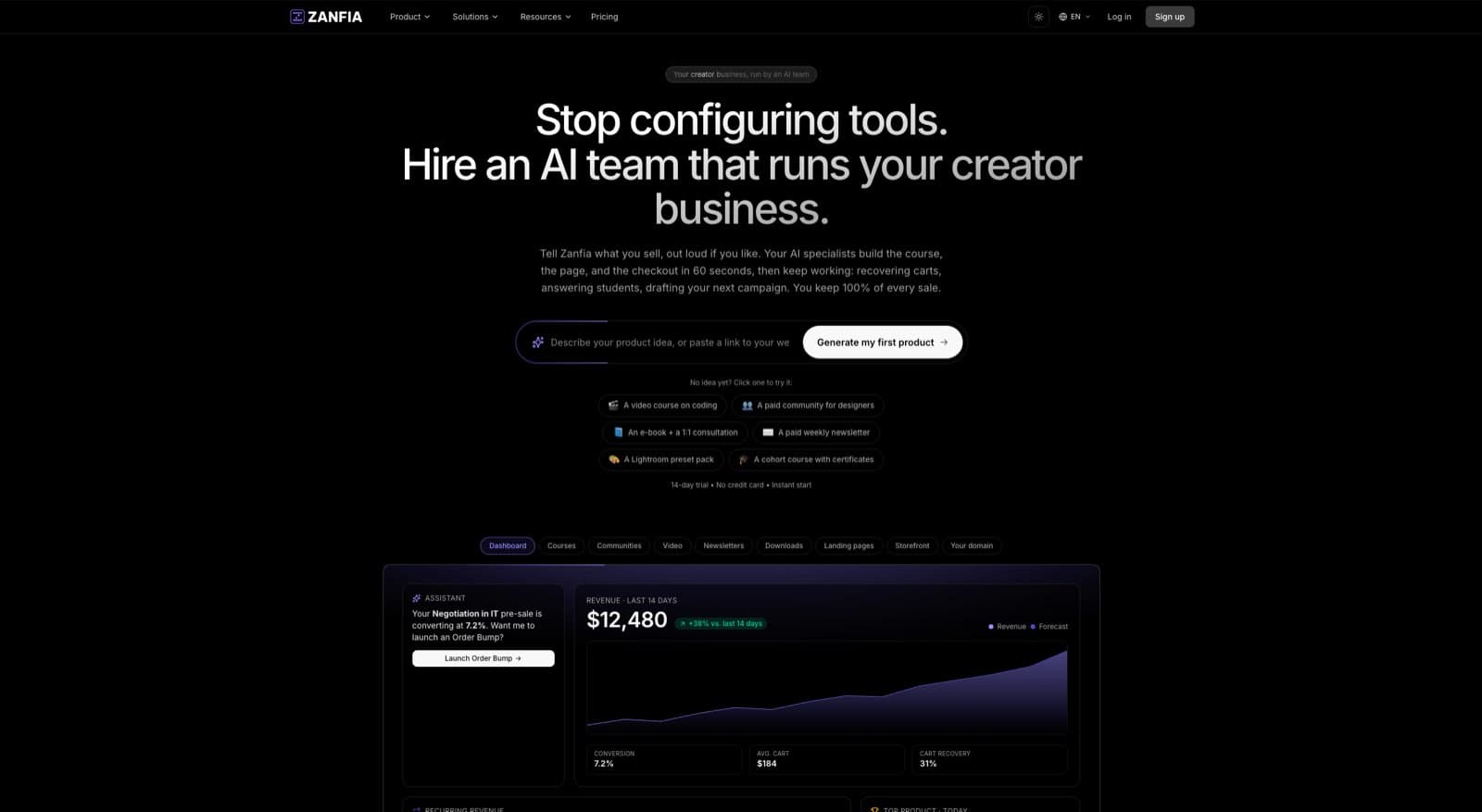
Zanfia is set up less like a course platform and more like an AI team that runs a creator’s business: courses, communities, paid newsletters and digital products are the surfaces where that work lands, and video sits inside the bundle instead of on a separate bill. The assistant knows the whole application, so you can dictate the work by chat or by voice instead of clicking through menus, and outside agents can act on your workspace through the MCP endpoint on higher plans.
Native video hosting included in the subscription
When you host a course on Zanfia, the videos live on Zanfia’s infrastructure by default. There’s no Vimeo subscription required, no Wistia tier to evaluate, no separate Bunny invoice to reconcile. The native player includes automatic progress memory, so when a student returns to a lesson, playback resumes exactly where they left off. Time-locked module unlocking lets you drip content on a schedule. Course content duplication makes it trivial to clone a catalog for a new cohort or a franchise partner. Videos carry chapters, and auto-generated transcripts are queued on upload so search and accessibility come for free.
Optional integrations for creators who need them
For creators who already have a Vimeo, Wistia, or Bunny.net workflow, Zanfia supports embedding those players inside the course experience. YouTube embeds work too, for creators who want to keep their video assets in one place across YouTube and their paid course. You’re not forced to migrate.
A checkout that’s built to sell, with 0% platform fees
Video is only useful if the course sells, so the checkout gets the same attention as the player. You can split a $600 course into four installments, add order bumps that invoice separately, offer subscription upsells, and run a test purchase on your own product before launch so you know the tracking fires and the buyer experience holds. Zanfia takes 0% platform commission on customer sales as of 2026, so only the payment processor (Stripe or PayPal, roughly 2.9% + $0.30 in the US) takes its standard cut. At 1,000 students paying $100 for a course, that’s $100,000 in revenue with no platform skim, compared to marketplaces that take 10% to 30%.
White-label, custom domain, mobile app
Each Zanfia creator gets a custom subdomain by default, with the option to map a fully custom domain. Students see your brand, not Zanfia’s. The native iOS and Android mobile app, live since 2026, lets students watch courses, read paid newsletters, and access knowledge bases on their phones. Communities are rolling out to the mobile app and will join the lineup as that ships.
Where Zanfia fits in the comparison
If you’re a creator who wants native video to just work, without a second subscription, Zanfia’s bundled hosting puts you in the “0-extra-bill” column. If you grow into needing Vimeo’s encoding pipeline, Wistia’s marketing analytics, or Bunny’s pure cost efficiency at scale, the optional integrations let you switch backends without leaving the platform. That’s the practical version of having both worlds.
Trial and predictable pricing
Every plan includes a 14-day free trial with no credit card required, so you can test the platform with your actual course content before committing. Paid plans start at $39 per month, or $31 per month billed annually, on Starter, and scale up through Growth, Pro and Scale as your catalog and active student count grow. Advanced capabilities like the MCP endpoint, the full AI Assistant and white-label AI are available on higher plans, so check the current Zanfia pricing for what unlocks where.
FAQ
Do I really need a paid video host for my course?
If your course platform includes native hosting, no. The native option is usually the cheapest and simplest for creators with up to a few thousand active students. You only need a dedicated video host (Vimeo, Wistia, Bunny) if your platform doesn’t host video, or if you need features the native player doesn’t offer (advanced analytics, custom encoding, lead capture overlays).
Can I use YouTube to host my paid course videos?
Technically yes, with unlisted videos. Practically, it’s risky. YouTube’s terms of service have gray areas around monetization, and unlisted videos can leak if links are shared. The bigger issue is the YouTube player itself: it shows recommendations, branding, and “watch on YouTube” buttons that pull students out of your course experience. Use it for free top-of-funnel content, not for paid lessons.
Will Vimeo throttle my account if I have a popular course?
Vimeo’s terms include fair-use language that lets them ask you to upgrade or move to their OTT product if you’re running what they consider a VOD business. Creators have reported being asked to switch tiers after sustained high-volume use on standard plans. It’s not common, but it’s a real risk worth knowing about.
Is Bunny.net safe for course videos?
Yes, with the right configuration. Bunny supports signed URLs, geo-blocking, and domain restriction, which together make casual piracy difficult. It doesn’t include studio-grade DRM, so if you’re selling premium content where piracy is an active threat, you may want to layer additional protection. For most course creators, Bunny’s security is more than sufficient.
What’s the cheapest way to host course videos in 2026?
For most creators under 1,000 students, native hosting bundled with a course platform is the cheapest option. Above that scale, Bunny.net’s usage-based pricing typically wins, assuming you have the technical capacity to integrate it. Wistia is rarely the cheapest, regardless of scale.
Should I migrate my existing courses to a new host?
Only if the math justifies the migration cost. Moving videos means re-uploading, re-encoding, fixing embed links, and potentially losing engagement history. If your current setup costs $50 per month and the alternative saves $30, the migration isn’t worth it. If you’re spending $500 per month on Wistia and the alternative is $50, the migration pays back in two months. Run the numbers before you move.
How do I pick between Vimeo, Wistia, Bunny, and native hosting?
Start with native if your course platform offers it and the player quality is good. Move to Bunny if you have technical capacity and you’ve outgrown native pricing. Move to Vimeo if you want a recognized brand and a polished default experience. Move to Wistia only if your business model relies on per-viewer engagement analytics. For a deeper platform-level comparison, the course platform comparison resources from major industry analysts are a useful starting point.