

Digital Product Pricing Strategy: How to Price in 2026

Pricing a digital product feels like guesswork until you realize it isn’t. Every price you set is a signal: about quality, about who you serve, and about how confident you are in the outcome you deliver. Get it wrong on the low end and buyers assume the product is thin. Get it wrong on the high end without the positioning to back it up and conversions collapse. In 2026, with buyers more skeptical, more ad-fatigued, and more spoiled for choice than ever, your pricing strategy is doing more marketing work than your landing page.
This guide walks through how to price digital products in a way that reflects actual value, protects your margins after platform and processor fees, and gives you room to grow order value without chasing customers. If you sell courses, templates, ebooks, memberships, or downloadable tools, the frameworks below apply directly to your business.
How Much Should You Charge for a Digital Product?
There is no universal number. Anyone who tells you “charge $47 for an ebook and $997 for a course” is selling a formula that ignores the two variables that actually matter: the outcome you deliver and the buyer’s willingness to pay for that outcome. A $9 template that saves an agency owner four hours of work is objectively underpriced. A $497 course that promises “clarity around your purpose” without a measurable result is objectively overpriced. Same dollar range, opposite problems.
Start by answering three questions before you touch a price tag:
- What is the tangible outcome? Not the features. The end state your buyer reaches after using the product. “Ship your first paid Substack in 30 days” is an outcome. “12 modules of video” is a feature.
- What is that outcome worth to the buyer? If your product helps a freelancer land one $3,000 client, the ceiling on your price is nowhere near $27.
- What alternatives exist? Not just direct competitors. YouTube tutorials, ChatGPT prompts, hiring a consultant, or doing nothing. Your price sits inside that competitive set whether you like it or not.
Once you have honest answers, price bands start to emerge. Micro-products (checklists, single templates, short guides) live in the $9 to $47 range because the perceived commitment is low. Mid-tier products (mini-courses, template bundles, short ebooks) fit $67 to $297 where buyers expect a self-contained solution to a specific problem. Premium offers (full courses, cohort programs, membership access with community) start at $297 and can climb into the thousands when paired with implementation support, accountability, or exclusive access.
These are gravity zones, not rules. Your job is to earn your way to the top of your band with positioning, proof, and delivery, then eventually price above it.
Cost-Plus vs Value-Based vs Tiered Pricing
Three pricing models dominate the digital product world. Most creators default to one without realizing the other two exist, and it costs them.
Cost-plus pricing
You add up what the product cost you to make (your time, tools, contractors) and slap a margin on top. This is how physical goods have been priced for a century, and it is almost always wrong for digital products. Why? Because digital products have near-zero marginal cost. Once the course is recorded, the 1,000th sale costs you the same as the 10th. Cost-plus systematically undervalues the outcome and rewards inefficiency (the longer you took, the more you charge, which is exactly backwards).
Value-based pricing
You price based on the economic or emotional value the buyer receives. If a $297 course helps a freelancer raise their rates by $50 an hour and they bill 20 hours a week, they earn back the price in three days. That is the pitch, and that is what allows a $297 price tag to feel like a bargain instead of a splurge. Harvard Business Review has documented for years that buyers evaluate price relative to perceived value, not to the seller’s cost. Digital creators who internalize this stop apologizing for their prices.
Tiered pricing
You offer the same core product at multiple price points, each with different depth of access, support, or bonuses. Tiered pricing works because buyers self-segment. Some want the bare minimum. Some want everything. Most land in the middle, which is exactly where you want them.
A typical three-tier structure for a digital product might look like:
- Entry ($97): the core content, self-paced, no support
- Middle ($297): core content plus templates, worksheets, and a private community
- Premium ($797): everything above plus group coaching calls, live Q&A, or 1:1 review
The middle tier usually captures 50 to 70 percent of sales because it is anchored between an obviously stripped-down option and a premium option that most buyers do not need but appreciate exists. The premium tier does not need to sell in volume. It exists to make the middle tier feel reasonable, and every premium sale is a windfall.
Why Underpricing Signals Low Quality
The single most common mistake first-time digital product creators make is pricing too low. The logic feels sensible: “I am unknown, I need to prove myself, low price gets people in the door.” In practice, low prices repel the exact buyers you want.
Price is a shortcut buyers use to evaluate quality. When someone lands on a sales page for a course promising “how to build a six-figure agency” and sees a $19 price tag, the immediate reaction is not “what a deal.” It is “this cannot be that good, because if it were, they would charge more.” You have accidentally told the buyer that your product is not serious.
The second problem: low prices attract low-commitment buyers. Someone who spends $19 does not open the emails, does not do the work, does not get results, and does not refer anyone. Someone who spends $297 shows up, completes the material, and becomes a testimonial. The math on your business over 12 months looks radically different depending on which type of buyer dominates your list.
The third problem is margin. After platform fees, payment processing, refunds, and the cost of running ads to sell a $19 product, you often net less than $10 per sale. To make $10,000 a month you need 1,000 sales. To make $10,000 a month at $297 you need 34 sales. Which business is easier to run?
If you feel uncomfortable raising prices, the fix is not to stay cheap. The fix is to strengthen your positioning until the price feels obvious. Add a guarantee. Show proof. Sharpen the promise. Then charge what the outcome is worth.
Factoring Processor and Platform Fees Into Your Price
The number on your sales page is not the number that lands in your bank account. Before you finalize any price, run the math on what actually reaches you after fees.
For most US-based creators using Stripe, the standard rate is 2.9% plus $0.30 per transaction for domestic cards. International cards add another 1.5%. PayPal sits in a similar range. On a $297 product paid by a US card, that is roughly $8.91 in processing fees, netting you $288.09 before any other costs.
Then comes the platform layer. Some platforms charge a percentage on top of processor fees. Gumroad, for example, takes 10% plus $0.50 per transaction on direct sales, meaning that same $297 product nets you closer to $258 after both Gumroad and Stripe take their cut. Kajabi and Teachable use flat monthly subscription models with no per-transaction fee, which works out cheaper at volume but can hurt in the ramp-up phase.
This is where Zanfia takes a different approach. As of publication, Zanfia charges 0% platform transaction fees on customer sales, so only the payment processor fee applies. On the same $297 product, you net roughly $288 instead of $258. Multiply that $30 difference across a few hundred sales a month and you are looking at real money that either stays in your business or goes to a middleman.
Whichever platform you choose, build the fee reality into your pricing decision. If your target profit per sale is $250 and you are on a platform that takes 10% plus processor fees, you need to price at roughly $290 to hit that number. Do not price backwards from a round marketing number without checking what actually clears.
Refunds are the other line item most creators forget. If you offer a 30-day money-back guarantee, expect a 3 to 8 percent refund rate on cold traffic and lower from warm audiences. Bake that into your unit economics before you scale ad spend.
Anchoring, Order Bumps and Upsells to Raise Order Value
Raising your headline price is one lever. Raising average order value without changing the headline is another, and it is often easier because buyers have already decided to spend money by the time they hit your checkout.
Anchoring
Anchoring is the psychological principle that the first number a buyer sees shapes how they evaluate every subsequent number. If your sales page opens with “most consultants charge $5,000 for this level of guidance” and then reveals a $497 price, the $497 feels like a discount even though it is objectively expensive. Anchoring is why premium tiers make middle tiers feel reasonable, and why crossed-out “original” prices still work despite decades of buyer sophistication.
Order bumps
An order bump is a small additional offer presented on the checkout page, usually with a single checkbox. “Add the Notion template pack for $27” or “Include the resource library for $19.” Order bumps convert at 15 to 40 percent when they are relevant, complementary, and priced at roughly 15 to 30 percent of the main offer. They work because the buyer’s wallet is already open and the decision is small.
Upsells
An upsell is a larger offer presented after the initial purchase, either on the thank-you page or as a one-time offer. “You just bought the course. For $197 more, add a 60-minute strategy call.” Upsells convert lower than order bumps (typically 5 to 15 percent) but the dollar impact per accepted upsell is much larger.
How Zanfia Helps Digital-Product Sellers Build Tiered, Bundled Offers
Most of the pricing strategies above assume you have a checkout that can actually execute them. That is where the platform decision matters. A stripped-down cart that only accepts a single one-time payment locks you into cost-plus pricing whether you want it or not.
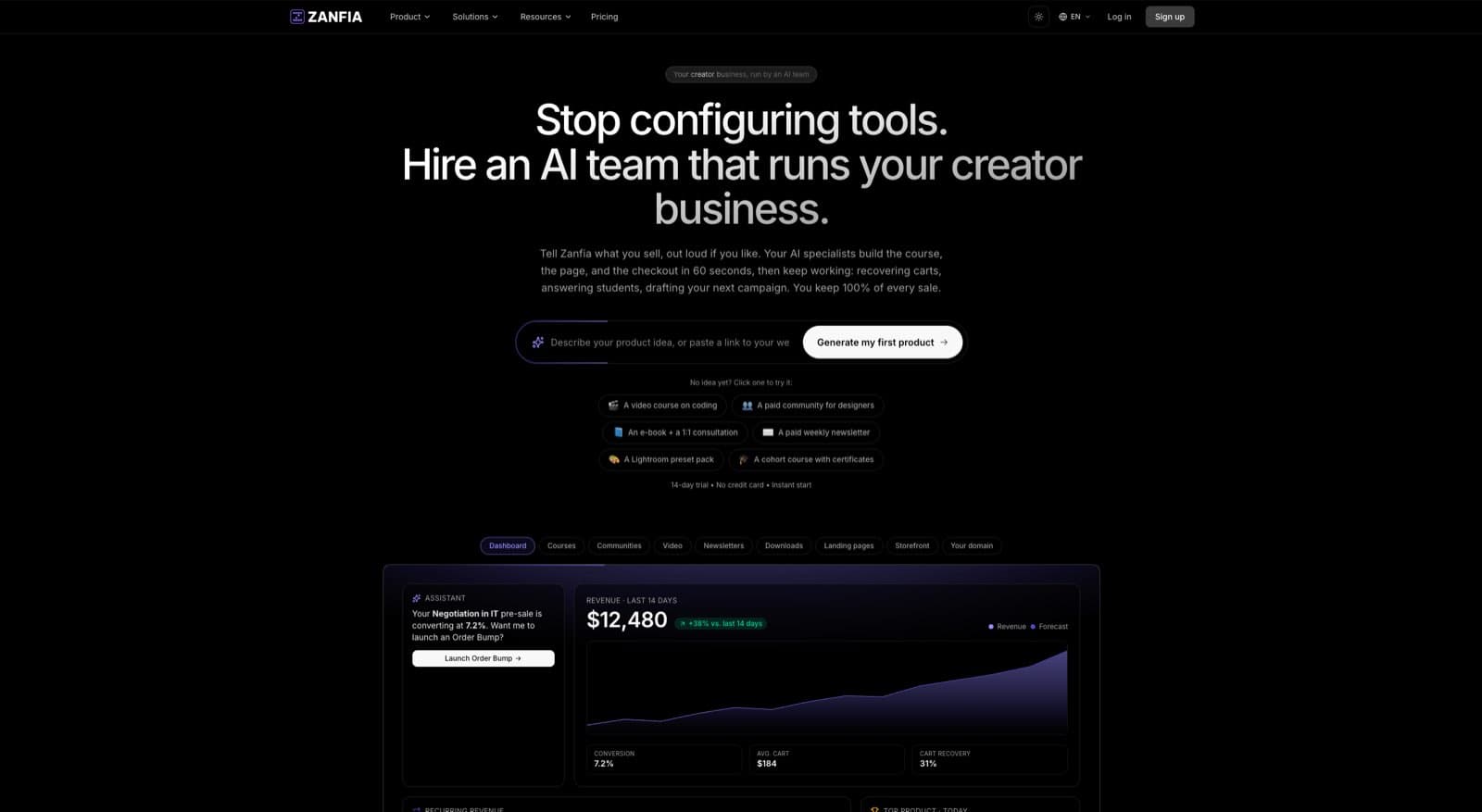
Zanfia is built as an AI team that runs a creator business, and a platform second. Underneath the assistant, it is an all-in-one workspace for selling courses, communities, paid newsletters, digital products, ebooks, and consulting under one brand, with twelve product types sitting on the same checkout. The creator does not click through configuration screens to set up tiers, bumps and installments: they dictate what they want, in chat or by voice, and the assistant performs any action available in the interface. For pricing experimentation specifically, that is Cart 2.0, which was designed to give sellers the mechanics they need to implement tiered, bundled, and value-based offers without stitching together five different tools.
Inside Cart 2.0 you can configure one-time payments, subscriptions, installment plans, and free trials on the same product. That means the same course can be sold as a $497 one-time payment, three installments of $197, or a $47 monthly subscription with a 14-day free trial, all from one checkout page. Splitting a $600 course into four payments of $150 is a checkbox, not an integration. Buyers self-select based on their cash flow and commitment level, which typically lifts conversion by 20 to 40 percent compared to a single-price checkout.
Order bumps are native to the checkout with separate invoicing per add-on, so buyers can add complementary templates, guides, or bonus content with a single click. Subscription upsells appear at checkout too, letting you present a membership or community add-on to buyers who just chose a one-time product. Discount codes support both percentage and flat-dollar formats for launch campaigns, seasonal promotions, or partner referrals. Multi-quantity offers let you sell team licenses without building a separate B2B product. Before you send a dollar of ad spend at a new price, you can open the same checkout in test mode, run a real test purchase end to end, and confirm your tracking fires without a single production order landing in your order list.
For payments, Zanfia integrates with Stripe and PayPal, and supports wallet payments including Apple Pay and Google Pay, which reduces checkout friction on mobile where a significant share of digital product buying now happens. As of publication, Zanfia charges 0% platform transaction fees on customer sales (only payment processor fees apply), so the margin math on tiered offers stays clean. Availability of specific capabilities depends on the plan, so check the current Zanfia pricing before you build a comparison around any single feature.
The platform is white-label, so your checkout runs under your own subdomain (or a custom mapped domain), which matters for trust and conversion. Buyers who see your brand end-to-end convert better than buyers who get bounced to a third-party checkout.
A 14-day free trial with no credit card required lets you set up a full store and test pricing experiments before committing to a paid tier, which is the right way to validate before scaling ad spend. Plans start at $39 per month, or $31 per month billed annually, on Starter. See current pricing tiers on the Zanfia pricing page.
Testing Price Points and Discount Codes
Once your pricing structure is live, the work shifts to testing. There is no way to know in advance whether $197 will convert better than $247 for your specific audience. You have to run the experiment.
The cleanest test methodology is sequential, not simultaneous. Show one price to all traffic for a defined window (typically two weeks or 500 unique visitors, whichever comes first), then switch to the alternate price for the same window, and compare conversion rate and revenue per visitor. Simultaneous A/B testing on price is legally fraught in some jurisdictions and can damage trust if buyers realize different people paid different amounts for the same product.
What to measure:
- Conversion rate at each price point
- Revenue per visitor (conversion rate multiplied by price)
- Refund rate at each price point
- Net revenue per visitor after refunds and fees
The right price is not the one that maximizes conversion rate. It is the one that maximizes net revenue per visitor after refunds. A higher price with a lower conversion rate frequently wins on net revenue, and it also tends to attract better-fit buyers who stick around longer.
Discount codes are their own testing surface. Time-boxed codes (“48 hours only”) work better than open-ended discounts because scarcity is a legitimate motivator. Percentage discounts feel bigger on lower-priced items (30% off a $47 product feels generous), while flat-dollar discounts feel bigger on higher-priced items ($100 off a $497 product reads as more concrete than 20% off). Use the format that makes the discount feel largest to the buyer.
Avoid one discount pattern: never run more than one 40%+ discount per quarter on your core product. Buyers who see frequent deep discounts start waiting for the next one, which trains them to never pay full price. If you need to move volume, use bundles, order bumps, or bonus stacks instead of slashing the headline number.
FAQ
How do I decide between cost-plus, value-based, and tiered pricing for a digital product?
Cost-plus adds a margin on top of what the product cost you to make, which usually undervalues digital products because their marginal cost is near zero. Value-based pricing anchors the number to the economic or emotional outcome for the buyer, which is why a $297 course can feel like a bargain when it helps someone earn back the price in days. Tiered pricing offers the same core product at multiple price points so buyers self-segment, with the middle tier typically capturing 50 to 70 percent of sales.
Why does pricing too low actually hurt sales instead of helping?
Buyers use price as a shortcut to judge quality, so a $19 tag on a course promising six-figure results reads as unserious rather than a bargain. Low prices also attract low-commitment buyers who do not open emails, do not do the work, and do not become testimonials. On top of that, after platform fees, processing, refunds, and ads, a $19 product often nets under $10, forcing you to sell 1,000 units a month instead of 34 at $297 to hit the same $10,000.
How should I factor payment processor and platform fees into my price?
Start with the standard US Stripe rate of 2.9% plus $0.30 per transaction for domestic cards, plus another 1.5% on international cards, and add whatever your platform layer takes on top. On a $297 product, Gumroad's 10% plus $0.50 leaves you around $258, while a platform with 0% commission leaves you closer to $288. Work backwards from your target profit per sale, and bake in a 3 to 8 percent refund rate on cold traffic before scaling ad spend.
What is the difference between an order bump and an upsell, and how well do they convert?
An order bump is a small, complementary offer on the checkout page, usually added with a single checkbox, and it converts at 15 to 40 percent when priced at roughly 15 to 30 percent of the main offer. An upsell is a larger offer presented after the initial purchase, either on the thank-you page or as a one-time offer. Upsells convert lower, typically 5 to 15 percent, but each accepted upsell has a much larger dollar impact.
How does tiered pricing usually work in practice for a digital product?
A typical three-tier structure runs $97 for the core self-paced content, $297 for the core plus templates, worksheets, and a private community, and $797 for everything plus group coaching or 1:1 review. The middle tier usually captures 50 to 70 percent of sales because it is anchored between an obviously stripped-down option and a premium one most buyers do not need. The premium tier does not need volume, since it exists mainly to make the middle tier feel reasonable.