

How to Pre-Sell an Online Course Before You Build It

You spent six months building a course nobody bought. Sound familiar? It’s the most expensive mistake digital creators make, and it’s entirely avoidable. The fix isn’t a better landing page or smarter ads. It’s selling the course before you record a single video.
Pre-selling flips the traditional creator workflow on its head. Instead of building, hoping, and launching to crickets, you validate demand with real credit-card commitments first. Then you build the course your buyers already paid for. This guide walks you through the complete pre-sell process, from the seven-day validation page to refund policies, pricing strategy, and the platform mechanics that make it work.
Why pre-selling beats building first (every time)
The build-first model assumes you know what your audience wants. That assumption is almost always wrong. According to a Harvard Business Review analysis of product launches, between 75% and 95% of new products fail, and the most common reason is not technical execution but misreading market demand. Courses are no different. You can pour 200 hours into a beautifully produced curriculum and discover, on launch day, that your audience would rather buy something else entirely.
Pre-selling solves three problems at once: validation, motivation, and cash flow.
Validation through real money
Surveys lie. Comments lie. Even waitlists lie. The only signal that doesn’t lie is a credit-card charge. When someone gives you $497 for a course that doesn’t exist yet, they’re telling you something no focus group ever could: this problem is worth real money to solve. Daniel Priestley, author of the Key Person of Influence framework, calls this the difference between “interest” and “intent” — and the gap between them has killed more course businesses than bad content ever will.
Motivation through accountability
A pre-sell creates a deadline you can’t ignore. Forty-seven students paid you to deliver a course by November 1st. That deadline does more for your productivity than any productivity hack ever will. The build-first model has no external pressure, which is why so many half-finished courses sit on hard drives forever.
Cash flow before production
Recording, editing, and producing a course costs real money — even if it’s mostly your time. Pre-selling means buyers fund the production. Instead of investing $5,000 of your own runway, you collect $15,000 in pre-sale revenue and use a fraction of it to build. The buyers become your investors. Ramit Sethi has built much of his eight-figure course business on this principle, repeatedly emphasizing in his launch playbook that you should sell first and build second.
The 7-day pre-sell page that validates demand
You don’t need a 40-section sales page to pre-sell. You need a focused, honest, conversion-optimized page that does five things well. Here’s the structure that works, and how to build it in a week.
Day 1-2: Write the offer, not the curriculum
The biggest mistake first-time pre-sellers make is leading with a module list. Buyers don’t care about your modules. They care about the transformation. Write your page in this order:
- Headline — name the specific outcome and the timeframe. “Land your first three freelance clients in 60 days” beats “Learn freelancing fundamentals.”
- Problem section — describe the pain in your reader’s own words. Pull from real DMs, emails, and comments. If you’ve never had a customer conversation about this problem, you’re not ready to pre-sell.
- Solution overview — three to five bullet points describing what the course will cover. Not a full curriculum. Just enough to make the outcome credible.
- Who it’s for / not for — both lists. Disqualifying the wrong buyers protects your refund rate later.
- The pre-sell offer — explicit transparency. “This course launches November 1st. Pre-sell pricing is $297 (vs $497 at launch). You’ll get weekly behind-the-scenes updates as I build.”
Day 3-4: Add proof and risk reversal
You don’t have student testimonials for a course that doesn’t exist. That’s fine. Use proof you do have:
- Your own results in the topic area (income, clients, transformations)
- Testimonials from past work, coaching, or services in the same domain
- Social proof — audience size, podcast features, publications
- A clear refund policy (covered in detail in section 5)
Day 5-6: Build the checkout flow
This is where most pre-sells leak revenue. You need a checkout that handles pre-orders specifically — not just a generic Stripe link. Buyers need to see: launch date, what they get now (access, updates), what they get at launch, and the refund terms. Cart abandonment on pre-sells runs higher than launched products because buyers are taking a larger risk. Reduce friction with wallet payments like Apple Pay and Google Pay.
Day 7: Drive traffic to validate
The page is only the test. Traffic is the actual experiment. On launch day of your pre-sell window:
- Email your existing list (even if it’s 200 people)
- Post on every platform where you have an audience
- DM the 10-20 people who’ve explicitly asked about this topic
- Pitch one podcast appearance or guest post during the window
You’re not trying to go viral. You’re trying to get enough qualified eyeballs on the page to make a buy/no-buy decision.
Pricing a pre-sell: discount, early-bird, or full price?
This is the question that paralyzes most creators. There’s no single right answer, but there are three frameworks that work, each with clear tradeoffs.
Framework 1: Steep early-bird discount (40-60% off launch price)
You sell at $197 now, raise to $497 at launch. This is the most common approach and the highest-converting. The risk: you’re training your audience to wait for discounts on future launches. Use this when you genuinely need the lower entry point to drive validation volume — typically your first pre-sell or a brand-new audience.
Framework 2: Modest founder pricing (15-25% off launch price)
You sell at $397 now, raise to $497 at launch. The discount reflects “you’re betting on me before the course exists.” This positions the pre-sell as a privilege, not a fire sale. Best when you have existing authority in the space and your audience trusts you to deliver.
Framework 3: Full launch price, with bonuses
$497 now, $497 at launch — but pre-sell buyers get a private group coaching call, a workbook, or a bonus mini-course. This protects your price anchor and rewards early commitment with access instead of dollars. Use this when you’re confident in demand and want to maximize per-customer revenue.
Whatever you choose, never apologize for the price. The pre-sell isn’t “cheaper because it’s incomplete” — it’s a fair trade: lower price for higher risk. Frame it that way explicitly. According to Forbes pricing research, customers consistently rate transparent pricing higher than discounted-but-unexplained pricing on perceived fairness — even when the dollar amounts are identical.
Building the waitlist and the early-bird email funnel
The pre-sell window itself is short — usually 7-14 days. But the runway to a successful pre-sell starts weeks earlier with a waitlist. Here’s how to build one that actually converts.
The waitlist landing page
Two weeks before your pre-sell opens, put up a simple waitlist page. Single field: email address. Single promise: “Get notified when doors open, plus first access to founder pricing.” Drive every piece of pre-launch content to this page.
The five-email warm-up sequence
Once someone joins the waitlist, they enter a sequence designed to deepen commitment before the buy window:
- Email 1 (immediately) — Welcome, the problem you’re solving, what to expect from this sequence.
- Email 2 (day 2) — Your story with this problem. Why you, why now.
- Email 3 (day 4) — Free value: a teardown, framework, or case study related to the course topic. Prove competence before asking for money.
- Email 4 (day 6) — Behind-the-scenes of building the course. Show your work, your thinking, your obsession with quality.
- Email 5 (day 7, doors open) — The pre-sell announcement. Price, deadline, what they get, refund policy, link.
The pre-sell window: daily emails, not weekly
Once the cart opens, email every single day until it closes. Most creators undermail during launches because they’re afraid of unsubscribes. The data is clear: launches with daily emails convert 2-3x better than launches with one or two emails. Topics for each day:
- Doors open + offer summary
- FAQ: “How is this different from X?”
- Case study or transformation story
- Behind-the-scenes / proof of progress
- Objection handling (“I don’t have time…”)
- 24-hour warning
- Final call (last 4 hours)
Refund policy and trust signals at pre-sell
Buyers risk more on a pre-sell than on a finished product. Your refund policy needs to reflect that — and the right policy doesn’t just protect buyers, it dramatically lifts conversions.
The minimum policy that works
At minimum, offer a 14-day no-questions-asked refund window starting from course launch (not pre-sell date). This means a buyer in your June pre-sell whose course launches November 1st has until November 15th to ask for a full refund. This signals two things: you’re confident in what you’re building, and you’re not trying to lock people in before they see the product.
The stronger policy that converts better
A 30-day completion guarantee: refund if the buyer completes the course (or first three modules) and doesn’t get value. This filters out impulse refunders while protecting genuine buyers who give the material a real try. According to BigCommerce industry data on return policies, generous refund terms increase conversion rates by 15-25% on average, with refund request rates increasing only marginally — meaning the math almost always favors a more lenient policy.
Trust signals beyond the refund
- Public delivery commitment — “If the course isn’t delivered by [date], full automatic refund.” Bind yourself publicly.
- Founder access — “All pre-sell buyers get my direct email and a weekly Q&A during the build.”
- Progress transparency — share build updates publicly, not just to buyers. Shows the world the course is real.
- Real identity — full name, photo, social profiles linked. Anonymous pre-sells convert at a fraction of the rate.
Pre-sell minimum threshold: when to commit, when to refund
This is the conversation no creator wants to have, but every pre-seller must plan for: what if the pre-sell flops? Setting a minimum threshold before you launch protects you from building a course nobody wants — and protects buyers from getting a half-hearted product.
Setting your threshold
Your threshold depends on the economics of your build. A solo creator with a $497 price point and a 40-hour build might set a threshold of 20 pre-sale buyers — enough to cover opportunity cost and prove demand. A more ambitious project with hired help might need 50-100 buyers. Calculate it before the pre-sell opens. Don’t move the goalposts after.
Communicating the threshold (or not)
Two schools of thought here. Transparent threshold (“This launches if we hit 50 pre-orders by July 15th”) creates urgency and social proof but risks momentum if numbers are visibly low. Silent threshold (you know it, buyers don’t) keeps your options open without negative signaling. For first-time pre-sells, silent is usually safer. For established creators with strong audiences, transparent can dramatically accelerate conversion through visible momentum.
What happens if you miss it
If you don’t hit your threshold, you have three options, in order of preference:
- Refund everyone, with class — send a personal email explaining that demand didn’t justify the build, full refund processing immediately, and offer everyone a free seat in the next thing you launch. This protects your reputation and turns disappointed buyers into future customers.
- Build a smaller version — if you’re 60-80% of the way to threshold, consider scoping down: shorter course, lower price, faster delivery. Communicate the change explicitly and offer refunds to anyone who wants out.
- Pivot to a different format — if pre-sell signals suggest a workshop or coaching package is what buyers actually want, offer that instead.
What you should never do: build the course anyway despite missing threshold, because you feel guilty about refunding. That’s how you spend six months building something the market told you it didn’t want.
How Zanfia supports pre-sell with checkout + waitlists
The mechanics of pre-selling — collecting payments, managing waitlists, handling refunds, delivering access on launch — are where most creators get stuck. Stitching together Stripe + ConvertKit + Teachable + a custom landing page builder is exactly the kind of fragmentation that makes pre-selling feel harder than it is. Zanfia consolidates the full pre-sell stack into one platform, and it does it as an AI team that runs the business for you: you can dictate a change to your pre-sell page or launch a broadcast by voice or chat, the assistant performs any action available in the interface, and the same workspace is exposed to your own AI agents over an MCP endpoint so tools like Claude and ChatGPT can act on your pre-sell directly.
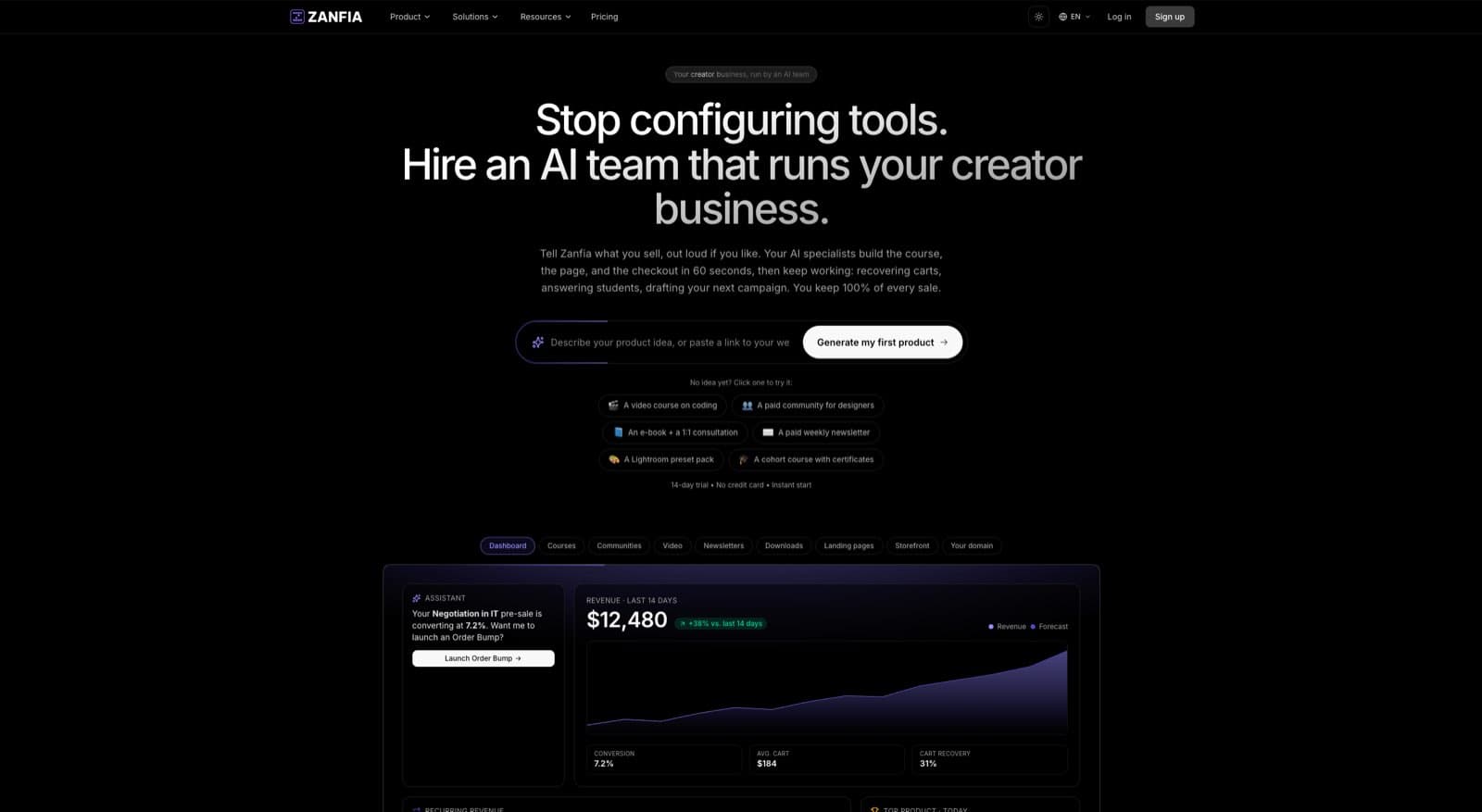
Pre-sell pricing in Cart 2.0
Zanfia’s checkout (Cart 2.0) is built to sell: every pre-sell pricing model out of the box — one-time payment, installment plans for higher-ticket courses (split a $1,500 course into three or four payments), subscription-based pre-orders for membership-style courses, and free trial windows that convert to paid. You can layer order bumps onto the pre-sell — a workbook for $27, a private coaching call for $97 — each with separate invoicing. Subscription upsells at checkout let buyers add ongoing community access to a one-time course purchase in a single transaction. Before you drive traffic, open the same checkout in test mode: it fires conversion events to your platforms’ test surfaces and tags them TEST in the events log, so you can verify the full pre-sell flow end to end without recording a single dollar of production data.
Wallet payments reduce pre-sell friction
Pre-sell buyers hesitate more than buyers of finished products. Every second of checkout friction costs conversions. Zanfia supports Apple Pay and Google Pay natively through Stripe and PayPal, letting buyers complete a pre-sell purchase in two taps from mobile. For US audiences buying from phones — which is now the majority of course traffic — this materially lifts conversion.
White-label custom domain
A pre-sell page on a generic platform subdomain (yourcourse.teachable.com) signals “I’m just renting space here.” A pre-sell page on your own domain (yourcourse.com or your.coachingbrand.com) signals “this is real, I’m invested, I’m not going anywhere.” Zanfia gives you white-label control: every creator gets their own subdomain on `slug.zanfia.co` by default, or you can map a custom domain (availability depends on the plan, see the current Zanfia pricing).
0% platform fees on pre-sell revenue
This matters more on pre-sells than launched courses, because pre-sell volume is usually lower and every dollar of margin counts when you’re funding the build. As of publication, Zanfia charges 0% platform transaction fees on customer sales — you only pay payment processor fees (typically 2.9% + $0.30 via Stripe). On a $10,000 pre-sell launch, that’s the difference between keeping $9,400 versus $7,500 on a platform that charges 25% combined fees.
Native delivery on launch day
When the course is ready, Zanfia handles delivery natively: time-locked module unlocking for drip content, native video hosting (no separate Vimeo subscription required), smart progress-memory player, and a mobile app on iOS and Android so buyers can take the course on the go. You don’t have to migrate buyers from a pre-sell tool to a course platform — they’re already in the right place, alongside the other 11 product types you can sell under the same brand (communities, newsletters, digital downloads, consultations and more).
Refund handling
Zanfia integrates with your payment processor’s refund flow, so honoring your refund policy is a few clicks rather than a customer service nightmare. A built-in referral program to turn happy pre-sell buyers into your first affiliates is coming soon, which will close the loop on the full lifecycle: waitlist, pre-sell, build, deliver, refund, refer.
FAQ
How long should a pre-sell window stay open?
Seven to fourteen days is the sweet spot. Shorter than seven days and you don’t give your audience enough time to see your messaging. Longer than fourteen and urgency collapses, conversions slow to a trickle, and your post-launch energy drains. If you genuinely need more time, run two separate pre-sell windows (founder pricing, then early-bird pricing) with different price tiers and clear deadlines for each.
What’s the minimum audience size needed to pre-sell?
You can pre-sell with as few as 100-200 highly engaged email subscribers if your offer is sharp and your relationship with the list is strong. The metric that matters isn’t list size — it’s how many people on your list have explicitly told you (in DMs, comments, replies) that they have the problem your course solves. If 20 people have asked you about this specific topic in the last 90 days, you can probably pre-sell.
Should I pre-sell on a free trial or a paid platform?
If you’re testing whether you should be a creator at all, running your first pre-sell on a 14-day free trial is fine to prove the mechanics work end to end. Once you’ve validated demand and are serious about building a recurring business, move to a paid plan before launch. Some capabilities you’ll want during a launch (installment plans, order bumps and upsells, custom domain, higher client caps) sit on higher tiers — check the current Zanfia pricing before you commit a launch date.
How do I handle taxes on pre-sell revenue?
For US sellers, pre-sell revenue is generally recognized as deferred revenue (a liability) until you deliver the course, then recognized as revenue at delivery. This matters for accounting and tax planning, especially if your pre-sell crosses a tax year. Talk to a CPA who’s worked with digital products — the rules vary by state and entity type. For sales tax specifically, your platform should handle collection based on buyer location.
Can I pre-sell if I’ve never built a course before?
Yes, but lower your threshold and price accordingly. A first-time pre-seller without an audience or proof of expertise should aim for a small focused pre-sell (10-25 buyers, $97-$197 price point) to learn the mechanics before attempting a bigger launch. The goal of your first pre-sell isn’t maximum revenue — it’s maximum learning about your audience, your delivery capability, and your operational systems.
What if I get the course built faster than expected?
Deliver early. Send a surprise email: “Doors are open three weeks ahead of schedule.” Pre-sell buyers love this. It builds trust, generates testimonials faster, and gives you a head start on the post-launch sales cycle. Never deliver late without communicating — that’s the single fastest way to torch your reputation.
How do I avoid building a course in scope creep mode after the pre-sell?
Lock the scope before you collect payment. Your pre-sell page promises a specific outcome and a rough module structure. Stick to it. The temptation after a successful pre-sell is to “add value” by tripling the content. Resist it. Ship the promised course on time, then build the additional content as a bonus module or follow-up course you can sell separately. Scope creep is how pre-sell promises become missed deadlines.
Ready to validate your course idea with real buyers? Explore how Zanfia’s checkout, waitlists, and native course delivery work together — so you can pre-sell, build, and launch on one platform instead of stitching together five.