

7 Proven Sales Funnels Templates to Boost Your Conversions in 2026
Every successful digital creator knows that a well-designed sales funnel is the engine of a scalable online business. It's the automated journey that turns curious visitors into loyal, paying customers. Yet, many experts and entrepreneurs get stuck in 'pre-launch paralysis,' overwhelmed by the sheer complexity of building one from scratch. What if you didn't have to start with a blank page and a blinking cursor?
This guide provides a curated collection of proven sales funnels templates designed for specific business goals, from launching your first e-book to scaling a premium community or online course. We've eliminated the guesswork so you can focus on what you do best: creating value for your audience. For a foundational understanding of the core principles behind these strategies, it’s helpful to first review the complete playbook on how to create sales funnel which details the mechanics of driving conversions.
Inside this comprehensive listicle, you will find:
- Seven battle-tested templates: Each tailored for a unique objective, like lead generation, webinar registrations, or high-ticket course sales.
- Actionable implementation steps: We break down each template's structure, provide starter copy ideas, and show you exactly how to implement them.
- Platform-specific guidance: Discover how to build each funnel within leading platforms like ClickFunnels, Leadpages, and Zanfia, an AI-first system where an AI team runs the business for you, you dictate the work by chat or voice, and the whole thing ends in a checkout built to sell, all under your own brand with 0% platform transaction fees.
We will explore a variety of tools, including Zanfia, ClickFunnels, Leadpages, Unbounce, Instapage, GetResponse, and FunnelKit. For each, we'll provide direct links and screenshots to give you a clear view of the user experience. Get ready to stop guessing, avoid the tech headaches, and finally launch the automated system your business needs to grow.
1. Zanfia
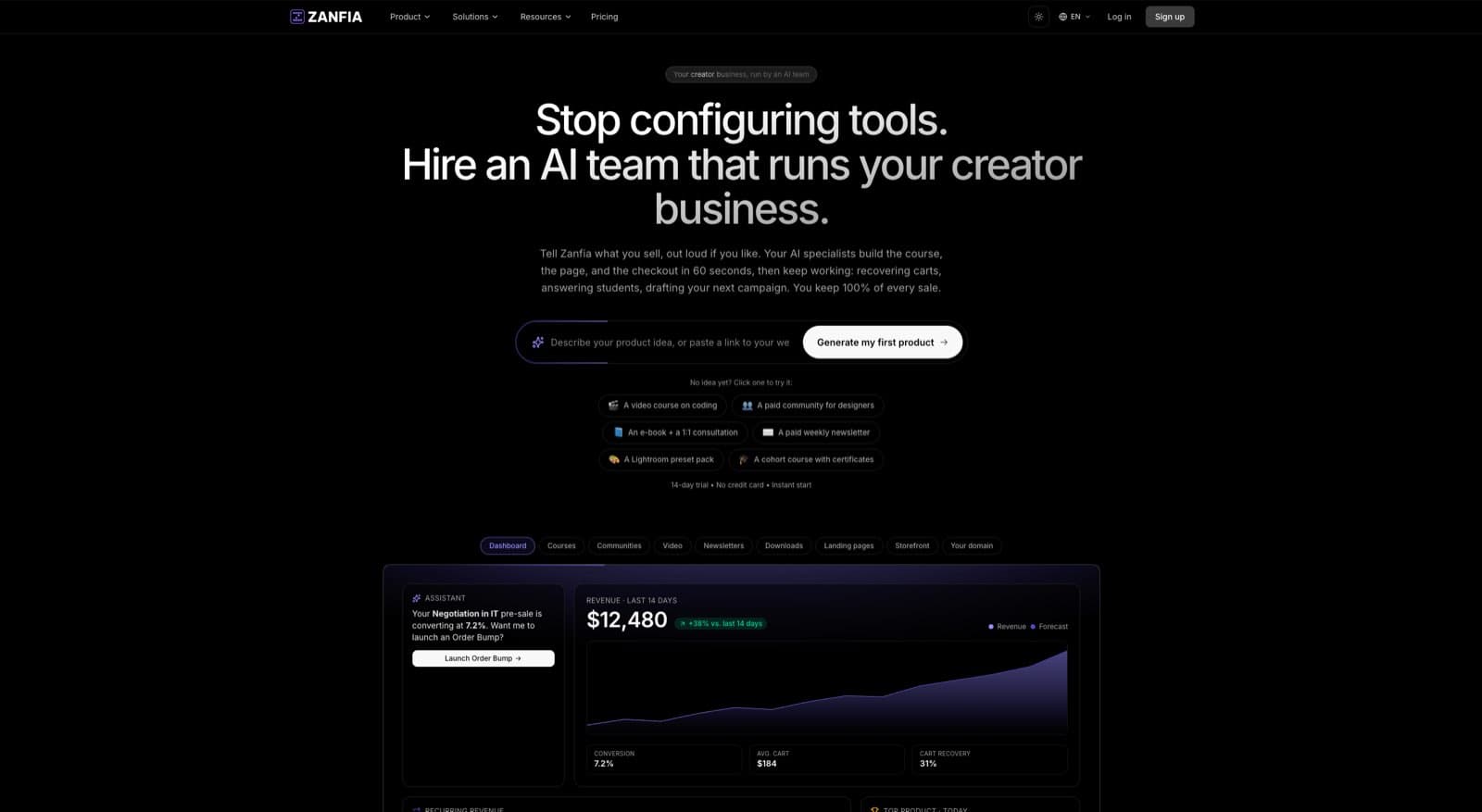
For digital creators and experts, Zanfia is an AI-first, all-in-one platform where an AI team runs the day-to-day of your online business under your own domain. Instead of clicking through settings, you dictate what needs to happen, by chat or by voice, and the assistant performs any action available in the interface. Courses, communities, paid newsletters and digital downloads all live inside that same system, so your funnel is not a stack of glued-together tools but a single ecosystem the AI can act on. Agents can even connect over the MCP endpoint and work with your workspace directly, which lets you build sophisticated sales funnels templates that carry a customer from a lead magnet all the way to a branded community.
Zanfia’s core strength is that the AI team, the community and the checkout share one workspace. Unlike platforms that push audiences to external tools like Discord, Zanfia keeps everything unified under the creator’s brand, dramatically boosting retention. You can design a funnel that starts with a free e-book, transitions to a paid course with native video hosting, and culminates in a premium community membership, with every step managed within one system, and every step the assistant can help you configure by voice.
Key Strengths and Use Cases
Zanfia’s architecture is built to support creators at every stage, from those launching their first product to established operators who need to scale efficiently without hiring a full ops team.
- Integrated Funnel Components: Zanfia provides all the necessary building blocks: landing pages, lead magnets, courses with native video, subscription management, and advanced community tools. This eliminates the tech headaches of juggling plugins and creates a frictionless journey for your audience, and the assistant can wire the pieces together for you from a plain-language brief.
- Built to sell: Creators can sell products as one-time purchases, subscriptions, installment plans, or bundles, add order bumps and upsells at checkout, and run a test purchase on any published checkout in test mode before the first real sale. Splitting a $600 course into four monthly payments, or attaching an order bump to a flagship course, is a checkout configuration, not a plugin project.
- Zero Platform Transaction Fees: As of publication, Zanfia charges 0% platform commission on customer sales on every plan. Creators keep 100% of that revenue, paying only the standard fees from payment operators like Stripe and PayPal. This transparent SaaS model means Zanfia grows with you, not at your expense.
Expert Insight: The true power of Zanfia lies in its workflow automations, which can save creators 5–10+ hours per month. You can instantly grant course access after payment, add buyers to the right community channels, trigger tags in your email tool, and handle subscription renewals automatically, and you can build those flows by describing them to the assistant in plain language.
Practical Implementation in Zanfia
Building a funnel in Zanfia is straightforward. For a classic course launch funnel, you could:
- Create a Lead Magnet: Offer a free PDF download or a mini-course to capture email addresses.
- Set Up a Follow-Up Sequence: Push tags, lists and fields into your email tool through the built-in integrations with ActiveCampaign, Mailchimp, Kit, MailerLite, GetResponse and others, and nurture leads from there.
- Build a Sales Page: Design a high-converting sales page for your main online course.
- Configure Checkout: Connect Stripe or PayPal to handle payments securely, including Apple Pay and Google Pay, and add order bumps or an installment plan directly on the checkout.
- Test Before You Launch: Open the checkout in test mode and run a full purchase yourself. Conversion events fire to test surfaces so your live pixels stay clean, and test orders are hidden from the real order list.
- Automate Access: Instantly enroll new students in the course and a dedicated community channel through the visual automation builder.
For those new to the concept, understanding the foundational principles is key to leveraging a platform like Zanfia. You can learn more about what a sales funnel is and how its stages work together to convert prospects into loyal customers.
Pricing and Access
Zanfia offers a flexible pricing structure designed to grow with your business, starting at $39/month, or $31/month billed annually. Every plan includes a 14-day free trial with no credit card required, the 0% platform commission model, native video hosting, and a `slug.zanfia.co` subdomain from day one. Custom domains, white-label branding and the full AI Assistant are available on higher plans, see the current Zanfia pricing.
Unique Differentiators
| Feature Comparison | Zanfia | Competing Platforms |
|---|---|---|
| Transaction Fees | 0% platform commission on all plans (payment processor fees still apply). | Often charge 5-10% per transaction, especially on lower-tier plans. |
| Community Integration | Natively integrated with courses and products under one login. | Often requires external tools like Facebook Groups or Discord, fragmenting the user experience. |
| White-Label Branding | Full white-label and custom domain support available on higher plans, see the current Zanfia pricing. | Typically reserved for the most expensive enterprise-level plans. |
| Checkout Built to Sell | Order bumps, one-time / subscription / installments, upsells, plus a test-mode checkout so you can buy your own product before launch. | Payment plans, order bumps and test purchases often require extra plugins or higher tiers. |
Ultimately, Zanfia provides a robust, scalable, and creator-centric foundation for building and optimizing your sales funnels templates. An AI team you dictate to by chat or voice, a workspace open to your own AI agents over MCP, and a checkout built to sell with order bumps, installments and test mode make it an exceptional choice for creators who want to grow a digital business without technological headaches or punitive fees.
Website: https://zanfia.com
2. ClickFunnels
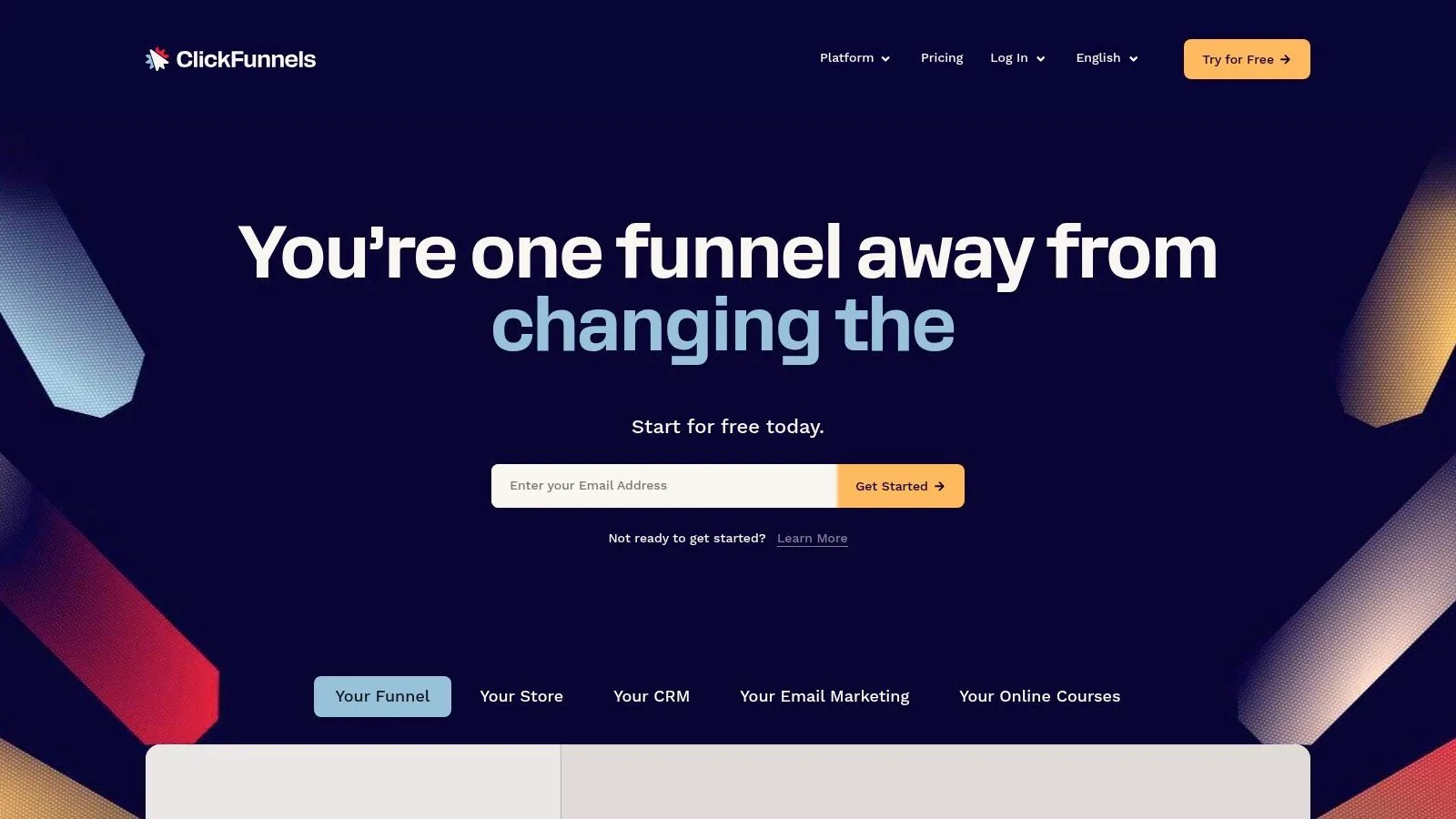
ClickFunnels is an all-in-one platform built from the ground up with a singular focus: creating high-converting sales funnels. For creators and entrepreneurs who think in terms of customer journeys, not just static websites, it provides a comprehensive toolkit to build, test, and optimize every step of the sales process. Its deep library of pre-built sales funnels templates makes it a go-to choice for those wanting to launch quickly without starting from scratch.
The platform’s core strength lies in its extensive collection of funnel blueprints. These aren't just single-page designs; they are complete, multi-step funnel flows for various goals like lead generation, webinar registrations, product launches, and high-ticket sales. Each template is logically structured, guiding you through the necessary stages from the initial landing page to the final thank-you page. Understanding these distinct phases is crucial for success, as each serves a unique purpose in moving a prospect closer to conversion. For a deeper dive into how these components work together, exploring the fundamentals of sales funnel stages can provide valuable context.
Key Features and Standout Offerings
What sets ClickFunnels apart is its mature ecosystem. The drag-and-drop editor is packed with ready-made sections and page blocks specifically designed for conversion, such as countdown timers, progress bars, and video sales letter elements. This allows for rapid customization without needing any code.
- Integrated Marketing Tools: ClickFunnels includes built-in features for A/B testing, detailed analytics, and smart checkouts with order bumps, one-click upsells, and downsells. This integration is vital for maximizing average order value.
- Extensive Training Resources: Subscribers gain access to "FunnelFlix," a vast library of marketing and sales training content from industry experts, providing immense educational value beyond the software itself.
- Community and Support: With a long history in the market, ClickFunnels boasts a massive user community, offering abundant shared funnels, third-party integrations, and peer support.
Pros and Cons
| Pros | Cons |
|---|---|
| Comprehensive Funnel Focus: The entire platform is optimized for building and managing sales funnels. | Higher Price Point: Its monthly subscription is more expensive than many all-in-one alternatives. |
| Broad Template Library: Covers nearly every imaginable marketing and sales scenario. | Templates are In-App: The best templates are accessible only within the platform, not as downloadable files. |
| Strong Ecosystem: Benefits from a large, active community and extensive training materials. | Learning Curve: While powerful, the sheer number of features can be overwhelming for absolute beginners. |
Getting Started
Access to the ClickFunnels template library requires a subscription, with plans typically starting from a basic tier and scaling up. They often offer a free trial, which is the best way to explore the interface and test-drive the funnel builder. To use the templates effectively, select a funnel type that matches your goal (e.g., "Lead Magnet Funnel"), customize the pages with your branding and copy, connect your payment processor, and launch.
Website: https://www.clickfunnels.com
3. Leadpages
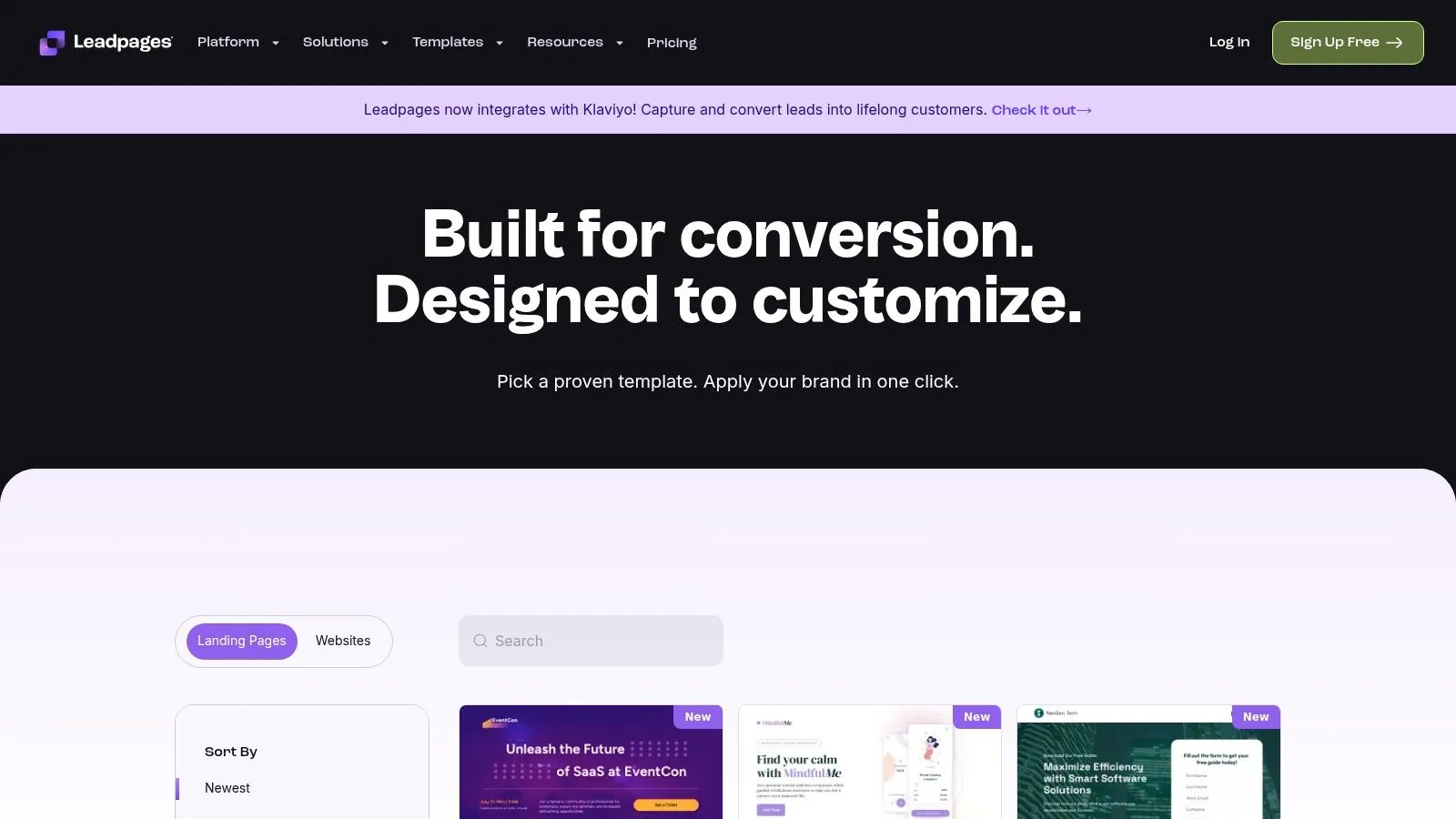
Leadpages is a conversion-focused platform that excels at helping creators and entrepreneurs quickly launch high-performing landing pages and simple websites. While not as complex as dedicated funnel-building systems, its strength lies in speed and simplicity, making it an excellent choice for those who need to publish and test marketing ideas without a steep learning curve. The platform's extensive library of professionally designed sales funnels templates is its crown jewel, enabling users to go from concept to live page in minutes.
The core of the Leadpages experience is its vast and modern template catalog. These templates are not just visually appealing; they are engineered for conversion, with mobile-responsive designs and clear calls-to-action. They cover a wide range of marketing objectives, from generating leads with a free resource to selling a digital product. Many of these templates are designed for a crucial first step in a funnel: capturing a lead. If you're building a lead generation funnel, understanding how to create effective lead magnets is key to maximizing the performance of these templates.
Key Features and Standout Offerings
Leadpages stands out for its user-friendly interface and focus on rapid deployment. The drag-and-drop editor is intuitive, allowing for easy customization of colors, fonts, and content without touching any code. This makes it highly accessible for marketers who are not technically inclined but still want professional results.
- Conversion-Optimized Templates: The library is sortable by conversion rate, allowing you to choose proven designs that are already performing well for other users.
- Built-in Forms and Checkouts: Leadpages includes integrated pop-up forms, alert bars, and a straightforward checkout system powered by Stripe, making it easy to capture leads and process payments directly from your pages.
- Unlimited Traffic and A/B Testing: Unlike some platforms that cap visitors, Leadpages offers unlimited traffic on all plans. Higher-tier plans include native A/B split testing to optimize your pages for maximum effectiveness.
- Strong Integrations: It connects seamlessly with most major email marketing services, CRMs, and webinar platforms, ensuring your new leads flow directly into your existing marketing stack.
Pros and Cons
| Pros | Cons |
|---|---|
| Large, Modern Template Catalog: Hundreds of high-quality, mobile-responsive templates ready for quick deployment. | Lighter on Deep Automation: It is not a full "funnel operating system" with complex automation rules. |
| Lower Entry Price: More affordable than many all-in-one funnel suites, making it great for beginners. | Less Advanced Funnel Logic: Checkout and upsell capabilities are simpler compared to dedicated funnel builders. |
| Excellent for Rapid Publishing: Perfect for quickly creating and testing landing pages for new campaigns. | Relies on Integrations: For advanced marketing automation, you'll need to connect it to a separate service. |
Getting Started
Leadpages operates on a subscription model with different tiers based on features like A/B testing and online sales capabilities. They typically offer a 14-day free trial, which is the best way to explore the template library and builder. To begin, you can browse templates by type (e.g., "Lead Generation," "Sales Page"), select one, customize it with the intuitive editor, connect your email service provider, and publish it to your domain or a Leadpages-hosted URL.
Website: https://www.leadpages.com/templates
4. Unbounce
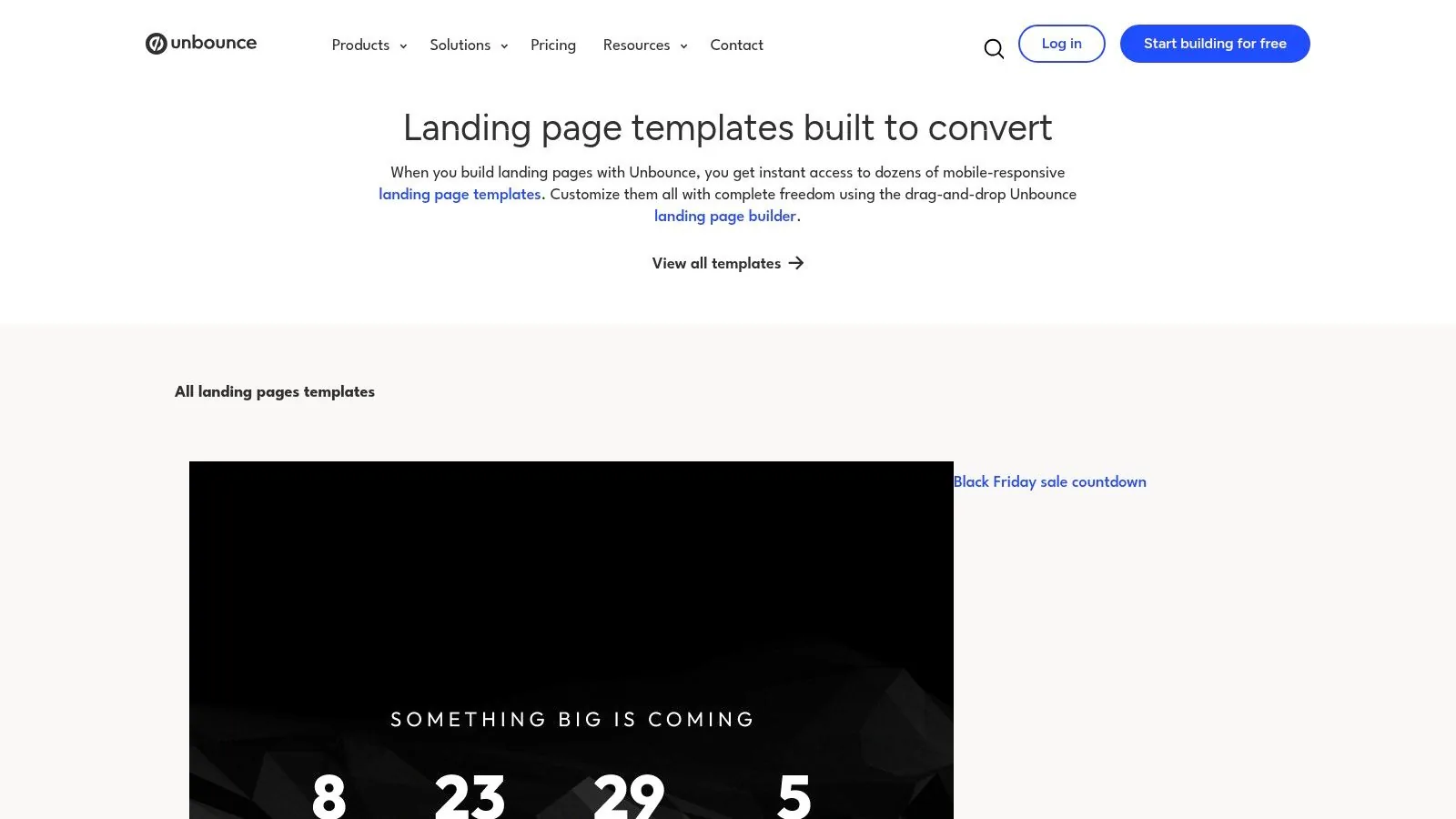
Unbounce is a landing-page-first platform built for marketers who demand high performance from their paid traffic campaigns. While not an all-in-one funnel builder in the same vein as some alternatives, its power lies in perfecting the crucial first step of any sales funnel: the landing page. It offers a rich gallery of professionally designed, conversion-optimized sales funnels templates that serve as the building blocks for lead generation, product promotions, and webinar registrations.
The platform excels at helping users create and rapidly iterate on standalone pages that capture attention and drive a single, focused action. These templates are engineered based on years of conversion rate optimization (CRO) data, providing a solid foundation for any campaign. You can preview every design before signing up, evaluating layouts for lead capture forms, click-through pages, and more. Understanding how a high-converting first touchpoint works is fundamental, and for those new to the concept, learning what a landing page is and its role can significantly improve campaign outcomes.
Key Features and Standout Offerings
Unbounce distinguishes itself with a deep focus on conversion intelligence and speed. Its drag-and-drop builder is flexible and intuitive, allowing for quick creation of page variants for robust A/B testing. This is essential for marketers who need to continuously refine their approach to maximize ad spend.
- Conversion-Focused Tools: The platform includes features like pop-ups, sticky bars, and Dynamic Text Replacement, which automatically matches the text on your landing page to the user's search query, creating a seamless and relevant experience.
- AI-Powered Optimization: Unbounce incorporates AI features like Smart Traffic, which automatically analyzes visitor attributes and sends them to the landing page variant most likely to convert for them.
- High-Quality Responsive Templates: The template gallery is filled with modern, mobile-responsive designs categorized by industry and use case, ensuring a professional look right out of the box.
Pros and Cons
| Pros | Cons |
|---|---|
| Longstanding CRO Focus: Templates are based on proven conversion principles. | Requires External Tools: Needs to be paired with email marketing and checkout tools for a complete funnel. |
| Flexible and Fast Builder: Ideal for creating and A/B testing multiple page variants quickly. | Mid-to-Premium Pricing: The subscription cost is higher than simpler, single-purpose landing page tools. |
| Excellent for Paid Traffic: Features like Dynamic Text Replacement are perfect for PPC campaigns. | Not an All-in-One Solution: Primarily a landing page builder, not a full business platform with course or community features. |
Getting Started
Unbounce operates on a subscription model with tiered plans based on traffic volume and feature access. They typically offer a free trial, which allows you to explore the builder and template library. To get started, you browse the template gallery, select a design that fits your campaign goal (e.g., Lead Generation), customize it with the drag-and-drop editor, and then connect it to your other marketing tools to complete your funnel.
Website: https://unbounce.com/landing-page-templates/landing-pages
5. Instapage
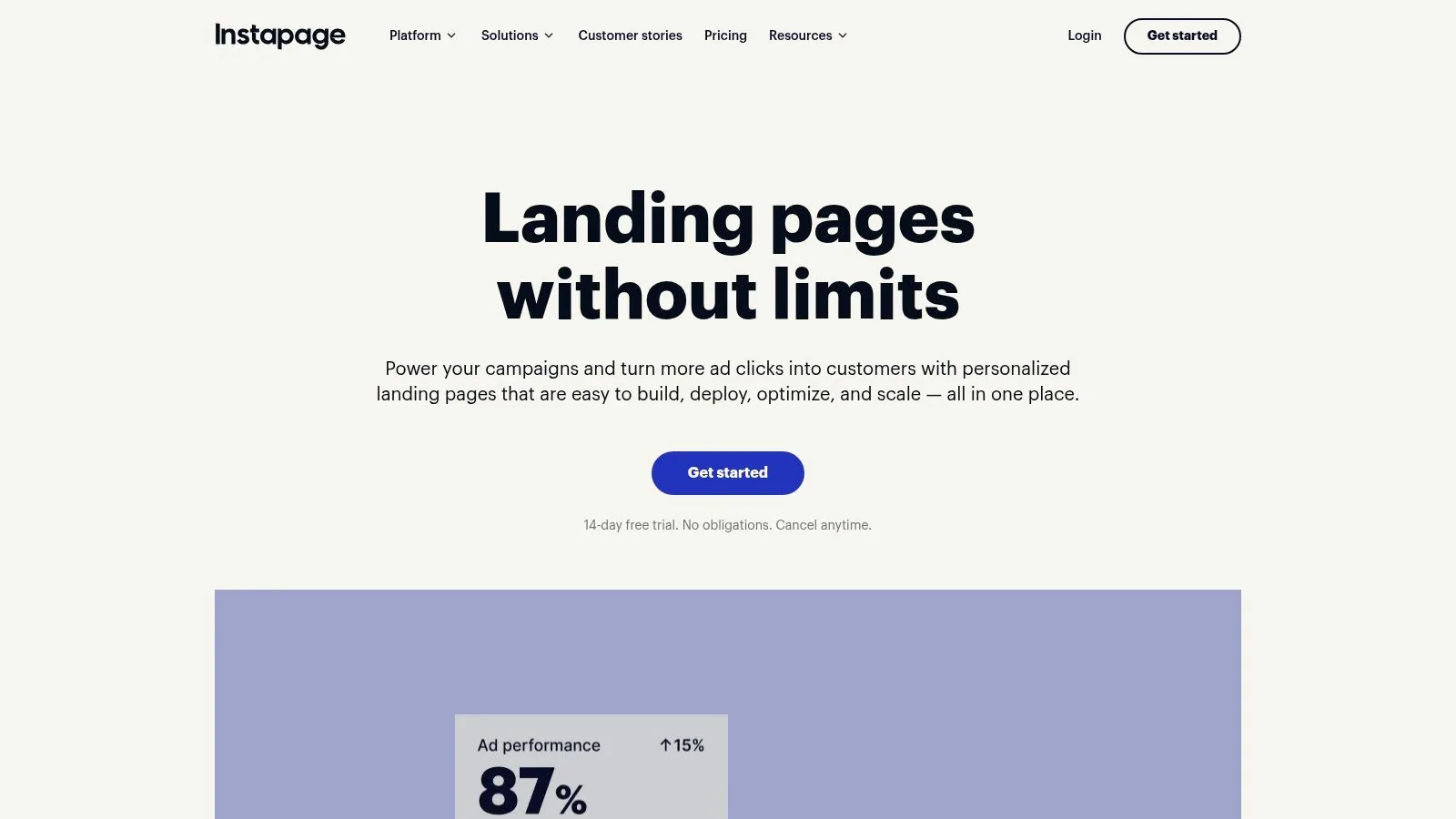
Instapage is an enterprise-grade landing page platform designed for teams and agencies that require scalability, brand consistency, and peak performance from their marketing funnels. While not a traditional all-in-one funnel builder, it excels at creating and optimizing the critical first steps of any funnel. With a massive library of over 500 layouts, it provides a powerful foundation for constructing multi-step sales funnels templates through its modular and reusable components.
The platform's philosophy centers on creating highly optimized, on-brand "post-click experiences." Its strength is not in building complex back-end logic like upsells or memberships, but in perfecting the visitor-facing pages that drive conversions. This is achieved through its innovative "Instablocks" and Global Blocks system, which allows teams to create, save, and reuse entire page sections like headers, footers, and testimonials across hundreds of pages. This approach ensures brand consistency and drastically speeds up the creation of funnels for high-scale advertising campaigns.
Key Features and Standout Offerings
What truly sets Instapage apart is its focus on performance, experimentation, and team collaboration. The platform is engineered to serve pages lightning-fast with its proprietary Thor Render Engine, and it offers robust tools for A/B testing and personalization that are essential for maximizing ad spend ROI.
- Scalable Design System: The Instablocks and Global Blocks feature allows marketing teams to maintain perfect brand consistency at scale, making it simple to update elements across multiple campaigns with a single click.
- Advanced Experimentation Tools: Instapage includes powerful, built-in A/B testing, heatmaps, and detailed analytics to help marketers continuously optimize page performance without needing third-party tools.
- AI-Powered Content Assistance: The platform incorporates AI to help generate and refine headlines, copy, and calls-to-action, accelerating the content creation process and improving conversion potential.
- High-Performance Hosting: With its Thor Render Engine and support for Accelerated Mobile Pages (AMP), Instapage ensures landing pages load incredibly fast, which is crucial for mobile ad campaigns and SEO.
Pros and Cons
| Pros | Cons |
|---|---|
| Excellent for Scalable Campaigns: The reusable block system is a game-changer for teams managing numerous pages. | Higher Price Point: Pricing is geared towards teams, agencies, and larger creators, making it less accessible for beginners. |
| Powerful Experimentation Suite: In-built A/B testing and heatmaps provide deep, actionable insights for optimization. | Limited Funnel Logic: Lacks native features for one-click upsells or complex checkout sequences; requires integration with external tools. |
| Superior Performance and Speed: Pages are optimized for fast loading times to maximize conversions. | Focus on Landing Pages: It's a specialist tool for the top of the funnel, not an all-in-one platform like Zanfia. |
Getting Started
Instapage is a premium subscription service with pricing that reflects its target audience of established businesses and marketing agencies. Plans are tiered based on features and traffic volume. To begin, you can request a demo to see how the platform aligns with your team's workflow. Using the platform involves selecting a layout from the extensive template library, customizing it with the drag-and-drop editor, and leveraging Instablocks to build out additional funnel steps like thank-you pages or bridge pages.
Website: https://instapage.com
6. GetResponse
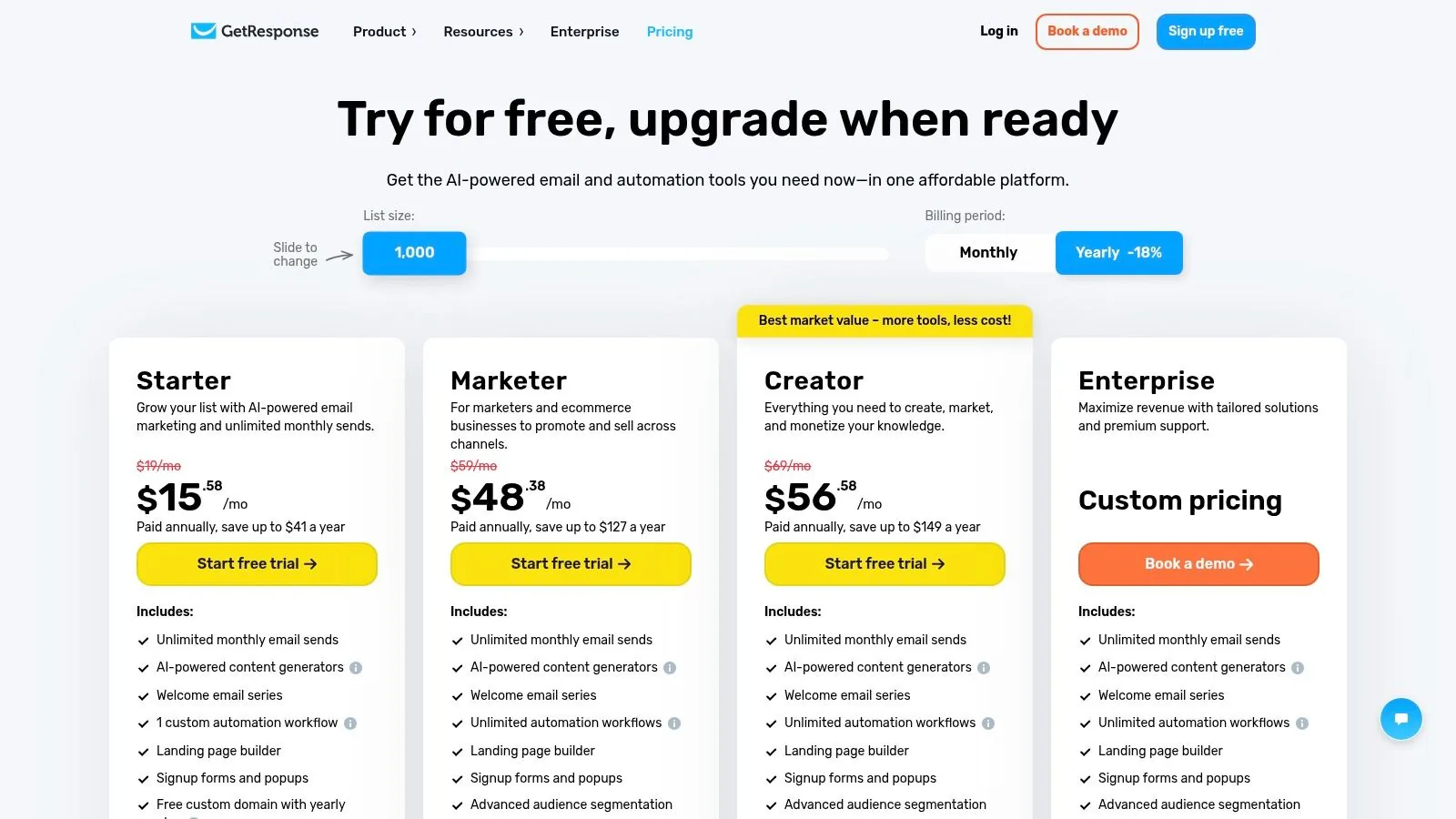
GetResponse positions itself as a comprehensive marketing automation suite, where sales funnels are a core component rather than a standalone feature. Branded as "Conversion Funnels," its approach integrates landing pages, email marketing, webinars, and e-commerce into a single, cohesive workflow. This makes it an excellent choice for creators and small businesses who need a unified platform to manage the entire customer journey, from initial contact to final sale. The platform provides a solid selection of prebuilt sales funnels templates designed for specific goals, streamlining the setup process.
The strength of GetResponse lies in its seamless integration. When you select a funnel template for a lead magnet, for instance, the platform not only provides the landing page designs but also prompts you to create the follow-up email sequence, connect a list, and set up the thank-you page. This guided, end-to-end process removes the technical friction often associated with stitching together multiple tools. Understanding how to structure these automated follow-ups is key, and exploring different marketing automation workflow examples can provide powerful inspiration for nurturing leads effectively.
Key Features and Standout Offerings
GetResponse truly shines for businesses where email and webinars are central to their sales strategy. The funnel builder is deeply connected to its best-in-class email marketing and webinar hosting tools, creating a powerful, all-in-one system for content creators and online educators.
- Integrated Toolset: The platform includes a landing page builder, pop-up forms, webinar hosting, and advanced email automation within the same subscription. This eliminates the need for third-party integrations for core marketing functions.
- Goal-Oriented Funnel Templates: Templates are categorized by objective, such as building a list, selling a product, or promoting a webinar. Each template provides a pre-configured, step-by-step path to achieve that goal.
- E-commerce Capabilities: Higher-tier plans include features like abandoned cart recovery, promo codes, and payment processor integrations, allowing users to build complete sales funnels without leaving the platform.
Pros and Cons
| Pros | Cons |
|---|---|
| Excellent All-in-One Value: Combines funnels, email, and webinar tools in one subscription. | Simpler Page Editor: The landing page and funnel editor is less advanced than dedicated funnel builders. |
| Seamless Automation: Funnel templates are natively integrated with the email automation stack. | Tiered Feature Access: Advanced e-commerce and automation features are restricted to higher-priced plans. |
| Ideal for Creators: A strong choice for course creators and newsletter-driven businesses. | Fewer Advanced Funnel Types: The template selection is robust but may lack highly specialized funnel blueprints. |
Getting Started
GetResponse’s Conversion Funnel feature is available on most of its paid plans, which are tiered based on list size and feature access. A free trial is usually available, offering a great opportunity to explore the funnel builder and integrated tools. To start, you simply select a funnel type that matches your business goal (e.g., "Standard Opt-in Funnel"), customize the pre-built pages with your branding, write your automated email follow-ups within the tool, and publish.
Website: https://www.getresponse.com/pricing
7. FunnelKit (WordPress + WooCommerce)
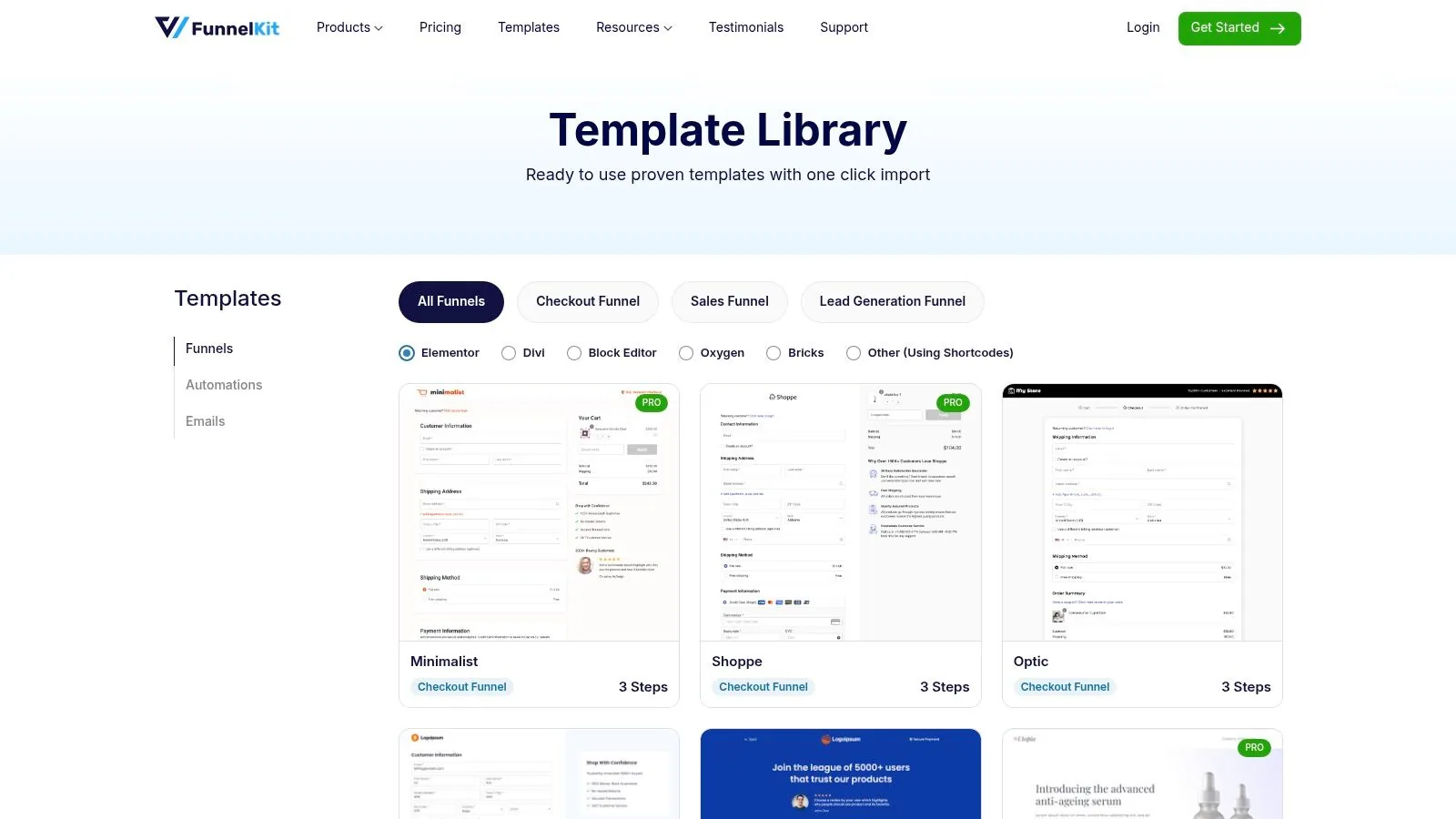
For entrepreneurs and merchants rooted in the WordPress and WooCommerce ecosystem, FunnelKit offers a powerful way to build high-converting sales funnels without leaving their self-hosted environment. It operates as a sophisticated plugin suite designed to transform a standard WooCommerce store into a robust funnel-building machine. FunnelKit provides a comprehensive library of sales funnels templates specifically optimized for checkouts, lead generation, and maximizing customer value.
The platform excels at enhancing the most critical part of the customer journey: the transaction. Its templates are not just for landing pages; they include complete, conversion-focused flows for opt-ins, sales pages, multi-step checkouts, and crucial post-purchase upsells and downsells. This focus on the checkout process empowers store owners to own their entire tech stack while implementing proven funnel strategies directly within their existing WordPress site.
Key Features and Standout Offerings
FunnelKit’s main advantage is its deep integration with WooCommerce, allowing for a level of customization and control that all-in-one platforms cannot match. You can one-click import entire funnel templates, from the initial sales page to the thank-you page, and customize them using your favorite page builder like Elementor, Divi, or Oxygen.
- Checkout and Post-Purchase Optimization: The core of FunnelKit is its ability to create streamlined, multi-step checkouts with order bumps, one-click upsells, and downsells to significantly increase average order value.
- Built-in Analytics and A/B Testing: The platform includes native tools to A/B test different pages within your funnel and provides detailed analytics to track performance and identify optimization opportunities. For those building sales funnels with FunnelKit on a WooCommerce store, understanding how to integrate diverse payment methods, such as WooCommerce crypto payments , can broaden your customer base.
- Automation Engine: Higher-tier plans unlock FunnelKit Automations, a visual workflow builder that enables you to create powerful email and SMS follow-up sequences for cart abandonment, post-purchase nurturing, and more.
Pros and Cons
| Pros | Cons |
|---|---|
| Full Ownership of Your Stack: You retain complete control over your data and platform on your own WordPress hosting. | Requires WordPress/WooCommerce: You must have an existing or new WordPress site with WooCommerce installed. |
| Highly Customizable: Leverages the flexibility of WordPress and popular page builders for limitless design options. | Maintenance Responsibility: You are responsible for hosting, plugin updates, and site security. |
| Cost-Effective for WooCommerce: A powerful solution for adding advanced funnel capabilities to an existing store. | Features Gated by Tiers: Advanced analytics and automations are only available in higher-priced plans. |
Getting Started
FunnelKit is a premium WordPress plugin, so access requires purchasing a license from their website. Plans are typically offered on an annual basis with different tiers unlocking more advanced features. Once purchased, you install the plugin on your WordPress site. To use the templates, you navigate to the FunnelKit dashboard, choose a pre-built funnel that aligns with your campaign goal, import it with a single click, and then customize the pages with your content and product information.
Website: https://funnelkit.com/templates/
Top 7 Sales Funnel Templates Comparison
| Product | Implementation Complexity 🔄 | Resource Requirements ⚡ | Expected Outcomes ⭐📊 | Ideal Use Cases 💡 | Key Advantages |
|---|---|---|---|---|---|
| Zanfia — AI-first all‑in‑one creator platform | Low–Moderate 🔄🔄 — dictate setup to the assistant by chat or voice; optional API/CLI/MCP | Moderate ⚡⚡⚡ — minimal dev; plan-dependent limits on clients, products and AI credits | Branded memberships, course sales & conversion insights — ⭐⭐⭐⭐ 📊 | Creators/small teams who want an AI team to run the business day to day | AI Assistant with voice dictation; MCP endpoint for your own agents; 0% platform commission; checkout with order bumps, installments and test mode |
| ClickFunnels — funnel‑first builder | Moderate 🔄🔄🔄 — template-driven, turnkey funnels | Lower dev, higher subscription cost ⚡⚡ | High‑converting sales funnels with native upsells/checkout — ⭐⭐⭐⭐⭐ 📊 | Funnel‑driven launches, webinars, creators focused on sales funnels | Extensive funnel templates; smart checkout (order bumps/upsells); training resources |
| Leadpages — fast landing pages & simple funnels | Low 🔄🔄 — fast template deployment | Very efficient for quick pages ⚡⚡⚡⚡ | Rapid lead capture and simple funnels — ⭐⭐⭐⭐ 📊 | Rapid publishing, A/B testing, MVP funnels | Large template catalog; lower entry price; quick deployment |
| Unbounce — CRO‑focused landing pages | Moderate 🔄🔄🔄 — needs integrations for full funnels | Efficient for paid‑traffic testing ⚡⚡⚡ | High‑quality CRO pages and fast iteration — ⭐⭐⭐⭐ 📊 | Paid‑traffic marketers needing rapid testing & relevance | Conversion‑optimized templates; dynamic text replacement; strong A/B testing |
| Instapage — enterprise landing & experimentation | High 🔄🔄🔄🔄 — design systems and team controls | Higher resource & budget needs ⚡⚡ | Scalable, on‑brand pages and advanced experimentation — ⭐⭐⭐⭐ 📊 | Agencies/teams running high‑scale ad campaigns | Global blocks/Instablocks; performance tooling; deep analytics & heatmaps |
| GetResponse — funnels + email/webinar stack | Moderate 🔄🔄🔄 — integrated but simpler editor | Efficient (reduces external tools) ⚡⚡⚡ | End‑to‑end funnels with email/webinars & recovery — ⭐⭐⭐⭐ 📊 | Course creators and newsletter‑driven businesses | Funnels integrated with email/webinars; abandoned‑cart and promo tools; good value |
| FunnelKit (WP + WooCommerce) — checkout‑focused funnels | High 🔄🔄🔄🔄 — requires WP/Woo setup & maintenance | More overhead (hosting, plugins) ⚡⚡ | Owned checkout funnels with post‑purchase revenue — ⭐⭐⭐⭐ 📊 | Merchants owning their stack on WooCommerce | One‑click funnel templates; order bumps/upsells; deep WooCommerce customization |
Your Next Step: From Template to Profitable Funnel with Zanfia
We've explored a powerful collection of sales funnels templates, from simple Lead Magnet Funnels to sophisticated Product Launch sequences. Each blueprint serves a distinct purpose, guiding potential customers on a carefully crafted journey from initial awareness to loyal advocate. Yet, a template, no matter how well-designed, is only a map. The real journey begins when you choose the vehicle that will carry you and your customers forward.
The biggest takeaway is that modern digital entrepreneurship no longer requires a patchwork of disconnected tools, costly plugins, and frustrating technical workarounds. As of publication, keeping 100% of every sale (minus standard processor fees) is possible on the right platform. True scalability and profitability are found in a unified system that prioritizes your brand, your revenue, and your time.
From Blueprint to Business Engine
As you consider which funnel to implement first, remember that the platform you build on is just as crucial as the strategy you deploy. The right ecosystem doesn't just host your pages; it automates your workflows, engages your community, and simplifies your operations, freeing you to focus on creating value for your audience.
Here are the key factors to consider as you move from concept to execution:
- Financial Efficiency: Does your chosen platform take a cut of your revenue? A 0% platform fee model, like the one Zanfia offers today on every plan, is a game-changer. It means you keep 100% of your earnings (minus standard payment processor fees), allowing you to reinvest in your business, not your software subscription's hidden costs. This becomes exponentially more important as you scale.
- True All-in-One Capability: Avoid the "all-in-one" platforms that still require you to host videos on Vimeo, manage your community on Discord, or bolt on a separate assistant. A truly integrated system brings your courses, community, e-commerce, and follow-up sequences under one roof with a single login for your customers, and lets an AI team act across all of it. This unified experience dramatically boosts engagement and customer lifetime value.
- Automation and AI That Save Real Time: A great funnel works for you, not the other way around. Look for a system where an assistant can perform any action available in the interface, by chat or by voice, on top of a visual automation builder. Granting course access after a purchase, adding a new member to the correct community channel, and syncing tags into your email tool should happen instantly and automatically, and you should be able to configure the flow by describing it out loud, saving 5-10+ hours of manual work each month.
- Brand Ownership: Your brand is your most valuable asset. A platform that allows you to use your own custom domain and offers full white-labeling ensures that your customers have a seamless experience with your brand, not the software provider’s. This is non-negotiable for building a professional and premium presence.
Making Your Choice and Taking Action
The selection of sales funnels templates in this article gives you a strategic advantage, but that advantage is only realized through implementation. Your next step is to choose one funnel that aligns with your immediate business goal. Are you focused on list building? Start with the Lead Magnet Funnel. Launching a new flagship course? The Product Launch Funnel is your blueprint.
Once you’ve chosen your template, the most impactful decision you'll make is selecting a platform that empowers, rather than restricts, your growth. Instead of wrestling with a WordPress stack or paying international giants transaction fees, consider a solution built to address the specific needs of modern creators. With Zanfia, you're not just getting a tool; you're gaining an AI team that runs the day-to-day of your business, a workspace open to your own AI agents over MCP, and a checkout built to sell with order bumps, installments and test mode, all before you spend a dollar on ads.
The path from a simple template to a profitable, automated sales engine is clearer and more accessible than ever. The key is to choose a foundation that lets you build with confidence, clarity, and complete control.
FAQ
Which sales funnel template should I start with if I've never launched a digital product before?
Start with the lead magnet funnel: a free PDF or mini-course captures emails, a follow-up sequence nurtures leads, and a sales page converts them into buyers. The article recommends this classic structure because it validates your audience before you invest in complex offers. Once it converts, you can layer in a paid course and community membership as later steps.
Do I need separate tools for landing pages, checkout, and email to build these funnels?
Not necessarily. The article shows that all-in-one systems like Zanfia bundle landing pages, checkout, courses, and community into one workspace, while Leadpages includes integrated forms and a Stripe-powered checkout on its pages. Dedicated funnel tools like ClickFunnels also combine A/B testing, checkouts with order bumps, and one-click upsells so you avoid juggling plugins.
How do order bumps and installment plans fit into a sales funnel template?
Order bumps and installments live at the checkout step of the funnel and lift average order value without adding new pages. The article notes that splitting a $600 course into four monthly payments or attaching an order bump to a flagship course is a checkout configuration on Zanfia, while ClickFunnels handles the same through smart checkouts with one-click upsells and downsells. Both approaches let you monetize harder inside a funnel you already have.
Why should I test a funnel before driving traffic to it?
Testing catches broken checkouts, missing tracking, and access issues before real customers hit them. The article highlights that you can open a Zanfia checkout in test mode and run a full purchase yourself, with conversion events firing to test surfaces so live pixels stay clean and test orders are hidden from the real order list. That verification step protects both your data and the buyer experience on launch day.
How does a community fit into a sales funnel template, and why keep it under one brand?
A community typically sits at the end of a funnel as a premium membership or retention layer that follows a course purchase. The article argues that keeping the community inside the same workspace as your courses and checkout, rather than pushing buyers to Discord or Facebook Groups, reduces friction and improves retention. That unified experience under your own brand is why the sample funnel ends in a branded community rather than an external tool.
Ready to transform these proven sales funnels templates into a thriving part of your business? With Zanfia, an AI-first, all-in-one platform, you can dictate the build by chat or voice, connect your own AI agents over MCP, and launch a checkout with order bumps, installments and test mode, all under your own brand with 0% platform transaction fees. Start your 14-day free trial on Zanfia today, no credit card required.