

Facebook Website Like Button: The 2026 Deprecation Guide

If you're still planning to add a facebook website like button, you're solving yesterday's problem. Meta has confirmed that the external Like and Share buttons for third-party websites will be discontinued on February 10, 2026, and any remaining plugins will degrade into invisible elements, according to Engadget's report on Meta ending the external Like button.
That changes the central question. It's no longer “How do I install a Facebook Like button on my site?” It's “What should replace the business value I hoped that button would create?”
For most site owners, the answer isn't another cosmetic widget. It's a mix of share intent, cleaner measurement, and more first-party engagement.
Table of Contents
The End of an Era for the Facebook Like Button
The old assumption was simple. Add the plugin, show social proof, and let visitors interact with your content without friction. That assumption is now outdated.
Meta's confirmed shutdown means the external facebook website like button is moving from legacy feature to dead weight. After the cutoff, old embeds won't offer a meaningful fallback. They'll degrade into invisible elements.

What this means in practice
If your site still uses the old plugin, you need to treat it like any other deprecated dependency:
- Audit pages now: Check blog templates, landing pages, old article layouts, and CMS widgets for legacy Facebook embeds.
- Stop following outdated tutorials: Any guide focused on installing the website Like plugin as a current best practice is already stale.
- Plan for measurement changes: If you relied on visible Like counts or plugin-level interaction as a trust signal, that layer is going away.
- Replace the user action, not the look: In most cases, a share action is the closest practical substitute.
Practical rule: If a website feature depends on another company's interface, script, and policy decisions, it isn't part of your durable business infrastructure.
That's the bigger strategic lesson here. A lot of businesses treated the Like button as a small front-end enhancement. In reality, it was an external dependency tied to platform decisions, audience behavior, and tracking rules you didn't control.
Why this can be good for your business
For creators, educators, and membership businesses, the retirement of the widget removes a distraction. A passive click on a third-party plugin was never the same as a subscriber joining your list, a customer entering your funnel, or a member participating in your community.
If your goal is revenue, retention, or repeat engagement, you need stronger signals than a borrowed social button. That's why it makes more sense to focus on channels you can measure and keep. If social traffic still matters to your business, this is a good time to rethink how you monetize social media with assets you control.
Understanding the Original Like Button Implementation
The old Facebook Like button was never just a small design element. It became a standard website add-on so quickly that many businesses treated it like permanent infrastructure, and that assumption is why so many sites still carry leftover code from a tool that no longer fits current priorities.
On older websites, the Like button usually showed up in one of two forms.
JavaScript SDK embed
The site loaded Facebook's SDK across the page, then rendered the button through Facebook-specific markup. Developers often chose this route when they wanted the button to sit alongside other Facebook features or needed tighter control over placement.Iframe embed
Simpler installs used an iframe generated by Facebook's own tools. It was easy to paste into a CMS or page builder, which is exactly why it spread so widely. It was also harder to style, harder to troubleshoot, and easy to forget once it was live.
That history still matters for one practical reason. Removal work is often messier than expected. The visible button may be gone while the script, template snippet, plugin setting, or cached widget output is still active somewhere in the stack.
A proper audit usually includes theme files, tag managers, CMS plugins, page-builder blocks, and old campaign landing pages. Agencies and in-house teams often removed the front-end element years ago but left the dependency behind. That creates wasted requests, inconsistent behavior, and confusion during redesigns.
Why Open Graph still matters
Removing the widget does not mean stripping out everything tied to Facebook. Open Graph metadata still affects how your pages appear when people share them on Facebook and other platforms that read those tags.
Your page should still define metadata such as:
- og:title: the headline shown in the share preview
- og:image: the image attached to the shared link
- og:description: the summary text
- og:url: the preferred canonical page URL
This is a different job from maintaining a Like button. Legacy button code is mostly something to remove. Open Graph is still something to maintain.
That distinction matters because businesses often confuse distribution with ownership. A clean share preview can support referral traffic, but it does not create a relationship you control. The stronger long-term move is to connect social activity to an owned audience strategy, which is why many teams are shifting attention toward social media community management systems that support direct audience relationships instead of relying on passive third-party reactions.
Why the Web Is Moving Beyond Third-Party Widgets
Third-party widgets stopped being harmless decoration a long time ago. For many businesses, they became a poor trade: slower pages, more compliance review, less control, and very little lasting audience value.
The old Like button reflected a different web model. A platform supplied the interaction, collected the behavioral signal, and kept most of the relationship for itself. That arrangement is harder to justify now, especially for companies under pressure to explain what runs on their site, what data is shared, and what business result each script produces.
Privacy and control changed the cost-benefit equation
Teams that still embed outside widgets have to weigh more than visual convenience. Each script can affect operations in ways owners feel quickly during audits, redesigns, and consent reviews:
- Privacy exposure: page visits and interactions may be observable by another platform
- Performance cost: external requests can slow rendering and create debugging work
- Compliance burden: legal and marketing teams may need clearer consent, disclosure, and vendor documentation
- Platform dependency: the feature can change or disappear without regard for your roadmap
That last point matters more than it used to. The Like button is a clear example of what happens when a site feature depends on a third party's priorities instead of your own.
There is also a product strategy issue. A widget can create visible activity without creating a reusable customer asset. A click on a social plugin may signal mild interest, but it does not give your team a subscriber, a member record, or a direct communication channel.
Cheddar's reporting on the broader effects of the Like button points to this gap between platform engagement and business value. Website owners often treated those interactions as proof of traction, even when they did little to support purchase intent, retention, or community growth.
If the interaction lives on someone else's platform, the business value is limited.
That is why smart teams are replacing passive social reactions with actions they can measure and use again. Account-based comments, email capture, member spaces, and referral flows create stronger follow-up options than a third-party badge ever did. The same logic sits behind stronger social media community management practices, where participation connects to an audience the business can reach directly.
For product and marketing teams that still need external integrations, the goal is selective use, not blanket removal. Use APIs and controlled share actions where they support a clear outcome. Avoid embedded elements that mainly hand data and attention back to the platform. This guide on social APIs for product teams is a useful reference when evaluating that trade-off.
Modern Alternatives to the Facebook Like Button
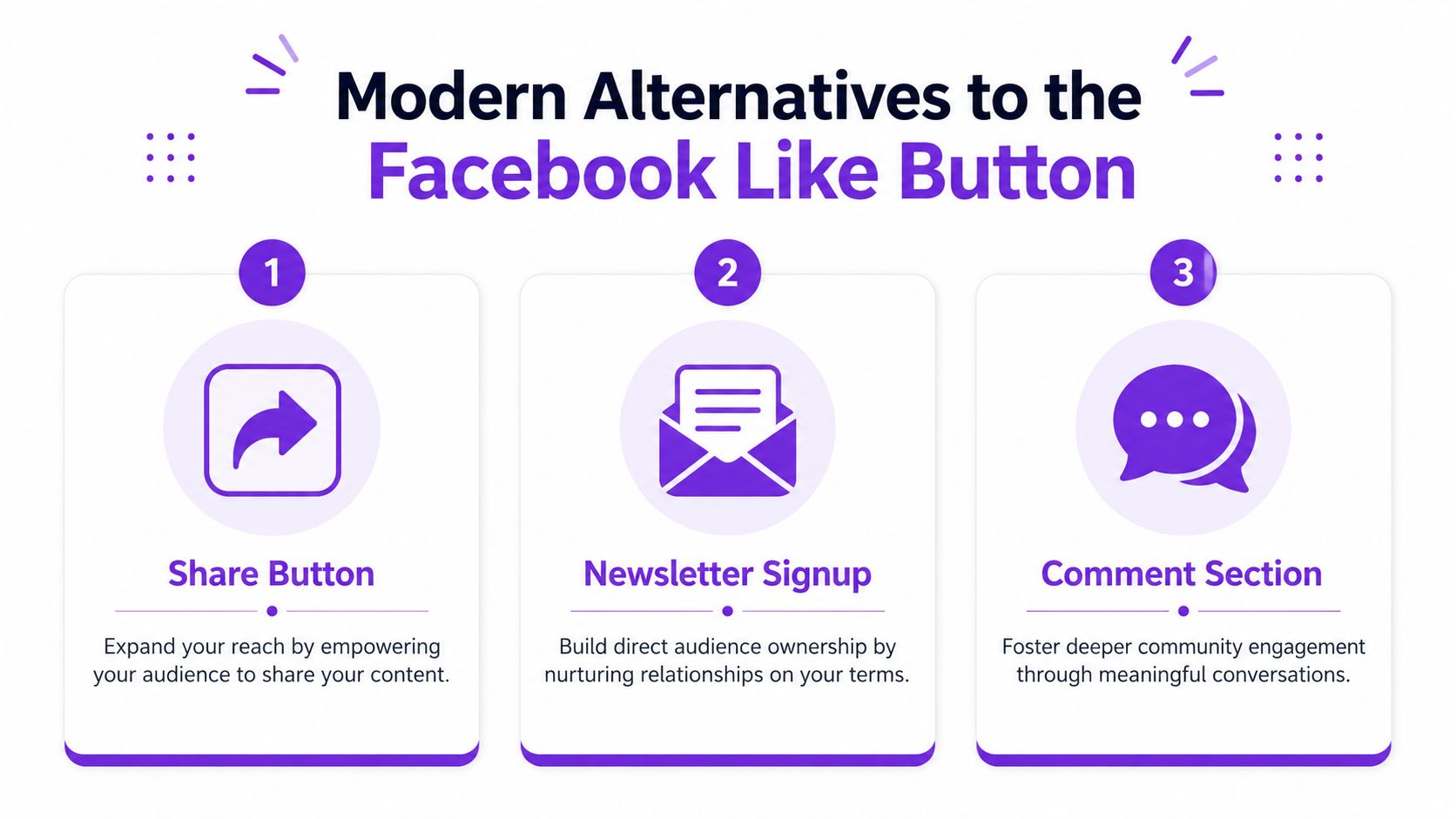
If you need a direct replacement for the old facebook website like button, the practical answer is not another Like button. It's a share-first workflow.
An effective implementation uses Facebook's sharer endpoint with the current page URL, following the approach described in Elfsight's guide to Facebook Like button alternatives. The key detail is to pass the encoded canonical URL so your shares and analytics don't fragment across multiple page versions.
The closest replacement
A custom share button is simple in concept:
<a href="https://www.facebook.com/sharer/sharer.php?u=https%3A%2F%2Fexample.com%2Fpage"
target="_blank" rel="noopener noreferrer">
  Share on Facebook
</a>
That's the functional baseline. In production, development teams often improve it by generating the canonical URL dynamically and styling the control so it matches the rest of the site.
Common mistakes include:
- Using a non-canonical URL: this can split attribution across variants
- Skipping URL encoding: that can break the share link
- Treating share counts as a KPI: many platforms no longer support that model consistently
Better alternatives than pure social widgets
A share button preserves distribution. It doesn't create ownership. For many businesses, stronger replacements sit closer to your own funnel:
| Feature | Legacy Like Button | Facebook Share Button | First-Party Community Reactions (e.g., Zanfia) |
|---|---|---|---|
| Primary action | Passive approval | Content distribution | On-site participation |
| Data ownership | Limited | Limited | Higher first-party control |
| Conversion relevance | Often indirect | Indirect but trackable | Closer to customer journey |
| Dependency on Meta | High | High for destination, lower for embed | Lower |
| Long-term usefulness | Ending | Still workable | Stronger strategic fit |
There's also a wider tooling question. If your product team is redesigning social actions across multiple platforms, this guide on social APIs for product teams is useful for understanding what modern integrations can and can't do.
Where owned engagement wins
Comments, reactions, discussion threads, and post-purchase prompts are often more valuable than a third-party Like ever was. One option is to use a first-party platform that combines community and digital products under one login. Zanfia does that with community spaces, courses, newsletters, and built-in analytics on a custom domain, which is a more durable setup than relying on disappearing external plugins.
A good replacement question isn't “What icon should I put there?” It's “What action best moves this visitor toward a relationship?” In many cases, customer stories and community responses do more than surface-level counters, especially if you're already working on how to get testimonials from customers.
Tracking Social Proof and Referral Traffic Today
The hardest part of losing the old plugin isn't design. It's measurement.
BuiltWith reports that Facebook Like Button is used on 872,390 live websites worldwide and has been used on more than 6 million sites historically, according to BuiltWith trend data for Facebook Like Button usage. That means a huge number of site owners need a new way to understand what social interaction is achieving.
Replace vanity metrics with attributable traffic
The cleanest move is to track share-driven visits and downstream conversions, not on-page Likes.
For example, if you control your share links, you can append UTM parameters to the URL you want distributed. That lets analytics tools separate Facebook-driven visits from other referrals more clearly.
A simple structure looks like this:
- utm_source=facebook
- utm_medium=social-share
- utm_campaign=article-share
That won't tell you who liked your page. It will tell you something more useful: whether shared links brought visitors who signed up, browsed key pages, or bought something.
What to check in analytics
When reviewing performance, focus on reports that answer business questions:
- Which landing pages receive Facebook referral traffic
- What those visitors do next
- Whether they complete meaningful actions
- Which page versions attract the most shares
If your reporting setup is weak, start with the basics and tighten naming conventions before you add complexity. Consistency matters more than fancy dashboards.
Measurement shift: count visits, signups, and purchases. Stop treating visible social counters as proof of business impact.
For teams navigating broader discoverability changes, social referrals aren't the only visibility layer to monitor anymore. This overview of protecting your brand in AI conversations is worth reading because more audience journeys now start outside traditional search and social paths.
A short video walkthrough can also help if your team needs a refresher on traffic analysis workflows before rebuilding reporting around social shares:
If you want a tighter framework for reading referral and conversion patterns, this guide on how to analyze website traffic is a practical next step.
Your Path Forward Building an Owned Audience
The external facebook website like button is ending, but the bigger story is healthier than it first appears. Businesses are being pushed away from borrowed interaction and toward owned audience systems.
That's a good trade if you respond correctly.
The practical move
Replace any remaining Like plugin with a share-first control where social distribution still matters. Keep your canonical URLs clean, maintain Open Graph metadata, and add UTM parameters so referral traffic is measurable.
Then go one level deeper. Ask what you want from that page:
- More reach: use sharing
- More trust: show customer proof and real outcomes
- More retention: build on-site participation
- More revenue: move visitors into email, offers, memberships, or products you control
The strategic move
The old widget belonged to an era when platforms borrowed your audience and rented it back to you through visibility. That model is fragile.
An owned audience works differently. You collect email addresses. You host your offers under your own brand. You build a community experience that doesn't depend on a social network keeping an embed alive. If you're still deciding what your home base should look like, this guide to picking a personal website builder is a useful comparison starting point.
The main shift is mental. Stop treating external reaction widgets as assets. They were always temporary.
Email subscribers, customers, members, and community participants are not temporary. If you want a stronger foundation, invest in systems that help you keep and re-engage people directly, starting with a clear plan for building your email list.
If you're ready to move from borrowed social signals to an owned platform, Zanfia gives creators and businesses one place to run community, courses, paid newsletters, digital products, automations, and analytics under their own domain, with 0% platform fees on sales and only payment operator fees applying.


