7 Best Community Platforms for Creators in 2026
The creator economy is shifting. Gone are the days of chasing fleeting engagement on borrowed social media land. Today, the most successful creators, experts, and brands are building their empires on owned ground, using dedicated platforms where they control the experience, the data, and the revenue. This strategic move from rented audiences on social media to owned assets is no longer a trend; it is a fundamental requirement for sustainable growth.
Choosing from the best community platforms isn't just a technical decision; it's the foundation for building deeper member relationships and predictable income streams. The right platform centralizes your business, allowing you to host premium courses, manage subscriptions, sell digital products, and foster genuine connections, all under your own brand. It eliminates the chaos of patching together different tools and stops you from sending your hard-earned audience to third-party apps like Discord or Facebook.
But with a crowded market, how do you pick the right one? This guide cuts through the noise. We will provide a comprehensive roundup of the leading options, helping you find the perfect fit for your specific needs, whether you're launching your first product or scaling an established digital business. We will explore the critical features that matter most, from integrated course hosting and flexible payment models to powerful automations that save you time.
In this detailed breakdown, you'll get a clear, side-by-side look at the top 7 platforms designed to turn your audience into a thriving, profitable community. Each review includes key features, ideal use cases, pros, cons, direct links, and screenshots to give you a complete picture before you commit. Let's find the platform that will become the new home for your business.
Table of Contents
1. Zanfia
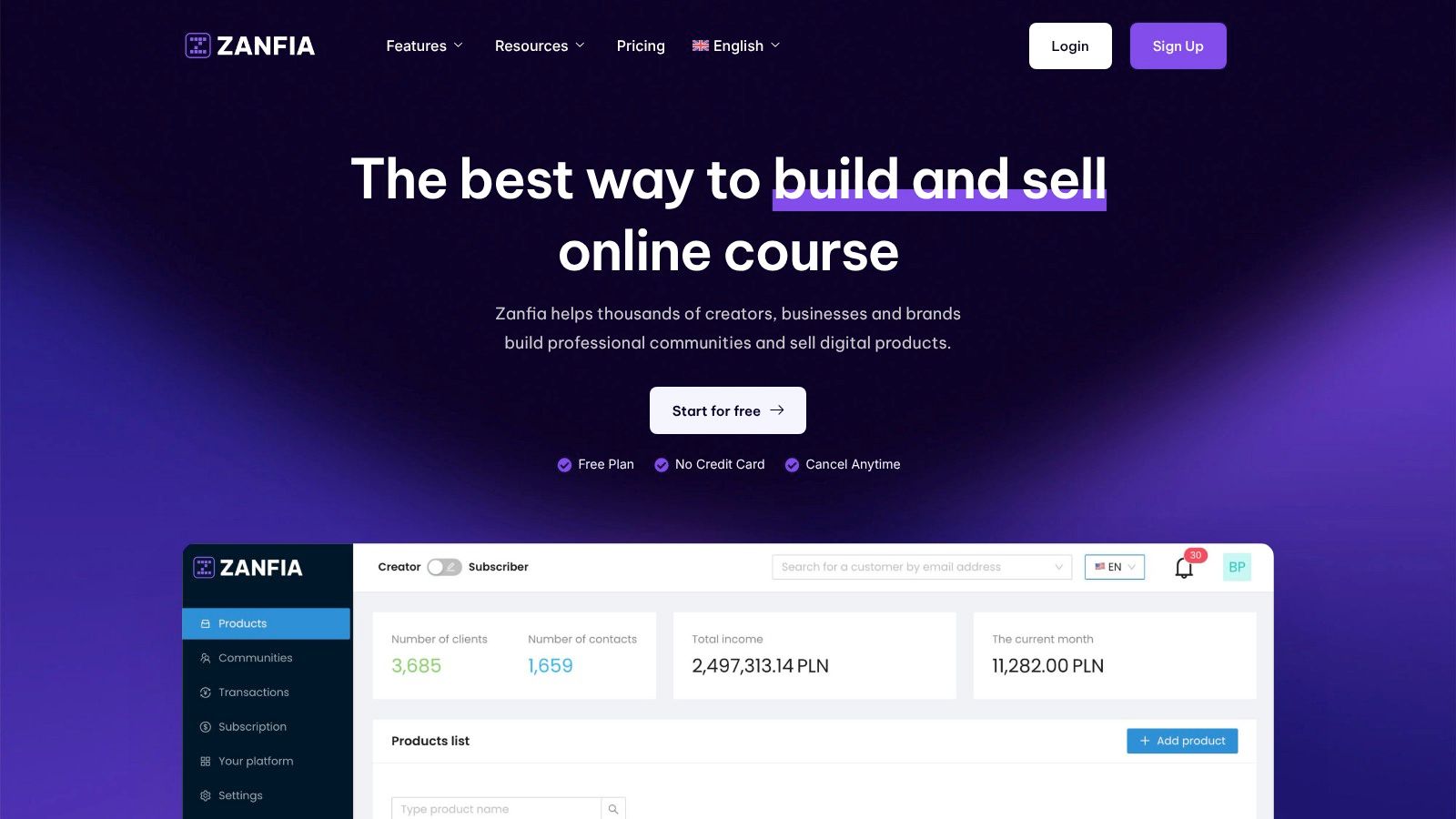
Zanfia is a comprehensive Polish all-in-one platform designed for digital creators, experts, and businesses who want to build and scale their online business under their own domain. The platform offers a truly integrated ecosystem where creators can launch professional communities, online courses, paid newsletters, and sell e-books—all managed through a single, modern payment system.
At its core, Zanfia allows creators to build community-based products that foster deep engagement. It provides advanced community tools, including topical discussion channels and group-based organization, seamlessly integrated with course content. Unlike platforms that push audiences toward external tools like Discord or Facebook, Zanfia keeps everything unified under the creator’s brand—dramatically boosting member retention and lifetime value.
Why Zanfia Earns its Top Spot
Zanfia’s primary differentiator is its revolutionary zero-percent (0%) platform transaction fees. While competitors take a cut of every sale, Zanfia relies on a clean SaaS subscription model, meaning creators keep 100% of their revenue. The only fees they pay are those charged by payment operators. This transparent approach is especially attractive to creators earning PLN 10k–100k+ a month who are tired of commissions eating into their margins.
Powerful automations eliminate time-consuming manual tasks, saving creators 5–10+ hours a month. Workflows can instantly grant course access after payment, add buyers to community channels, and trigger welcome emails. Built-in analytics also give deep visibility at every stage of the funnel, helping creators optimize content and maximize revenue. As a platform built in Poland, it deeply understands local market and tax requirements, offering automatic invoicing via integrations with inFakt and Fakturownia.
Key Features & Capabilities
- Integrated Community & Courses: Host discussions directly alongside course lessons with topical channels, read-only announcement channels, and group-based organization.
- Flexible Monetization: Sell digital products, courses, and memberships with one-time purchases, subscriptions, installment plans, or bundles. Supports Stripe, PayU, Przelewy24, BLIK, Apple Pay, and Google Pay.
- Native Video Hosting: Zanfia includes native video hosting, eliminating the need for costly external services like Vimeo, while also supporting integrations with YouTube, Vimeo, Wistia, and Bunny.net.
- Complete White-Labeling: Use your own custom domain and branding across the entire platform. Full white-label capabilities are included in every plan for a professional brand experience.
- Developer & Automation Tools: Leverage API access, webhooks, and integrations to connect Zanfia with your favorite CRMs, marketing automation software, and Polish invoicing tools (inFakt, Fakturownia).
Expert Insight: "Without Zanfia, developing a paid newsletter and community in Poland would be much harder—it’s the best tool in the market." – Wojciech Pisarski, CEO of wMinutę.
Pricing Structure
Zanfia's pricing is not publicly listed in detail, but it operates on a SaaS subscription model. The key financial benefit is the 0% platform transaction fee on all plans. For precise, up-to-date pricing, it is best to visit the Zanfia website directly.
Who is Zanfia Best For?
Zanfia is an ideal fit for digital entrepreneurs who value integration, brand control, and cost-efficiency. It’s particularly well-suited for:
- "Business Architects": Seasoned creators earning PLN 10k–100k+/month who need a professional, integrated solution to scale efficiently.
- "Craft Masters": Established experts taking in PLN 100k+/month who need elegant, rock-solid tech that matches their premium brand.
- "Potential Explorers": Experts with valuable know-how looking for the simplest way to launch their first digital product without technical overwhelm.
If you want a unified platform to host your community, courses, and digital storefront with powerful automation and a 0% commission structure, Zanfia is a top-tier choice. To start building your own branded space, you can learn more about how to create an online community on Zanfia's blog.
Website: https://zanfia.com
2. G2
While not a community platform itself, G2 is an indispensable starting point for anyone researching the best community platforms. Think of it as a comprehensive digital library and marketplace for business software. It aggregates verified user reviews, data, and comparison tools into a single, searchable database, allowing you to survey the landscape before committing to a specific tool.
For entrepreneurs and digital marketers, G2's "Online Community Management" category is a goldmine. It provides an organized, data-driven overview of dozens of solutions, saving you countless hours of fragmented research. Instead of visiting each vendor's site individually, you can use G2's powerful filters and comparison grids to create a shortlist based on real-world user satisfaction, company size, and specific feature requirements.
Why It's a Top Resource for Finding Community Platforms
What makes G2 uniquely valuable is its reliance on verified user feedback. You're not just reading a marketing pitch; you're getting insights from actual users who have implemented and managed these platforms. This peer-review system helps surface both mainstream leaders and emerging niche players you might have otherwise missed.
Key Insight: G2's real value lies in its comparison grids. You can select up to four platforms and see a side-by-side breakdown of features, user satisfaction ratings, and pricing models, which drastically simplifies the decision-making process.
How to Use G2 for Your Platform Search
To get the most out of G2, approach it with a clear strategy. Start by browsing the main category page to get a feel for the top-rated platforms. Use the filters on the left-hand side to narrow down options based on your business size, budget, and must-have features.
Practical Steps:
- Filter Smartly: Don't just look at the overall rating. Filter by reviews from companies similar in size to yours for more relevant insights.
- Read the Reviews: Dive into both positive and negative reviews. Look for recurring themes related to customer support, ease of use, and specific feature performance. This gives a more balanced view than polished testimonials.
- Analyze Buyer Insights: G2 often summarizes the outcomes users achieve, such as support ticket deflection or increased member retention. This helps you connect a platform's features to tangible business results.
Pros and Cons
| Pros | Cons |
|---|---|
| Large, Recent Review Volume: Quickly surfaces a wide variety of both mainstream and niche options. | Sponsored Placements: Paid seller tiers can influence visibility, so the highest-ranked options aren't always the best organic fit. |
| Direct Vendor Links: Listings include direct links to vendor websites for trials or purchases, streamlining the next steps. | Vague Pricing: Many platforms list pricing as "contact sales," which limits direct price comparisons on G2 itself. |
G2 is the ideal first stop in your search. It empowers you to build an informed shortlist of the best community platforms, armed with data and peer reviews. After identifying your top contenders, you can then proceed to their websites for demos and trials. By understanding the core principles of what to look for, as detailed in our guide on what is community management, you can use G2's data more effectively to find the perfect fit for your brand.
Website: https://www.g2.com/categories/online-community-management
3. Capterra
Similar to G2, Capterra serves as a vital research hub rather than a community platform itself. It is a massive software directory that helps businesses find the right tools by providing user reviews, detailed feature lists, and robust comparison functionalities. Its "Community Software" category is a well-organized library of over 200 solutions.
For entrepreneurs and brand managers tasked with selecting one of the best community platforms, Capterra offers an intuitive, filter-heavy approach. It allows you to quickly sift through a vast market based on specific criteria like pricing models, key features, and deployment options. This makes it an excellent resource for creating a data-backed shortlist of potential vendors, especially for US-based users who benefit from region-relevant listings and buyer guidance.
Why It's a Top Resource for Finding Community Platforms
Capterra's strength lies in its structured data and transparent review process. It uses a "Verified Insights" badge to highlight reviews from authenticated users, adding a layer of trust to the feedback. The platform also provides a helpful Buyers’ Guide within the category, which explains typical features, costs, and benefits, educating users on what to look for before they even start comparing specific tools.
Key Insight: Capterra's most practical feature is its filtering system. You can narrow down the 200+ options by must-have functionalities (e.g., gamification, event management, moderation) to see only the platforms that meet your non-negotiable requirements.
How to Use Capterra for Your Platform Search
To effectively use Capterra, begin with its Buyers' Guide to establish a baseline understanding of what modern community software can do. Once you have a clearer picture of your needs, use the directory's filters to systematically narrow your search.
Practical Steps:
- Leverage the Feature Filter: Go beyond basic filters like company size. Use the "Features" checklist to select everything you need, from content management to member directories.
- Analyze the Leaderboard: Pay attention to the "Established Player" and "Noteworthy Product" badges, as they can help identify both market leaders and innovative newcomers.
- Compare Head-to-Head: Select up to four platforms and use the "Compare" button. This generates a clean, side-by-side table that clearly outlines differences in features, ratings, and deployment.
- Read User Reviews: Focus on reviews that describe specific use cases similar to yours. This will help you understand how a platform performs in a real-world context relevant to your goals, such as those outlined in our guide to effective community engagement strategies.
Pros and Cons
| Pros | Cons |
|---|---|
| Clear Disclosure: Sponsored profiles are clearly marked, yet non-sponsored listings remain visible for comprehensive comparison. | Sponsored Placement Priority: Paid listings often appear at the top, which can give them more perceived importance than organic results. |
| Frequently Updated: Listings and reviews are updated often, ensuring the information is current and relevant. | Pricing Ambiguity: Like G2, many vendors list their pricing as "contact sales," making direct cost comparisons difficult. |
Capterra is an excellent starting point for a structured and methodical search. It helps you move from a broad market overview to a targeted shortlist by arming you with verified reviews, detailed feature comparisons, and educational resources to make an informed decision.
Website: https://www.capterra.com/community-software/
4. GetApp
Like G2, GetApp is another essential research hub from Gartner Digital Markets, but it places a stronger emphasis on filtering and categorization. It functions as a powerful discovery engine for business software, including a dedicated "Online Community" category with over 200 tools. GetApp excels at helping you find platforms that fit very specific operational needs, such as mobile readiness or particular integrations.
For entrepreneurs and community managers looking for the best community platforms, GetApp’s annual “Category Leaders” report is an invaluable resource. This data-driven ranking evaluates top products on criteria like user reviews, integrations, mobile app availability, and security features. It’s an efficient way to see which platforms are not only popular but also well-rounded and technologically sound.
Why It's a Top Resource for Finding Community Platforms
GetApp's real strength lies in its granular filtering and curated sublists. Instead of just sorting by overall rating, you can drill down to find platforms that excel in specific areas. For example, you can instantly see a list of community platforms with top-tier group management features or those offering robust chat and messaging capabilities. This targeted approach helps you move from a broad search to a qualified shortlist much faster.
Key Insight: Use GetApp's "Category Leaders" report as a starting point. It uses a transparent scoring methodology to rank platforms, giving you a data-backed list of top performers to investigate further before you commit to vendor demos.
How to Use GetApp for Your Platform Search
To leverage GetApp effectively, begin with their main Online Community category and then apply filters to match your core requirements. Pay close attention to the feature-focused sublists, as they often reveal niche leaders that might be a perfect fit for your specific use case.
Practical Steps:
- Explore Feature-Focused Lists: Look for pre-made lists like "Top Community Software with Mobile Access" to quickly find tools that meet a critical need.
- Use the Comparison Tool: Select up to four platforms to compare their features, pricing, and user ratings side-by-side. This visual breakdown simplifies complex decisions.
- Review Methodology: GetApp is transparent about its ranking criteria and how sponsored listings are displayed. Take a moment to understand this so you can interpret the results accurately.
Pros and Cons
| Pros | Cons |
|---|---|
| Transparent Ranking Methodology: The "Category Leaders" report clearly explains its scoring system, building trust. | Prominent Sponsored Listings: Paid placements can sometimes overshadow organically top-rated platforms, requiring careful evaluation. |
| Helpful Sublists: Curated lists for specific use cases (e.g., mobile-first) make it easy to find platforms with distinct strengths. | Limited Pricing Information: As with other aggregators, many listings require you to visit the vendor's site for detailed pricing. |
GetApp is an excellent tool for drilling down into the specifics once you have a general idea of what you need. Its detailed filters and data-rich reports help you validate your choices and uncover specialized platforms that other aggregators might miss. When you have your shortlist, you can then focus on defining the rules of engagement for your future members; referencing strong community guidelines examples will ensure you build a safe and structured environment from day one.
Website: https://www.getapp.com/website-ecommerce-software/online-community/
5. Circle
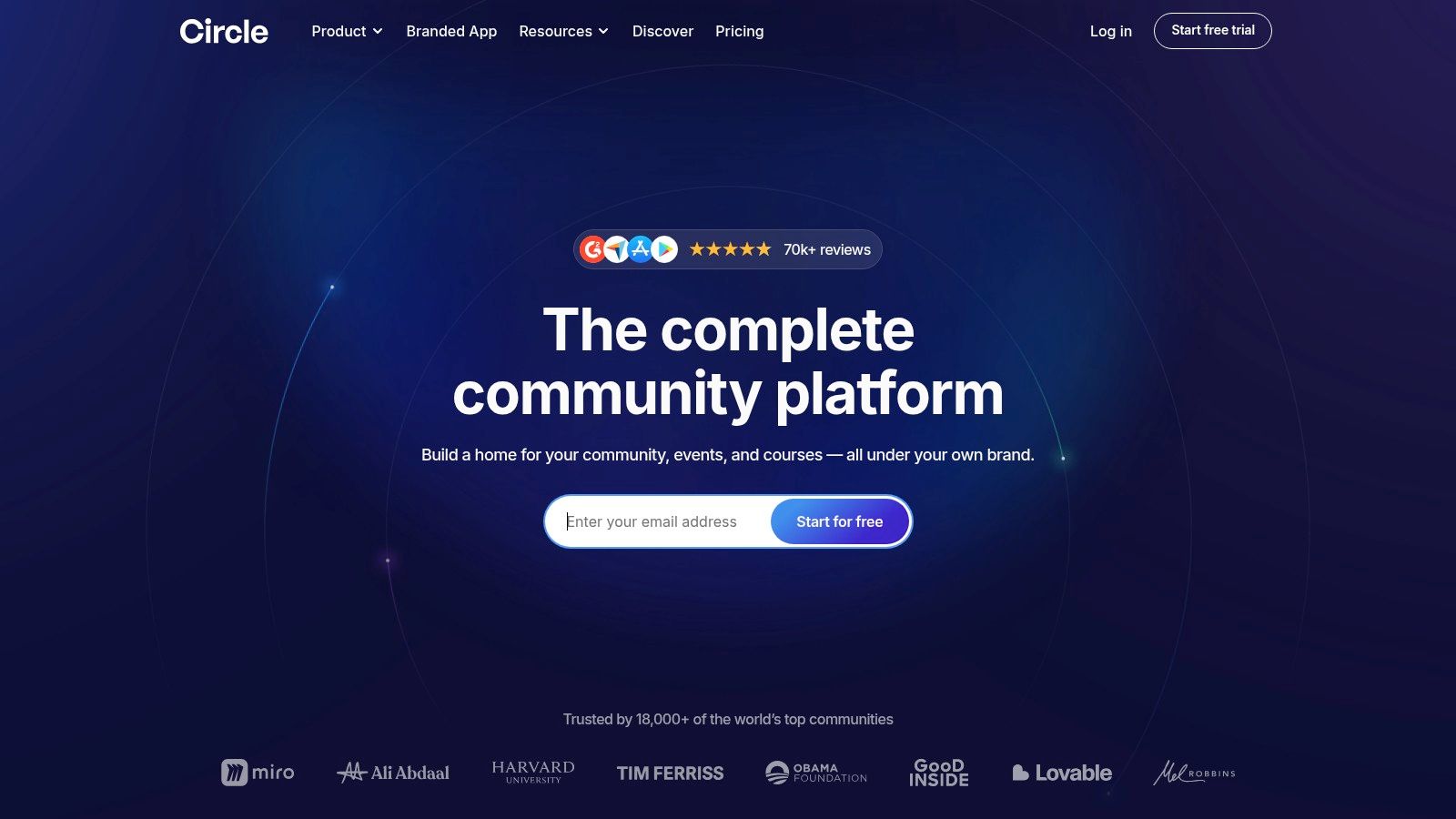
Circle is a modern, all-in-one community platform built specifically for creators, coaches, and brands. It’s designed to bring discussions, courses, memberships, and events together under a single white-label roof, allowing you to build an independent online space that you fully own and control. Instead of patching together different tools, Circle provides an integrated ecosystem where your audience can learn, connect, and engage directly with your brand.
For entrepreneurs and educators, Circle is one of the best community platforms because it seamlessly blends content with community. You can host courses with video lessons directly alongside discussion forums, run live events, and manage a paid membership business without forcing users to jump between different websites or logins. This unified experience is key to fostering deeper engagement and increasing member retention.
Why It's a Top Resource for Finding Community Platforms
What sets Circle apart is its focus on the creator economy. The platform is engineered from the ground up to support monetization through courses, memberships, and premium content. Its clean, intuitive interface makes it easy for non-technical users to design beautiful and functional community spaces. You can create different "spaces" for specific topics, courses, or member tiers, giving you granular control over the user experience.
Key Insight: Circle’s true strength lies in its native course and event features. You can build and sell a complete online course and host live workshops without ever needing to integrate a third-party Learning Management System (LMS) or event software.
How to Use Circle for Your Platform Search
To evaluate Circle effectively, start by mapping out your business model. Are you selling courses, running a paid membership, or simply looking for a place to host discussions? Circle’s features are tiered, so understanding your core needs will help you choose the right plan.
Practical Steps:
- Explore the Showcase: Visit Circle’s website to see examples of communities built on the platform. This gives you a real-world feel for its customization potential and user experience.
- Test the Mobile App: Download the Circle app to understand the on-the-go experience your members will have. A strong mobile presence is crucial for engagement.
- Review Monetization Tools: If you plan to sell products, dive deep into the payment and membership features. Check how it handles different subscription tiers, coupons, and paywalls for your content. For a detailed analysis of how Circle serves creators, you can learn more about finding the right community platform for creators on zanfia.com.
Pros and Cons
| Pros | Cons |
|---|---|
| Strong Creator Focus: Integrated tools for courses, memberships, and live events are perfect for monetizing expertise. | Advanced Features Locked in Higher Tiers: APIs, workflows, and advanced automations require more expensive plans. |
| Excellent User Experience: The platform offers a clean, intuitive design and a mature mobile app for members. | Can Get Pricey: Costs can add up, especially if you need a custom-branded mobile app or other advanced add-ons. |
Circle is an exceptional choice for creators and brands who want a polished, all-in-one solution for building a monetized community. It eliminates the technical headache of integrating multiple tools, allowing you to focus on creating content and engaging with your members.
Website: https://circle.so/
6. Mighty Networks
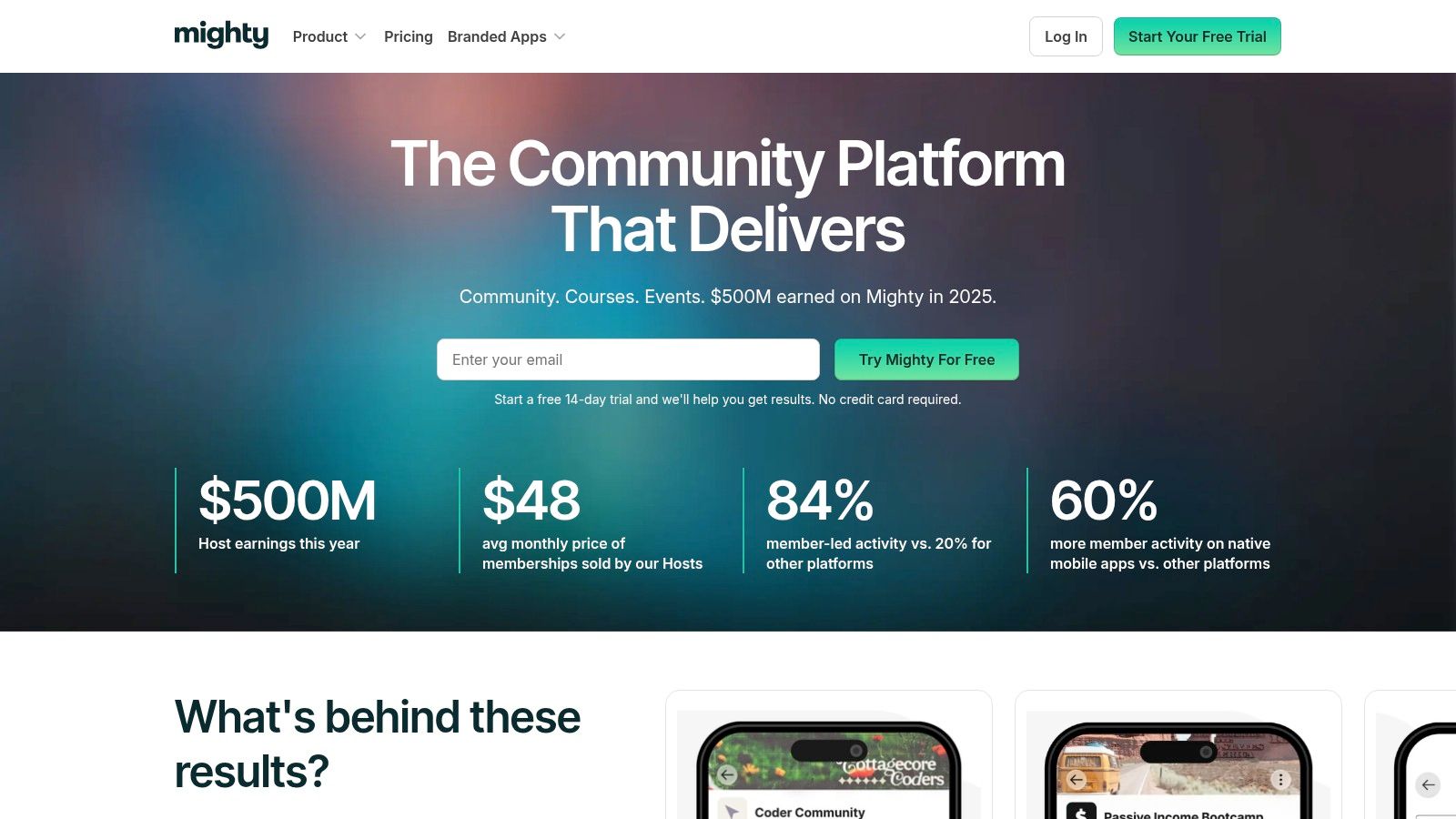
Mighty Networks is built for creators and brands who want to build a "community business" from the ground up. It seamlessly combines community spaces with online courses, memberships, events, and livestreaming into a single, cohesive ecosystem. This all-in-one approach is designed to help you monetize your audience and expertise without cobbling together multiple tools.
For entrepreneurs and online educators, Mighty Networks offers a clear growth trajectory. You can start with a simple community and scale all the way to a fully branded, custom mobile app available on iOS and Android. This makes it one of the best community platforms for those with long-term ambitions to create a premium, mobile-first experience for their members.
Why It's a Top Resource for Community Businesses
What sets Mighty Networks apart is its powerful integration of content, community, and commerce under one roof. Unlike platforms that require external tools for courses or events, Mighty Networks builds these features directly into the community fabric. This creates a unified member experience where learning, discussion, and networking happen in the same place.
Key Insight: The platform's standout feature is its upgrade path to Mighty Pro. This allows successful community builders to launch their own white-label mobile apps, providing an unparalleled level of brand control and member accessibility.
How to Use Mighty Networks for Your Platform Search
To evaluate Mighty Networks, start by exploring their tiered plans (Community, Business, and Mighty Pro) to see how the features align with your goals. The platform offers a free trial, which is the best way to get a hands-on feel for the user interface, community-building tools, and course creation workflow.
Practical Steps:
- Map Your Business Model: Identify if you plan to sell courses, run a paid membership, host events, or a combination. Mighty's structure is built to support these models directly.
- Test the Mobile Experience: Since a key benefit is mobile access, be sure to test your trial community on a smartphone to understand the member experience.
- Explore Monetization Tools: Look at the built-in payment features. You can set up subscriptions, one-time payments, and promotional codes with multi-currency support, which is crucial for a global audience.
Pros and Cons
| Pros | Cons |
|---|---|
| Clear Growth Path: Offers a scalable solution from a basic community to a fully branded mobile app via Mighty Pro. | Transaction Fees: The lower-tier plans include transaction fees (e.g., 2% on the Business plan) on top of the subscription cost. |
| All-in-One Functionality: Integrates community, courses, memberships, and events, reducing the need for other software. | Feature Gating: Some advanced features, like detailed analytics and workflow automations, are reserved for higher-tier plans. |
Mighty Networks is an excellent choice for creators who envision a robust, multi-faceted community business with a strong mobile presence. Its integrated toolset simplifies management and provides a clear path to scale your operations and brand.
Website: https://www.mightynetworks.com/
7. Bettermode
Bettermode (formerly known as Tribe) is a highly flexible community platform designed for brands that prioritize customization and a polished user experience. It's particularly well-suited for building customer communities, product feedback hubs, and knowledge bases aimed at support deflection. The platform empowers teams to create a unique, branded space without needing deep technical expertise.
For businesses looking to integrate a community seamlessly into their existing digital ecosystem, Bettermode stands out as one of the best community platforms due to its design-forward approach. Its visual layout tools, extensive integration library, and robust administrative controls make it a powerful choice for scaling companies that need both aesthetic control and operational security.
Why It's a Top Resource for Finding Community Platforms
Bettermode excels by combining user-friendly design tools with powerful, enterprise-grade backend features. Its visual "Design Studio" uses a block-based system, allowing community managers to build and modify layouts with drag-and-drop simplicity. This means you can create a highly customized look and feel that aligns perfectly with your brand identity without writing a single line of code.
Key Insight: Bettermode’s strength lies in its modularity. You can create different "Spaces" for specific topics or user groups, each with its own layout, apps, and permissions, offering a tailored experience for diverse community segments.
How to Use Bettermode for Your Platform Search
When evaluating Bettermode, focus on how its structure can serve your specific community goals. Its system of spaces, collections, and embeddable widgets allows you to design precise user journeys, whether you're guiding new customers through onboarding or collecting feedback from power users.
Practical Steps:
- Explore the Design Studio: Request a demo to see the block-based editor in action. Consider how you would construct key pages like your homepage, discussion areas, and event calendars.
- Review Integrations: Examine their extensive list of integrations (Zendesk, Slack, HubSpot, Zapier) to ensure it connects with your existing tech stack. This is crucial for automating workflows and creating a unified customer data system.
- Assess Admin Controls: If you operate in a regulated industry or have strict security needs, look into their enterprise features like SSO, audit logs, and data residency options. These are critical for compliance and secure management.
Pros and Cons
| Pros | Cons |
|---|---|
| Highly Customizable Layouts: The visual design studio offers exceptional control over the look and feel without coding. | Gated Advanced Features: Key enterprise features like SSO and API access are often paid add-ons or limited to higher-tier plans. |
| Strong Enterprise Security: Offers features like SSO, audit logs, and compliance considerations (GDPR/CCPA) for secure operations. | Not for Self-Hosting: It is a fully hosted SaaS solution, making it unsuitable for teams seeking an on-premise or open-source platform. |
Bettermode is an excellent choice for businesses that need a visually stunning, highly configurable, and secure home for their customer community. It provides the tools to build a space that is both engaging for members and manageable for administrators, making it a strong contender among the best community platforms available today.
Website: https://bettermode.com/
Top 7 Community Platforms Comparison
| Item | Implementation complexity 🔄 | Resource requirements ⚡ | Expected outcomes 📊 | Ideal use cases 💡 | Key advantages ⭐ |
|---|---|---|---|---|---|
| Zanfia | Moderate — unified setup for communities, payments, automations | Low–Medium — built-in tools; plan limits on storage/products | Improved conversions; consolidated revenue streams with analytics | Creators, small teams selling courses, newsletters and subscriptions | All‑in‑one stack; 0% platform fee; strong automations & funnel insights |
| G2 | Very low — browse, filter, shortlist tools | Minimal — time to research; optional account | Faster shortlisting with verified user feedback | Buyers researching vendor reputation and features | Large verified review volume; direct vendor links |
| Capterra | Very low — filter-driven comparisons and guide reading | Minimal — time to compare listings | Broad shortlist with buyer guidance and feature filters | US buyers needing deployment/feature filters and buyer guidance | Detailed filters; Buyers’ Guide; frequent updates |
| GetApp | Very low — use filters and Category Leaders reports | Minimal — time to explore reports and sublists | Quick identification of top-scoring and mobile-ready platforms | Buyers prioritizing ranked leaders and feature sublists | Category Leaders report; transparent methodology; helpful sublists |
| Circle | Moderate — ready-to-launch; advanced features require config | Medium–High — higher tiers for APIs, automations, branded apps | Polished creator communities with native mobile experiences | Creators, course builders, membership businesses focused on UX | Strong mobile/creator tools; courses, events, branded apps |
| Mighty Networks | Moderate — start easily; branded apps require upgrade | Medium — transaction fees on lower tiers; upgrades for growth | Scalable community business with monetization and events | Communities aiming to grow into branded apps and memberships | Clear growth path; built-in payments, events and livestreaming |
| Bettermode | Medium–High — customizable layouts and enterprise setup | Medium–High — integrations, SSO and compliance add‑ons | Robust customer/support communities with admin controls | Product support hubs, feedback communities, enterprise admins | Visual Design Studio; enterprise security/compliance; wide integrations |
Making the Final Call: Which Community Platform Is Right for You?
Choosing your platform is a pivotal moment for your online business and a decision that will shape your growth for years to come. We’ve explored a variety of the best community platforms available, from established names like Circle and Mighty Networks to the enterprise-focused Bettermode. Each offers a unique set of features tailored to different business models, but the final choice hinges on aligning a platform’s core philosophy with your long-term goals.
The journey to find the perfect fit requires a shift in perspective. Instead of just asking, "What can this tool do?", the more critical question is, "How will this tool empower my business to scale efficiently and profitably?". This means looking beyond surface-level features and digging into the financial and operational impact of your choice. Transaction fees, the need for third-party integrations, and the level of brand control are not minor details; they are fundamental factors that will directly affect your bottom line and customer experience.
Key Takeaways and Actionable Next Steps
To make a confident decision, start by mapping out your specific needs. Create a simple checklist to clarify your priorities:
- ** monetization Model:** Do you rely on one-time course sales, recurring subscriptions, tiered memberships, or a mix of digital products? Your platform must natively support your entire revenue strategy without forcing workarounds.
- Brand Experience: How important is it for your audience to interact with your brand, not the platform's? If a seamless, white-labeled experience under your own domain is non-negotiable, this will immediately narrow your options.
- Tech Stack Complexity: Are you comfortable managing multiple integrations (like separate video hosting, email marketing, and payment gateways), or do you need a truly unified, all-in-one system to minimize technical headaches?
- Cost vs. Value: Look beyond the monthly subscription price. Calculate the total cost of ownership, including transaction fees, costs for external tools, and the value of your time spent on administrative tasks. A platform with a higher subscription fee but zero transaction fees could save you thousands annually.
Once you have this clarity, revisit the platforms in this guide. For creators, choosing the right community platform is crucial, but having effective content creation tools is equally vital. Explore our picks for the best AI content creation tools to streamline your workflow and enhance your presence on any platform. This combination of a powerful platform and efficient content strategy is a recipe for sustainable growth.
Why Zanfia Stands Out for Ambitious Creators
While tools like Circle and Mighty Networks offer strong, creator-focused environments, they often come with transaction fees that eat into your revenue. For creators and businesses who need a truly integrated, all-in-one solution that prioritizes their bottom line, Zanfia presents a compelling alternative. With its revolutionary 0% platform transaction fee, you keep 100% of your earnings. This is a game-changer for 'Business Architects' scaling from PLN 10k–100k+ a month who are tired of hidden costs.
Zanfia consolidates your entire tech stack (community, advanced courses with native video hosting, paid newsletters, and digital products) under your own white-labeled domain, eliminating the need for costly and complex integrations. The powerful automations save you 5-10+ hours weekly, letting you focus on creating value, not wrestling with admin. If you're looking for a partner built to grow with you, not at your expense, Zanfia provides the control, efficiency, and profitability you need to build a lasting digital brand.
Ultimately, the best community platform is the one that becomes an invisible, reliable engine for your business, empowering you to focus on what you do best: serving your audience and creating exceptional value.
Ready to build your online business on a platform that puts your growth first? Discover how Zanfia combines a powerful community, advanced courses, and e-commerce with a 0% transaction fee model. Start building your independent, profitable brand today.