

Go High Level Training Your Business Doesn’t Need?
Most advice around go high level training starts from the wrong assumption. It assumes the right answer is always to master the most complex all in one system you can afford, then force your business to fit the tool.
That works for some operators. It doesn't work for everyone.
GoHighLevel is powerful. It can run funnels, CRM workflows, course delivery, automations, reporting, and client operations inside one environment. But power isn't the same thing as fit. A creator selling courses, a consultant running a paid community, and a service agency handling multiple client accounts do not have the same operational needs, even if they all want revenue, retention, and cleaner workflows.
The practical question isn't whether GoHighLevel can do the job. It can. The practical question is whether the training burden, setup overhead, and maintenance load make sense for your business model.
Is GoHighLevel Training Worth the Investment for Creators?
GoHighLevel has earned its popularity because it compresses a lot of marketing infrastructure into one platform. That appeal is real. If you're running lead generation, booking calls, automating follow-up, and tracking pipeline movement across multiple offers, the system gives you a lot to work with.
The problem is that most creator businesses don't fail because they lack more knobs to turn. They fail because the owner spends too much time inside software and not enough time publishing, teaching, selling, and serving.
A critical analysis of user reviews on G2, Trustpilot, and Reddit highlights a major blind spot in the GoHighLevel conversation: the steep learning curve and time investment required, with many agency owners and small business users saying they spend more time learning the unintuitive interface than applying it to client work, as summarized in this review analysis.

The hidden cost isn't the subscription
The hidden cost is operator time.
A creator usually needs a simple chain that works reliably. A sales page, checkout, course access, member onboarding, email follow-up, and a place where the audience can engage. If the platform asks that person to think like an agency systems architect, the tool starts consuming margin even before it consumes money.
That's why I don't treat go high level training as an automatic business upgrade. I treat it as a trade-off. You gain flexibility, but you also take on complexity. You gain control, but you inherit setup debt.
Practical rule: If your software requires more energy than your offer, you've created an operations problem, not a growth engine.
Creators need clarity before capability
Before investing serious time in GoHighLevel, I tell people to audit their model:
- Agency model: You manage pipelines, appointments, lead routing, and multiple client environments.
- Creator model: You sell expertise, content, access, and transformation.
- Hybrid model: You have some client work, but your long-term play is products and community.
If you're in the second or third category, the best move may not be deeper platform training. It may be simpler infrastructure and better measurement. This matters even when you're focused on analytics, because better reporting only helps if the system is easy enough to use consistently. A practical starting point is calculating marketing ROI clearly before you commit to a heavy software stack.
The Foundation Onboarding and Account Setup
The first sign of whether GoHighLevel fits your business appears during onboarding. Not during advanced automations. Not during reporting. During setup.
GoHighLevel is built with strong agency DNA. That means the structure makes sense if you operate multiple accounts, assign team access, separate client environments, and standardize repeatable service delivery. It feels less natural when you're a solo expert who just wants branded pages, products, and clean customer access.
What setup usually looks like in practice
A normal onboarding flow includes a few core tasks:
- Create the account environment You start with the business workspace and, in many cases, a sub-account structure that reflects how GoHighLevel organizes operations.
- Configure users and permissions You decide who gets access to contacts, funnels, workflows, conversations, and reporting. This matters more than people think because over-permissioned setups get messy fast.
- Add brand assets and domain settings You connect your brand presence, review page and funnel settings, and make sure the public-facing experience doesn't feel generic.
- Set communication defaults Email, forms, scheduling behavior, and notification logic all need a baseline before leads start moving.
That isn't unreasonable. It's just more layered than most creators expect.
Where creators usually get stuck
The friction usually comes from role mismatch. A creator tends to think in terms of products, audience access, content structure, and customer journey. GoHighLevel asks you to think in terms of accounts, assets, permissions, pipeline logic, and system dependencies.
That's one reason formal training has become such a big part of the ecosystem. The platform doesn't hide its complexity. In fact, the certification process almost proves the point. The GoHighLevel Certification Program includes a 100-question multiple-choice quiz that requires an 85% score, followed by a practical exam, and only 51% pass on the first attempt, according to GHL Central's certification breakdown.
If the training path itself is difficult, that tells you something important about the platform: it rewards deep operators, not casual users.
A cleaner way to approach onboarding
If you're committed to GoHighLevel, the smartest onboarding approach is restraint. Don't try to activate every module in week one.
Use this order instead:
| Setup priority | What to configure first | Why it matters |
|---|---|---|
| Brand basics | domain, logo, public pages | Prevents a disconnected customer experience |
| Offer path | checkout, access, confirmation flow | Revenue path comes before optimization |
| Contact structure | tags, core fields, source tracking | Keeps reporting usable later |
| Team access | permissions by role | Reduces accidental changes |
| Automation basics | welcome, follow-up, purchase actions | Covers the highest-value repetitive work |
That sequence keeps the system anchored to business outcomes instead of platform exploration.
Creators should also study onboarding from the customer side, not only the admin side. These user onboarding best practices are useful because they shift the focus toward activation and experience, which is where most digital businesses win or lose trust.
What works and what doesn't
What works in GoHighLevel onboarding:
- Clear account ownership: One person should control architecture decisions.
- Minimal initial setup: Build the shortest path from lead to sale to delivery.
- Permission discipline: Team members should only see what they need.
What doesn't work:
- Turning everything on at once
- Importing messy contact data before structure exists
- Building automations before naming conventions are settled
A clean setup in GoHighLevel is possible. But for creators, it often feels like setting up an agency machine before you've even published the first offer.
Building Your Customer Engine with CRM and Pipelines
The CRM is where GoHighLevel starts to show its strengths. If you sell through conversations, proposals, callbacks, and booked appointments, the pipeline view can become the operational center of the business.

A practical setup looks familiar to any service business. You create stages such as New Lead, Qualified, Call Booked, Proposal Sent, Won, and Lost. Then you connect forms, calendars, automations, and tasks so contacts move without manual chasing.
Where the pipeline approach shines
For agencies, consultants with sales calls, and appointment-based teams, this setup is excellent. It gives structure to a messy lead flow.
A basic workflow often includes:
- Lead capture: Form submissions create or update contact records.
- Stage movement: A booking action pushes the contact into the next pipeline stage.
- Sales visibility: Team members see where deals are stuck.
- Follow-up timing: Reminders and reactivation messages reduce drop-off.
This is also why GoHighLevel training around conversion often leans so hard into booked appointments. Official and community training puts serious emphasis on appointment sequences, reminders, and no-show reduction. According to a training summary from GHL Elite, show-up rates can increase by 30% minimum and up to 80% when those booking and reminder systems are optimized.
That result is meaningful. It also reveals the product's center of gravity. GoHighLevel is exceptionally comfortable when the business model revolves around appointments.
What creators should notice
A course creator or newsletter operator can still use pipelines, but the CRM starts feeling transactional. You know who opted in, who booked, who bought. What you don't get as naturally is a relationship view centered on learning behavior, community participation, or member progression.
For creators, the important journey often looks more like this:
| Business type | Core relationship to track |
|---|---|
| Agency | lead to call to close |
| Consultant | inquiry to qualification to program sale |
| Creator | buyer to member to engaged participant |
| Educator | student access to completion to renewal |
That distinction matters. A member who watches lessons, joins discussions, renews access, and buys a second offer is more valuable than a contact who merely moved through a pipeline stage.
A CRM built for lead movement isn't automatically the best system for audience transformation.
Use the pipeline, but don't let it define the business
If you're staying with GoHighLevel, use the CRM where it fits. Track:
- Inbound lead sources
- Call bookings and attendance
- Sales stage progression
- Reactivation opportunities
Don't force every customer interaction into a sales pipeline if your revenue depends on retention, participation, and trust. That's where many creator-led businesses outgrow the CRM-first mindset.
For a quick visual walkthrough of how some users frame this inside GoHighLevel, this embedded demo is worth reviewing before you design your own structure:
The practical takeaway
GoHighLevel's CRM and pipelines are strongest when a team needs deal control, appointment follow-up, and revenue forecasting around active sales conversations. If your growth depends more on community depth than on call volume, the platform can still work, but it won't naturally think the way your business thinks.
That's the core trade-off. GoHighLevel manages customers in motion very well. Many creators need a system that also understands members in development.
Monetizing Your Expertise with Funnels and Courses
Creators usually encounter the GoHighLevel learning curve here. Building pages is the easy part. Building a sales experience, checkout flow, fulfillment path, and product environment that still feels good three months after launch is where the trade-offs show up.
Funnels first, then content delivery
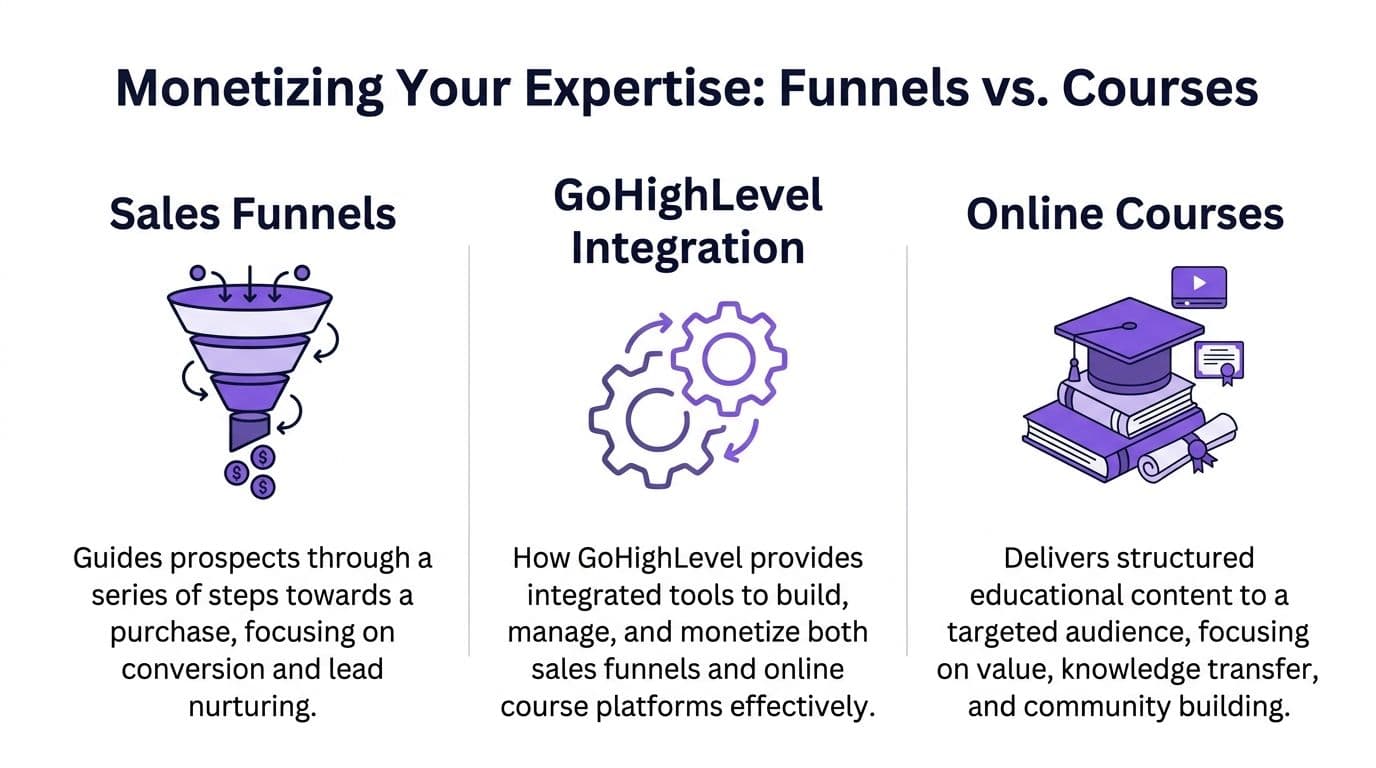
GoHighLevel is built to sell through funnels. That matters because the platform tends to push business owners toward a page sequence first: landing page, opt-in, sales page, checkout, thank-you page, then follow-up automation after the sale.
That model works well for many offers. It works especially well for consultations, workshops, challenge funnels, lead magnets, and high-ticket sales conversations.
If someone on your team still treats funnels like fuzzy marketing language, start with understanding the core concept of a marketing funnel before building anything. Clear buyer-path thinking prevents a lot of wasted funnel work.
GoHighLevel also gives you useful visibility into funnel performance. Its Funnel Statistics feature tracks All Page Views, Uniques, Opt-ins, Opt-in Rate, Sales Count, Sales Rate, Sales Value, and Earnings per Pageview, as described in this overview of funnel statistics in GoHighLevel. For offer validation and conversion troubleshooting, that is enough to find obvious weak points.
The course experience is workable, but still fragmented
After purchase, the standard shifts. Buyers are no longer leads to convert. They are customers trying to get results.
GoHighLevel's Courses Dashboard tracks enrollments, completion rate, Revenue Generated ($), Total Checkouts, Upsell Conversions, Average Order Value per User, and Highest Order Value, according to the official guide on understanding the Courses Dashboard. Those metrics help operators spot sales trends and see whether students are engaging with what they bought.
The limitation is not reporting. The limitation is product design.
For many creator businesses, the course, community, content library, and paid relationship need to feel unified. In GoHighLevel, they often feel connected rather than native. You can make it work, but you will usually spend time configuring the experience instead of refining the offer itself. If your business depends on education and recurring engagement, that distinction affects retention, support load, and brand perception.
A creator selling transformations, not just transactions, should study a model built around product delivery. This guide on how to sell online courses profitably shows the difference between delivering mere access and building an offer people stay engaged with.
Where GoHighLevel monetization does make sense
GoHighLevel is a legitimate option if your revenue is still driven by funnel mechanics first.
It fits best in cases like these:
- Service-driven offers: Strategy sessions, consulting packages, applications, and call-based sales.
- Launch funnels: A focused campaign with pages, email follow-up, and timed offers.
- Basic memberships: Simple gated access with light upsell logic.
- Hybrid businesses: Operators who want one system for lead capture, follow-up, payment collection, and basic course delivery.
I have seen this setup work well for agencies and consultants who added education as a supporting product, not the center of the business.
Where creators start paying the hidden cost
Problems show up when the business is built around a branded learning ecosystem.
A creator usually needs a few things to work together without extra maintenance:
- A polished course area
- Community attached to the paid product
- Flexible pricing, including one-time purchases, subscriptions, bundles, and installments
- Brand control on their own domain
- Low admin overhead after the launch window ends
GoHighLevel can cover a lot of that. The issue is effort. Features exist, but the experience often feels assembled from separate parts. That is acceptable for some businesses. It is expensive for creators because every workaround pulls time into setup, QA, support, and ongoing fixes.
The gap between "technically possible" and "easy to run profitably" gets wide once customers start logging in every week.
The margin question creators should ask earlier
Course businesses do not win on conversion rate alone. They win on margins, retention, and operating simplicity.
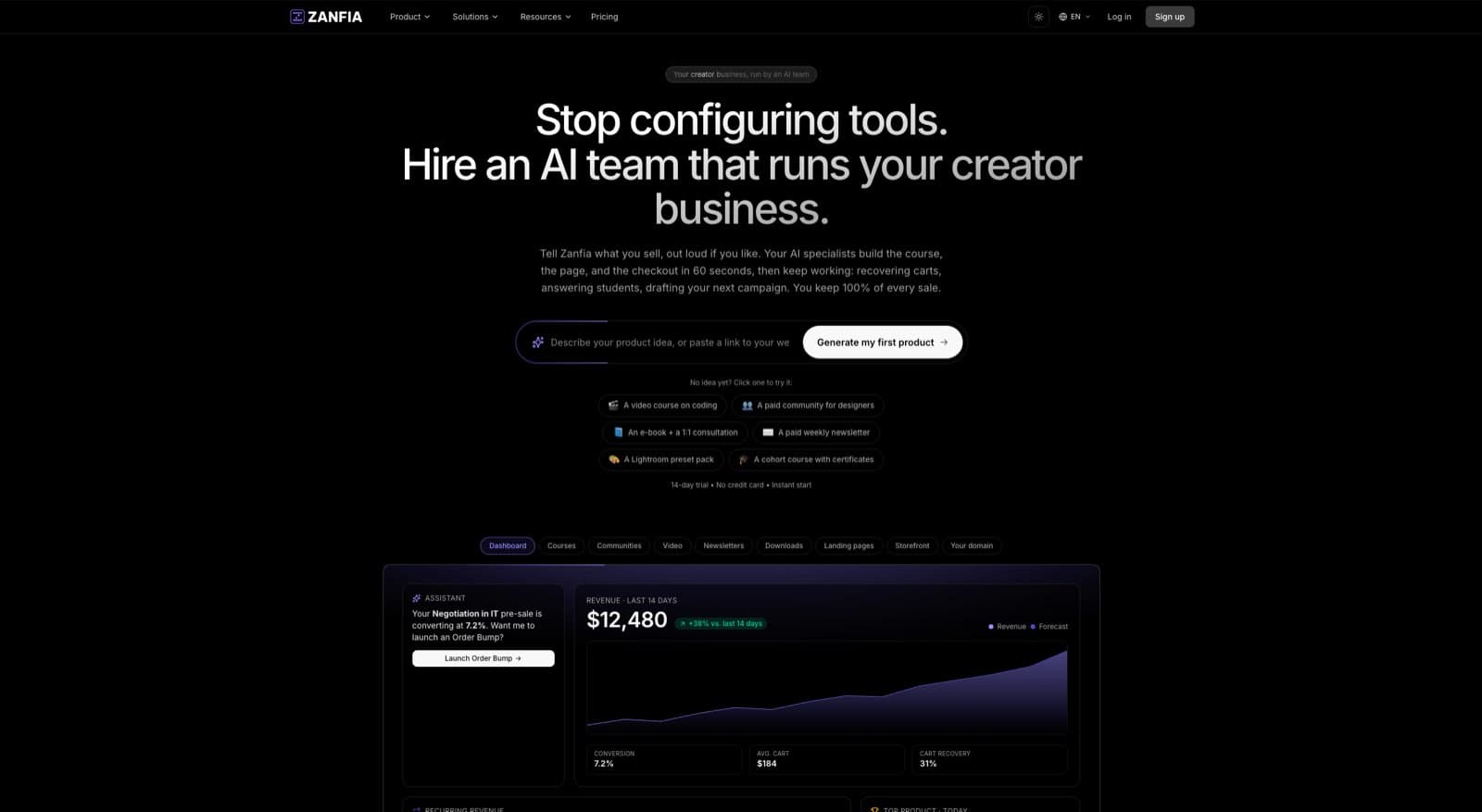
Zanfia takes a different angle for creator-led businesses. It is an AI team that runs a creator business under one branded environment, and the surfaces where that work lands include online courses, paid newsletters, knowledge libraries, subscriptions, ebooks, and downloads. Creators dictate what should happen instead of configuring it: the assistant can perform any action available in the interface, by chat or by voice, and agents plug in through an MCP endpoint (available on higher plans, see the current Zanfia pricing). The platform also ships native video hosting, which removes another common software layer.
The economics matter as much as the AI story. Zanfia uses a 0% platform transaction fee model, so creators keep their revenue and only pay the payment processor's fees. Pricing starts at $39 per month, or $31 per month billed annually, on Starter, with a 14-day free trial and no credit card required. There is no permanent free plan.
GoHighLevel is powerful. I would still use it where funnels, sales workflows, and lead handling are the center of the business. But if the business model depends on teaching, member experience, and keeping more of each sale, Zanfia is a strong choice for that shape of business.
Automating Your Business Workflows and Integrations
Automation is one of GoHighLevel's biggest advantages. It's also one of the easiest places to create fragile systems that nobody wants to maintain six months later.

A solid GoHighLevel workflow can do a lot. A lead fills out a form, gets tagged, receives an email, gets an SMS reminder, is assigned to a rep, books a call, moves stage, receives follow-up based on attendance, and enters a nurture path if they don't buy. That's powerful. For agencies, it's often the main reason to use the platform.
The part most training leaves out
The hard part isn't building the first version. The hard part is troubleshooting when the workflow touches payment systems, membership access, external apps, or custom handoff logic.
That's where many users run into pain. A common, under-addressed issue in GoHighLevel training is troubleshooting integrations. Reviews frequently mention problems with payment gateways and third-party tools that lead to broken workflows and delayed support, as discussed in GoHighLevel's own post about HighLevel Academy.
When that happens, the workflow diagram may still look elegant while the underlying customer experience breaks.
Where automation helps and where it hurts
Here's the simplest way to judge a workflow.
| Workflow type | Usually worth building in GHL | Usually risky without deep oversight |
|---|---|---|
| Lead follow-up | yes | no |
| Appointment reminders | yes | no |
| Sales reactivation | yes | no |
| Purchase plus access plus invoicing across tools | sometimes | yes |
| Multi-app membership logic | sometimes | yes |
The more handoffs you introduce, the more likely your team becomes a support desk for your own automation stack.
Field note: Reliable automation beats clever automation. Customers don't care how advanced the logic tree is. They care whether access, billing, and communication work every time.
What creator businesses usually need instead
Most creator businesses don't need infinite workflow flexibility. They need a few automations to work flawlessly:
- Access delivery after purchase
- Welcome emails after enrollment
- Community assignment based on product bought
- Subscription renewal handling
- Access removal when a plan ends
That narrower automation philosophy is often better for margins because it lowers maintenance overhead.
A creator-first platform has a practical advantage here. Zanfia includes automations designed around digital product delivery rather than agency process engineering. It can grant course access after payment, add buyers to the right community channels, trigger welcome email sequences, handle subscription renewals, and revoke access when a plan ends. Because the creator can also dictate actions to the built-in AI assistant by chat or voice, a lot of the routine admin (creating a new product, adjusting a checkout, tagging a segment) never turns into a workflow build in the first place.
Checkout is where those automations pay off. Zanfia's cart supports one-time, subscription, and installment pricing, plus order bumps and subscription upsells at checkout, so a $600 course can be split into four payments or attached to a bump product without a third-party tool. A built-in test mode lets a creator run a real test purchase against a checkout before launch and hide those test orders from the real order list, which cuts the "did I break payments" anxiety that usually forces a manual QA pass.
If you're evaluating the broader range of other business applications, that's a useful reminder that the best stack isn't the one with the most options. It's the one with the fewest failure points.
For teams comparing systems, this breakdown of the best workflow automation tools is a good lens. The strongest tool isn't always the most programmable one. It's often the one that reduces the most admin with the least fragility.
The Final Verdict When to Go High Level and When to Go Zanfia
GoHighLevel is not a bad platform. It's a specific platform.
If you run a marketing agency, manage multiple client accounts, depend on booked calls, and want one system for CRM, funnels, pipeline movement, and follow-up automation, GoHighLevel can be the right tool. In that model, the training investment makes sense because the complexity maps to the business.
For most creators, experts, educators, and product-led small businesses, the equation is different. They don't need to become expert operators of agency software. They need a branded system that helps them publish, sell, teach, retain customers, and protect margins without building a maze behind the scenes.
Who should choose which path
A simple decision framework helps.
GoHighLevel is a better fit if you:
- run client services with multiple pipelines
- sell through appointments and sales teams
- want deep workflow control across lead stages
- have the patience to learn a more complex operating model
Zanfia is a better fit if you:
- sell courses, communities, newsletters, downloads, or memberships
- want your products under your own domain from day one
- care about keeping full revenue aside from payment processor fees
- want an AI team that can execute in your workspace by chat or voice
- want community, content, and ecommerce in one branded environment
Why the creator choice is usually obvious
The strongest argument for Zanfia isn't that it tries to out-agency GoHighLevel. It doesn't need to.
Its advantage is alignment. Zanfia is built as an AI team that runs a creator business, and the creator dictates what happens instead of configuring it. The surfaces where that work lands include community, courses, paid newsletters, knowledge libraries, subscriptions, and digital product sales under one roof, across 12 product types. Everything ships with white-label control and custom domains (branding removal available on higher plans, see the current Zanfia pricing), native video hosting, a 0% platform transaction fee, and a checkout built to sell (order bumps, installments, upsells, test mode).
That matters most for three groups.
- Business Architects who already earn meaningful revenue and want cleaner systems.
- Craft Masters who need premium infrastructure that matches their brand.
- Potential Explorers who are capable of launching, but get stuck when the tech stack becomes intimidating.
The social proof around the platform also fits that positioning. Artur Kurasiński calls Zanfia “the most convenient and simplest solution for paid newsletters, courses and community.” Wojciech Pisarski says, “Without Zanfia, developing a paid newsletter and community would be much harder, it’s the best tool for the job.” Those endorsements matter because they speak to usability and fit, not just feature lists.
If you're comparing long-term infrastructure for a creator business, this guide to the best platform for content creators is a practical next read.
The short version is simple. Choose GoHighLevel when your business is agency-shaped. Choose Zanfia when your business is creator-shaped.
Frequently Asked Questions
Is go high level training worth it for a solo creator?
Sometimes, but often not. If your business depends on booked calls, pipeline management, and service sales, the training can pay off. If you mainly sell courses, memberships, community access, or digital products, the learning curve often outweighs the benefit.
What's the biggest downside of GoHighLevel for creators?
The platform can do a lot, but many creators end up spending too much time configuring systems that weren't designed around their core model. The friction usually appears in onboarding, content delivery structure, and integrations.
Does GoHighLevel work for selling online courses?
Yes. It includes course delivery and tracks metrics like enrollments, completion rate, and revenue through its Courses Dashboard. The issue isn't whether it works. The issue is whether you want courses and community to live as separate operational layers.
Why would a creator choose Zanfia instead?
Because the platform is built around creator needs. It supports custom-domain branding, native video hosting, integrated community and course delivery across 12 product types, a checkout with order bumps and installments, and an AI assistant the creator can drive by chat or voice to run day-to-day work.
Is 0% platform transaction fee a meaningful difference?
Yes. For creators selling digital products regularly, platform fees directly reduce margin. Zanfia's model means the platform doesn't take a cut from customer sales. Only payment processors apply their own fees.
What kind of automation matters most for creators?
Usually the basics that affect customer experience and admin time: access after purchase, welcome emails, community assignment, renewals, and access revocation. Those are more important than highly elaborate workflow trees.
If you're building a creator business and want simpler infrastructure, stronger margins, and one branded place to sell courses, community, newsletters, and digital products, take a closer look at Zanfia. It's a practical option for experts who want to spend less time operating software and more time growing the business.