

Affiliate Marketing on Pinterest: 2026 Creator Guide
You can build a strong course, package an ebook people need, or open a paid membership with real value and still hear crickets. Most creators don’t have a product problem. They have a discovery problem.
That’s why affiliate marketing on pinterest deserves a serious look from creators who want more than short-lived social spikes. Pinterest sits in a useful middle ground between search, content distribution, and buying intent. It’s one of the few channels where a single asset can keep sending qualified clicks long after the day you publish it.
For creators, that changes the economics of content. Instead of constantly feeding a platform that forgets your work tomorrow, you can build a library of Pins that send people to offers, lead magnets, product pages, and email funnels over time.
Why Pinterest Is a Goldmine for Creators in 2026
A creator publishes a strong mini-course, a useful template pack, or a paid membership, then watches sales stall because the offer never gets steady discovery. Pinterest fixes that specific bottleneck. It gives creators a channel where content can keep surfacing while the product funnel keeps working in the background.
Pinterest users arrive with intent. They search for answers, compare options, save ideas for later, and click through when something matches the problem they want solved. That behavior makes Pinterest more useful for selling digital products than platforms built around conversation or short bursts of attention.
The audience is large and still friendly to smaller brands
Pinterest reached 570 million monthly active users in Q1 2025, with 10% year-over-year growth, according to this Pinterest marketing breakdown. That same source reports that 80 to 85% of weekly Pinners show buying intent and that 97% of top searches are unbranded.
For creators, that last number matters. Unbranded search means people are looking for a result, not a famous name. A course creator, coach, designer, or educator can win traffic with a clear offer and a relevant Pin, even without a large audience.
That is one of Pinterest’s best traits for selling your own products. You are not limited to recommending someone else’s item for a commission. You can meet demand early, bring people into your world, and move them toward your ebook, workshop, membership, or paid resource library.
Pins keep working longer than post-based social content
Pinterest also has a much better shelf life than most social platforms. The average Pin lasts 3.5 months, compared with 5 hours on Facebook and 48 hours on Instagram, as noted earlier from the same Gaia Self Care analysis.
That longer lifespan changes the math. One well-positioned Pin can keep sending clicks to a lead magnet, sales page, or webinar registration long after you publish it. Short-form social often rewards constant output. Pinterest rewards useful topics, clear packaging, and consistent distribution.
I have found this especially effective for evergreen creator offers. Tutorials, systems, checklists, swipe files, niche education, templates, and transformation-based products all fit the way people browse and save on Pinterest.
It supports a full creator funnel, not just affiliate clicks
A lot of advice about affiliate marketing on pinterest stops at direct links to third-party products. That model can work, but creators with their own digital products usually have a bigger opportunity. Pinterest can sit at the top of a full funnel.
A Pin can lead to a free guide. The guide can collect an email. The follow-up sequence can sell a course, membership, or bundle hosted in one place. That kind of setup is easier to run when your content, landing pages, email tool sync, product delivery, and community all sit inside one workspace. Zanfia is built as an AI team for creators around that job. You dictate the next campaign or landing page by voice or chat, the assistant does the setup work inside the interface, and the checkout that receives your Pinterest traffic supports order bumps, upsells, installments, and 12 product types under one brand. Advanced pieces like the MCP endpoint and the full Assistant depend on the plan, so check the current Zanfia pricing before you plan around them.
This also improves your content planning. A focused Pinterest-friendly content strategy for creators selling digital products gives you more than traffic. It gives you a repeatable path from search intent to subscriber to customer.
Pinterest works best for creators who treat it as a discovery engine tied to a real offer. That is why it remains such a strong channel in 2026. It can introduce new buyers to your brand every day, then route them into a funnel you own.
Laying the Foundation for Pinterest Success
A creator can publish strong Pins for weeks and still get weak results if the account behind them looks scattered. On Pinterest, your profile is part of the ranking context. It helps the platform understand your niche, connect your content to relevant searches, and decide whether your outbound links belong to a real brand or a random collection of ideas.
That matters even more if you are using Pinterest to sell your own products.
A creator sending traffic to a course, membership, template shop, or lead magnet needs more than clicks. The account has to support trust from the first profile visit to the final checkout page. That foundation work is simple, but it shapes everything that happens later in the funnel.
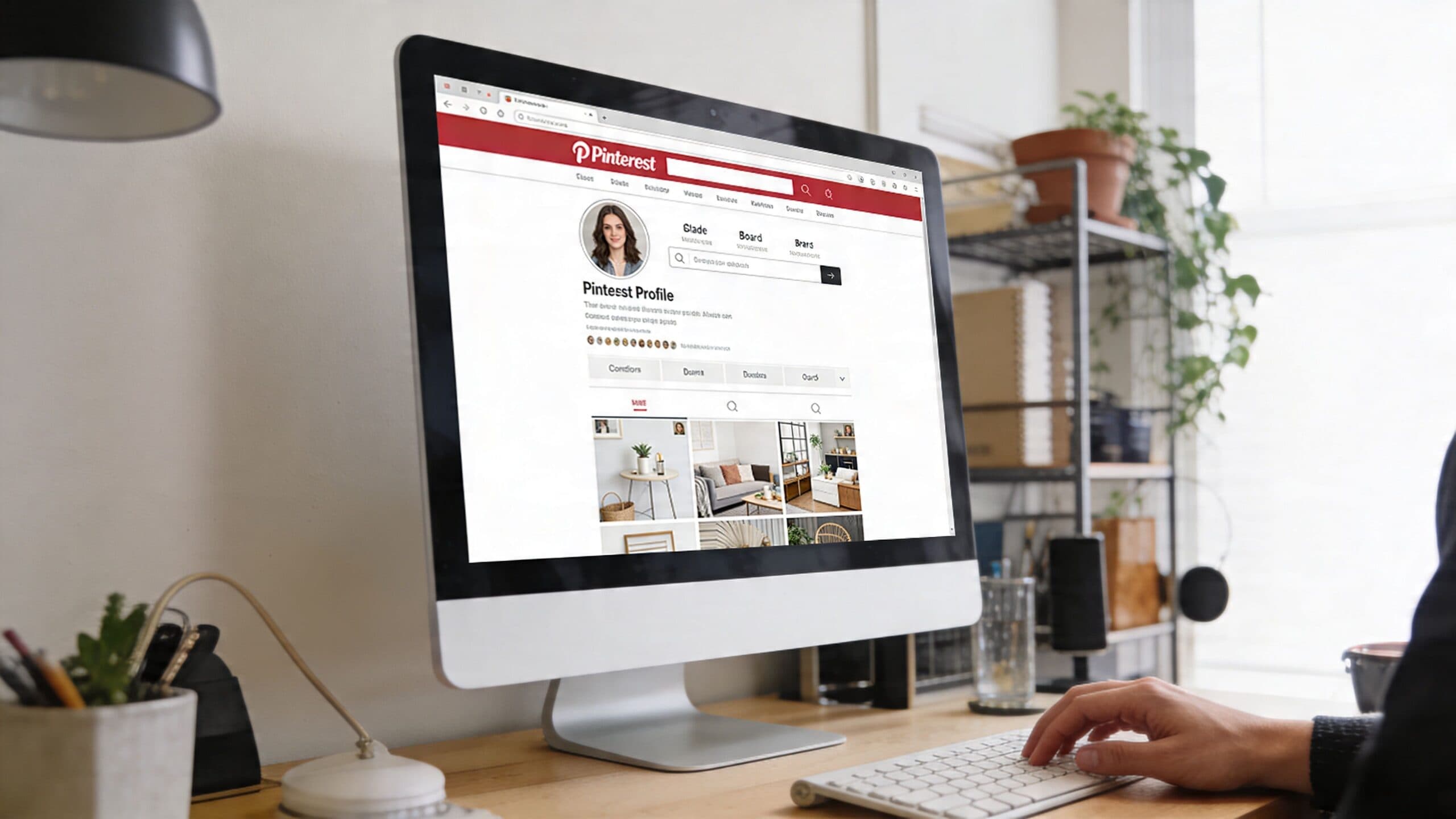
Start with a business account
Use a Business account from the start. It gives you access to analytics, account settings built for publishers and brands, and a cleaner setup for anyone treating Pinterest as a revenue channel instead of a hobby feed.
Printify’s Pinterest affiliate guide also recommends making that switch early. I agree. Without business features, it is harder to see which topics drive outbound clicks, which boards earn distribution, and which Pins are attracting the right audience for your offer.
Claim your domain and clean up your profile
If Pinterest traffic is going to your landing pages or sales pages, claim your domain early. It reinforces that your account and your destination belong together.
This is one of the biggest differences between casual Pinterest use and a creator business. A profile linked to a branded domain feels more credible. It also makes the path from Pin to opt-in page to checkout more consistent, especially when everything is housed in one place on a white-label domain like Zanfia gives you.
A solid profile includes:
- A clear profile image that matches your website and other channels
- A niche-specific bio built around plain search terms your audience already uses
- A focused outbound link to your main hub, offer, or lead magnet
- Board titles and covers that reflect real content categories, not vague inspiration folders
If your themes still feel messy, map them before you create boards. This guide on building a content strategy for digital product creators is a practical place to start.
Build boards like a search structure
Boards work best when they mirror search intent. Creators who sell digital products often miss this because they name boards for their own internal categories instead of the phrases buyers use.
Printify recommends creating niche-specific boards and assigning a tight set of related keywords to each one. That approach works because Pinterest needs clear topical clusters. A board called “Email Marketing Tips for Creators” gives the platform far more context than one called “Business Stuff.”
A better board structure looks like this:
| Weak board title | Strong board title |
|---|---|
| My Favorites | Minimalist Home Office Ideas |
| Good Reads | Email Marketing Tips for Creators |
| Inspiration | Online Course Launch Strategy |
| Business Stuff | Digital Product Funnel Ideas |
Each board title should help Pinterest sort your account and help the user predict what they will find after the click.
Organize your account around buyer intent. A strong board title should sound like a search query, not a private category label.
Use keyword research before you design
Pinterest is visual, but distribution starts with language. Before you design Pins, collect the phrases your audience uses when they are looking for an outcome, a method, or a tool.
Printify suggests using Pinterest Trends and Google Keyword Planner to find stronger search terms, then building around specific phrases instead of broad labels. That usually means “beginner watercolor class online” will perform better than “art,” and “digital product launch checklist” gives Pinterest clearer context than “marketing.”
For creators selling their own offers, this step improves more than reach. It tightens message match across the whole funnel. The keyword in the Pin can match the headline on the landing page, the promise in the freebie, and the pitch in the follow-up email. That consistency usually leads to better conversion than sending Pinterest traffic to a generic homepage.
Watch this walkthrough if you want a quick visual primer on Pinterest setup and positioning before you start publishing regularly:
Treat your profile like a storefront, not a scrapbook
A Pinterest profile built for revenue should answer three questions fast. Who is this for. What problems does this creator help solve. Where does the click lead next.
Clean structure beats clever branding here. One niche. Clear board themes. Search-friendly wording. A destination that matches the promise of the Pin.
That setup gives your content a stronger base. It also makes the rest of the Pinterest-to-profit funnel easier to run.
Crafting Pins That Convert and Go Viral
A strong Pinterest Pin earns the click fast. The user should understand the topic, the benefit, and the next step in a glance.
That matters even more if you sell your own digital products. A Pin for a course, membership, template, or e-book has to do two jobs at once. It has to stop the scroll, and it has to pre-qualify the click so the landing page does not have to recover from a weak first impression.
Build a repeatable Pin system
Creators get better results from a repeatable format than from constant redesigns. The goal is not to make every Pin look identical. The goal is to create a production system you can use every week while testing new hooks, titles, and visuals.
A reliable starting point is a vertical Pin, clear text overlay, one focused promise, and several creative variations for the same offer. I usually test multiple Pins for one destination because different people respond to different entry points. One person clicks the transformation. Another clicks the shortcut. Another clicks because the title solves a very specific problem.
That approach fits the Zanfia model well. If the destination is a lead magnet, waitlist, sales page, or mini-offer inside one workspace, you can test the Pin creative without rebuilding the funnel every time. You can also open a real checkout in test mode before you send Pinterest traffic to it, so conversion events fire to the test surfaces of GA4, Meta, and TikTok while test orders stay out of your real order list.
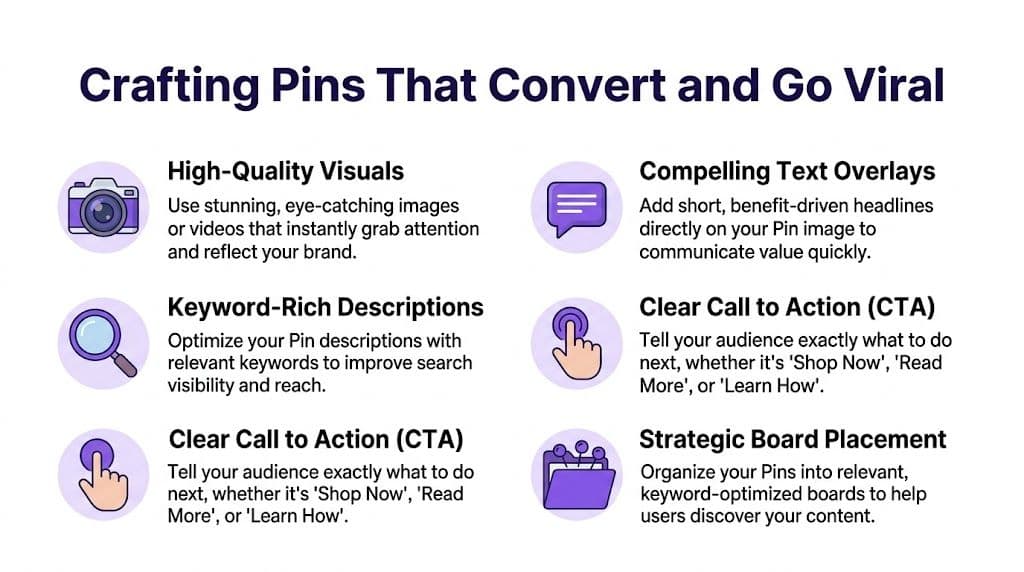
What high-converting Pins usually include
The best Pins are simple, specific, and easy to read on mobile.
- A vertical layout that takes up more space in the feed
- A headline on the image that says what the user gets
- A readable font with strong contrast
- A visual that matches the promise instead of generic lifestyle filler
- A clear next step such as “Get the Guide,” “See the Template,” or “Start the Course”
Pinterest rewards clarity. Artistic design helps only if it supports the message.
For creators, the promise should match the stage of the funnel. A Pin for a free checklist should sound different from a Pin for a paid workshop. A Pin for a membership should usually lead with the outcome or ongoing support, not just the name of the program.
Match the Pin format to the offer
Static Pins are still the workhorse. They are fast to create, easy to test, and strong enough for most educational offers.
Video and carousel Pins earn attention when the offer needs a quick demonstration. That can work well for template bundles, mini-course previews, software workflows, before-and-after transformations, or a short walk-through of what a buyer gets. The mistake is making the creative too polished and too vague. Pinterest users respond better to useful visuals than to brand-heavy motion graphics.
A practical rule helps here. Use static Pins for direct promises. Use video or carousel Pins when showing the process makes the promise easier to believe.
Write Pin titles that blend search intent with buying intent
Pinterest titles sit between search copy and ad copy. They need the keyword, but they also need a reason to click.
Weak examples:
- Online Course Tips
- Marketing Ideas
- Affiliate Strategy
Stronger examples:
- How to Turn Pinterest Traffic Into Digital Product Sales
- Best Lead Magnet Ideas for Coaches and Course Creators
- Sell Your E-book With a Simple Pinterest Funnel
Descriptions should add context, not repeat the title. Use natural phrasing, include related terms, and tell the user what they will find after the click. If the Pin leads to an opt-in page, say that. If it leads to a product page or a tutorial, say that too.
If you need help setting up a clean destination URL, this guide on how to make an affiliate link covers the basics.
Create multiple angles for one offer
One offer should produce several Pins. That is how you find the message that the market responds to.
For a creator selling an e-book or workshop, five useful angles are:
- Problem angle Why your Pinterest traffic is not turning into sales
- Outcome angle A simpler system for selling digital products
- Beginner angle Start your funnel without stacking five separate tools
- Checklist angle The launch steps creators skip and regret later
- Time-saving angle Build a Pinterest sales path faster with one connected platform
Integrated tools provide an edge. If the Pin, landing page, checkout, email follow-up, and delivery all live in one Zanfia workspace, testing gets cleaner. You can change the Pin angle without creating a messy handoff after the click, and you can dictate the next variant to the assistant by voice instead of clicking through every screen.
Mistakes that quietly lower performance
Some Pins fail because the idea is weak. Many fail because the packaging makes the idea harder to understand.
Watch for these problems:
- Too much text with no visual hierarchy
- Tiny fonts that disappear on mobile
- Clever wording that hides the true benefit
- Images that do not match the offer
- Calls to action that are vague or missing
- Pins that promise one thing and land on a page about something else
That last point matters most.
A Pin can get clicks and still lose money if the message breaks between Pinterest and the page. The strongest creators keep one promise all the way through. The Pin introduces the benefit. The landing page expands it. The email sequence or sales page closes it. That consistency is what turns Pinterest from a traffic source into a revenue channel.
Smart Linking Strategies and Essential Disclosures
Linking is where many Pinterest strategies break down. The platform may allow more flexibility than some creators expect, but that doesn’t mean every option is equally smart.
Direct linking can work in some cases. It’s also the fastest way to build a fragile setup. If the destination looks low-trust, too aggressive, or mismatched with the Pin, performance drops and risk goes up.
Why direct linking is usually the weaker play
A lot of beginners jump straight from Pin to affiliate offer because it feels simple. But simple on your side can feel abrupt on the user’s side.
That’s especially true if the offer needs context. Courses, communities, newsletters, software tools, and premium downloads often convert better when the click lands on a page that explains why the product matters, who it’s for, and what happens next.
The overlooked issue is trust. Pinterest users are open to discovery, but they still need confidence before they buy.
The better option is a bridge page
A bridge page sits between the Pin and the final sale or affiliate action. That page can be a review, roundup, comparison, tutorial, opt-in page, or product page. Its job is to warm the click.
The strongest bridge pages do four things well:
- Confirm relevance by matching the Pin’s promise.
- Add context so the user understands the offer.
- Pre-handle objections before asking for a decision.
- Create optional next steps such as email signup, purchase, or related resources.
For creators, this is often where affiliate marketing on pinterest becomes more than affiliate marketing. You can use Pinterest to attract someone with a solution-focused Pin, then send them to your own ecosystem first. That might be a sales page, a free workshop registration, or a curated resources page that includes affiliate links alongside your own offer.
If a click is valuable, don’t waste it by sending it somewhere you don’t control unless that’s your only workable option.
What if you don’t have a website yet
Many creators delay Pinterest because they think they need a full blog first. That isn’t always true.
According to Pin Generator’s article on Pinterest affiliate myths, most guides assume you already have a website, but many creators don’t. The same source notes that direct linking is risky, while newer approaches include Idea Pins with embedded CTAs and simple landing pages built with free tools to capture traffic without a full website.
That’s a realistic middle ground. You don’t need a giant content site. You need a credible destination.
Good beginner options include:
- A one-page landing page for a free checklist or mini-training
- A simple email capture page connected to an autoresponder
- A product information page for a digital download or membership waitlist
- A curated resource page if you’re mixing your own products with affiliate recommendations
If you want a deeper primer on proper link setup, how to make an affiliate link covers the mechanics and the strategic considerations.
Disclosures are not optional
If you use affiliate links anywhere in your Pinterest funnel, disclose the relationship clearly. That applies whether the affiliate link appears directly in the Pin destination or later on the landing page.
Keep it plain. Don’t bury it. Don’t make it cute.
A useful standard is:
- On the Pin or near the promotional message when needed, use a clear disclosure such as “affiliate link” or “ad.”
- On the landing page , add a short disclosure near the top or before the first affiliate recommendation.
- In product roundups or tutorials , repeat the disclosure where context changes.
The point isn’t just compliance. It’s credibility. People buy more comfortably when they understand the commercial context.
Building Your Pinterest-to-Profit Funnel
The best Pinterest strategies don’t end at the click. They continue through a buyer journey that feels consistent from first impression to payment and onboarding.
Take a practical example. A creator sells a premium guide and a follow-up course for freelance designers. Instead of posting a generic “buy now” Pin, they publish a search-friendly Pin around a real problem like portfolio positioning or pricing confidence. The Pin leads to a focused page that teaches something useful and offers the next step.
A simple funnel that actually fits Pinterest behavior
The flow can look like this:
- Discovery on Pinterest A user searches for help with a specific problem and finds your Pin.
- Click to a targeted page The destination matches the Pin exactly. No bait-and-switch.
- Capture or conversion The visitor either joins your email list through a lead magnet or buys a starter product.
- Ascension into your ecosystem Buyers move into a course, membership, newsletter, or bundled offer.
- Automated follow-up Delivery, onboarding, and nurture happen without manual chasing.
That structure matters because Pinterest traffic often arrives cold. People need a clean first offer and an obvious next move.
Where digital creators gain leverage
An integrated workspace earns its keep. If your funnel spans landing pages, checkout, course delivery, email tool sync, community, and automations, fragmented tools create friction fast.
Creators selling digital products need the backend to do boring work well. Access should be granted automatically after payment. Buyers should enter the right course or community space without support tickets. Email sequences should fire based on what someone bought. If a subscription changes, access rules should change too. Zanfia treats that plumbing as the job of an AI team you can talk to instead of a stack you configure by hand, and the checkout is built to sell: order bumps and upsells at checkout, installments so you can split a $600 course into four payments, and a test purchase before your first Pin ever goes live. Advanced pieces like the MCP endpoint and the full Assistant are plan-dependent, so confirm on the current Zanfia pricing page.
That’s also why broader monetization strategy matters. If you’re building a creator business across channels, this guide on how to monetize social media accounts is worth reading because it helps frame Pinterest as one part of a larger revenue system, not a one-channel gamble.
The economics get better when the funnel is yours
When creators rely only on third-party affiliate offers, they earn from a single transaction path. When they use Pinterest to feed their own digital product funnel first, the upside changes.
A click can become:
- An email subscriber who buys later
- A low-ticket customer who upgrades
- A course student who joins a paid community
- A newsletter reader who buys a bundle later on
That’s the shift. You stop treating Pinterest as a place to drop links and start using it as an acquisition layer for a compounding business.
If you want to map that path more clearly before building, this guide on what is a sales funnel gives a useful framework for thinking through each stage.
Keep the journey tight
Pinterest users respond well when the experience feels coherent. The Pin headline, landing page promise, lead magnet, product, and follow-up email should all describe the same transformation from slightly different angles.
When creators miss here, the problem usually isn’t traffic. It’s disconnect. A Pin offers one thing, the page says another, and the checkout asks for too much too soon.
A tight funnel fixes that. It respects the click.
Tracking Analytics and Scaling Your Efforts
Pinterest can send clicks for a long time, but scaling without measurement turns the channel into guesswork. Saves and impressions are interesting. They’re not enough.
The useful question is simpler. Which Pins produce revenue, qualified leads, or meaningful downstream actions?
Start with Pinterest Analytics, then go further
Pinterest Analytics tells you what people engage with on-platform. That’s useful for spotting creative patterns. You can see which topics get attention, which designs attract clicks, and which boards are pulling their weight.
But on its own, that data won’t tell you what sold. For that, you need your own attribution layer.
According to Galactic Fed’s discussion of Pinterest affiliate ROI, guides often miss the measurement piece. Their key recommendation is to connect Pinterest Analytics with your own platform data using UTM tracking so you can measure true EPC and conversion rates instead of stopping at vanity metrics.
Track the click source at the Pin level whenever possible. Otherwise, you’ll know Pinterest works, but not what inside Pinterest works.
What to tag and what to review
A practical setup is simple. Add UTM parameters to each Pin destination so your analytics platform can separate traffic by campaign, creative angle, offer, or board.
Review performance through three lenses:
- Creative lens Which titles, images, and formats earn outbound clicks
- Intent lens Which topics bring people who stay, subscribe, or buy
- Funnel lens Which destination pages convert Pinterest visitors best
If one Pin gets modest traffic but generates your best buyers, that Pin matters more than a viral-looking graphic that attracts the wrong audience.
A lean scaling routine
Scaling doesn’t require publishing all day. It requires consistency and review.
A sensible routine looks like this:
| Weekly task | What to look for |
|---|---|
| Review top Pins | Clicks, saves, outbound quality |
| Compare landing pages | Which pages convert Pinterest visitors better |
| Make new variants | Fresh titles, visuals, or CTAs for proven offers |
| Refresh board fit | Whether the Pin is placed in the best topical context |
| Schedule the next batch | Keep publishing without relying on daily manual effort |
If you decide to add paid distribution later, studying specialist pages like these Pinterest advertising solutions can help you understand campaign structure and targeting options before you spend.
Use your own business dashboard as the source of truth
Creators often mature as marketers. They stop asking, “Did this Pin do well?” and start asking, “Did this Pin help sell the right offer to the right buyer?”
Your sales dashboard, checkout data, subscription records, and email performance should all feed that answer. If you want a stronger habit for connecting traffic sources to business outcomes, this guide on how to analyze website traffic is a strong next step.
Scale what earns. Ignore what only looks busy.
Your Path to Evergreen Pinterest Income
Affiliate marketing on pinterest works best when you stop treating Pinterest like a mood board and start treating it like a search-driven acquisition channel. The system is straightforward. Build a focused profile, publish clear Pins, send clicks to trustworthy pages, and measure what turns into revenue.
The creators who get the most from Pinterest usually do one thing differently. They connect traffic to a real business asset. That can be an email list, a digital product line, a course ecosystem, or a paid community. Once that’s in place, Pinterest stops being a side tactic and becomes part of an evergreen engine.
You don’t need a huge audience to make this work. You need clear positioning, useful offers, and the patience to build a library of Pins that compound over time.
If your long-term goal is recurring, durable revenue rather than constant posting pressure, it helps to think in terms of assets and systems. This introduction to what is passive income is a good reminder that passive income isn’t about doing nothing. It’s about building channels that keep working after the initial effort.
FAQ
How long does a Pinterest Pin keep driving traffic compared to other social platforms?
The average Pin lasts 3.5 months, compared with 5 hours on Facebook and 48 hours on Instagram. That longer shelf life means one well-positioned Pin can keep sending clicks to a lead magnet, sales page, or webinar registration long after you publish it.
Why does Pinterest work so well for creators selling their own digital products?
Pinterest users arrive with intent, searching for answers and comparing options, and 80 to 85% of weekly Pinners show buying intent. On top of that, 97% of top searches are unbranded, so a course creator, coach, or educator can win traffic with a clear offer and a relevant Pin even without a large audience.
Should I set up a Business account on Pinterest from the start?
Yes. A Business account gives you access to analytics, publisher-focused settings, and a cleaner setup for treating Pinterest as a revenue channel. Without business features, it is harder to see which topics drive outbound clicks, which boards earn distribution, and which Pins attract the right audience for your offer.
How should I name my Pinterest boards for better distribution?
Board titles should mirror search intent and sound like a query rather than a private category label. Swap vague names like "Business Stuff" or "Inspiration" for niche-specific titles such as "Email Marketing Tips for Creators" or "Online Course Launch Strategy" so Pinterest can sort your account and users can predict what they will find.
What makes a Pin title convert better on Pinterest?
Strong titles blend search intent with buying intent, including a keyword plus a clear reason to click. Instead of vague labels like "Marketing Ideas," write specific promises like "How to Turn Pinterest Traffic Into Digital Product Sales" or "Sell Your E-book With a Simple Pinterest Funnel," and let the description add context rather than repeat the title.
If you want to turn Pinterest traffic into sales of courses, memberships, newsletters, and digital downloads under your own brand, Zanfia is built for that job. It works like an AI team for creators: you dictate the next campaign, landing page, or product setup by voice or chat, and the assistant does the work inside the interface. Your Pinterest clicks land on a white-label domain, on a checkout built to sell with order bumps, installments, upsells, and a test purchase before launch, with 12 product types living under one brand and 0% platform fees on customer sales today (only your payment processor takes its standard cut). Zanfia offers a 14-day free trial with no credit card required, so you can wire the funnel end to end before you commit. Advanced pieces like the MCP endpoint and the full Assistant are plan-dependent, so check the current Zanfia pricing for what your plan unlocks.