

Squarespace vs Wix: Best for Creators & Courses in 2026?
A lot of creators arrive at the same point from different directions.
One started with a simple portfolio site and added a checkout later. Another began with a newsletter, then bolted on a course tool, then a private community. A consultant turned educator might have a polished homepage on one platform, video lessons on another, payments somewhere else, and a Discord server doing the work their actual website should have been doing all along.
That stack works for a while. Then it starts leaking time, brand consistency, and customer trust.
In most squarespace vs wix comparisons, the conversation stays shallow. Templates. Drag and drop. SEO settings. App marketplaces. Those things matter, but they aren't the primary decision point for creators selling courses, memberships, paid newsletters, and digital downloads. The core question is simpler: which platform can function as your digital headquarters without forcing you into a patchwork business model?
The Creator's Dilemma Choosing Your Digital HQ
The usual path looks tidy on paper and messy in practice.
A creator launches a homepage on Wix or Squarespace because both are easy to recognize, easy to start with, and good enough for a basic online presence. Then the business grows. They add a course product. Then a paid newsletter. Then a private member space. Soon the website is no longer just a website. It's the front door to the whole business.
That's when the friction shows up.
Customers buy in one place, learn in another, and talk in a third. The creator spends too much time connecting tools, answering support emails about access, and explaining where members are supposed to go next. Instead of one branded experience, the audience gets handoffs between systems.
That problem is getting more common, especially for people building personal brands around expertise. You see it with coaches, educators, niche publishers, and people following guides like how to become a paid UGC creator, where monetization depends on turning visibility into offers, content, and repeat customer relationships.
Practical rule: If your business depends on recurring engagement, your platform choice isn't a design decision. It's an operating model decision.
Wix and Squarespace are still the two names most creators shortlist first. That's reasonable. They're established, capable, and familiar. But familiarity isn't the same as fit.
For a brochure site, either can work well. For a creator business built on products, teaching, and community, the comparison has to go deeper.
Squarespace and Wix An Overview of the Giants
Wix and Squarespace are major players for a reason. They solve a real problem. They let non-technical users launch websites without touching code, hiring a developer, or maintaining a WordPress stack.
Their market position confirms that scale. As of 2024, WordPress.org holds over 68 percent of the global website builder market, while Wix has 13 percent and Squarespace has 8.5 percent according to Statista's website builder market share data. That same source notes that Wix powers over 8 million websites as of 2025, while Squarespace powers over 5 million websites globally.
Wix in practice
Wix is the flexible generalist.
Its appeal is straightforward. You can build almost anything from almost any starting point. It attracts people who want control, lots of features, and room to experiment. If you're the type of creator who wants to tweak layout decisions, test different content structures, or combine site functionality with marketing tools, Wix usually feels more expansive.
That flexibility is also the risk. More freedom means more chances to make the site harder to manage, harder to keep visually consistent, or harder to scale cleanly when you start adding monetization layers.
Squarespace in practice
Squarespace is the curated design platform.
It tends to appeal to photographers, designers, consultants, service brands, and creators who want a refined site without too many moving parts. The product philosophy is more controlled. Instead of giving users maximum freedom, it narrows the design system so the end result looks polished faster.
That can be a real advantage. It can also become constraining when your business needs don't fit the design-first mold.
What the market data doesn't tell you
The headline numbers establish both platforms as credible. They don't tell you whether either one is ideal for a creator business.
Here's the practical distinction:
| Platform | Core identity | Best starting use case | Main trade-off |
|---|---|---|---|
| Wix | Flexible website builder | Content sites, marketing sites, customizable business sites | More freedom can create more complexity |
| Squarespace | Design-led website builder | Portfolios, sleek brand sites, simple stores | Cleaner system, but less operational depth |
| Both | General-purpose builders | Online presence first | Monetization tools often feel secondary, not foundational |
If your site's main job is to look professional and capture inquiries, both deserve consideration. If your site's main job is to run a digital product business, that's where the evaluation changes.
Ease of Use and Design Flexibility
The editing experience is where squarespace vs wix feels most different.
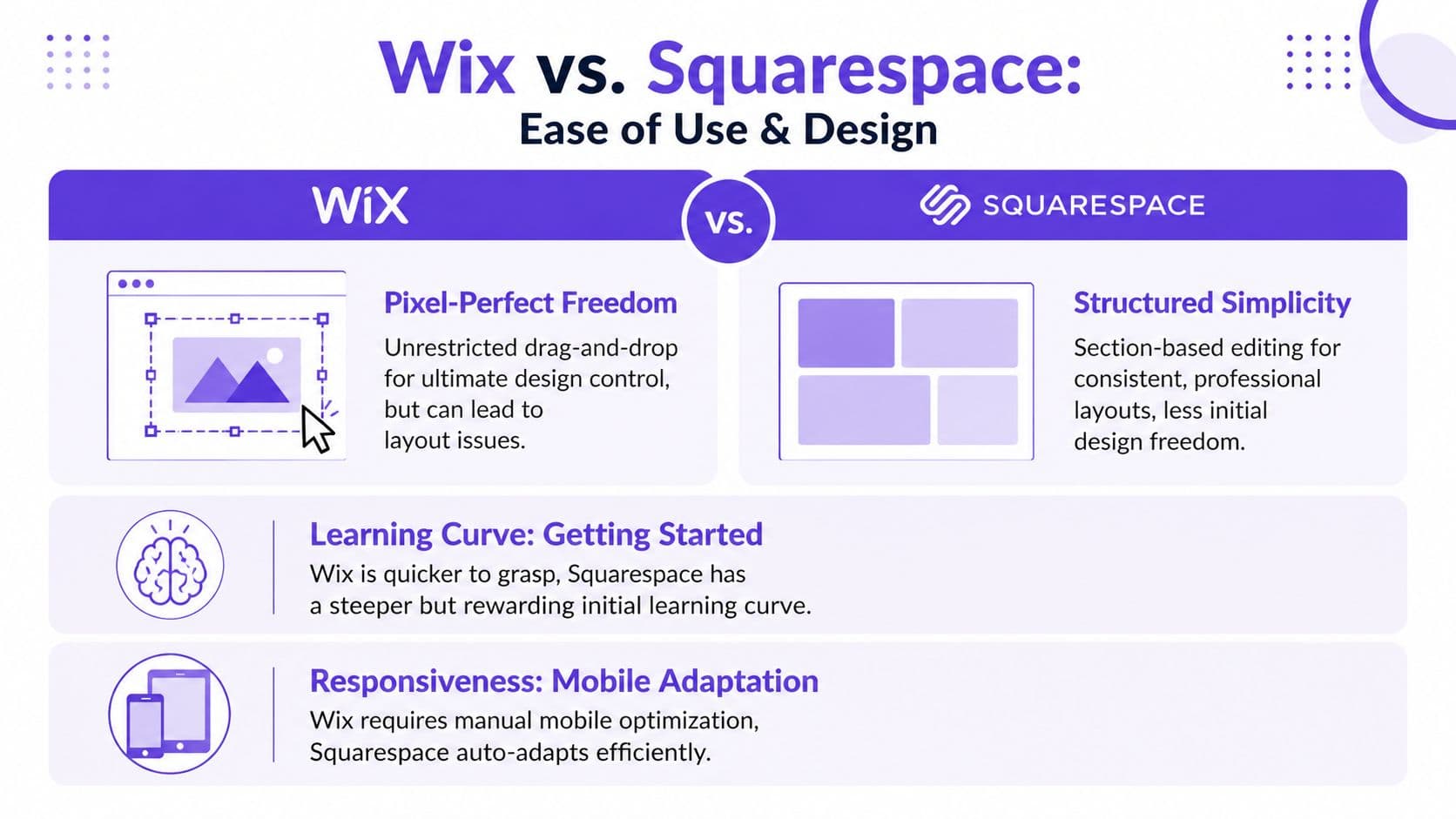
Wix gives you more direct control over placement. Squarespace gives you a more structured environment. One feels open-ended. The other feels guided. Neither approach is automatically better. It depends on whether you value freedom or consistency more.
Wix gives you room to move
Wix is easier for people who want to drag elements around and make the site look exactly how they imagine it.
That sounds great, and often is. But unrestricted design control creates a common operational problem. Users can build pages that look good on one screen and need extra work elsewhere, especially once the site gets bigger, includes many sections, or has lots of offer pages.
In client work, this usually shows up as maintenance drag. The creator launches quickly, but every later page requires more decisions than expected.
Squarespace reduces the number of bad decisions
Squarespace's structure is less exciting at first and often more stable over time.
Its section-based approach helps users keep pages visually coherent. For creators who don't want to think like designers, that guardrail is useful. It reduces the chance of layout chaos and usually makes the brand feel more consistent across pages.
The trade-off is obvious. You don't always get to place things exactly where you want them.
A platform can feel easier on day one and slower on day ninety. That's why the editor alone isn't enough to judge fit.
Performance matters more than people think
Ease of use isn't just about the editor. It's also about what your visitors experience.
In January 2026 Core Web Vitals field data, Wix had 84% of desktop sites and 76% of mobile sites meeting Google's "Good" thresholds, while Squarespace reached 70% on desktop and 69% on mobile, based on this side-by-side Core Web Vitals comparison. That advantage came largely from Wix's stronger Cumulative Layout Shift performance, which points to better layout stability.
For creators, layout stability matters more than many website builder reviews admit. A sales page that shifts while someone is trying to read pricing, click buy, or open a lesson preview creates avoidable friction.
The practical fit by user type
Here's one way to view it:
- Choose Wix if you want broad creative control, don't mind more setup decisions, and are comfortable managing a site that may need more tuning as it grows.
- Choose Squarespace if you want a cleaner editing system, prefer guardrails, and care more about visual consistency than unrestricted customization.
- Pause before choosing either if your actual business is courses, memberships, and paid content, because the website editor isn't where the hard problems begin.
If you're evaluating the broader stack around content operations, this roundup of tools for content creators is useful because the site builder is only one piece of the workflow.
Selling Digital Products and Online Courses
Many creators make the wrong decision at this point.
They compare Wix and Squarespace as if selling a course is just another store feature, like selling a candle or a T-shirt. It isn't. A course business needs delivery, access control, lesson structure, progress management, content hosting, and a student experience that doesn't feel stitched together.

Both platforms can sell digital products
If you're selling a simple download, either platform can get you over the line.
For an ebook, template pack, or one-off file delivery, the website-builder model is often enough. You create the page, connect payment, deliver the product, and move on. That works best when the product is static and the customer journey is short.
Courses are different because delivery is part of the product.
Courses on website builders often feel bolted on
The main issue isn't whether Wix or Squarespace can technically support course sales. It's that the learning experience usually isn't the center of the product.
Creators notice this when they try to do things that serious education businesses need:
- Control lesson flow: Organize modules in a way that supports transformation, not just content upload.
- Keep students engaged: Reduce drop-off between purchase, onboarding, and lesson completion.
- Manage media cleanly: Avoid relying on too many external services just to host and present core teaching content.
- Connect the sale to the student environment: Make checkout, access, and participation feel like one system.
General website builders usually approach this as feature expansion. Purpose-built education platforms approach it as the business itself.
Wix is broader, but that breadth has limits
Wix has pushed further into AI and workflow support than Squarespace. That matters if you want more tools inside one environment. But the creator use case gets more complicated as you scale.
Analyses comparing the two often note that Wix's AI spans site building and workflow, while Squarespace's AI stays more design-focused. The same analysis also points out a practical downside: Wix Studio lacks autosave/version history, and its app market can create plugin conflicts in more app-reliant setups, according to this 2025 to 2026 workflow comparison video.
For creators, that matters because course businesses tend to become app-reliant faster than brochure sites. The moment you need memberships, multilingual access, advanced marketing flows, or extra selling logic, every additional app becomes another dependency.
Squarespace stays cleaner, but can feel shallow for education
Squarespace usually gives a tidier front-end experience. That's one reason many creators like it at first.
The issue comes later. Once you want richer student journeys, more dynamic product structures, or deeper operational automation, the platform's simplicity can feel more like a ceiling than a strength.
The question isn't whether a creator can publish a course on Wix or Squarespace. They can. The question is whether the platform helps them run a course business without extra operational drag.
What works and what doesn't
A clear way to evaluate the two:
| Need | Wix | Squarespace |
|---|---|---|
| Simple digital downloads | Works well enough | Works well enough |
| Course business with layered offers | Possible, often app-dependent | Possible, often less flexible |
| Long-term educational ecosystem | Broad tools, but complexity grows | Clean setup, but depth can run out |
| Creator scaling operations | Stronger range, more moving parts | Lower complexity, narrower path |
If courses are central to your business, don't choose based on homepage aesthetics. Choose based on delivery, student experience, and operational control. This guide on how to sell online courses is a better lens than a generic website-builder checklist because it starts from monetization and delivery, not templates.
Building Memberships and Online Communities
Memberships expose the biggest weakness in general-purpose site builders.
A membership business doesn't just need gated pages. It needs an environment where people return, interact, consume content, and stay connected to your brand. That's different from putting a paywall in front of content.

The fragmentation problem
Most creators don't notice the problem at launch.
They set up a site on Wix or Squarespace, add a membership feature, then eventually create a Discord server, a Facebook group, or another external space because the native experience doesn't fully support what paying members expect. Suddenly the customer journey looks like this:
- Buy on the website.
- Receive access email.
- Join a separate community space.
- Find course links somewhere else.
- Return to the website only when billing or account questions come up.
That setup is common because it's workable. It isn't elegant.
It weakens the premium feel of the brand and makes retention harder. Members stop thinking of the experience as one product and start experiencing it as several disconnected tools.
Wix is stronger here, but not complete
Wix generally offers more membership functionality than Squarespace. That's useful if community is even a secondary part of your business.
But "more features" isn't the same as "integrated experience." Once the setup depends on extra apps for courses, member interaction, or layered access, the experience can start to slow down and feel less cohesive.
That trade-off gets glossed over in many reviews. A Wix comparison page notes that third-party apps for courses or communities can risk 20 to 30 percent slower loads, which can hurt trust and conversion funnels for paid communities, as stated in Wix's comparison discussion.
For a creator selling access, trust is part of the product. Slow pages, inconsistent navigation, and clunky handoffs don't just annoy users. They make the membership feel less valuable.
Squarespace handles access better than interaction
Squarespace can support gated content, but it isn't where I'd send a creator whose business depends on member interaction.
Its strength is controlled presentation. If your version of "membership" is really a clean private content area, that may be enough. If you want layered engagement, discussion, announcements, ongoing education, and a sense that the community lives inside your brand, it usually falls short.
People don't stay subscribed because a page is locked. They stay because the product gives them a place to return to.
What creators often underestimate
When I review creator stacks, the hidden cost isn't just software spend. It's brand dilution.
Every time a creator sends members off-platform, they train customers to associate community value with someone else's environment. The website becomes the checkout page, not the home of the business.
That has consequences:
- Weaker retention: Members don't build a habit around your own platform.
- More support overhead: People get lost between tools.
- Reduced perceived value: Premium pricing gets harder to defend when delivery feels fragmented.
- Lower brand control: The customer experience starts to look and feel generic.
For a deeper look at platform criteria, this overview of membership website platforms is useful because it evaluates the business model, not just the site builder category.
The True Cost Pricing and Transaction Fees
Creators often compare Wix and Squarespace by monthly plan price. That's not the cost that hurts most.
The true cost shows up after launch, once the site is tied to revenue. If you sell downloads, courses, subscriptions, or paid access, the important question isn't "what does the plan cost?" It's "how much of each sale does the stack keep taking from the business?"
The monthly price is only the visible line item
Wix and Squarespace are both large businesses built around recurring software revenue.
As of 2026, Wix generates $1.56 billion in annual revenue and Squarespace generates $1.01 billion, according to SiteBuilderReport's website builder industry statistics. The same source notes that website builder subscriptions and associated fees are the primary revenue source for both companies.
That matters because it tells you how these businesses are structured. They are not optimized to minimize your platform costs. They are optimized to monetize software usage at scale.
Why creators misread platform cost
The typical mistake looks like this:
- A creator compares entry plans.
- They choose the lower-friction option.
- They later discover that selling seriously requires upgrades, added tools, and payment-related costs.
- They calculate software spend, but not margin erosion.
This is especially common with digital businesses because the product itself has high margin. That makes software and transaction leakage more visible over time.
The practical cost categories to evaluate
When comparing squarespace vs wix for monetization, review these separately:
| Cost layer | What to look for | Why it matters |
|---|---|---|
| Base subscription | The plan required to sell, not the cheapest plan shown in ads | Entry pricing often isn't the real business pricing |
| Payment-related deductions | What happens on each sale through the checkout flow | Revenue leakage compounds as sales grow |
| Feature unlocks | Whether core selling functions require higher tiers or add-ons | Your actual operating plan may be above your starting plan |
| App dependence | Extra tools for memberships, courses, automation, or community | Add-ons turn "affordable" into fragmented |
What this means in the real world
A creator business with a static portfolio can tolerate a less efficient stack. A creator business selling educational content and recurring access can't ignore unit economics for long.
If your offer mix includes courses, downloads, memberships, and newsletter revenue, a platform that looks inexpensive at the homepage level can become expensive at the business level. Not always because the monthly fee is extreme, but because the stack keeps adding paid dependencies around the core platform.
Decision test: Don't ask which platform is cheapest to start. Ask which setup lets you keep more of your revenue while needing fewer tools around it.
That's also why pricing strategy and platform strategy should be reviewed together. If you sell digital products, your software model affects packaging, margin, and upsell logic. This guide to pricing psychology strategies is useful because pricing works best when the platform doesn't fight the business model.
The Creator-First Alternative Zanfia
The weakness in Wix and Squarespace isn't that they're bad website builders. It's that they're website builders first, and a creator business built on courses, communities, and paid content asks for more than pages.
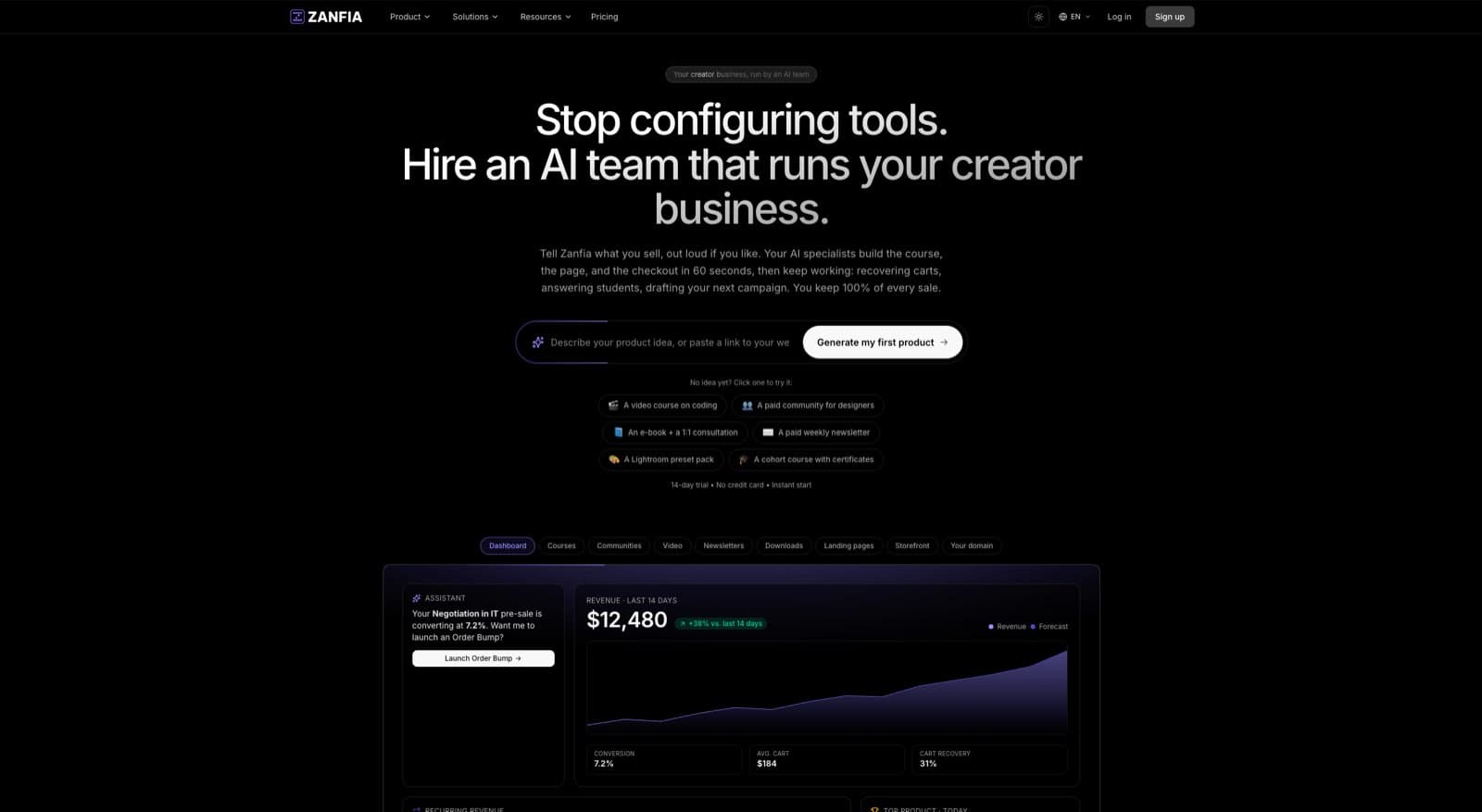
Zanfia is built around a different starting point. Instead of a site builder with monetization bolted on, it is an AI team that runs the creator business, with courses, communities, paid newsletters, knowledge bases, subscriptions, and digital products landing under one brand. The creator tells the system what to do, by chat or by voice, and the assistant performs the same actions available in the interface. External AI tools can plug in over the platform's MCP endpoint on higher plans, which no general website builder on this list exposes at all.
What purpose-built looks like
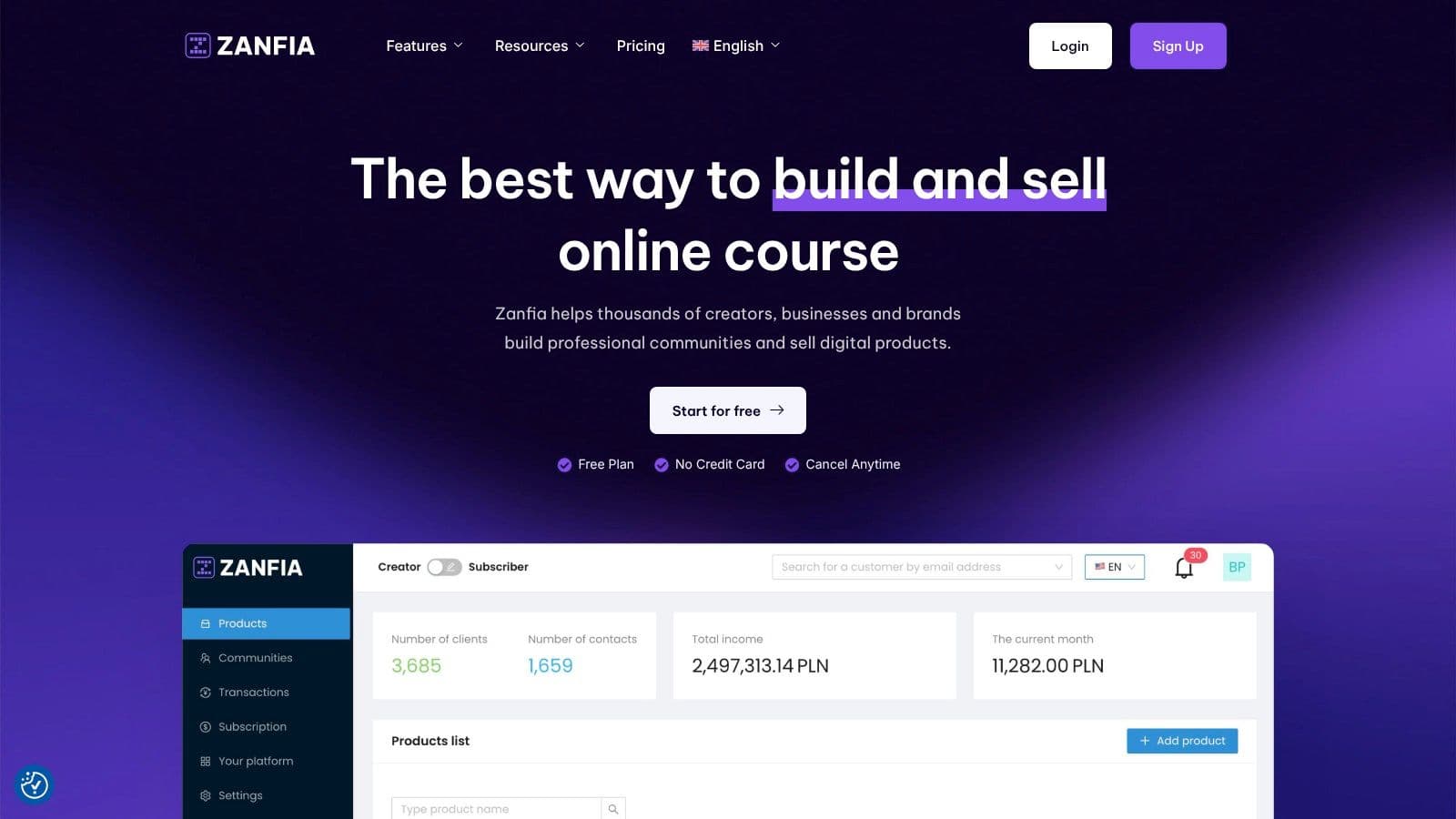
The difference is structural. Twelve product types (courses, communities, newsletters, memberships, knowledge bases, downloads, digital content, services, events, consultations, bundles, and custom products) live under one login and one domain, and the same AI team touches all of them.
- Community, courses, newsletters, knowledge libraries, subscriptions, and digital products live in one environment , so members don't bounce between tools
- Customers use a single login instead of being pushed through separate systems
- Native video hosting is included , with chapters, auto-generated transcripts, and drop-off analytics that answer "where do my students quit"
- Automations handle access, email flows, subscription events, and product-based access rules , and the visual workflow builder is available on every plan
- White-label control and custom domain support are available on higher plans , with the current unlock listed on the live Zanfia pricing page
- The platform charges 0% platform transaction fees on every plan , so only payment processor fees (roughly 2.9% + $0.30 through Stripe in the US) come off each sale
For creator businesses, that last point changes the economics immediately. The platform itself isn't taking a cut of customer sales.
Built to sell, not just to publish
Zanfia is especially strong where Wix and Squarespace often become awkward: paid communities tied to learning, subscriptions tied to access rules, and digital product businesses that need the whole customer lifecycle inside one brand environment.
The checkout is built for the way creators actually sell. You can split a $600 course into four installments, add an order bump at checkout, offer a subscription upsell on the same page, and accept cards, Apple Pay, and Google Pay through Stripe or PayPal. Before a single real sale, you can run a test purchase on your own checkout in test mode, watch the conversion events fire into GA4 DebugView, and confirm the funnel works end to end without polluting live analytics. Instead of a permanent free plan, every account starts with a 14-day free trial with no credit card required.
Social proof from people using it
The positioning isn't theoretical. Artur Kurasiński calls Zanfia “the most convenient and simplest solution for paid newsletters, courses and community”. Wojciech Pisarski says, “Without Zanfia, developing a paid newsletter and community would be much harder, it’s the best tool in the market”.
Those endorsements line up with the practical value proposition. Fewer tools. More control. Cleaner monetization. Less tech friction.
If your business model revolves around teaching, gated access, and community rather than just publishing pages, this overview of the best platform for content creators is a better comparison framework than a traditional website-builder roundup.
Final Recommendations Which Platform Is Right for You
The right choice depends on what your website is supposed to do.
If you want broad design freedom for a content site, marketing site, or business homepage, Wix is the stronger option. It gives you more room to customize and a wider business toolkit. That flexibility comes with more moving parts, so it's a better fit for creators who don't mind managing complexity.
If your main goal is a polished portfolio, elegant service site, or visually refined brand presence, Squarespace still makes sense. Its editing model is more constrained, but that constraint often produces cleaner results faster.
If your business is built around courses, memberships, paid newsletters, digital downloads, and community, neither Wix nor Squarespace is the cleanest answer. Both can be made to work. That's not the same as being the right foundation.
Use this filter:
- Choose Wix if your business starts with a website and monetization is secondary.
- Choose Squarespace if design quality is the top priority and your selling model is relatively simple.
- Choose a creator platform like Zanfia if the website is only one part of a larger digital business and you want the products, access, payments, community, and brand experience to live in one system, run day to day by an AI team you can talk to.
That's the practical conclusion in any honest squarespace vs wix review for creators. The best website builder isn't always the best creator business platform.
Frequently Asked Questions
Is Wix better than Squarespace for creators?
Usually, yes, if you're judging only by flexibility.
Wix generally gives creators more room to customize the site and expand functionality. But for creators selling structured educational products or memberships, "better" depends on whether the stack stays manageable after launch. More capability can also mean more app dependence and more operational drag.
Is Squarespace better for selling courses?
Not in most serious course-business cases.
Squarespace can support digital selling and gated content, but it isn't the strongest fit for a business where course delivery is central. It's better suited to a creator who wants a beautiful site first and a lighter education product second.
Can I build a paid community on Wix or Squarespace?
Yes, but the experience often becomes fragmented.
You can gate content and set up paid access on both. The challenge is creating a cohesive member environment that keeps discussion, content, and customer identity inside one branded system. That's where many creators end up adding outside tools.
Why do creators outgrow website builders?
Because the business model changes.
At the start, a creator needs pages. Later, they need product delivery, automation, subscriptions, community management, customer segmentation, and margin protection. General-purpose builders can help with the first stage. They often become awkward in the second.
Is migrating from Wix or Squarespace difficult?
It depends on how much content and product logic you've built into the platform.
A simple marketing site is easier to move than a business with many products, member rules, and connected tools. The longer you wait, the more operational logic gets embedded in the old setup. That's why it's worth choosing infrastructure based on the business you're building, not just the site you're launching this month.
Do I have to pay to try Zanfia?
No. Every plan starts with a 14-day free trial with no credit card required. You can build your storefront, connect a product, and run a test purchase on your own checkout before you decide.
If you're building more than a website, and you want one platform for courses, community, newsletters, digital products, automations, native video, and an AI team that runs the work by chat or by voice with 0% platform transaction fees, take a serious look at Zanfia. It's built for creators who want to keep control of their brand, simplify their stack, and grow without handing over a cut of every sale.