What Is Email Automation? A Guide to Saving Time
Email automation is a powerful way to send the right emails to the right people at exactly the right time, all on autopilot. Instead of you having to manually hit "send," this technology does the heavy lifting, triggering messages based on specific things your audience does.
Think of it as your own personal marketing assistant, one that works around the clock. It can welcome a new subscriber the moment they sign up, deliver a digital product right after a purchase, or gently nudge a customer who left something in their cart. It’s all about creating timely, relevant touchpoints that build real relationships, but at a scale you could never manage by hand.
The Power of Automated Communication
So, let's break it down. What is email automation, really? It’s a system you set up to react to your audience's behavior. Instead of blasting out one generic message to everyone, automation lets you create personalized conversations.
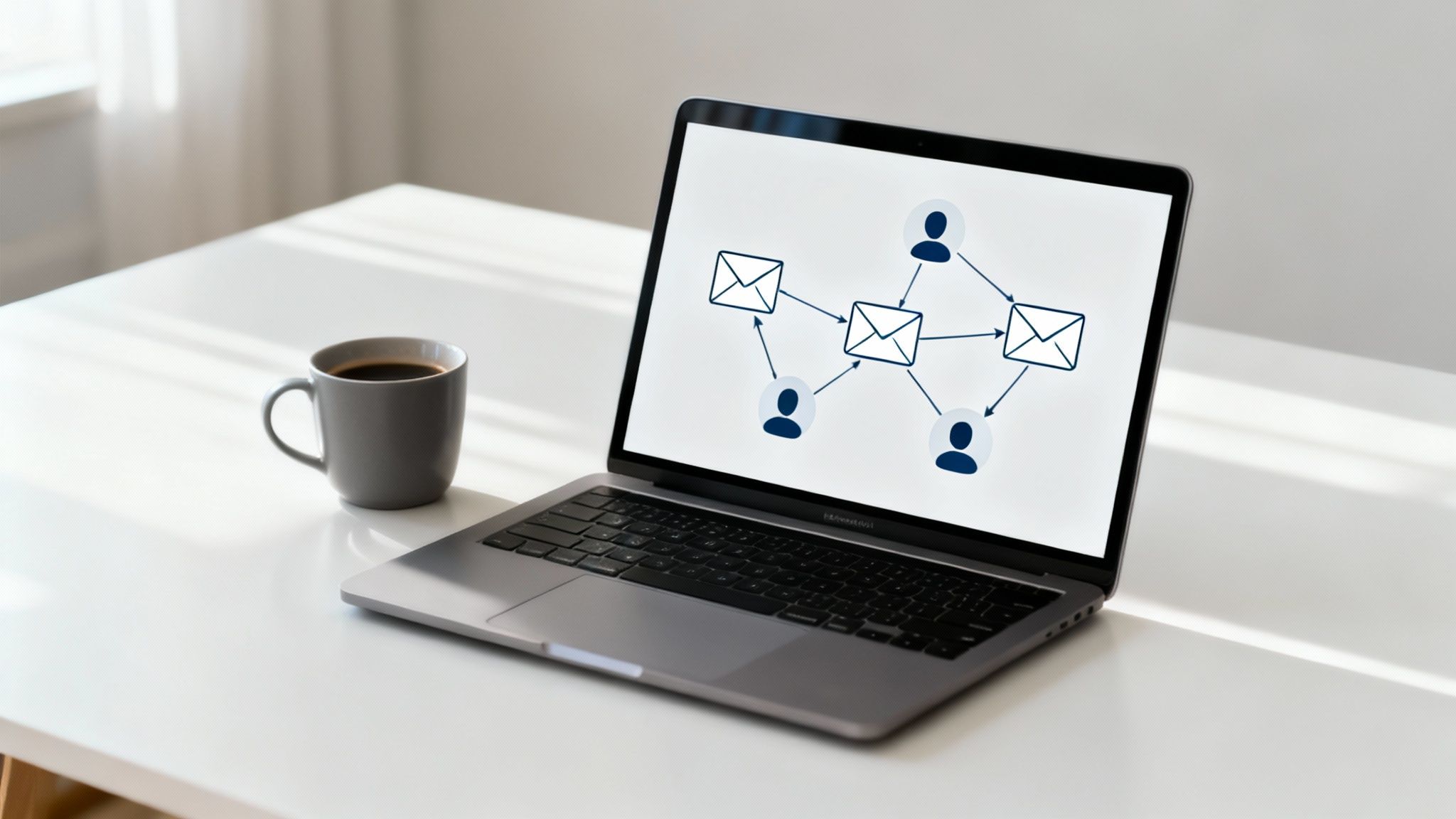
When someone joins your newsletter, clicks a specific link in an email, or buys your latest course, a pre-written, pre-planned sequence of emails automatically kicks off. This ensures every single person gets an experience that feels tailored to them, building trust from the very first interaction.
For creators and small business owners, this is an absolute game-changer. It frees you from the drudgery of admin tasks, often saving 5-10+ hours per month. Imagine what you could do with that time—create more content, develop new products, or just take a well-deserved break.
Manual Emailing vs Automated Emailing
The core difference between sending emails by hand and using an automated system really comes down to being reactive versus proactive. Manual emailing requires you to be constantly involved, while automation works for you in the background.
Here’s a quick comparison to make it crystal clear:
| Feature | Manual Emailing | Email Automation |
|---|---|---|
| Timing | Sent at a specific time you choose. | Sent automatically based on a user's action. |
| Personalization | Limited to basic fields like [First Name]. | Highly personalized based on behavior and history. |
| Scalability | Gets overwhelming as your audience grows. | Scales effortlessly, no matter the list size. |
| Effort | Requires constant manual intervention. | "Set it and forget it" after initial setup. |
As you can see, this shift turns your email list from a static address book into a dynamic engine for engagement.
Of course, powerful automation is built on a solid foundation. You can’t get far without great email list management practices. And if you’re ready to see how this works in practice, this guide on automated email marketing campaigns is a fantastic resource. Ultimately, this is what modern email marketing is all about: creating personalized journeys at scale so you can get back to doing what you love.
How Email Automation Actually Works
So, what's really going on behind the scenes with email automation? It isn’t magic, but it’s close. It’s all about a simple, powerful system based on three core parts: triggers, workflows, and actions. Think of it like setting up a series of dominoes—you do the work once, and they fall into place perfectly every single time.
The Trigger: What Kicks It All Off?
A trigger is the specific event that starts the whole process. It's the starting pistol for your automated sequence. Your system is always watching for these triggers, which are specific actions taken by your subscribers or customers.
A trigger could be almost anything.
- Example 1: Someone signs up for your free e-book by filling out a form. The form submission is the trigger.
- Example 2: A customer completes a purchase for your premium online course. That successful payment is the trigger.
- Example 3: A subscriber in your weekly newsletter clicks a link about an upcoming workshop. The click itself is the trigger.
Once that trigger fires, it activates a workflow.
The Workflow: Your Strategic Map
A workflow is the journey you design for your customer. It’s a pre-built sequence of steps, rules, and time delays that guides what happens next. This is where you put on your strategist hat, deciding the exact path someone will take based on what they did.
For instance, your workflow can have rules like, "Wait 24 hours after the first email, then send the second." Or it might use conditional logic: "If the subscriber clicked the workshop link, add them to the 'Interested' segment; if not, do nothing."
This map makes sure the journey feels personal and logical. Workflows are the backbone of a great sales process. To see how they fit into the bigger picture, explore our detailed guide on how to create a sales funnel.
After the workflow starts, it’s time for actions.
The Actions: Your Automated To-Do List
Actions are the specific tasks your automation system actually performs. These are the tangible things that happen because of the trigger and the workflow. While sending an email is the most common action, it’s just the tip of the iceberg.
Modern platforms like Zanfia go way beyond just sending emails. Actions can include granting immediate access to a course, adding a new member to the correct community channel, or even automatically generating and sending an invoice.
Let's bring it all together. A new customer buys your e-book (the trigger). This kicks off the "New Customer Onboarding" workflow you built. The workflow then immediately performs three actions:
- Sends a thank-you email with the e-book download link.
- Adds a "Customer" tag to their profile in your system.
- Invites them to join your exclusive online community.
This simple, rules-based process turns one customer interaction into a complete, multi-step experience—all without you having to lift a finger.
The Big Wins: What Email Automation Actually Does for You
Let's be honest, setting up email automation isn't just about saving a bit of time. It's a fundamental shift in how you run your business, grow your audience, and build real relationships—all without working yourself to the bone. At its heart, automation lets you scale your personal touch. You can give a hundred, or a thousand, people the same thoughtful experience you'd give to one.
Think about all the repetitive tasks that eat up your day. Manually sending welcome emails, order confirmations, or follow-up notes. Automation takes all that off your plate. For most creators, this easily adds up to 5-10 hours of reclaimed time every single month. What could you do with that extra time? Probably create more of the awesome stuff your audience loves.
Making Your Audience Feel Seen
One of the most powerful things automation does is help you create truly personal journeys for your subscribers. You can send messages that are a direct response to something they did—like clicking a link, watching a video, or buying a product. That kind of relevance makes people feel understood, and that's how you build a loyal following.
The mechanics are pretty simple. It all boils down to a trigger, a workflow, and an action.
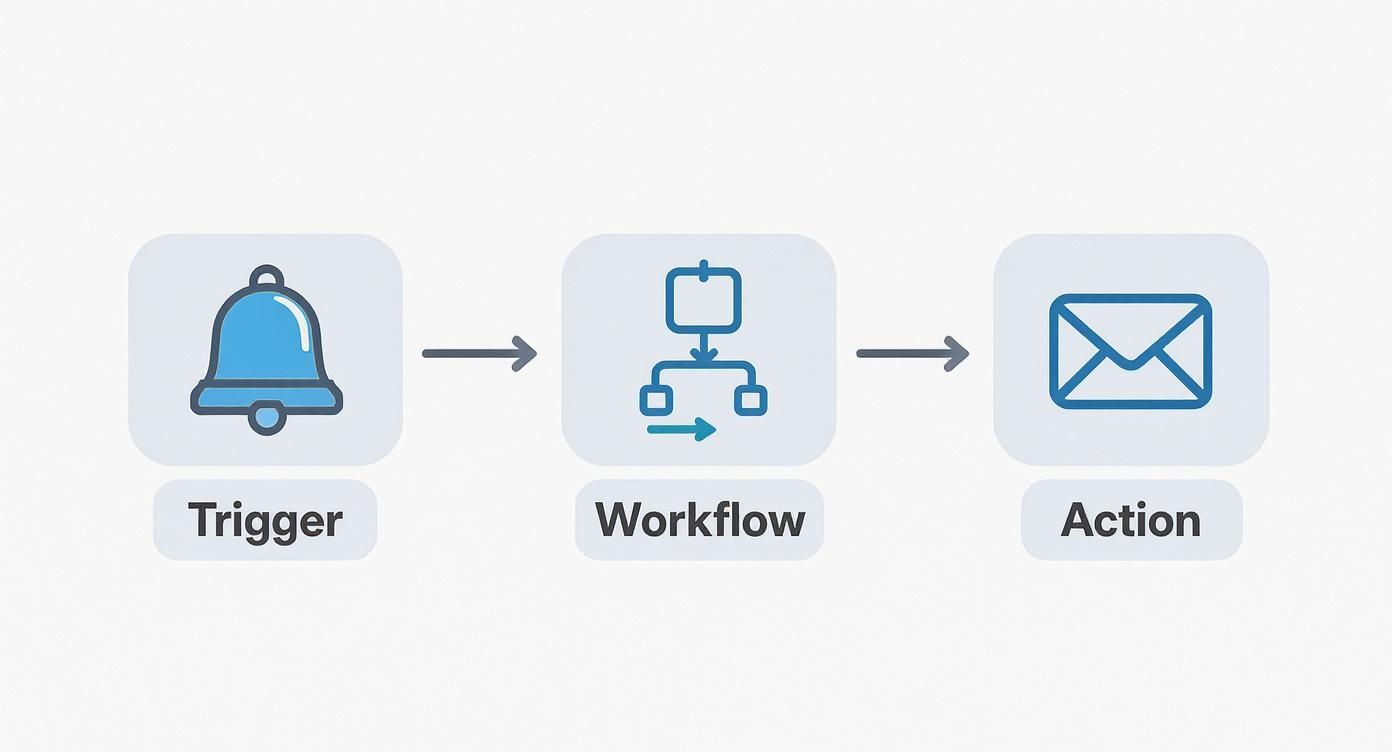
This simple sequence is the magic behind it all. A subscriber takes an action, and a perfectly timed, super-relevant chain of communication kicks off automatically. No manual work required on your end.
More Revenue and Happier Customers
Yes, automation has a direct impact on your bank account. Those automated abandoned cart reminders? They work. Timely upsell offers sent to happy customers? They work, too. This isn't just theory; it’s a proven strategy for increasing the lifetime value of every single person on your list.
This is exactly why the marketing automation market is on track to hit $13.97 billion by 2030. Well-designed automations consistently outperform one-off broadcast emails because they are built on relevance and perfect timing. You can find more stats on the explosive growth of marketing automation to see just how big this is.
As a creator, your goal is to grow your impact without multiplying your workload. Automation is the engine that drives this. It’s how you turn a first-time buyer into a true fan who sticks around for years.
When you keep nurturing those relationships long after the sale, you build a stable, predictable business. That's the foundation of sustainable growth—not just chasing one-off sales.
Putting these kinds of systems in place is a game-changer. If you want to dive deeper into this mindset, check out our guide on scaling with systems to create a more efficient business. In the end, email automation is about building a business that's more profitable, more robust, and way less stressful to run.
Essential Automation Workflows for Every Creator
Knowing what email automation is doesn't do you much good until you put it to work. That’s where you’ll see the real magic happen. The good news? You don't need a dozen complicated sequences to get started. Just focus on a few core workflows that cover the most important moments in your relationship with a subscriber or customer.
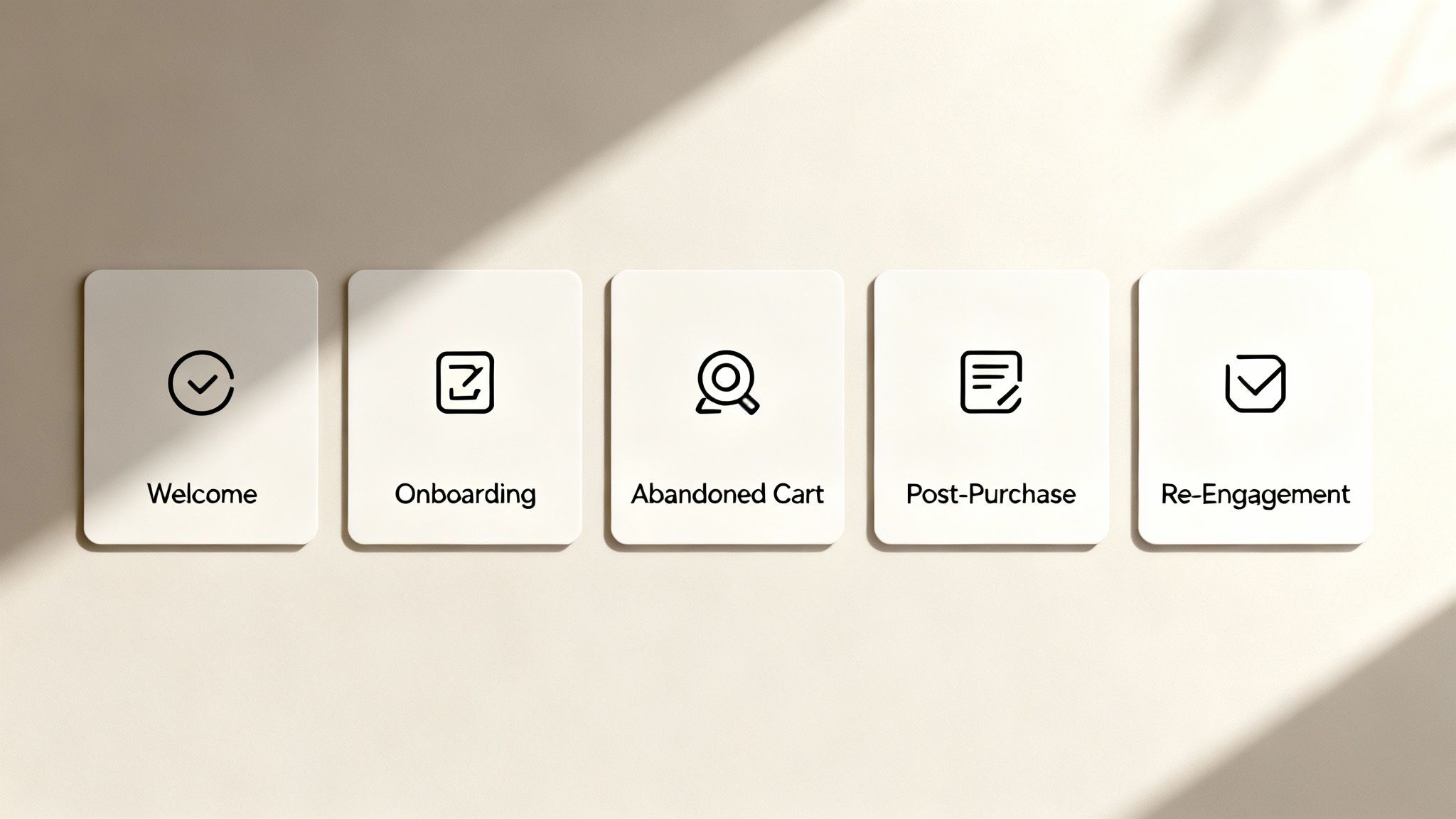
Think of these as your foundational pillars. Together, they create a solid system that welcomes new people, supports paying customers, and even brings back sales you thought were lost—all running in the background.
The Welcome Series
This is your digital handshake. The welcome series kicks in the moment someone signs up for your newsletter or downloads a free resource, and it’s your best shot at making a great first impression.
A solid welcome series usually consists of three to five emails sent over a few days. The goals are straightforward but absolutely critical:
- Deliver the goods: Immediately send them the PDF, template, or link they signed up for. No waiting.
- Introduce yourself: Share a bit about who you are, why you do what you do, and what they can look forward to.
- Set expectations: Let them know how often you'll email them and what kind of content to expect.
- Start a conversation: Ask a simple question and encourage them to reply. Getting them to engage early on is huge.
Don't underestimate the power of this first touchpoint. Welcome emails consistently have some of the highest open and click rates of any automated message you'll ever send.
The Customer Onboarding Sequence
The moment someone buys from you is a beginning, not an end. A customer onboarding sequence is a post-purchase workflow that reassures them they made the right choice and helps them get the value they paid for.
This is a game-changer for digital products like online courses or membership communities. A great onboarding sequence can show a new member exactly where to start, point out key resources, and guide them toward their first small victory. For example, if you sell a course, an all-in-one platform like Zanfia can automatically grant them access and then trigger an email series that walks them through the first lesson, so they never feel lost or overwhelmed.
The Abandoned Cart Reminder
Get this: nearly 70% of online shopping carts are left behind. That's a staggering amount of potential revenue just sitting there. An abandoned cart reminder is a simple, incredibly effective workflow that can claw a good chunk of that back.
The setup is simple. When someone adds your e-book or course to their cart but gets distracted before checking out, this automation sends a friendly nudge. Often, just one email sent an hour later is all it takes. For a more advanced approach, you can build a multi-step sequence that handles common objections or even offers a small discount to seal the deal.
Automated emails pack a serious punch, driving 37% of all email-generated revenue despite making up only 2% of total email sends. Workflows like abandoned cart reminders are a massive reason why, boasting a click-to-conversion rate of over 42%. You can dig into more stats on the effectiveness of email automation at Omnisend.com.
Other Key Workflows
Beyond those big three, a couple of other sequences will round out your automation toolkit. A post-purchase follow-up is perfect for asking for a review or suggesting another product they might like. And a re-engagement campaign helps you wake up subscribers who've gone quiet—either winning them back or cleaning them from your list to keep it healthy.
Getting these basic sequences right is a huge step, and you can dive deeper with our guide on drip campaign best practices when you're ready for more advanced strategies.
Best Practices for Effective Email Automation
Getting your first automation sequence up and running is a huge win. But to turn it into a real growth engine for your business, you need a smart strategy behind it. Just "setting and forgetting" isn't the goal—the real magic happens when you automate relevance.
These are the core practices that separate the email campaigns that get results from the ones that just get ignored.
Segment Your Audience for Maximum Impact
Think of it this way: you wouldn't give the same speech to a room of beginners as you would to a room of experts. Your email list is no different. Segmentation is simply the process of dividing your subscribers into smaller groups based on what you know about them.
Instead of one giant, generic list, you can create focused mini-audiences. You could segment based on things like:
- Purchase History: Group together everyone who bought your beginner course versus those who bought the advanced one.
- Behavioral Data: Create a segment for people who clicked on your last workshop announcement, or one for subscribers who haven't opened an email in 90 days.
- Stated Interests: A great tactic is to ask new subscribers what they want to learn about in your welcome email, then tag them based on their answers.
When you tailor your messages to these specific groups, your emails suddenly feel less like marketing and more like a personal conversation. For a deeper dive, check out these powerful audience segmentation strategies.
Personalize Beyond the First Name
Putting a subscriber's first name in the subject line is a good start, but real personalization goes much deeper. Modern tools let you use what’s called dynamic content—specific blocks of text, images, or offers that change based on who is receiving the email.
Imagine sending a single weekly newsletter, but new subscribers see an invitation to your free community while long-time customers see a special offer on your new product. It creates a one-to-one feel, even when you're sending to thousands. To really nail this, it's worth exploring proven email marketing automation strategies that focus on this kind of deep personalization.
Always Be Testing and Optimizing
Your automation workflows shouldn't be set in stone. The only way to know what truly works is to constantly test and refine them. This is where A/B testing comes in. You create two versions of an email (an 'A' and a 'B'), send each to a small part of your list, see which one performs better, and then send the winning version to everyone else.
A simple tweak to a subject line can have a massive impact. In fact, 47% of email recipients open emails based on the subject line alone. That makes it one of the most important things you can test.
The key is to test just one thing at a time—the subject line, the call-to-action button, or even the time of day you send it. This continuous process of testing and improving is what keeps your automations sharp and effective over the long haul.
And finally, don't forget to keep your list healthy. Make it easy for people to unsubscribe and regularly remove subscribers who have gone cold. A smaller list of engaged fans will always be more valuable than a huge list of people who never open your emails.
Your Top Questions About Email Automation, Answered
As you start digging into what email automation can do for your business, a few questions always seem to pop up. Getting straight answers is the best way to move forward with confidence and build a system that actually works for you. Let's tackle some of the most common ones we hear from creators.
What’s the Difference Between an Autoresponder and an Automation?
This is a great question, and it trips a lot of people up.
Think of an autoresponder as a simple, one-time reaction. Someone subscribes, and boom—they get a single, pre-written "welcome" email. It's static. The same message goes to everyone who performs that specific action.
Real email automation, on the other hand, is a much smarter, more dynamic system. It’s a whole journey that can change based on what a person actually does. Instead of just one welcome email, you could build an entire welcome series with conditional logic. For example: "If they click the link in this email, send them Offer A. If they don't, follow up with Nudge B." It's the difference between a simple reflex and a strategic conversation.
How Much Does Email Automation Typically Cost?
The price tag can swing quite a bit, but it usually comes down to two things: the size of your email list and how advanced you need your features to be. Many platforms have free plans for people just starting out, often covering you for up to 1,000 contacts.
As your audience grows, you’ll likely move to a paid monthly plan. The trick is finding a tool that grows with you without breaking the bank. Some platforms take a cut of every sale, eating into your margins. Others, like Zanfia, use a clean SaaS subscription model with 0% platform transaction fees, which is especially attractive for creators earning PLN 10k–100k+ a month who are tired of commission-based pricing.
How Do I Build My First Email List?
Starting from scratch can feel like a huge hurdle, but it's simpler than you might think. The best way is to offer something genuinely valuable in exchange for an email address. We call this a lead magnet.
Your lead magnet can be anything your target audience would find truly useful:
- A downloadable checklist or PDF guide
- A free video workshop or webinar recording
- A sample chapter from your e-book
- A discount code for a product
Once you have it, share it everywhere—on your social media, at the end of your blog posts, and on your website. Every new subscriber is a win, and this list is the fuel for your new automation engine.
Can Automation Do More Than Just Send Emails?
Absolutely. This is where modern all-in-one platforms really step up. Email might be the heart of it, but true automation can connect your entire business.
Imagine this: a customer buys your course. In a single, automated workflow, they are instantly granted access to the course material, added to your private student community, and sent their invoice. All without you lifting a finger.
This kind of integrated system frees up a massive amount of admin time for creators—we're talking 5-10+ hours per month saved. It connects your sales, content, and community so the entire customer experience feels seamless.
Ready to stop juggling different tools and start building a business that runs itself? Zanfia brings your courses, community, and email marketing together in one powerful platform, with 0% platform fees. Discover how Zanfia can help you grow your online business today.