

How to Record a Podcast for Pro-Level Sound
Before you even think about hitting that record button, let's talk about the most crucial part of launching a successful podcast: the plan. This isn't just about jotting down a few ideas. A solid plan defines your show's purpose, who you're talking to, and how you'll deliver your content. It’s the difference between a show that fizzles out after a few episodes and one that builds a real, lasting community.
Your Podcast Blueprint: Laying the Foundation
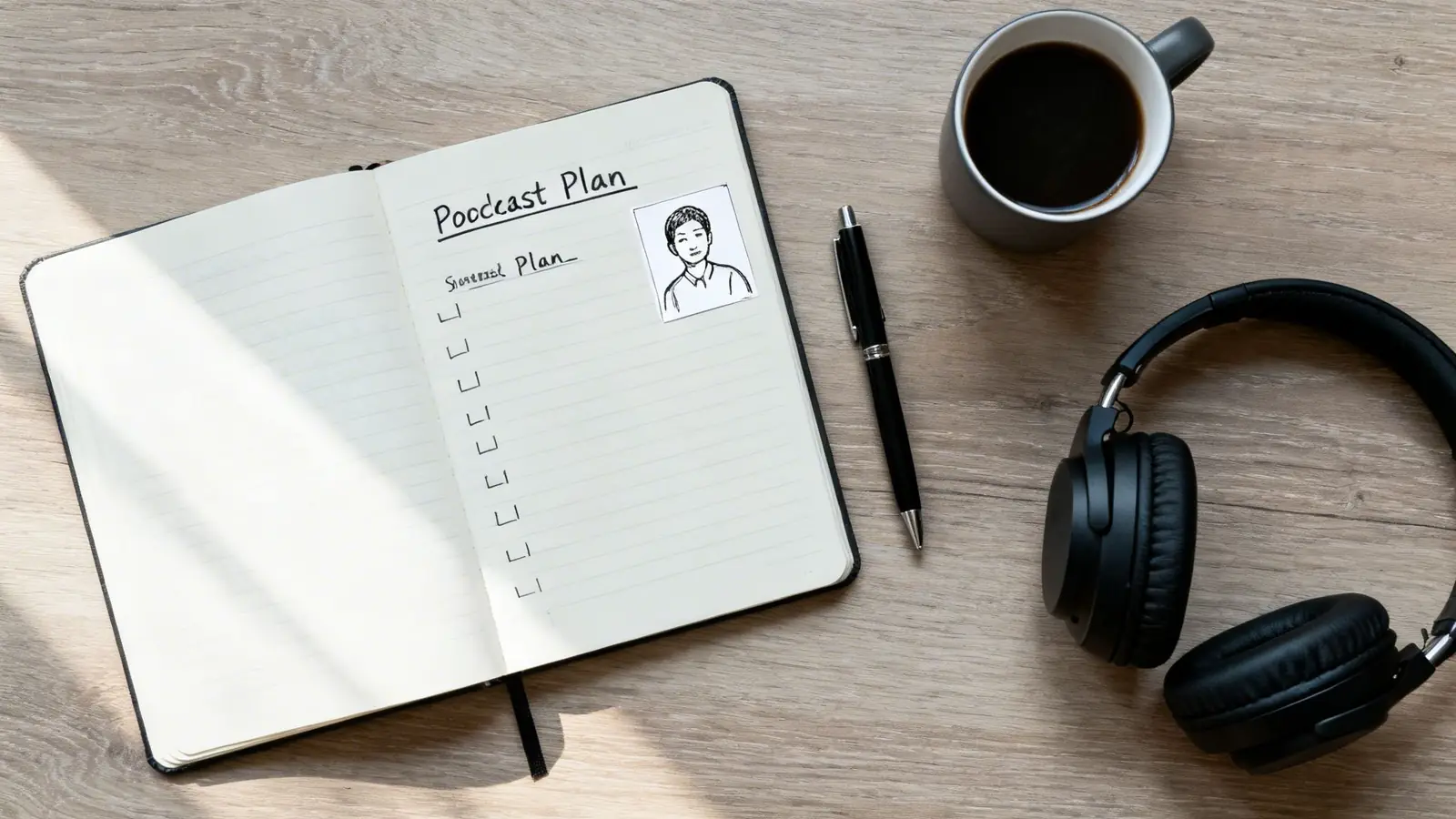
I’ve seen it happen a hundred times. A new podcaster gets a great microphone, feels a surge of excitement, and jumps straight into recording. The problem? Without a roadmap, that initial enthusiasm quickly fades. Your plan is your compass, guiding every decision from episode topics to your promotional strategy. It ensures your first episode lands with impact and sets you up for long-term growth.
The podcasting space is buzzing, with the global audience expected to reach 619.2 million listeners by 2026. Yes, there are millions of shows out there, but that’s not a barrier—it’s an opportunity. The key to cutting through the noise isn't just launching; it's launching with a clear strategy and a commitment to quality.
To make sure you've covered all your bases, here's a quick checklist of the essential planning steps. Think of it as your pre-flight check before you take off.
Essential Podcast Planning Checklist
| Planning Step | Key Action | Why It Matters |
|---|---|---|
| Niche Definition | Narrow your focus from a broad topic to a specific audience. | Attracts a dedicated, "superfan" audience who feels you're speaking directly to them. |
| Listener Avatar | Create a detailed profile of your ideal listener. | Helps you tailor content, tone, and language for maximum connection and engagement. |
| Format Selection | Choose between solo, interview/co-hosted, or narrative style. | Dictates your workflow, recording style, and the overall listener experience. |
| Episode Structure | Decide whether to script your episodes or use a detailed outline. | Balances preparation with a natural delivery, preventing you from sounding stiff or disorganized. |
Going through this checklist ensures you have a strong foundation. When you know exactly who you're talking to and what you want to achieve, the recording process becomes infinitely smoother.
Find Your Niche and Ideal Listener
Your niche is your podcast’s unique space in the world. "A business podcast" is way too broad. "A podcast for solopreneurs scaling their first digital product"? Now you're talking. A tight focus makes your show irresistible to the right people.
Once you have your niche, build out a listener avatar. Give this person a name, a job, and real-world challenges.
- What keeps them up at night?
- What podcasts or blogs do they already follow?
- What kind of humor or language will resonate with them?
When you record, you're not talking to a faceless crowd. You're talking to this one person. That’s how you build a loyal community.
Choose Your Podcast Format
The format you choose is the skeleton of your show. It shapes your entire workflow and what the listener comes to expect. There are three main paths you can take.
- Solo Show: You're the expert, the storyteller, the star. This gives you total creative freedom but also means you have to carry the energy of the entire episode yourself.
- Interview/Co-hosted: This is all about conversation. Bringing on guests or having a consistent co-host adds new perspectives and can make content creation feel more like a fun chat than a solo performance.
- Narrative/Storytelling: Think of this as a documentary for the ears. It uses scripts, sound design, and multiple voices to weave a compelling story. It’s incredibly powerful but also the most complex and time-consuming format to produce.
Key Takeaway: Pick a format that plays to your strengths and matches your topic. If you love a good conversation, an interview show is a natural fit. If you're a teacher at heart, a solo show might be perfect.
Outline vs. Script Your Episodes
The last piece of the pre-recording puzzle is deciding how to structure your content. Will you write it all out or just stick to key points?
Scripting means you write out every single word. It's fantastic for highly technical topics or narrative shows where every detail matters. The risk? If your delivery isn't spot-on, you can sound like you're reading from a teleprompter.
Outlining is the happy medium for most podcasters. You create a bullet-point list of your main talking points, giving you structure without sacrificing spontaneity. It keeps you on track while letting your natural personality shine through.
This initial planning is a critical part of your overall content machine. For a deeper dive into how this fits into a bigger picture, check out our guide on how to create a content strategy.
Selecting Your Podcast Recording Gear and Software
Let's be honest: your audio quality is a deal-breaker. In a world overflowing with listening options, choppy, muffled, or noisy audio is the fastest way to get a potential fan to hit "skip." The good news? You don’t need a massive budget to sound like a pro. You just need to make smart choices.
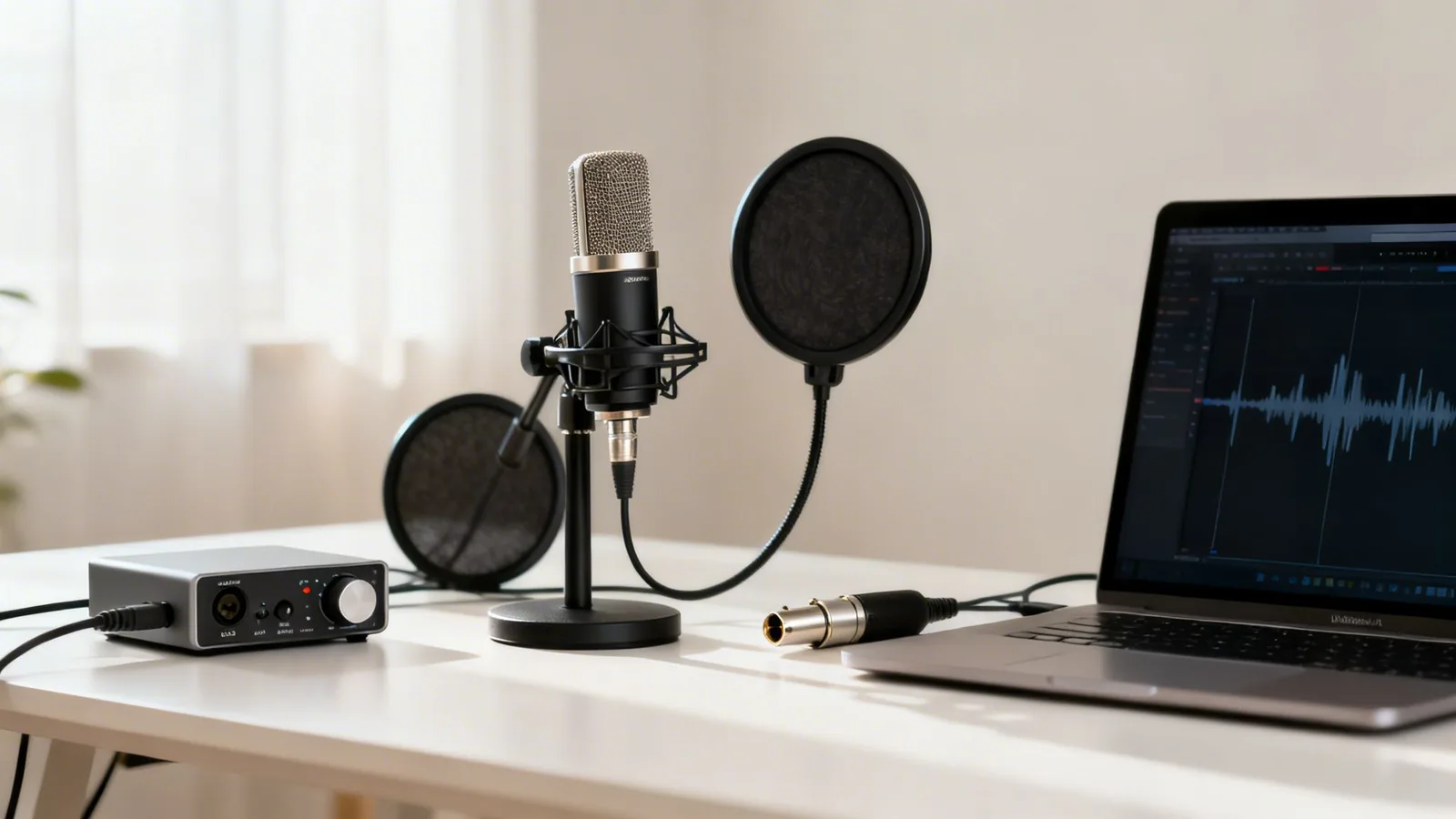
The heart of any podcast setup is the microphone. This is where most new creators get stuck, so let's clear things up. You'll mainly run into two types: USB and XLR.
- USB Microphones are fantastic for beginners. They’re truly plug-and-play, connecting right to your computer with zero fuss. They offer great quality for the price and are a reliable choice if you're flying solo or just getting your feet wet.
- XLR Microphones are the industry standard for a reason. They require an audio interface —a small box that connects the mic to your computer—but this duo gives you far superior sound, more control, and the flexibility to add more mics for co-hosts down the line.
Choosing Your First Microphone
For most beginners, I recommend starting with a high-quality dynamic USB mic like the Samson Q2U. It’s an absolute workhorse that does a great job rejecting background noise, which is a lifesaver if your recording space is less than ideal. Plus, it has both USB and XLR outputs, so you can upgrade to an audio interface later without having to buy a whole new mic. When you're shopping around, don't be afraid to look at reviews for the best gaming microphones; they're often built for vocal clarity and can be a great fit for podcasting.
As you grow, investing in better gear really pays off. A dynamic mic like the Shure SM7B—favored by an estimated 70% of top podcasters—runs about $400 but delivers that broadcast-level audio you hear on major shows. Pair it with a Focusrite Scarlett interface for around $120, and you’ll have a pro setup with an incredibly low noise floor.
No matter what you choose, always aim to record your audio at 48kHz/24-bit. This ensures you capture the highest quality and keeps your files ready for any future use.
A Note on Accessories: Don't skip the pop filter or foam windscreen. This simple piece of gear slides over your mic and dramatically cuts down on those harsh "p" and "b" sounds (called plosives). They’re distracting for listeners and a real headache to fix in editing.
Selecting Your Recording Software
Your recording software, or Digital Audio Workstation (DAW), is where all the magic happens: capturing, editing, and mixing your audio. You don't need the most expensive one, just one that works for you.
For Local Recording:
- Audacity: This is the go-to for so many podcasters because it's completely free, surprisingly powerful, and works on any operating system. It has a bit of a learning curve, but it packs all the essential tools you need to produce a great show.
- Adobe Audition: If you're already in the Adobe ecosystem, Audition is a professional-grade DAW with killer features for noise reduction, mixing, and audio restoration. It’s a paid subscription, but it’s the standard for many serious audio producers.
- Reaper: With a generous free trial and a very affordable one-time license, Reaper is incredibly lightweight yet powerful. It's highly customizable and a favorite among creators who want pro features without the pro price tag.
How to Record a Podcast with Remote Guests
So, what happens when your co-host or guest is in another city? Simply hitting "record" on a Zoom or Skype call is a recipe for disaster—you’ll get compressed, glitchy audio. Instead, you need a dedicated remote recording platform.
These platforms are game-changers. They work by recording each person's audio locally on their own computer in full quality, then uploading the separate tracks to the cloud. This simple trick eliminates problems from bad internet connections, giving you clean, isolated audio for every single speaker.
| Platform | Key Feature | Best For |
|---|---|---|
| Riverside.fm | Records high-quality local audio and video | Podcasters who want pristine audio and video tracks from guests. |
| SquadCast | Known for reliability and ease of use | Creators who need a dependable platform with a simple guest experience. |
| Zencastr | Offers a free trial with local audio recording | Beginners or those on a tight budget who still need quality remote recordings. |
By combining a solid microphone, a reliable DAW, and the right remote recording platform when you need it, you’re building a foundation for success. To dig into more great software, check out our curated list of the best tools for content creators.
Optimizing Your Space for Crystal-Clear Audio
You've picked out your gear, but here’s a hard truth: even a top-of-the-line microphone will sound awful in a bad room. The single biggest leap you can make in audio quality often has nothing to do with your equipment and everything to do with your recording environment.
The goal is to make your space as acoustically "dead" as possible. That just means it absorbs sound instead of reflecting it.
Reflected sound waves are the culprit behind echo and reverb—that hollow, amateurish sound that makes listeners reach for the "skip" button. The primary enemy of clean audio is any hard, flat surface. Think bare walls, hardwood floors, large windows, and high ceilings. These surfaces act like mirrors for sound, bouncing your voice all over the place before it ever reaches the mic.
The good news? You don't need to rent a professional studio. You just need to get clever with adding soft, sound-absorbing materials to tame those reflections.
Simple Acoustic Treatment Hacks
Your mission, should you choose to accept it, is to kill the echo. The simplest way to do this is by choosing a small room and packing it with soft things. There's a reason a walk-in closet full of clothes is a legendary, zero-cost recording booth—all that fabric soaks up sound like a sponge.
If a closet isn't an option, you can still treat your current room on a budget.
- Bring in Blankets and Pillows: Drape heavy blankets over chairs, lay them on the floor, or even hang them on the walls. Shove some pillows into the corners of the room, as this is where low-end bass frequencies love to build up and get muddy.
- Use Your Furniture: A plush sofa, a thick area rug, and some heavy curtains can work wonders for sound absorption. The more soft stuff you have in the room, the better your audio will be.
- Try DIY Sound Panels: For a more permanent fix, you can build your own acoustic panels. A simple wooden frame stuffed with rockwool insulation and wrapped in fabric is incredibly effective and costs a tiny fraction of what pre-made panels do.
Here's a quick way to test your room: stand in the middle and clap your hands loudly. Do you hear a sharp, metallic ringing or a distinct echo? If so, you've got more work to do. In a well-treated room, the clap will sound tight, short, and dead.
Finding the Microphone Sweet Spot
Once you’ve tamed your room, the next step is nailing your microphone placement. This technique costs you nothing but will have a massive impact on the warmth and presence of your voice. It can be the difference between a thin, grating recording and a rich, professional one.
Start by placing the mic about 4-6 inches away from your mouth—roughly a hand's width. If you get too close, your voice can sound boomy and bass-heavy. Too far, and you'll sound distant while picking up more of that unwanted room noise.
Next, stop talking directly into the front of the microphone. This is what causes those harsh "p" and "b" sounds, known as plosives. Instead, position the mic slightly off to the side, at about a 45-degree angle, pointing back toward your mouth. This lets your voice hit the capsule clearly, but the little bursts of air from those plosives fly right past it.
Just like framing a perfect shot for a video, you need to set up your audio environment for success. If you're creating visual content to go with your podcast, our guide to improving training video creation has some great parallel tips for setting up your space for professional results. Mastering your environment is a non-negotiable step in learning how to record a podcast that truly commands attention.
An Efficient Recording and Editing Workflow
Once your gear is set up and your space is treated, it’s time to get down to business. This is where the magic really happens. The secret to producing a professional-sounding show without burning out is a repeatable, streamlined workflow for recording and editing. It all starts before you even hit record, with a little something called gain staging.
Simply put, gain staging is setting the right input volume for your mic. You want to record your voice loud enough to be crystal clear, but not so loud that it distorts. The enemy here is clipping—that awful, crackly digital distortion you get when the signal is too “hot.” It’s impossible to fix in post-production.
As a rule of thumb, watch the meter in your recording software and aim for your voice to peak between -12dB and -6dB. This is the sweet spot. It gives you a strong, clean signal with plenty of headroom, making your editor’s job (or your own) much easier.
From Raw Audio to Polished Episode
With a clean recording in hand, you move into post-production. For many podcasters, this is the most intimidating part of the process. It's easy to get lost tweaking settings for hours on end. The key is to have a structured checklist and follow it every single time.
This isn’t about random adjustments; it’s a logical sequence where each step builds on the last.
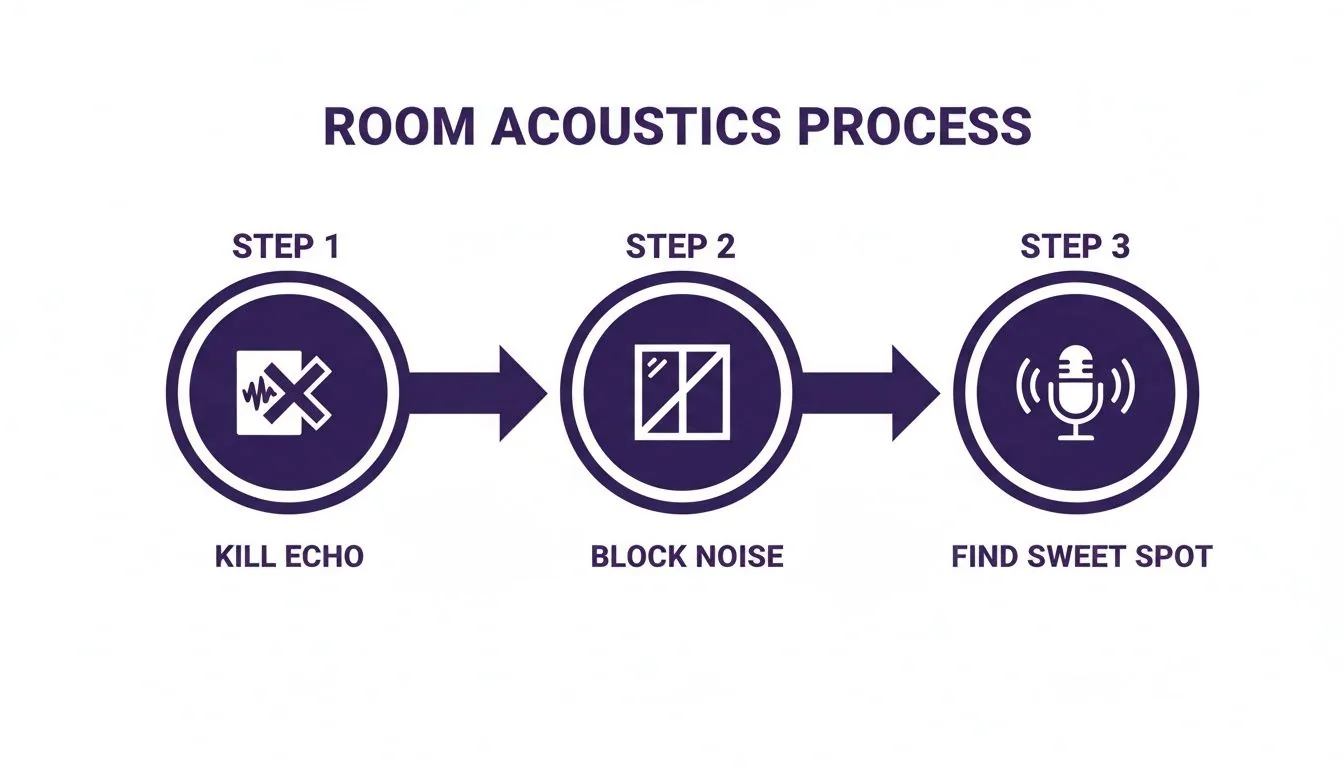
As you can see, a great final product starts with a great raw recording. Controlling echo, blocking noise, and proper mic placement are foundational. Get this right, and you drastically reduce your editing time.
Now, let's dive into the editing process itself. Following these steps in order will give you the most professional result.
Audio Editing Steps for a Professional Sound
This table breaks down the core editing steps that will transform your raw audio into a polished, ready-to-publish episode.
| Editing Step | Purpose | Pro Tip |
|---|---|---|
| Content Editing | Create the "rough cut" by removing mistakes, filler words ("ums"), and long pauses. | Make your cuts on a breath or a natural pause. This helps the edit sound seamless and invisible to the listener. |
| Noise Reduction | Remove consistent background noise like fan hums or air conditioning. | Less is more. Apply it gently. Overdoing noise reduction can make vocals sound thin, watery, and unnatural. |
| Equalization (EQ) | Shape the tonal balance of your voice to add clarity and remove muddiness. | A high-pass filter around 80-100Hz is a great first move to cut out low-end rumble that doesn't belong. |
| Compression | Reduce the dynamic range, making quiet parts louder and loud parts quieter. | Start with a 3:1 ratio. This will create a more consistent listening experience without squashing the life out of your audio. |
| Normalization (LUFS) | Set the final track to a standard loudness level for consistent playback everywhere. | Aim for -16 LUFS for stereo or -19 LUFS for mono files. This is the industry standard for most platforms. |
Working through this checklist methodically ensures you never miss a step and your show maintains a high level of quality from one episode to the next.
Final Touches and Distribution
The last technical step is mastering your audio to industry standards. An efficient setup is key here. For instance, you can build DIY bass traps from rockwool (around $30) that can cut room reverb by 50%. In the editing suite, tools from companies like Hindenburg ($95/year), used by major outlets like NPR, can automate leveling. Don't overlook AI, either; with the market growing at a 28.3% CAGR, auto-editing tools can slash your editing time by up to 70%.
The goal is to export a final file normalized to -16 LUFS, a standard that industry data suggests can lead to 20-30% higher listener retention because nobody has to fiddle with their volume knob.
Pro Tip: LUFS stands for "Loudness Units Full Scale." While the specific number can vary slightly, targeting -16 LUFS for stereo or -19 LUFS for mono is a safe bet for ensuring your show sounds great everywhere, from Apple Podcasts to Spotify.
Don't forget the production value! Incorporating some well-chosen podcast background music for your intro and outro can make your show sound instantly more polished and professional. It’s a small touch that goes a long way in branding your podcast.
Finally, think beyond the audio file. Your hard work can go much further. A full transcript is fantastic for accessibility and SEO, but it can also be a goldmine for other content. You can easily turn it into blog posts, social media clips, or even premium products. To learn more about getting the most out of every episode, check out our guide on powerful content repurposing strategies.
Turning Your Podcast Into a Business with Zanfia
Recording a great podcast is just the first step. For many creators, the real goal is building a sustainable business around their content. Your podcast can act as a powerful magnet, attracting a loyal audience that you can then bring into your own branded world. This is where your podcast stops being just a hobby and starts becoming a real revenue engine.
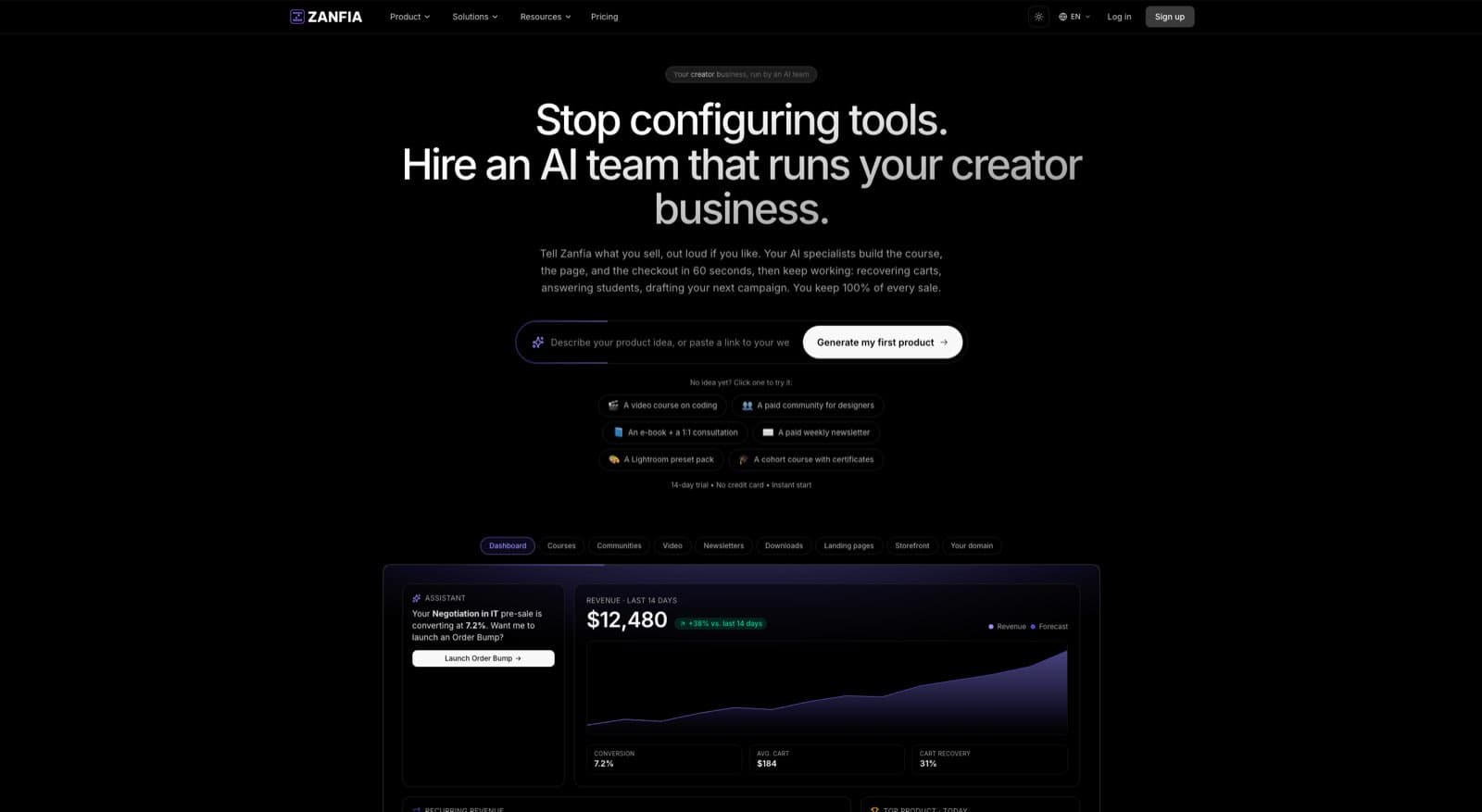
Rather than scattering your audience across external tools like Discord or Facebook groups, you can build a single, unified home for your business. The strategy is simple: convert listeners into paying customers by offering them premium content and experiences they can't get anywhere else—all managed under your own brand on a custom domain.
From Listener to Paying Customer
The secret is to create compelling offers that guide listeners from your free podcast into your ecosystem. Your public episodes build trust and showcase your expertise, naturally making people want more. With the right platform, you can guide them seamlessly from your show to exclusive, members-only content.
Here are a few proven ways to monetize that hard-earned trust:
- Premium Bonus Episodes & Courses: Offer extra deep-dives, ad-free versions of your main show, or bundle your podcast with an in-depth online course.
- Digital Downloads: Sell enhanced show notes, full transcripts, or e-books. These are incredibly valuable for listeners who want to study your content.
- Paid Community Access: Create a private space where your most dedicated fans can connect directly with you and each other, fostering deep engagement and long-term relationships.
- Tiered Memberships: Bundle multiple products—like a course, community, and bonus content—into a single subscription offer.
Key Takeaway: The most successful creators don't just produce content; they build a business. When you treat your podcast as the front door to an ecosystem of digital products and community, you create reliable revenue streams and build much deeper relationships with your audience.
Building Your Business on Zanfia
This is exactly where a platform like Zanfia comes in. Zanfia is an AI team that runs a creator business, not just another course tool. You tell the assistant what to do by chat or by voice, and it handles any action available in the interface, from spinning up a new product to updating a checkout. Courses, communities, paid newsletters and digital downloads all land in the same white-label workspace, under your own brand and custom domain, so a listener goes from your podcast to buying a course, joining your community, and signing up for your newsletter with a single login.
Zanfia gives you the tools to make this happen. You can host premium podcast episodes using the native video hosting (which works great for audio files, too), sell access as a one-time purchase, a subscription, or split a $600 course into four installments at checkout, and automatically grant buyers access to a private community channel. Order bumps and upsells sit right on the checkout, and a built-in test mode lets you run through a real purchase of your own product before you ever share the link, so tracking and delivery are verified before the first real sale.
As serial entrepreneur Artur Kurasiński puts it, Zanfia is “the most convenient and simplest solution for paid newsletters, courses and community”.
A Model Built for Creator Growth
One of the biggest drags on creator income is platform fees eating away at profits. Zanfia currently charges a 0% platform transaction fee on customer sales, which is a game-changer for margins. While competitors often skim a percentage off every sale, Zanfia’s clean SaaS subscription means you keep the revenue from your sales. You only pay the standard fees from payment processors like Stripe or PayPal (roughly 2.9% + $0.30 per transaction in the US). For creators moving thousands of dollars a month, that gap adds up fast.
On top of that, the AI assistant and the built-in automation engine can save you 5–10+ hours a month on tedious admin work. When someone buys your premium podcast bundle, Zanfia can instantly grant them course access, add them to the right community channel, and trigger a welcome email sequence—all without you lifting a finger, and all triggered by a sentence you say out loud instead of a workflow you build by hand. Advanced AI capabilities such as the full assistant and the MCP endpoint (which lets your own AI assistants act on the workspace) are available on higher plans, so check the current Zanfia pricing to see what each tier unlocks. Plans start at $39/month, or $31/month billed annually, with a 14-day free trial and no credit card required.
This integrated approach is what turns casual listeners into loyal customers, and it works well for creators who want to sell without stitching a stack of tools together. You can learn more about the different ways to earn an income by exploring our detailed guide on how podcasters make money. By combining your knowledge of how to record a podcast with a smart business strategy, you’re not just making a show—you’re building a resilient and profitable brand.
Promoting Your Show and Growing Your Audience
Let’s be honest: a brilliant podcast that nobody hears is just a file on a server. Once you hit publish, the real work begins. This isn't just about getting downloads; it's about building a promotional flywheel that keeps new listeners coming back to your content and, eventually, to your premium offerings.
The first shift in mindset is to stop thinking of your podcast as just audio. Each episode is a new, discoverable asset for your brand. It all starts with making sure people can actually find it.
Make Your Podcast Discoverable with SEO
Your show notes and episode transcripts are absolute goldmines for SEO. Every time you publish a detailed summary or a full transcript, you're essentially handing Google a rich, text-based document to crawl and index.
Get inside the head of your ideal listener. What phrases would they type into a search bar to find answers on your topic? Weave those keywords naturally into your episode titles, descriptions, and show notes. This one habit can attract a steady stream of new listeners who are actively looking for the exact information you’re sharing.
Key Takeaway: Every episode is a new landing page for your brand. By optimizing your show notes for relevant search terms, you create an evergreen source of organic traffic that brings new listeners to your podcast weeks, months, or even years after you first hit publish.
Create Shareable Content for Social Media
To grow, you have to meet people where they already are—and that means social media. But just posting a link with "New episode is live!" won't cut it. That gets ignored. You need to create native, engaging content that stops the scroll.
Pull out the best moments from your podcast and turn them into standalone, shareable assets:
- Audiograms: These are short, dynamic video clips with an animated waveform and captions. They’re perfect for grabbing attention on Instagram, Facebook, and LinkedIn.
- Video Clips: If you record video, chop up the most compelling 30-60 second segments. These are tailor-made for TikTok, Instagram Reels, and YouTube Shorts.
- Quote Graphics: Take a powerful quote from your episode and put it on a simple, eye-catching graphic.
This strategy does more than just announce a new episode. It gives potential listeners a taste of the value you offer, making them far more likely to click through and hear the full show.
Leverage Collaboration to Expand Your Reach
One of the fastest ways to grow your podcast is to tap into an audience that already exists. Pitch yourself as a guest on other podcasts in your niche. When you appear on another show, you’re not just a stranger; you’re getting an endorsement from a host their listeners already know and trust.
Look for those win-win collaborations. You can cross-promote each other’s shows, swap episodes in your feeds, or even create a special joint episode together. This not only introduces your podcast to a new, highly-relevant audience but also builds valuable relationships in your industry.
Within your Zanfia community, you can use teasers of these collaborations to drive subscriptions. The podcasting world is competitive; with listeners tuning in for an average of 7 hours a week, consistent, high-quality content is what keeps them hooked and willing to pay for more. You can explore recent industry statistics to find more data and insights on listener habits.
FAQ
Do I really need an XLR microphone to start a podcast, or is USB good enough?
USB is a solid starting point: it plugs directly into your computer with no extra hardware and delivers strong quality for the price, which is ideal if you're recording solo or just getting your feet wet. XLR mics offer superior sound and let you add more mics for co-hosts, but they require an audio interface. A hybrid like the Samson Q2U works both ways, so you can start on USB and upgrade to an XLR setup later without buying a new mic.
How do I get clean audio when my guest is in another city?
Don't just hit record on Zoom or Skype, because you'll end up with compressed, glitchy audio. Use a dedicated remote recording platform like Riverside.fm, SquadCast, or Zencastr. These tools record each person's audio locally in full quality on their own computer, then upload the isolated tracks to the cloud, so a bad internet connection on either end won't ruin the recording.
What's the cheapest way to treat my room for better audio?
Pick the smallest room you have and pack it with soft materials that absorb sound instead of reflecting it. Drape heavy blankets over chairs or walls, stuff pillows into corners to tame low-end buildup, and lean on a plush sofa, thick rug, and heavy curtains. A walk-in closet full of clothes is a legendary zero-cost recording booth for exactly this reason.
How far should the microphone be from my mouth, and how do I avoid harsh 'p' sounds?
Place the mic about 4-6 inches away, roughly a hand's width. Too close and your voice sounds boomy and bass-heavy; too far and you'll sound distant while capturing more room noise. To kill plosives, angle the mic about 45 degrees off to the side pointing back at your mouth, and always use a pop filter or foam windscreen so bursts of air fly past the capsule instead of hitting it head-on.
What recording settings and gain level should I use to avoid ruining takes?
Record at 48kHz/24-bit so you capture the highest quality and keep files ready for any future use. For gain staging, set your input volume loud enough to be crystal clear but never so hot that the signal clips, since clipping produces a crackly digital distortion that can't be fixed in editing. Do a test read at your loudest expected volume and leave headroom below the maximum before you commit to a full episode.
By combining these promotional strategies with a powerful platform, you can transform your podcast from a hobby into a thriving business. Zanfia is an AI team you can direct by chat or by voice, with a checkout built to sell (installments, order bumps, upsells, test mode) and 0% platform fees on customer sales. Ready to turn your listeners into a loyal, paying community? Start building your creator business with Zanfia today.