

How to Use a Mobile Page Builder for Your Business

You launched the course. The sales page looks polished on your laptop. The checkout works when you test it at your desk. Then real buyers arrive from Instagram, email, and messages on their phones, and the funnel starts leaking.
Buttons sit too close together. A headline wraps awkwardly. The page feels heavy. The checkout asks for too much effort on a small screen. Nobody emails to explain why they left. They just disappear.
That's why a mobile page builder matters. It isn't a cosmetic tool for making pages look acceptable on a phone. It's part of the revenue system for creators who sell courses, memberships, newsletters, downloads, and community access. If the mobile experience is clumsy, the business feels clumsy.
Why Your Mobile Experience Is a Hidden Bottleneck
A familiar pattern shows up in creator businesses. Someone invests weeks into a course, records strong video lessons, writes thoughtful sales copy, and connects payment methods. Traffic comes in. Interest is real. But mobile visitors hesitate at the exact moment they should move forward.

The problem usually isn't the offer alone. It's friction. A page that feels smooth on desktop can feel annoying on mobile. That's especially expensive for creators, because many discovery paths start on a phone. People tap a story link, open a newsletter on the train, or check a course page between meetings. If the experience fights them, the sale often dies before the product gets a fair chance.
Where mobile friction shows up
Some issues are obvious. Others are quiet and persistent.
- Slow first impression means the page feels untrustworthy before the copy even loads.
- Tiny tap targets create mistakes at the worst moment, especially near pricing and checkout actions.
- Long, dense layouts bury the benefit, so users scroll without clarity.
- Disconnected tools send buyers through too many states, tabs, or logins.
A weak mobile flow rarely fails in one dramatic place. It fails through a stack of small irritations.
For creators, that translates into missed sales, lower community sign-ups, and weaker customer confidence. The damage isn't only immediate revenue. It also affects how buyers perceive your professionalism.
Why this matters more for digital products
Digital businesses depend on momentum. Someone sees a promise, believes it, and acts. Mobile interruptions break that momentum fast. When a buyer is considering a paid newsletter, a course, or a subscription offer, they need a path that feels easy and coherent.
That's why mobile experience should be treated like customer experience design, not just page styling. If you want a useful framework for that broader thinking, Zanfia's article on customer experience management is a good reference point.
A mobile page builder becomes valuable when it removes that friction at the page level. It helps creators turn attention into action without forcing visitors to work harder than they should.
Understanding the Modern Mobile Page Builder
A mobile page builder is a tool for creating pages that work cleanly on phones and tablets, not just desktops. The distinction matters. Older website workflows often treated mobile as an afterthought. The page was designed for a large screen first, then squeezed down later. That approach still creates many of the problems creators struggle with now.
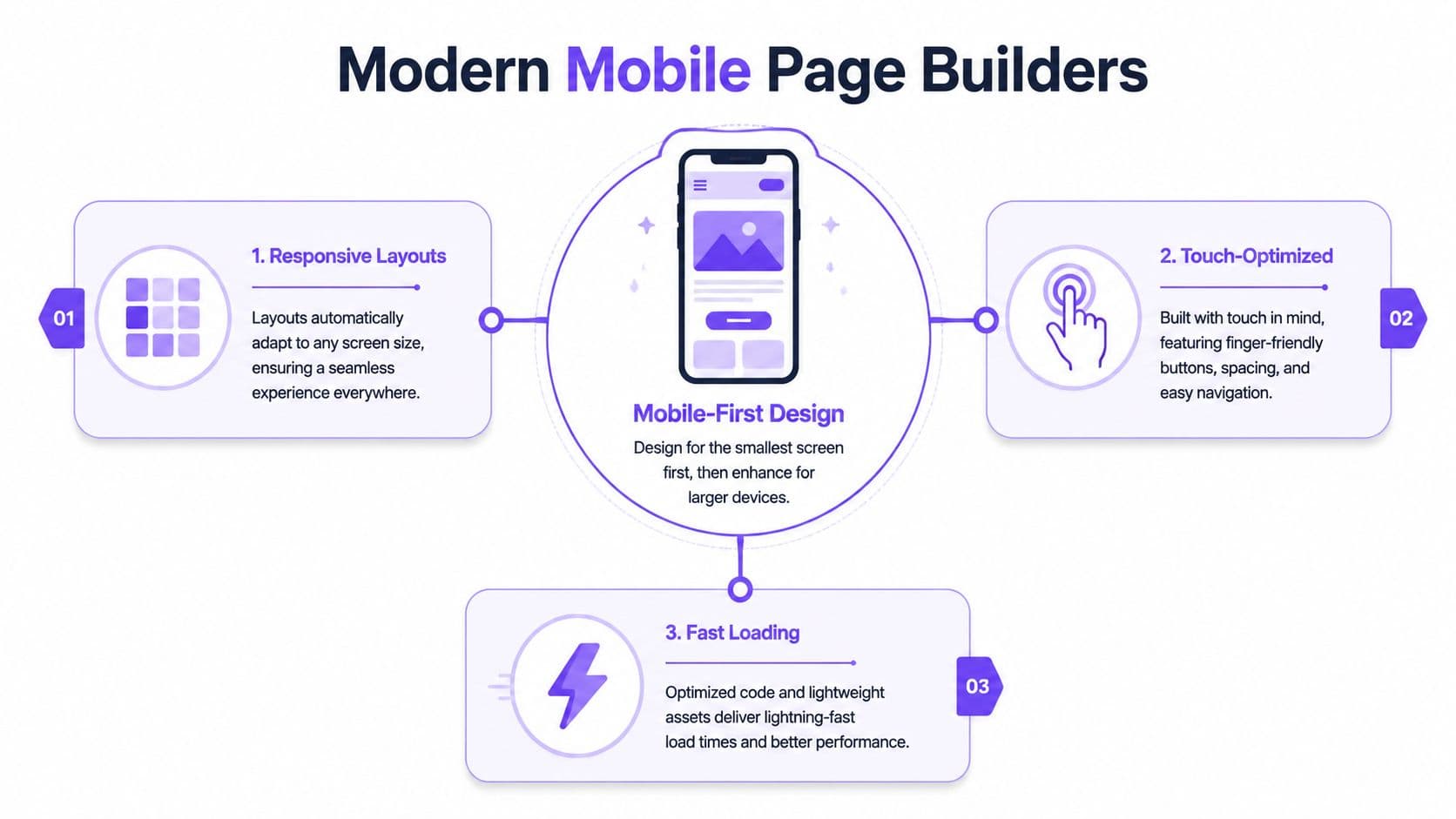
The market direction makes that shift clear. The mobile website builder segment is projected to grow at a 17.43% CAGR through 2031, reflecting the move toward mobile-first web development as mobile devices account for the majority of internet traffic, according to Mordor Intelligence's website builders market analysis.
Responsive design versus mobile-first design
These terms get used interchangeably, but they're not the same.
Responsive design means one layout adapts to different screen sizes, much like a well-made jacket adjusts comfortably whether the person wearing it is standing, sitting, or layering underneath. The structure stays consistent, but the presentation flexes.
Mobile-first design starts from the constraints of the phone screen. That's closer to tailoring from the smallest and most demanding use case first, then expanding the design for tablets and desktop screens. It forces sharper choices about hierarchy, spacing, forms, and calls to action.
A strong mobile page builder should support both ideas. It should let you build responsively, while encouraging mobile-first decisions.
What modern builders actually do
The useful ones go beyond drag-and-drop. They handle the mechanics that determine whether a page is usable on a phone.
A practical mobile page builder should help with:
- Responsive layouts that reflow without broken sections
- Touch-friendly interactions so buttons, forms, and menus feel natural on fingers, not cursors
- Fast-loading assets so images and media don't slow the page to a crawl
- Content hierarchy that keeps the offer obvious on a narrow screen
Practical rule: If a builder gives you design freedom but makes mobile consistency harder to maintain, it creates more work than value.
That trade-off matters. Some tools offer enormous visual flexibility but leave creators manually fixing every mobile detail. Others are more structured, which can feel limiting at first, but they protect responsiveness better.
The real job of the builder
A mobile page builder isn't just for arranging blocks on a screen. It's there to preserve clarity when attention is short. On a phone, users don't study. They scan, tap, hesitate, and move on. The builder has to support that behavior.
For creators, that means the page isn't only a design object. It's a delivery mechanism for trust, pricing, proof, and action.
Essential Features for Selling Digital Products
A creator selling digital products needs more from a mobile page builder than attractive templates. The tool has to support the commercial job of the page. That includes payment flow, content presentation, and what happens after the purchase.
The baseline is no longer “can I make this look decent on mobile?” The right question is whether the builder helps a buyer move from interest to payment without confusion.
The features that remove buying friction
Some features matter more than others when money is involved.
- Responsive template libraries help you launch faster without rebuilding common sections from scratch. Leading mobile page builders offer 2500+ pre-designed responsive blocks and templates, which can improve visibility, user experience, and support digital product sales and subscription sign-ups when used well, according to Kajabi's review of responsive website builders.
- Integrated payments matter because external checkout jumps add friction. Support for Stripe and PayPal, with wallet options like Apple Pay and Google Pay, keeps the buying path natural for a US audience.
- Sales video support is important for creators who sell expertise. A mobile page builder should let you place video cleanly without wrecking performance or layout.
- Flexible page sections matter more than flashy animation. You need pricing blocks, testimonial sections, FAQ layouts, lead capture forms, course library previews, and membership sign-up areas that still look coherent on a phone.
What serious creators should screen for
Not every builder is built for product sales. Some are fine for brochure sites and weak for monetization.
A practical evaluation looks like this:
| Need | What to check in a mobile page builder |
|---|---|
| Selling a course | Can you connect the page directly to checkout and access delivery? |
| Selling a membership | Can the page explain recurring value clearly on mobile? |
| Selling downloads | Is the purchase path short and obvious? |
| Building a paid community | Can the sign-up flow connect to account access without patchwork tools? |
The strongest setups reduce handoffs. If the sales page, checkout, access control, and post-purchase experience live in separate tools, the mobile journey often feels stitched together.
Why all-in-one matters for digital products
This becomes clearer when you compare builders for creators, not generic businesses. If you're reviewing your stack, Zanfia's guide to the best platforms to sell digital products is useful because it frames the decision around monetization, not just page design.
A beautiful mobile page that hands buyers into a messy delivery process still underperforms.
For digital products, the page builder should support the whole promise. The buyer needs to understand the offer, pay easily, and trust that access will work immediately. Features only matter when they shorten that path.
How to Design Mobile Pages That Convert
Good mobile design isn't mostly about taste. It's about reducing failure points. When creators treat mobile pages like miniature desktop pages, conversions suffer. The layout may still be “responsive,” but the experience isn't persuasive.

The biggest gains usually come from disciplined basics, not design tricks. Mobile pages can achieve 3x higher conversion rates when page load times are under one second, and the supporting technical practices include setting images to max-width: 100%, using a base font size of 16px, and keeping touch targets at least 44×44 pixels, based on Webstacks mobile website design best practices.
Start with speed and readability
If the page loads slowly, everything else becomes harder. A slow page weakens trust before the user reads a headline. That's why media discipline matters. Product mockups, lesson previews, and creator photos should help the sale, not delay it.
Readability is just as important. Small text, cramped lines, and oversized paragraphs make even strong copy feel exhausting on mobile.
A few rules consistently work:
- Keep body text comfortable with a 16px base size and enough line height to avoid visual crowding.
- Use clear section breaks so the page can be scanned in short bursts.
- Scale images properly so they don't overflow or distort the layout.
- Design for thumbs by giving important buttons enough size and spacing.
Make the next action obvious
Creators often overload mobile pages with options. Buy the course. Book a call. Join the newsletter. Watch the trailer. Read testimonials. Follow on social. That isn't persuasion. It's dilution.
A high-converting mobile page usually has one dominant action per screen. Secondary actions can exist, but they shouldn't compete visually with the purchase path.
If you want a solid external reference on interaction thinking, these user experience design principles are useful because they connect layout choices to actual user behavior instead of decoration.
On mobile, every extra decision costs attention.
This short walkthrough is worth watching if you're refining page structure and flow:
Treat mobile conversion like a system
The best mobile pages balance three things at once:
- Performance The page has to load fast, especially at the top.
- Clarity The offer should be understandable without long scrolling detours.
- Actionability Forms, buttons, and checkout steps must feel easy on a handheld device.
For creators working on this systematically, Zanfia's article on landing page optimization best practices is a good companion read.
The key point is simple. A mobile page builder gives you the tools, but conversion comes from using them with restraint. Fewer distractions. Better spacing. Faster loading. Clearer asks.
The All-in-One Advantage of Zanfia's Builder
Most creators don't lose time because page design is hard. They lose time because their business stack is fragmented. One tool handles landing pages. Another handles checkout. A third hosts community conversations. A fourth delivers courses. Each tool works on its own, but the mobile experience often feels patched together.

That patchwork creates practical problems. A buyer taps from a page into a different checkout environment. After payment, they receive access through another tool. Community lives somewhere else. Branding shifts. Navigation shifts. Confidence drops.
Why integration changes the mobile outcome
On mobile, every handoff feels bigger than it does on desktop. Users notice when a flow changes context. They notice when they have to log in again. They notice when a page looks branded one way and the member area looks branded another way.
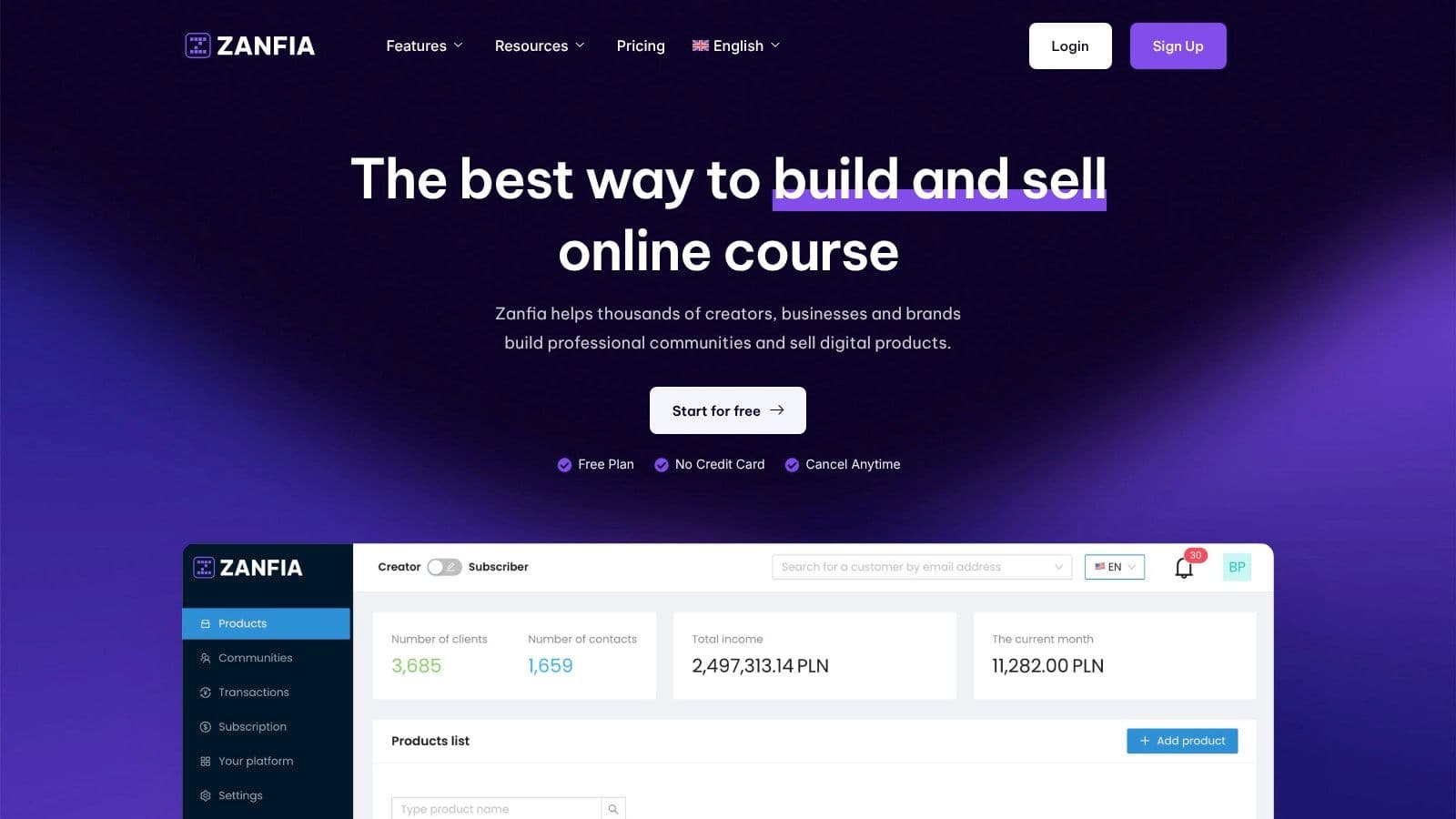
That's why an integrated builder is usually a better operational choice for creators selling under their own brand. Zanfia is built as an AI team that runs the creator business, and the page builder is one surface the team works on. The creator describes what they want by chat or by voice, and the assistant, which knows the entire interface, can build pages, wire the checkout, launch a course, seed a community, and set up automations without configuring each tool in isolation. Twelve product types, from courses to communities to consultations, live under one brand, on the creator's own domain, with a 0% platform fee on customer sales (only the payment processor takes its standard cut). Availability of the deeper AI capabilities, including the MCP endpoint that lets outside AI assistants act on the workspace, depends on the plan, so check the current Zanfia pricing.
For a creator, that means the mobile page builder isn't isolated from the rest of the business. The sales page connects directly to what happens after purchase, and the checkout itself is built to sell: order bumps, installments so a $600 course can be split into four payments, subscription upsells, and a test mode that lets the creator buy their own product before launch to verify the whole path works.
The trade-off between flexibility and operational sanity
Some builders give huge design freedom but require extra systems around them. Others are more constrained visually yet far easier to run as a business. Serious creators usually hit a point where operational simplicity matters more than unlimited layout experimentation.
Here's the practical comparison:
| Approach | What usually happens on mobile |
|---|---|
| Separate tools for page, checkout, course, and community | More transitions, more logins, more chances for confusion |
| Integrated all-in-one platform | Fewer handoffs, more consistent branding, cleaner fulfillment |
The mobile experience doesn't end at the buy button. It includes access, onboarding, viewing lessons, and joining discussion spaces.
Where AI fits and where it doesn't
AI has changed the builder category quickly. The AI-powered website builder market grew 26% year over year from 2025 to 2026, reflecting how design assistants and automation help creators prototype pages and optimize funnels without advanced technical skills, according to UiThings website builder statistics.
That said, most AI features in page builders solve the drafting problem more than the business architecture problem. They can help generate layouts, copy starters, and page structures. They don't automatically fix disconnected delivery systems, weak access control, or clumsy post-purchase flows.
That's where an integrated, AI-first mobile page builder pulls ahead for creators. It doesn't just help publish a page faster. The assistant, dictated to by chat or voice, can carry the work from page to checkout to product access, so the whole customer journey feels like one business instead of four tools taped together.
Your Mobile Builder Workflow for Courses and Community
Most advice about mobile design assumes a static site. That's not enough for creators running paid products. A course business has moving parts. Logged-in users need lesson access, progress tracking, payments, gated community areas, and account-level permissions. A paid membership adds recurring access and onboarding logic on top of that.
A key gap in mobile design content is exactly this problem. Generic best practices for static sites don't address how builders handle dynamic, authenticated experiences like course and community platforms without sacrificing performance, as noted in Rapid Native's discussion of mobile website challenges.
A practical workflow that works
For a creator launching a new course, the mobile workflow should be straightforward.
- Build the sales page first around the phone screen Start with the promise, outcome, offer structure, and primary call to action. Don't begin with desktop decoration. Begin with what a mobile visitor needs to trust the purchase.
- Connect payment methods your buyers actually use Stripe and PayPal cover cards, Apple Pay, and Google Pay, so the buying experience matches how people already pay on their phones.
- Deliver access automatically after payment The buyer shouldn't wait for manual approval. Access should be immediate.
- Place the buyer in the right post-purchase environment That could mean course access, a specific community channel, a welcome sequence, or a bundled membership area.
What creators often miss
The page itself isn't the hard part. Fulfillment is. That's where many businesses create hidden admin work.
A cleaner setup usually includes:
- Automatic course access after successful payment
- Community assignment based on the purchased product
- Welcome messaging tied to the buyer's plan
- Subscription logic for renewals and access changes
- Progress continuity so mobile learners can resume without friction
For creators mapping that process, Zanfia's guide on how to create an online course platform is useful because it frames the workflow beyond the page itself.
If you have to manually grant access, send links, sort buyers, and manage onboarding by hand, the mobile page builder isn't the problem. The system is.
The operational win is substantial. When automations handle access, community placement, and follow-up, creators reclaim 5 to 10+ hours a month that would otherwise disappear into admin. That time is usually better spent improving the product, publishing content, or strengthening the offer.
Build Your Business on a Mobile-First Foundation
A mobile page builder isn't a side tool anymore. For creators, it sits close to the center of the business. People discover offers on mobile, compare them on mobile, and often buy on mobile. If that experience feels slow, cramped, or fragmented, revenue leaks in places analytics won't fully explain.
The practical standard is higher now. You need pages that load quickly, read cleanly, guide action clearly, and connect smoothly to payment, product access, and community. That's why mobile performance can't be separated from business design.
If you want a broader outside perspective on the mindset behind implementing mobile-first design, it's worth reviewing. The key takeaway is simple: mobile-first work isn't about shrinking desktop pages. It's about making stronger decisions earlier.
Creators who build on that foundation usually gain more than prettier pages. They get cleaner funnels, less tool sprawl, fewer support issues, and a buying experience that matches the quality of the product behind it.
Build for the phone first. Then let everything else scale from a stronger base.
FAQ
What's the difference between responsive design and mobile-first design?
Responsive design means one layout adapts to different screen sizes, keeping a consistent structure that flexes for the presentation. Mobile-first design starts from the constraints of the phone screen, forcing sharper choices about hierarchy, spacing, forms, and calls to action before expanding for larger screens. A strong mobile page builder should support both, letting you build responsively while encouraging mobile-first decisions.
What specifications should mobile pages meet to convert well?
Mobile pages can achieve 3x higher conversion rates when page load times stay under one second. Supporting technical practices include setting images to max-width: 100%, using a base font size of 16px, and keeping touch targets at least 44×44 pixels. Together these reduce the small irritations that quietly kill mobile sales.
Why is having one dominant action per screen better than showing multiple options?
Creators often overload mobile pages with competing asks like buy, book, subscribe, watch, and follow, which dilutes attention rather than persuading. A high-converting mobile page usually has one dominant action per screen, with secondary options present but not competing visually with the purchase path. On mobile, every extra decision costs attention.
Why does an integrated builder matter more on mobile than desktop?
On mobile, every handoff feels bigger because users notice when a flow changes context, when they have to log in again, or when branding shifts between the sales page and the member area. A fragmented stack of separate tools for pages, checkout, community, and course delivery creates a patchwork experience that erodes buyer confidence. An integrated builder keeps the sales page connected to what happens after purchase, so the mobile journey feels coherent under one brand.
What checkout features actually shorten the buying path on mobile?
Integrated payments through Stripe and PayPal remove external checkout jumps, and wallet options like Apple Pay and Google Pay let a buyer pay in a couple of taps. Order bumps, installments that split a larger price into scheduled payments, and subscription upsells at checkout let you increase order value without adding steps. A test mode that lets the creator buy their own product before launch helps verify the whole mobile path works end to end.
If you want one system where an AI team builds the mobile pages, wires the checkout with order bumps and installments, launches courses and communities under your own domain, and keeps 0% platform fees on sales, explore Zanfia.