

Stripe End Subscription: Guide for Creators in 2026

A cancellation request usually lands at the worst possible moment. You open your inbox, see “please cancel my subscription,” and your brain jumps straight to lost revenue, shrinking momentum, and a member who didn’t stay.
That reaction is normal. It’s also not the most useful one.
A stripe end subscription decision is part of running any recurring-revenue business. If you sell a paid community, online course, membership, or newsletter, some people will leave because their needs changed, their budget changed, or they already got what they came for. The operational question isn’t how to eliminate every ending. It’s how to handle endings cleanly, predictably, and without creating billing confusion or access problems.
Done well, the ending still feels premium. The member keeps trust in your brand. Your team keeps clean records. Your billing stays aligned with access. And if that person comes back later, you haven’t burned the relationship on the way out.
Navigating the Inevitable Why Subscription Endings Matter
A member cancels at 9:12 p.m. They still expect access to tonight’s workshop replay, your community platform needs to reflect the change, and your support team should not wake up to a charge dispute caused by a bad cutoff rule. That is the core work behind a stripe end subscription decision for creators.
For a software company selling a simple seat license, cancellation can be a billing task. For a creator business running on a platform like Zanfia, it is a customer experience task and a systems task at the same time. The moment a subscription ends, you have to keep billing status, content access, community permissions, email automation, and internal records aligned. If one system updates and another does not, members see the gap immediately.

I treat cancellation handling as an operating discipline. It shows whether your business can end a paid relationship with the same care it used to start one.
What a good ending protects
Stripe supports subscription businesses at significant scale, as Stripe explains in its Billing product overview. For creators, the important point is simpler. Subscription endings happen every day, and they need a repeatable process, not improvised cleanup.
A well-managed ending protects four things:
- Trust: Members can see when access ends, what they paid for, and whether they will be billed again.
- Revenue accuracy: Your reports stay useful when cancellation timing matches the entitlement you promised.
- Support capacity: Fewer people write in with “I canceled but still have access” or “I lost access before my paid period ended.”
- Return potential: A fair exit preserves the relationship if the member wants to come back later.
Bad offboarding creates expensive messes. Refund requests go up. Manual access fixes pile up. Team members start checking Stripe, your course tool, your community, and your CRM one by one just to answer a basic question.
The creator-specific risk most Stripe tutorials miss
Generic Stripe guides usually stop at “subscription canceled.” That is only half the job for a creator business.
If you run a paid community, the member may need Discord or Circle access until the billing period closes. If you sell a course bundle, they may keep some purchased materials but lose future member-only drops. If you run a coaching program, cancellation can affect session eligibility, reminders, and post-program follow-up. The billing event matters, but the entitlement rule matters just as much.
This is where Zanfia is worth naming. It sells itself as an AI team that runs your creator business rather than another software subscription: the AI assistant knows the whole interface and performs any action inside it by chat or by voice, so a cancellation can trigger the right downstream work without you clicking through five tools. Because courses, paid communities, newsletters and 12 product types live under one brand and one checkout built to sell (order bumps, upsells, installments, test mode for buying your own product before launch), Zanfia can keep the cancellation state and the access rules aligned instead of leaving that seam for support to patch. That matters because post-cancellation chaos usually comes from state syncing problems, not from the click that ended the subscription.
Your cancellation policy should also fit the way the offer was sold. A recurring template library and a live cohort are not the same product, so they should not always end the same way. If you are reviewing how your offer structure affects retention and cancellations, Zanfia’s guide to subscription pricing strategies for recurring offers is a strong companion.
A cancellation handled poorly does more than reduce current MRR. It creates avoidable support work and makes a future return less likely.
The Two Paths to Cancel a Stripe Subscription
A member clicks cancel three days after renewal. Another asks support to end access today because their team account was misused. Both cases involve ending a Stripe subscription, but they should not be handled the same way.
Stripe gives you two distinct cancellation paths. You can end the subscription now, or you can let it remain active until the current paid period ends. For creators running the delivery side on Zanfia, that choice is not just a billing setting. It determines when course access changes, when community roles should be removed, and how much cleanup your team has to do after the cancellation.
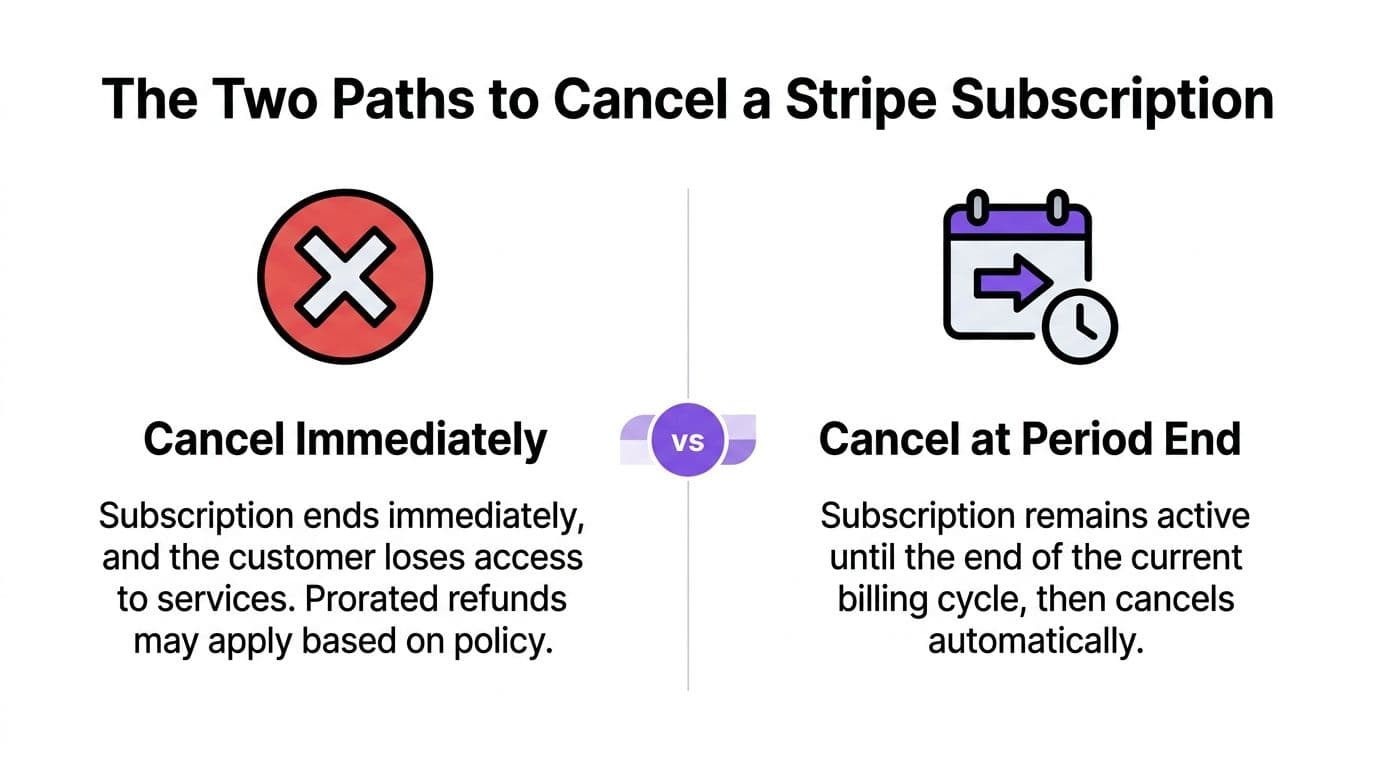
Immediate cancellation
Immediate cancellation ends the subscription at once. In the API, stripe.subscriptions.cancel(sub_id) cancels the subscription immediately. Stripe documents this behavior, along with scheduled cancellation options, in its subscriptions overview.
Use this path for exceptions, not as your default.
It fits cases like these:
- Fraud or abuse
- Policy or compliance violations
- A manual support decision where access must stop now
The trade-off is straightforward. Billing stops now, but so does the member relationship in most systems. If your product promise included access through the paid term, immediate cancellation can create refund requests, support friction, and distrust.
Period-end cancellation
Period-end cancellation keeps the subscription active until the current billing period closes, then ends it automatically. In practice, this is usually the right setting for memberships, course libraries, paid newsletters, and creator communities.
Why? Because it matches what the customer believes they bought.
If someone paid for access through the 30th, period-end cancellation honors that term while still preventing the next renewal. It also gives your operations stack time to handle offboarding correctly. On a platform like Zanfia, that matters because access changes often need to happen after the cancellation is scheduled, not at the moment the customer clicks the button.
Immediate vs. Period-End Cancellation
| Attribute | Immediate Cancellation | Period-End Cancellation |
|---|---|---|
| When billing ends | Right away | At the current billing period end |
| When access ends | Usually immediately | Usually at the period end |
| Best for | Fraud, abuse, special manual removals | Most memberships, courses, newsletters, communities |
| Customer experience | Abrupt if not expected | More predictable and easier to explain |
| Risk of complaints | Higher if the member expected remaining access | Lower when the policy is clear |
| Operational load | Can trigger refund and access questions fast | Easier to align with normal offboarding workflows |
The operational trade-off creators feel first
The true cost of choosing the wrong path usually shows up outside Stripe.
Immediate cancellation is simple inside billing, but it can create messy downstream work if your member still has Circle access, still receives premium emails, or still appears active in your course automation. Period-end cancellation tends to be easier to explain and easier to map to entitlement rules, especially for creator businesses with multiple delivery layers.
That is one reason teams often outgrow basic billing-only setups. If you are evaluating tools that can manage billing state alongside access rules and lifecycle actions, this guide to subscription management software for recurring businesses is a useful reference.
What works in practice
A reliable default is simple.
Practical rule: Use period-end cancellation by default. Use immediate cancellation only when there is a clear policy, risk, or service reason to end access now.
That approach keeps billing logic aligned with the member experience. It also reduces the post-cancellation state mismatch that creator businesses run into all the time. In Stripe, the subscription may be marked to end later. In your business, that means access should continue until the paid term expires, then stop cleanly across every delivery surface connected to it.
A Step-by-Step Guide to Using the Stripe Dashboard
Not every creator wants to touch code. That’s fine. The Stripe Dashboard is enough for many subscription teams, especially when cancellations are still handled manually by support or the founder.
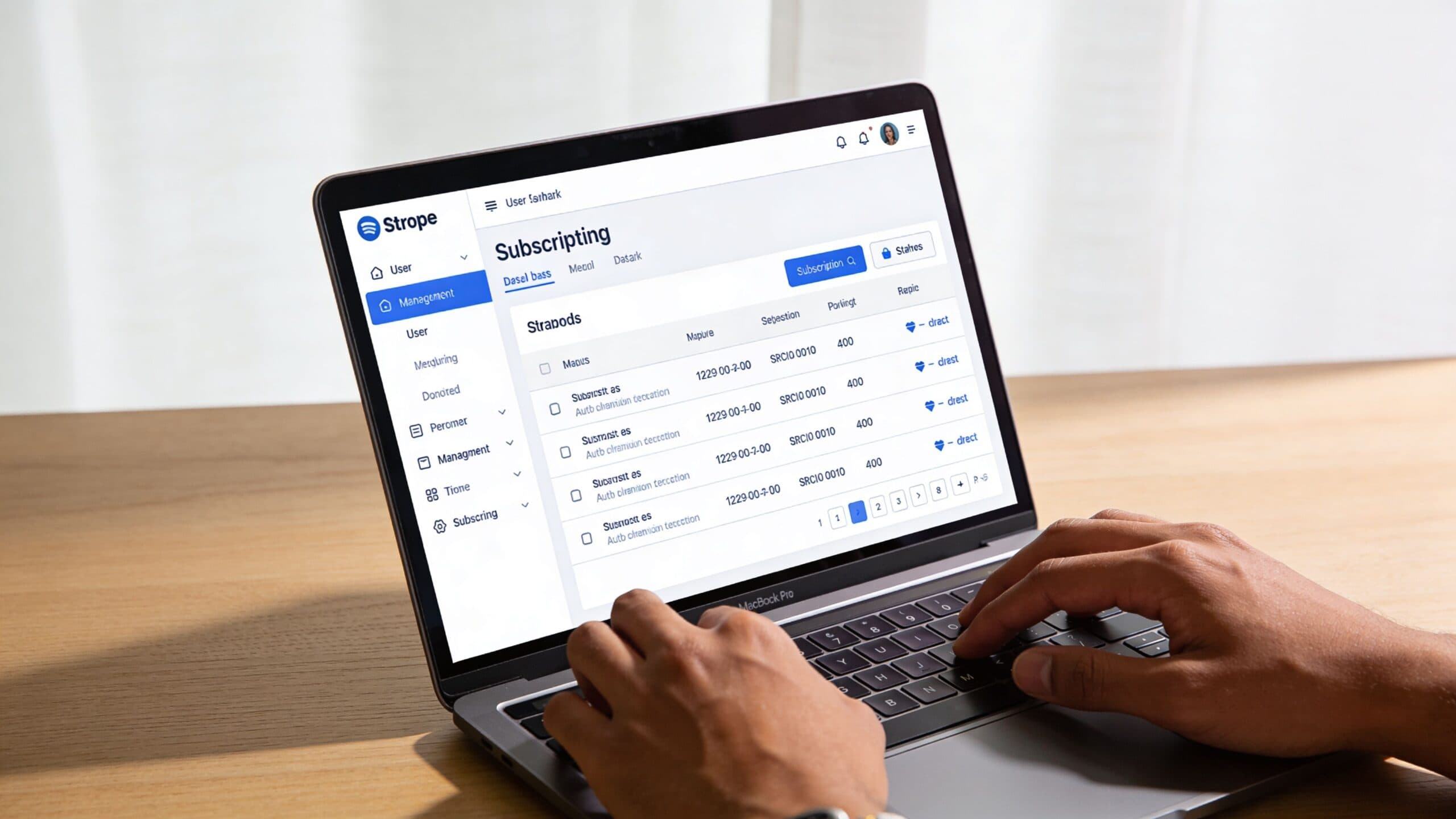
Find the right customer first
Start with the customer record, not the invoice. That sounds basic, but it prevents most mistakes.
Search for the customer in Stripe, open their profile, and go to the active subscription. Confirm three things before you click anything:
- The product or plan is the correct one
- The current billing period matches your expectation
- There isn’t already a pending cancellation
Those checks matter because some customers have more than one subscription history entry, and support teams can easily act on the wrong object if they move too fast.
Choose the end date deliberately
Inside the subscription view, Stripe gives you the option to cancel now or cancel at period end. Pick based on the service promise you made to the customer.
A simple internal rule helps:
- Use immediate cancellation when access must stop now
- Use period-end cancellation when the customer has already paid for ongoing access
- Add an internal note if the request came through email or support chat, so your team knows why the subscription ended
Stripe also makes one point very clear on the customer side. Customers who want to cancel can’t ask Stripe to do it for them. They must contact the business directly, according to Stripe Support. That gap creates confusion, and a 2025 analysis referenced there found that ~40% of “cancel subscription” Reddit posts came from confused end-customers. The same source notes that poor cancellation UX can lead to 15-20% higher dispute rates.
That’s one reason your own cancellation communication matters so much. If members can’t tell how to leave, they don’t calmly wait. They contact support, open a complaint, or escalate to their bank.
Make cancellation easy to locate, easy to understand, and easy to confirm. Hidden exits create noisy support, not retention.
Confirm what happens after the click
Before you save the cancellation, decide what your business should do next outside Stripe. Ask yourself:
- Will the customer keep course access until period end?
- Should they remain in private community spaces until the subscription ends?
- Do you need to stop a renewal reminder or onboarding email sequence?
- Is there any usage-based charge or final invoice implication to review?
This walkthrough is easier to see in motion:
If your team still handles these decisions manually, create a short cancellation checklist. The Stripe click itself is fast. The mistakes happen after the click.
Advanced Control Using the Stripe API
The Dashboard is good for individual actions. The API is where you get precision.
If you need custom cancellation logic, access timing tied to other systems, or mixed billing behavior across subscription items, the API gives you much tighter control over a stripe end subscription workflow.

Cancel immediately with code
For a direct stop, call the cancellation endpoint for the subscription you want to end.
cURL
curl https://api.stripe.com/v1/subscriptions/sub_123
  -u sk_test_xxx:
  -X DELETE
Node.js
const stripe = require('stripe')(process.env.STRIPE_SECRET_KEY);

const canceled = await stripe.subscriptions.cancel('sub_123');
console.log(canceled.status);
This is the programmatic equivalent of ending the subscription now. It’s useful when your app detects a condition that requires immediate service removal.
Schedule the end instead
If you want the subscription to continue until a future timestamp, update it with cancel_at.
cURL
curl https://api.stripe.com/v1/subscriptions/sub_123
  -u sk_test_xxx:
  -d cancel_at=1767225600
Node.js
const stripe = require('stripe')(process.env.STRIPE_SECRET_KEY);

const updated = await stripe.subscriptions.update('sub_123', {
  cancel_at: 1767225600
});
console.log(updated.cancel_at);
This approach is useful when a member gives notice, when you need to align access with a fixed event date, or when you’re building a custom offboarding flow in your own product.
New control for mixed-interval subscriptions
Stripe introduced a very useful change on May 28, 2025. In API version 2025-05-28.preview, it added the min_period_end and max_period_end enum values for cancellation timing in mixed-interval subscriptions, according to the Stripe changelog entry on cancel-at enums.
That solves a real ambiguity. If one subscription contains items ending on different schedules, you can now cancel at the earliest or latest item period end explicitly, instead of relying on older behavior that could end the subscription earlier than intended.
For teams with complex billing, that’s a meaningful upgrade.
If your subscription has multiple items with different renewal dates, don’t assume “period end” means what you think it means. Use the newer enum behavior when available.
Handle the accounting side too
Cancellation logic rarely ends in billing alone. You may also need to sync the final invoice with bookkeeping or downstream reporting. If your finance stack depends on clean handoffs between subscription events and accounting workflows, a practical companion is this overview of the QuickBooks Online API, especially when you want subscription changes to flow into reconciliation logic without manual copy-paste.
You also need to think about prorations and usage. Stripe’s cancellation documentation notes that final billing can still involve usage-based charges, and clearing usage where appropriate helps prevent ugly surprises. If you shorten the end date, prorations can produce credits or adjustments that your support team then has to explain.
A good API workflow usually includes:
- Explicit cancellation timing: Set
cancel_ator use immediate deletion intentionally. - Usage review: Decide whether metered usage should still bill on the final invoice.
- Webhook listeners: Make sure downstream systems receive the end-state change.
- Internal auditability: Store why the subscription was ended and who triggered it.
If you’re building these flows into a broader operations stack, it helps to think beyond billing alone. Zanfia’s guide to workflow automation tools is useful for mapping where billing events should trigger actions across support, product access, and finance.
The Zanfia Advantage Automating Post-Cancellation Workflows
A creator ends a subscription in Stripe at 10:00 AM. By noon, the member still has course access, renewal emails are still scheduled, and support has two tickets asking whether the cancellation went through.
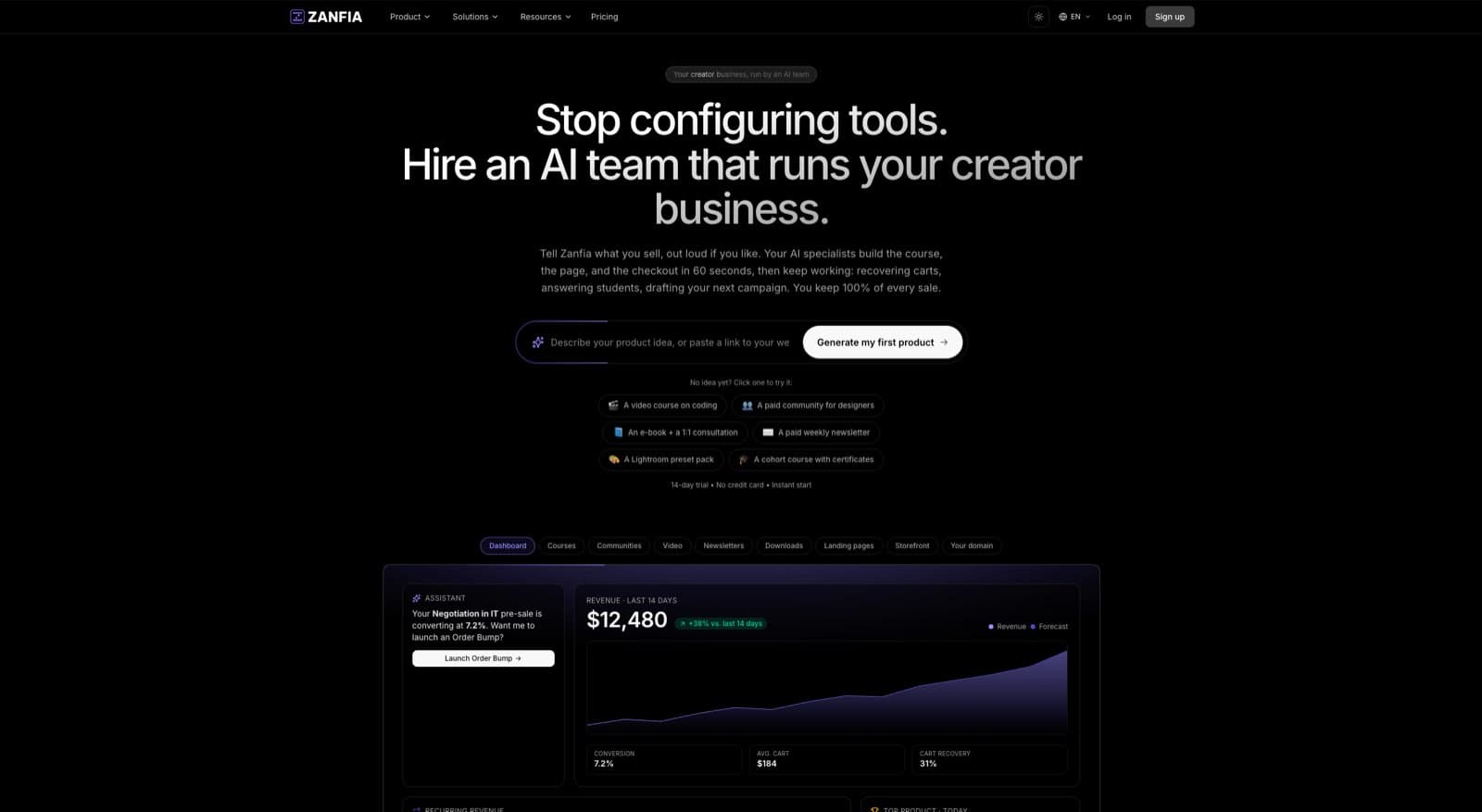
That is the core operational problem. Stripe handles billing status well, but creators still have to manage entitlements, community access, email logic, and support context across the full member lifecycle.
Where creators get stuck
Post-cancellation work breaks down in predictable places:
- Access drift: The subscription is ending, but the member still reaches paid content or private spaces longer than intended.
- Premature lockout: The member canceled at period end, but access is removed the same day.
- Support blind spots: The team sees “canceled” in one tool and “active” in another, so every reply starts with manual investigation.
- Communication errors: Renewal reminders, win-back emails, and transactional messages keep firing from the wrong state.
For digital creators, those issues are not minor admin mistakes. They affect trust, refund volume, and the perceived quality of the membership or course business.
What Zanfia should automate after a Stripe cancellation
The goal is simple. One billing event should trigger the right operational state everywhere else.
Zanfia is built around this idea. It positions itself as an AI team that runs the creator business, so instead of clicking through separate tools you describe the cancellation policy you want and the assistant sets up the flow across courses, communities, newsletters and the checkout in one place, by chat or by voice. That usually means automations that:
- Read the Stripe subscription status and end timing
- Keep access active through the paid-through date when cancellation is scheduled for period end
- Remove access immediately when the cancellation is immediate
- Update course, community, and bonus-resource permissions together
- Stop or reroute lifecycle emails based on the new account state
- Give support a clear record of what changed and when
That last point matters more than many teams expect. A clean support view cuts resolution time because agents can see whether the member is active, ending at period end, or fully expired without comparing multiple systems.
The best offboarding flow feels predictable to the member. They cancel, receive the right confirmation, keep access for the correct period, and every other system does the right thing.
Why Zanfia’s integrated workflow matters
Stripe can tell you that a subscription is set to cancel. It does not manage the full creator business on its own.
Zanfia closes that gap by connecting billing changes to product access and member communications, and by putting a checkout built to sell in front of it all: order bumps, subscription upsells, installments (a $600 course split into four payments, for example), and test mode so you can buy your own product end to end before a real member ever does. That combination matters most when one subscription controls several entitlements at once, such as a paid newsletter, a course library, a private community, and member-only downloads. If those states fall out of sync, members get mixed signals fast and your team inherits manual cleanup.
I have seen this pattern repeatedly. The billing setup is correct, but the customer experience still breaks because nobody defined what should happen after the billing event. The fix is not more dashboard checking. The fix is a clear automation map.
If you want a broader operating model for that, Zanfia’s guide on how to automate your business is a strong companion resource.
Manual cleanup does not scale
Manual handling works for a small creator business with one offer and a low member count. It starts failing once you add multiple products, team members, or different cancellation rules by tier.
An automated post-cancellation setup is stronger because it can:
- Honor paid-through access accurately
- Apply immediate removals without delay
- Keep billing status and product access aligned
- Prevent members from receiving the wrong emails after cancellation
- Reduce support load created by unclear account states
Support workflows also need the same level of discipline. If your team is refining how to answer cancellation questions, automated customer support is a useful reference for deciding what should be handled instantly and what should still go to a human.
For creators using Stripe with Zanfia, that is the primary advantage. The cancellation is only one event. The business outcome depends on what every connected system does next.
Turning Endings into Opportunities
The best operators don’t treat cancellation as a dead end. They treat it as feedback with a timestamp.
A member who leaves is telling you something. Sometimes the issue is pricing. Sometimes the offer solved their problem and they no longer need it. Sometimes the product promise and the lived experience drifted apart. You won’t know which unless you ask clearly and record the answer.
What to do after a subscription ends
Use the moment after cancellation to improve the business, not just close the account.
- Collect a reason: Keep it simple. One clear question usually gets better responses than a long survey.
- Review patterns by offer type: Community memberships, newsletters, and courses often lose customers for different reasons.
- Look for save opportunities: A pause option, plan change, or lower-intensity tier can be more appropriate than a full exit.
- Study leading indicators: Teams that want to get ahead of churn often benefit from frameworks like predictive churn modelling , especially when they’re trying to spot exit risk before the cancellation request arrives.
The premium brand view
A polished exit process is part of premium positioning. Members notice whether leaving is respectful or adversarial. They notice whether billing ends when promised. They notice whether support responds clearly.
That memory shapes referrals, reputation, and reactivation later.
If you want to strengthen retention before the cancellation happens, Zanfia’s guide on how to reduce customer churn is a smart follow-up.
A strong stripe end subscription process does one important thing beyond billing. It proves your business is well run even when the relationship changes.
FAQ
Should I default to immediate cancellation or period-end cancellation in Stripe?
Use period-end cancellation as your default. It keeps billing aligned with what the customer paid for, honors access through the current period, and gives your operations stack time to handle offboarding cleanly. Reserve immediate cancellation for exceptions like fraud, abuse, or policy violations where access must stop now.
How do I schedule a Stripe subscription to end on a specific future date?
Update the subscription with the cancel_at parameter, passing a Unix timestamp for when it should end. In Node.js that's stripe.subscriptions.update('sub_123', { cancel_at: 1767225600 }), or the equivalent PATCH request via cURL. This is useful when a member gives notice or you need access to align with a fixed event date.
Why can't Stripe cancel a subscription directly for a customer who asks them?
Stripe requires customers to contact the business directly to cancel; Stripe won't do it on their behalf. That gap is why cancellation UX matters so much on your side. Poor cancellation flows can lead to 15-20% higher dispute rates, and around 40% of "cancel subscription" posts on Reddit come from confused end-customers who couldn't find the exit.
What changed in 2025 for cancelling mixed-interval subscriptions?
On May 28, 2025, Stripe added the min_period_end and max_period_end enum values for cancel_at in API version 2025-05-28.preview. If a subscription contains items with different renewal schedules, you can now explicitly cancel at the earliest or latest item period end. Before this, the default behavior could end the subscription earlier than intended.
What should I do outside Stripe when I click cancel in the Dashboard?
The Stripe click is fast, but the mistakes happen after it. Before saving, decide whether the customer keeps course access until period end, whether they stay in private community spaces, whether renewal reminders or onboarding sequences need to stop, and whether any final invoice needs review. A short cancellation checklist prevents state mismatches across your delivery tools.
If you want a platform that helps you sell memberships, courses, newsletters, and digital products under your own brand, Zanfia works as an AI team that runs the delivery side of your creator business. Courses, paid communities, newsletters and 12 product types live under one brand, the assistant lets you run any action in the interface by chat or by voice, and the checkout is built to sell with order bumps, upsells, installments and a test mode for buying your own product before launch. You keep full brand control, currently pay 0% platform fees on customer sales, and can automate the operational work around subscriptions so you spend less time on admin and more time building a business people want to stay in.